Indledning
This user manual provides comprehensive instructions for the setup, operation, and maintenance of your Kogan 55" QLED 4K 144Hz Smart AI Google TV (Model: KAQL55XQ98GSTA). Please read this manual thoroughly before using your TV to ensure proper functionality and to maximize your viewoplevelse. Gem denne vejledning til fremtidig reference.

Figure 1: Kogan 55" QLED 4K 144Hz Smart AI Google TV
This image shows the Kogan 55-inch QLED 4K 144Hz Smart AI Google TV from the front, highlighting its slim bezels and the vibrant display. The Kogan logo is visible on the bottom left, and the screen displays a colorful abstract pattern, emphasizing its QLED technology.
Opsætning
Udpakning og indledende inspektion
Carefully remove the TV from its packaging. Inspect the TV and all accessories for any signs of damage. If any damage is found, do not proceed with setup and contact Kogan customer support immediately.
Attaching the Stand or Wall Mounting
Your TV comes with a stand for tabletop placement. For wall mounting, a VESA-compatible wall mount (not included) is required. Refer to the wall mount's instructions for proper installation.
- Montering af stativ:
- Placer tv'et med forsiden nedad på en blød, ren overflade for at forhindre, at skærmen beskadiges.
- Juster stativbeslagene med skruehullerne i bunden af tv'et.
- Fastgør stativet med de medfølgende skruer. Sørg for, at stativet er ordentligt fastgjort.
- Vægmontering:
This TV supports wall mounting. Ensure you use a compatible wall mount and follow the manufacturer's instructions for safe and secure installation. Professional installation is recommended for wall mounting.
Tilslutning af eksterne enheder
Connect your external devices such as set-top boxes, gaming consoles, or sound systems to the TV's input ports (HDMI, USB, etc.).
- HDMI-forbindelser: Use HDMI cables for high-definition video and audio. This TV features multiple HDMI inputs.
- USB-forbindelser: Tilslut USB-enheder til medieafspilning.
- Strømtilslutning: Sæt netledningen i tv'ets strømindgang og derefter i en stikkontakt.
Betjeningsvejledning
First-Time Setup and Google TV
Upon first power-on, the TV will guide you through the initial setup process, including network connection, Google account login, and channel scanning. Google TV integrates your favorite streaming services and content into one personalized hub.

Figure 2: Google TV Interface in Use
This image depicts two individuals comfortably seated in a living room, viewing the Kogan Google TV. The TV screen displays the Google TV interface with various streaming app icons and content recommendations, illustrating the user-friendly nature of the smart TV system.

Figure 3: Detailed Google TV Home Screen
This image provides a closer look at the Google TV home screen, showcasing content recommendations like "Nine Perfect Strangers" and various app icons such as Netflix, YouTube, and Prime Video. The interface is clean and organized, making content discovery intuitive.

Figure 4: All Your Favorite Apps
This image highlights the extensive selection of streaming applications available on the Kogan Google TV. It displays numerous popular app logos, including Netflix, Prime Video, Disney+, YouTube, and Stan, emphasizing the TV's capability to serve as a comprehensive entertainment hub.
Nøgleegenskaber og funktioner
- QLED teknologi: Experience mesmerizing color reproduction and vibrant visuals thanks to Quantum Dot Technology.
- 4K UHD-opløsning: Enjoy stunning clarity and detail with 3840 x 2160 pixel resolution.

Figure 5: Ultra HD (4K) Visual Comparison
This image visually compares Full HD and Ultra HD (4K) resolutions using a scenic view of boats on clear water. The 4K side demonstrates significantly clearer picture quality and sharper colors, illustrating the enhanced immersive viewing experience provided by 4K resolution.
- 144Hz Variable Refresh Rate (VRR): Achieve smoother and tear-free visuals, especially beneficial for fast-paced scenes and gaming.

Figure 6: 144Hz Variable Refresh Rate in Action
This image illustrates the benefit of a 144Hz Variable Refresh Rate (VRR) for gaming. It shows a split screen with a racing game, comparing the visual quality "Without 144Hz VRR" (blurry) and "With 144Hz VRR" (sharp and smooth), highlighting the enhanced gaming experience.
- Dolby Vision™: Enjoy cinematic immersion with lifelike and vibrant visuals.
- High-Dynamic Range (HDR): Delivers brighter highlights, better contrast, and more realistic colors.
- Indbygget Google Chromecast: Stream content directly from your smartphone, laptop, or tablet to your TV.
- Google Play Butik: Access over 400,000 movies, TV episodes, live TV, and a wide range of applications.
- Motion Estimation & Motion Compensation (MEMC): Improves clarity and reduces blur in fast-moving scenes for smoother visuals.
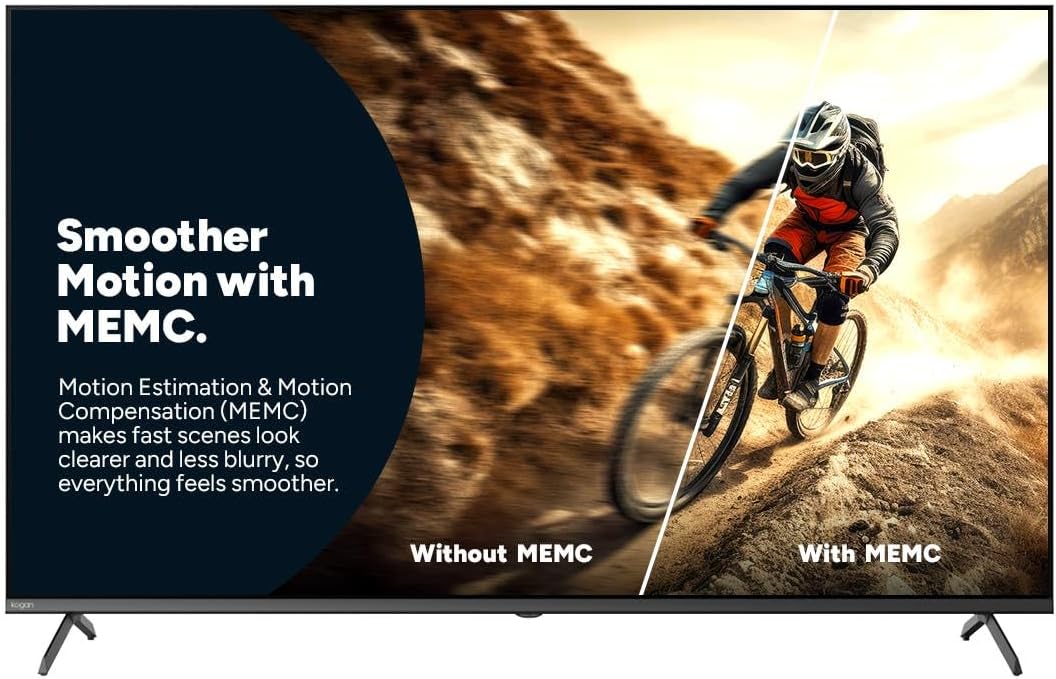
Figure 7: Smoother Motion with MEMC
This image demonstrates the effect of Motion Estimation & Motion Compensation (MEMC). It shows a split view of a cyclist in motion, comparing the visual "Without MEMC" (blurry) and "With MEMC" (clearer and smoother), illustrating how MEMC enhances the clarity of fast-paced scenes.
- Automatisk lav latenstilstand (ALLM): Automatically reduces response time for an ultra-smooth and lag-free gaming experience.
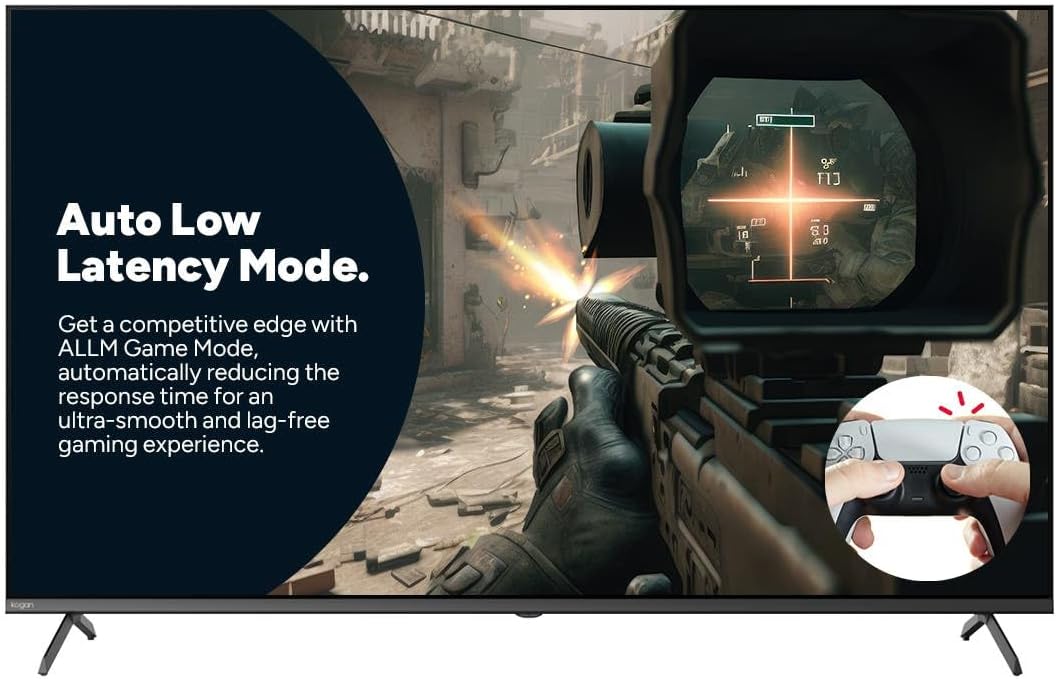
Figure 8: Auto Low Latency Mode for Gaming
This image highlights the benefits of Auto Low Latency Mode (ALLM) for gaming. It features a first-person shooter game scene, emphasizing how ALLM automatically reduces response time, providing a competitive edge with ultra-smooth and lag-free gameplay.
Brug af fjernbetjening
The included remote control allows you to navigate the Google TV interface, adjust settings, change channels, and control connected devices. Familiarize yourself with the button layout for optimal use.
Opretholdelse
Rengøring af TV
- Skærm: Tør forsigtigt skærmen af med en blød, fnugfri klud. Brug en skærmrens, der er specielt designet til tv'er, til genstridige pletter, og påfør den på kluden, ikke direkte på skærmen.
- Ramme: Tør tv-rammen og stativet af med en blød, tør klud.
- Brug ikke: Undgå at bruge slibende rengøringsmidler, voks eller opløsningsmidler, da de kan beskadige tv'ets overflade.
Almen pleje
- Sørg for tilstrækkelig ventilation omkring tv'et for at forhindre overophedning.
- Hold tv'et væk fra direkte sollys, varmekilder og for meget støv.
- Tag stikket til tv'et ud af stikkontakten under tordenvejr eller når det efterlades uden opsyn i længere perioder.
Fejlfinding
If you encounter issues with your Kogan TV, refer to the following common problems and solutions. If the problem persists, contact Kogan customer support.
| Problem | Mulig årsag/løsning |
|---|---|
| Ingen strøm | Check if the power cord is securely plugged into the TV and the wall outlet. Ensure the wall outlet has power. Try a different outlet. |
| Intet billede / lyd | Verify the correct input source is selected (e.g., HDMI 1, TV). Check cable connections to external devices. Ensure volume is not muted or too low. |
| Fjernbetjeningen virker ikke | Kontrollér og udskift batterierne. Sørg for, at der ikke er nogen forhindringer mellem fjernbetjeningen og tv'ets IR-sensor. |
| Dårlig billedkvalitet | Check antenna/cable connection. Adjust picture settings (brightness, contrast, sharpness). Ensure the source content is high quality. |
| Ingen internetforbindelse | Check Wi-Fi router and modem. Reconnect to the Wi-Fi network in TV settings. Try restarting the TV and router. |
Specifikationer
| Feature | Detalje |
|---|---|
| Mærke | Kogan |
| Modelnavn | Kogan 55" QLED 4K 144Hz Smart AI Google TV |
| Modelnummer | KAQL55XQ98GSTA |
| Skærmstørrelse | 55 tommer |
| Displayteknologi | QLED |
| Opløsning | 4K (3840 x 2160) |
| Opdateringshastighed | 144 Hz |
| Operativsystem | Google TV |
| RAM størrelse | 3 GB |
| Særlige funktioner | Chromecast, Dolby Vision, HDR, MEMC, ALLM |
| Forbindelsesteknologi | USB, HDMI |
| Audio Input Compatible | USB, HDMI |
| Voltage | 240 volt |
| Varens vægt | 18.2 kg |
| Pakkedimensioner | 134 x 85 x 14 cm |
Garanti og support
For warranty information and technical support, please refer to the warranty card included with your product or visit the official Kogan website. You can also contact Kogan customer service directly for assistance with product issues or inquiries.
Kogan Support: https://www.kogan.com/au/help/


