1. Introduktion
This manual provides essential instructions for the safe operation, assembly, and maintenance of your Genesis Designs Smart Full Body Massage Chair, model GM1-W. Please read this manual thoroughly before using the product to ensure proper function and to prevent injury or damage.
The Genesis Designs GM1-W massage chair features 2D SL-track rollers, voice activation, a tablet remote control, 12 auto pre-programmed modes, and 6 massage techniques. It includes a zero-gravity function, built-in Bluetooth speakers, and a USB charging port. Airbag massage is provided for the shoulders, arms, waist, legs, and feet, along with a heated lumbar function and foot rollers.
2. Vigtige sikkerhedsoplysninger
WARNING: To reduce the risk of electric shock, burns, fire, or injury, always follow these basic precautions:
- Read all instructions before using the massage chair.
- Brug ikke tilbehør, der ikke er anbefalet af producenten.
- Træk stikket ud af stikkontakten, når det ikke er i brug, før du sætter dele på eller af, og før rengøring.
- Tæt opsyn er nødvendigt, når dette produkt bruges af, på eller i nærheden af børn, handicappede eller handicappede personer.
- Må ikke arbejde under et tæppe eller pude. Overdreven opvarmning kan forekomme og forårsage brand, elektrisk stød eller personskade.
- Betjen aldrig dette produkt, hvis det har en beskadiget ledning eller stik, hvis det ikke fungerer korrekt, hvis det er blevet tabt eller beskadiget eller tabt i vand.
- Hold ledningen væk fra opvarmede overflader.
- Må ikke bruges udendørs.
- Må ikke anvendes, hvor der anvendes aerosolprodukter (spray), eller hvor der indgives ilt.
- For at afbryde forbindelsen skal du dreje alle knapper til OFF-position og derefter tage stikket ud af stikkontakten.
- Dette apparat er kun beregnet til husholdningsbrug.
- Rådfør dig med en læge før brug, hvis du har medicinske tilstande, er gravid eller har en pacemaker.
3. Pakkens indhold
Kontroller, at alle komponenter er til stede i emballagen:
- Genesis Designs GM1-W Massage Chair (Main Unit)
- Tablet Remote Control
- Strømledning
- Brugervejledning (dette dokument)

Figur 3.1: "In The Box" diagram illustrating the main chair unit, the tablet remote control, and the power cord.
4. Opsætning og montering
The Genesis Designs GM1-W massage chair typically arrives partially assembled. Follow these steps for final assembly and placement.
4.1 Udpakning og placering
- Carefully remove all packaging materials. It is recommended to retain packaging for future transport or service.
- Position the chair in a suitable location. Ensure there is enough space around the chair for full recline, especially for the zero-gravity function. The chair requires approximately 66.33 inches in length when fully reclined.
- Ensure the chair is placed on a level surface.

Figur 4.1: Forsiden view of the Genesis Designs GM1-W massage chair.

Figur 4.2: Side view of the Genesis Designs GM1-W massage chair, illustrating its profile.
4.2 Tilslutning af strøm
- Locate the power input port on the back or bottom of the chair.
- Connect the power cord securely to the chair.
- Sæt den anden ende af netledningen i en jordet stikkontakt.
5. Betjeningsvejledning
Your Genesis Designs GM1-W massage chair offers various functions for a personalized massage experience.
5.1 kontroller overview
The chair can be controlled via the handheld tablet remote or the quick-start buttons on the right armrest.

Figur 5.1: Handheld tablet remote control interface.

Figur 5.2: Quick-start control panel on the right armrest.
5.2 Start af massage
- Sid behageligt i stolen.
- Press the Power button on the tablet remote or the quick-start panel.
- Vælg en af 12 auto pre-programmed modes or choose from 6 massage techniques using the tablet remote.
5.3 Nøglefunktioner og -funktioner
- 2D SL-Track Rollers: The massage rollers follow the natural curve of your spine, extending from your neck to your thighs, providing a comprehensive massage.
- Zero Gravity Function: Activate zero gravity mode to recline the chair to a position that elevates your legs above your heart, reducing pressure on your spine and enhancing relaxation. The chair offers multiple recline levels.

Figur 5.3: Illustration of the chair's zero gravity recline positions.
- Stemmeaktivering: Use voice commands to control various functions of the massage chair. Refer to the tablet remote interface for specific voice commands.
- Airbagmassage: Airbags located in the shoulders, arms, waist, legs, and feet inflate and deflate to provide compression massage. Adjust intensity via the tablet remote.
- Heated Lumbar Function: Activate the heating function for the lower back to soothe muscles and enhance relaxation.
- Fodmassage: The legrest can extend up to 6.25 inches to accommodate different user heights. Foot rollers provide a targeted massage to the soles of your feet.
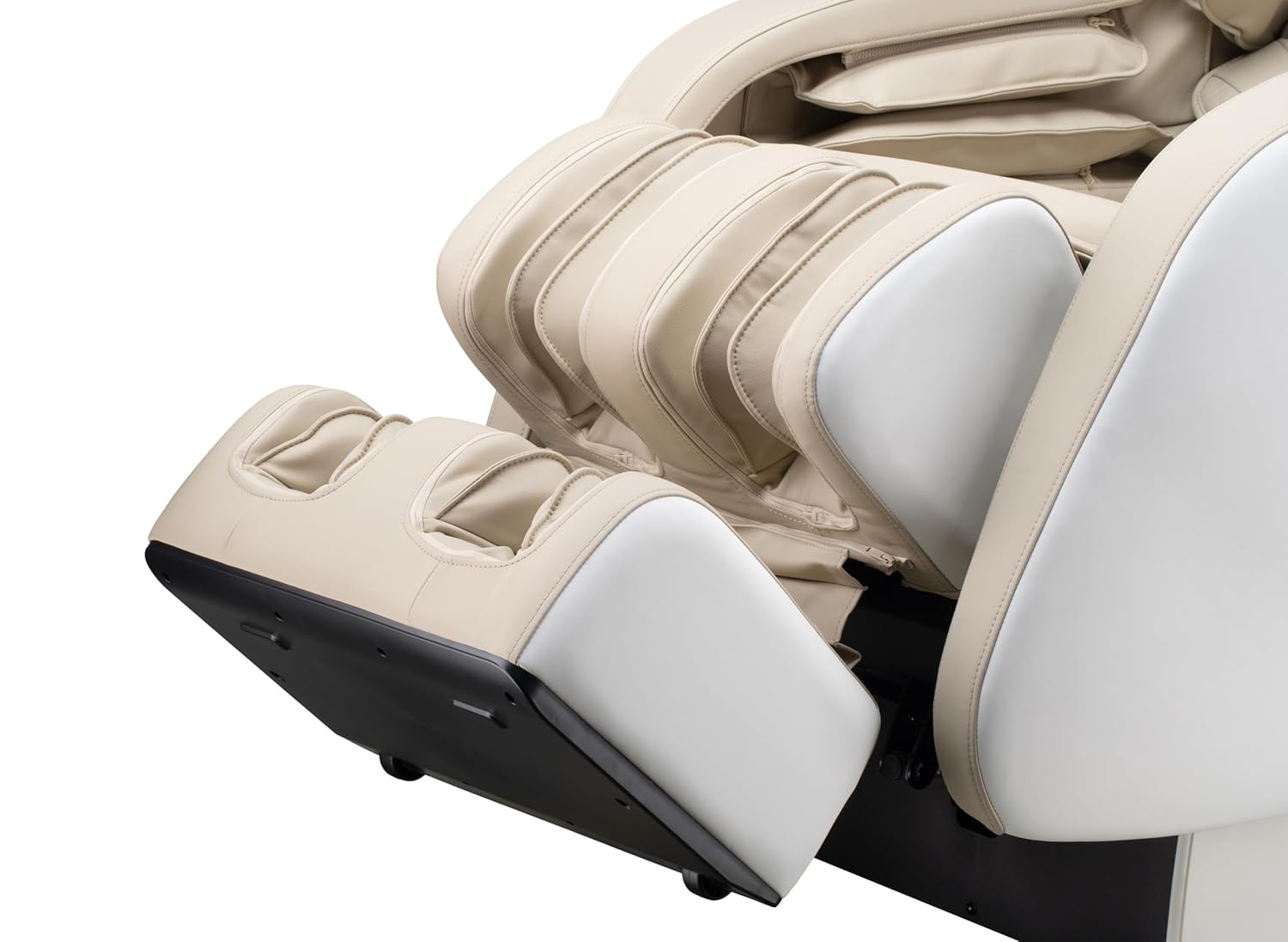
Figur 5.4: Detail of the footrest with integrated foot rollers.
- Bluetooth -højttalere: Connect your personal device via Bluetooth to enjoy audio during your massage.
- Aktiver Bluetooth på din enhed.
- Søg efter "Genesis Massage Chair" or similar on your device's Bluetooth settings.
- Par og tilslut.
- USB opladningsport: A convenient USB port is available for charging your mobile devices.

Figur 5.5: Overview of main features and their locations on the chair.
6. Vedligeholdelse og pleje
Korrekt vedligeholdelse sikrer din massagestols levetid og optimale ydeevne.
6.1 Rengøring
- Ydre: Tør af med en blød, damp cloth. Do not use abrasive cleaners, solvents, or harsh chemicals, as these may damage the upholstery.
- Indre: Periodically vacuum any dust or debris from crevices.
- Sørg for, at stolen er frakoblet stikket, inden rengøring.
6.2 Opbevaring
If storing the chair for an extended period, unplug it and cover it to protect from dust and moisture. Store in a cool, dry place.
7. Fejlfinding
Hvis du støder på problemer med din massagestol, kan du se følgende almindelige problemer og løsninger:
| Problem | Mulig årsag | Løsning |
|---|---|---|
| Stolen tænder ikke. | Netledningen er ikke sat ordentligt i. Ingen strøm fra stikkontakten. | Check power cord connection to chair and outlet. Test outlet with another device. |
| Massagerullerne bevæger sig ikke. | Chair is in standby mode. Program not selected. | Ensure chair is powered on. Select an auto program or manual massage technique. |
| Bluetooth opretter ikke forbindelse. | Bluetooth on device is off. Chair's Bluetooth is off or not discoverable. | Ensure Bluetooth is enabled on your device. Check tablet remote for Bluetooth activation. Try restarting both devices. |
| Voice activation not responding. | Microphone obstructed. Incorrect commands. | Ensure no obstructions near the microphone. Speak clearly and use the specified voice commands. |
| Usædvanlige lyde under drift. | Normal operational sounds. Loose component. | Some motor and airbag sounds are normal. If noise is excessive or new, discontinue use and contact customer support. |
If the problem persists after attempting these solutions, please contact Genesis Designs customer support for assistance.
8. Specifikationer
| Feature | Detalje |
|---|---|
| Modelnummer | GM1-W |
| Mærke | Genesis Designs |
| Massagespor | 2D SL-Track |
| Upright Dimensions (L x W x H) | 57.67 x 29.72 x 44.33 tommer |
| Zero Gravity Dimensions (L x W x H) | 66.33 x 29.72 x 38.77 tommer |
| Produktets vægt | 165 pund |
| Sædebredde | 21 tommer |
| Legrest Extension | Op til 6.25 tommer |
| Massage programmer | 12 Auto Modes, 6 Manual Techniques |
| Særlige funktioner | Voice Activation, Bluetooth Speakers, USB Charging, Heated Lumbar, Foot Rollers |
| Certificering | ETL Certificeret |
| UPC/GTIN | 811691028064 |

Figur 8.1: Dimensional diagram of the massage chair.
9. Garanti og kundesupport
For warranty information, please refer to the documentation included with your purchase or contact Genesis Designs customer support directly. Keep your proof of purchase for warranty claims.
If you require technical assistance, have questions about operation, or need to report a problem, please contact Genesis Designs customer support through their official webwebstedet eller de kontaktoplysninger, der følger med dit produkt.


