1. Introduktion
Denne manual indeholder detaljerede instruktioner til opsætning, betjening og vedligeholdelse af dit THOMSON 40-tommer FHD Fire TV. Læs venligst denne manual grundigt, inden du bruger fjernsynet, for at sikre korrekt funktionalitet og sikkerhed. Gem denne manual til senere brug.
2. Sikkerhedsoplysninger
Følg altid grundlæggende sikkerhedsforanstaltninger, når du bruger dette produkt, for at reducere risikoen for brand, elektrisk stød og personskade.
- Udsæt ikke TV'et for regn eller fugt.
- Bloker ikke ventilationsåbninger.
- Sørg for korrekt jordforbindelse til strømstikket.
- Tag stikket ud af tv'et under tordenvejr eller når det ikke bruges i længere perioder.
- Overlad al service til kvalificeret servicepersonale.
3. Pakkens indhold
Bekræft at alle varer er inkluderet i din pakke:
- THOMSON 40-tommer FHD Fire TV
- Fjernbetjening (med batterier)
- Strømledning
- TV-bord (2 stk.)
- Skruer til TV-stativ
- Brugervejledning (dette dokument)

Billede: Produktæsken, der illustrerer tv'et, fjernbetjeningen og forskellige funktioner som Fire TV, Alexa og Dolby Audio.
4. Produktet er slutview
Gør dig bekendt med komponenterne og tilslutningerne på dit THOMSON Fire TV.
4.1 Foran View

Billede: Forsiden af tv'et, vistasindens slanke ramme og Fire TVs smarte brugerflade med populære streamingapplikationer.
4.2 Side View og Dimensioner
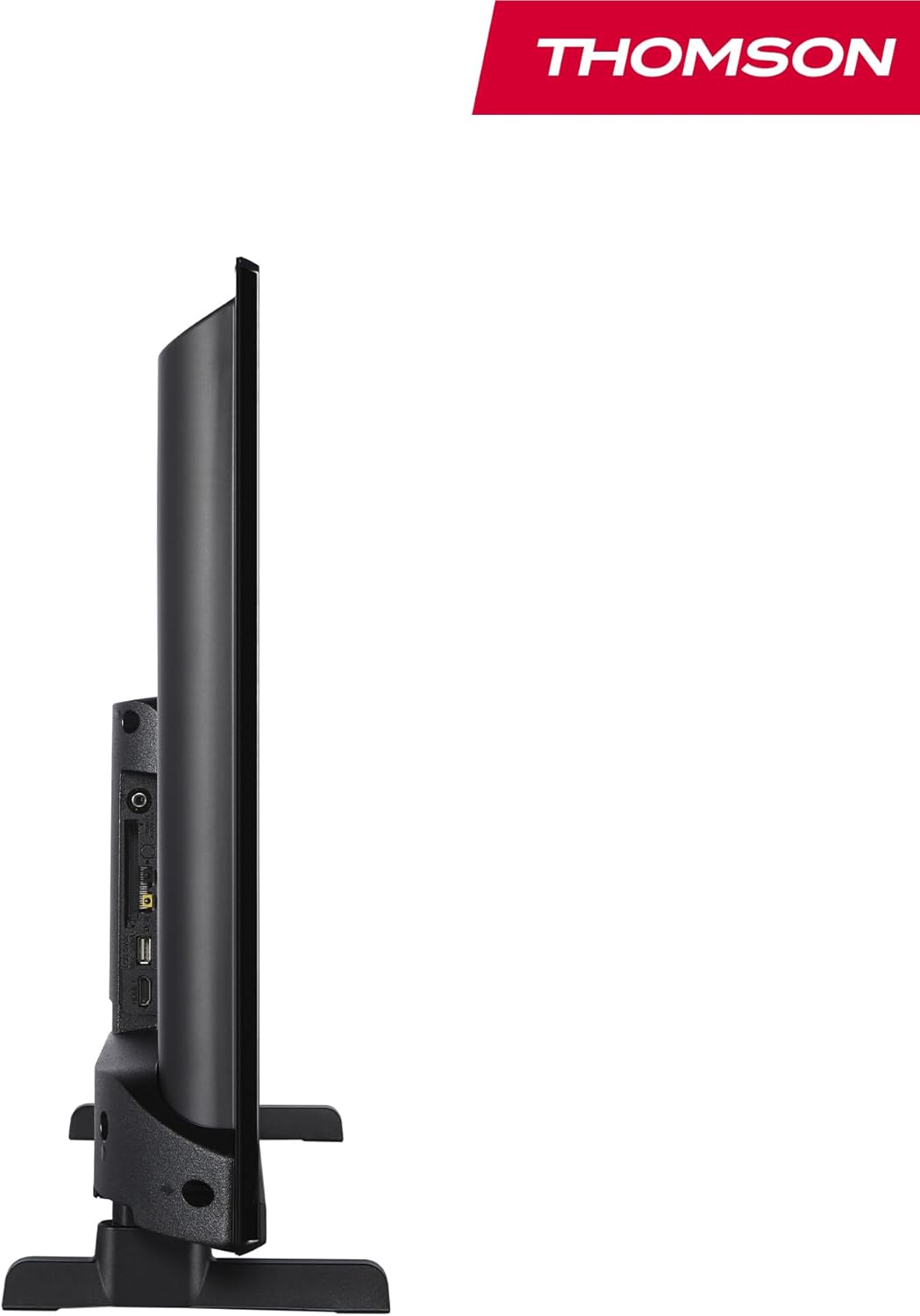
Billede: En side view af fjernsynet, der demonstrerer dets tynde profile.

Billede: Et diagram, der illustrerer TV'ets fysiske dimensioner, inklusive bredde, højde og dybde med stativ.
4.3 bag View og havne
Bagpanelet på dit tv har forskellige indgangs- og udgangsporte til tilslutning af eksterne enheder.

Billede: En detaljeret view på tv'ets bagpanel, der fremhæver alle tilslutningsporte såsom HDMI, USB, lydudgang, CI+ og antenneindgange.
- Lydudgang: Til tilslutning af eksterne lydsystemer.
- CI+: Common Interface Plus-stik til betingede adgangsmoduler.
- Hovedtelefoner: 3.5 mm jackstik til privat lytning.
- AV IN: Til tilslutning af ældre enheder med kompositvideo og stereolyd.
- USB 2.0: Til afspilning af medier fra USB-drev.
- HDMI 1.4 (x2): High-Definition multimedia interface til tilslutning af Blu-ray-afspillere, spillekonsoller osv.
- Antenne: Til tilslutning af en jordbaseret antenne (DVB-T2).
- Satellit: Til tilslutning af en parabolantenne (DVB-S2).
- LAN: Ethernet-port til kablet netværksforbindelse.
5. Opsætning
5.1 Montering af tv-stativet
- Placer forsigtigt tv'et med forsiden nedad på en blød, flad overflade for at forhindre, at skærmen beskadiges.
- Juster stativstykkerne med de tilsvarende riller i bunden af tv'et.
- Fastgør stativerne med de medfølgende skruer.
5.2 Første opstart og netværksforbindelse
- Tilslut netledningen til tv'et og en stikkontakt.
- Tryk på tænd/sluk-knappen på tv'et eller fjernbetjeningen for at tænde det.
- Følg instruktionerne på skærmen for den første opsætning, inklusive valg af sprog og netværksforbindelse (Wi-Fi eller Ethernet).
- Log ind med din Amazon-konto for at aktivere Fire TV-funktioner.
5.3 Tuneropsætning (Triple-Tuner)
Dit tv er udstyret med en tredobbelt tuner til modtagelse af DVB-C (kabel), DVB-S2 (satellit) og DVB-T2 (jordbaseret).

Billede: DVB-T2/C/S2-tunerindgangene, der muliggør tilslutning til forskellige udsendelseskilder.
- Tilslut dit antenne- eller satellitkabel til den relevante indgang på tv'et.
- Gå til TV-indstillingerne, og vælg 'Kanalscanning' eller 'Tuneropsætning'.
- Vælg din udsendelsestype (antenne, kabel eller satellit), og følg vejledningen for at søge efter tilgængelige kanaler.
6. Betjeningsvejledning
6.1 Fire TV-grænseflade
Fire TV-grænsefladen giver nem adgang til dine foretrukne streamingtjenester, apps og live-tv.
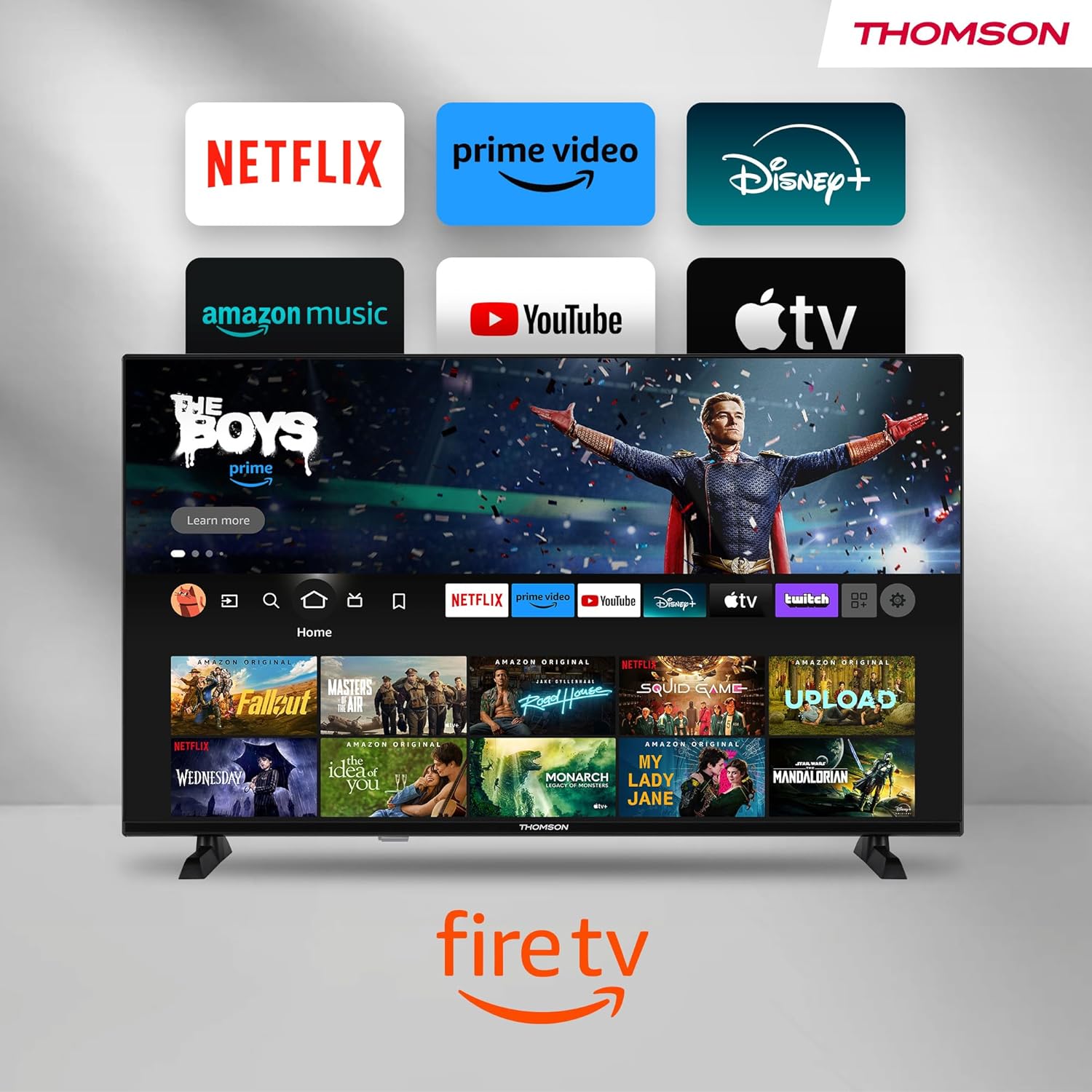
Billede: Fire TV-startskærmen, der viser et udvalg af populære streamingapps og indholdsanbefalinger.
Naviger ved hjælp af fjernbetjeningens retningstast. Startskærmen giver personlige anbefalinger og hurtig adgang til dine installerede applikationer.
6.2 Alexa Stemmestyring
Brug den integrerede Alexa-stemmestyring til håndfri betjening.
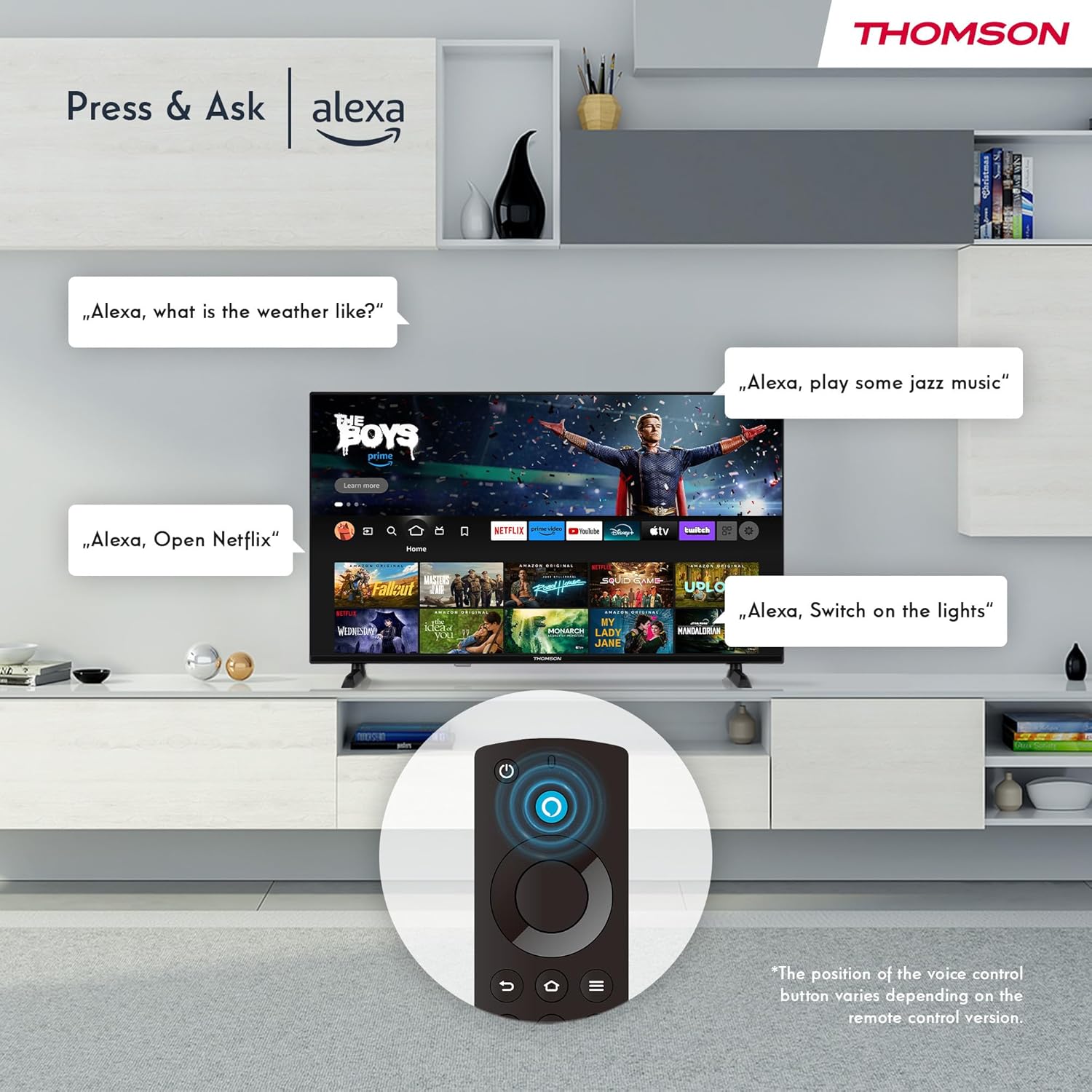
Billede: Demonstration af Alexa-stemmekommandoer til styring af tv'et, søgning efter indhold og administration af smart home-enheder.
Tryk på Alexa-knappen på din fjernbetjening og sig din kommando. Du kan bede Alexa om at:
- Søg efter film eller tv-serier.
- Start applikationer.
- Styr afspilning (pause, afspil, spring over).
- Tjek vejret eller nyhederne.
- Styr kompatible smart-hjem-enheder.
6.3 Smart Home-integration
Administrer dine tilsluttede smart home-enheder direkte fra dit tv's integrerede dashboard.

Billede: Smart Home-dashboardet, der giver et centraliseret kontrolpanel til forskellige smarte enheder i dit hjem.
Få adgang til Smart Home-dashboardet for at overvåge og styre enheder som kameraer, lys og stik.
6.4 AirPlay-funktionalitet
Stream indhold direkte fra dine Apple-enheder (iPhone, iPad, Mac) til dit THOMSON Fire TV ved hjælp af AirPlay.

Billede: En demonstration af Apple AirPlay, der viser indhold, der spejles fra en iOS-enhed til tv-skærmen.
Sørg for, at både din Apple-enhed og dit tv er forbundet til det samme Wi-Fi-netværk. Vælg AirPlay-ikonet på din Apple-enhed, og vælg dit THOMSON TV fra listen over tilgængelige enheder.
6.5 Oprettelse af brugerprofilfiles
Opret flere brugere profiles til personlige indholdsanbefalinger og indstillinger.

Billede: Brugerproffsetfile valgskærmen på Fire TV, så forskellige brugere kan få deres egne personlige viewoplevelse.
Fra Fire TV-startskærmen skal du navigere til pro'enfile valg for at tilføje eller skifte profiles. Hver profile kan have sin egen visningshistorik og apppræferencer.
6.6 HDR10 og Dolby Audio
Oplev forbedret billedkvalitet med HDR10 og fordybende lyd med Dolby Audio.

Billede: En visuel sammenligning, der demonstrerer den forbedrede kontrast og farveglans, som HDR10-teknologien tilbyder.

Billede: En grafik, der illustrerer den fordybende lydoplevelse, som Dolby Audio leverer.
HDR10 giver et bredere udvalg af farver og kontraster, mens Dolby Audio leverer fyldig, klar og kraftfuld lyd.
6.7 Fjernbetjening
Den ergonomiske Bluetooth-fjernbetjening giver nem navigation og direkte adgang til vigtige funktioner.
- Alexa-knap: Tryk og hold nede for at aktivere stemmekommandoer.
- Navigationsplade: Til at navigere gennem menuer og vælge elementer.
- Netflix/Prime Video-knapper: Direkte adgang til disse streamingtjenester.
- Amazon Silkeknap: Direkte adgang til web browser.
7. Vedligeholdelse
For at sikre dit TV's levetid og optimale ydeevne skal du følge disse vedligeholdelsesretningslinjer:
- Rengøring af skærmen: Tør forsigtigt skærmen af med en blød, fnugfri klud. Brug en skærmrens, der er specielt designet til tv'er, til genstridige pletter, og påfør den på kluden, ikke direkte på skærmen.
- Rengøring af kabinettet: Brug en blød, tør klud til at tørre tv-kabinettet af. Brug ikke slibende rengøringsmidler eller opløsningsmidler.
- Ventilation: Sørg for, at ventilationsåbningerne på bagsiden af tv'et ikke er blokerede for at forhindre overophedning.
- Strømledning: Kontrollér regelmæssigt strømkablet for skader. Udskift det med det samme, hvis det er beskadiget.
8. Fejlfinding
Hvis du støder på problemer med dit tv, kan du se følgende almindelige problemer og løsninger:
| Problem | Mulig årsag/løsning |
|---|---|
| Ingen strøm | Kontroller, om strømkablet er korrekt tilsluttet tv'et og stikkontakten. Sørg for, at stikkontakten er aktiv. |
| Intet billede, men der er lyd | Kontrollér inputkilden. Sørg for, at eksterne enheder er korrekt tilsluttet og tændt. |
| Ingen lyd, men der er billede | Kontroller lydstyrkeniveauet. Sørg for, at Mute ikke er aktiveret. Kontroller lydkabler til eksterne enheder. |
| Fjernbetjening virker ikke | Kontrollér batterierne. Sørg for, at der ikke er nogen forhindringer mellem fjernbetjeningen og tv'et. Genpar Bluetooth-fjernbetjeningen, hvis det er nødvendigt. |
| Kan ikke oprette forbindelse til Wi-Fi | Sørg for, at Wi-Fi er aktiveret på tv'et. Tjek Wi-Fi-adgangskoden. Genstart din router. Flyt tv'et tættere på routeren. |
| Apps er langsomme eller fryser | Genstart tv'et. Ryd app-cache eller data i indstillingerne. Sørg for tilstrækkelig internethastighed. |
Hvis problemet fortsætter, bedes du kontakte kundesupport.
9. Specifikationer
| Feature | Detalje |
|---|---|
| Modelnummer | 40FF2S34 |
| Skærmstørrelse | 40.0 tommer (100 cm) |
| Displayteknologi | LED |
| Opløsning | 1080p (Full HD) |
| Opdateringshastighed | 60 Hz |
| Aspektforhold | 16:9 |
| Forbindelse | Wi-Fi, Bluetooth 5.0, 2x HDMI 1.4, USB 2.0, AV-indgang, lydudgang, CI+, LAN |
| Tunere | DVB-C, DVB-S2, DVB-T2 |
| Særlige funktioner | Fire TV, Alexa stemmestyring, AirPlay, HDR10, Dolby Audio, Smart Home Dashboard, brugerprofilfiles |
| Dimensioner (med stativ) | 90.2 x 55.4 x 17.5 cm (B x H x D) |
| Vægt | 9 kg |
| Energieffektivitetsvurdering | E |
| Inkluderede komponenter | Fjernbetjening |
| Understøttede sprog | Spansk, fransk, engelsk, italiensk, germanske sprog |
10. Garanti og support
Dit THOMSON Fire TV leveres med en producentgaranti. Se venligst garantikortet, der følger med din pakke, for specifikke vilkår og betingelser.
For teknisk support, hjælp til fejlfinding eller garantikrav, besøg venligst den officielle THOMSON-supportside. webwebstedet eller kontakt deres kundeservicelinje. Hav din købskvittering og modelnummer (40FF2S34) ved hånden, når du kontakter support.
Online support: www.thomsonconsumer.com/support


