1. Produktet er slutview
QIACHIP KR3001A er en alsidig 1-kanals trådløs fjernbetjeningsrelæmodtager designet til forskellige anvendelser. Den fungerer inden for et bredt volumen.tagSpændingsområdet er fra 5V til 60V DC og understøtter 433Mhz EV1527-læringskodefjernbetjeninger. Dette system muliggør fjernbetjening af enheder såsom garageporte, elektroniske porte, LED-belysning og biltilbehør.

Billede 1.1: QIACHIP KR3001A trådløs fjernbetjeningssæt, inklusive modtagermodulet, dets beskyttelsesskærmasing og to fjernsendere.
2. Specifikationer
| Feature | Detalje |
|---|---|
| Produkt model | KR3001A |
| Input bindtage | DC 5V - 60V (ultrabred) |
| Sendeafstand | Op til 50 meter (åben plads) |
| Understøttet fjernbetjeningstype | EV1527 Læringskode (433Mhz) |
| Outputterminal | NO, NC, COM (tørkontaktrelæ) |
| PCB dimensioner | 35 x 30 x 18 mm (L, B, H) |
| Antal terminaler | 3 |
| Kontaktmateriale | Sølv |
| Battericelletype (sender) | Lithiummangandioxid (inkluderet) |
3. Opsætning og installation
3.1. Komponentidentifikation

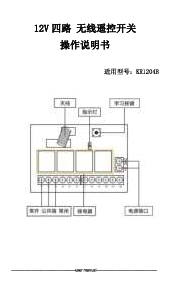
Billede 3.1: Detaljeret view af KR3001A-modtagermodulet, der fremhæver antennen, læringsknappen, indikatorlampen og terminalforbindelserne (NC, COM, NO, V+, V-).
Modtagermodulet har en antenne til signalmodtagelse, en læringsknap til parring, en indikatorlampe for status og skrueterminaler til tilslutninger:
- V+Positiv strømindgang (DC 5V-60V)
- V-Negativ strømindgang (jord)
- KOMRelæets fælles terminal
- INGENNormalt åben terminal på relæet (afbrudt fra COM, når relæet er slukket, tilsluttet, når det er tændt)
- NCNormalt lukket terminal på relæet (tilsluttet til COM, når relæet er slukket, frakoblet, når det er tændt)
3.2. Principper for ledningsføring
KR3001A er et tørkontaktrelæ med passiv udgang. Det betyder, at relæet fungerer som en kontakt, der styrer kredsløbet på din tilsluttede enhed uden at forsyne den med strøm. Du skal forsyne din enhed med ekstern strøm.
Video 3.2.1: Denne video demonstrerer ledningsføringen og funktionsprincipperne for QIACHIP 1-kanals fjernbetjeningsafbryderen, herunder hvordan man tilslutter strøm og en belastning (f.eks. en LED-lampe) til relæterminalerne.
For grundlæggende drift skal strømforsyningen tilsluttes V+ og V- terminalerne. Den enhed, du ønsker at styre (f.eks. en LED-lampe, motor), skal tilsluttes COM og enten NO eller NC terminalerne, afhængigt af den ønskede standardtilstand (normalt åben eller normalt lukket).

Billede 3.2.2: Ledningsdiagrammer, der illustrerer, hvordan man tilslutter en pære til modtageren ved hjælp af enten normalt åbne (NO) eller normalt lukkede (NC) kontakter. Modtagerens strømindgang er DC 5V-60V.
Når relæet ikke er aktiveret, er NO-porten afbrudt fra COM, og NC-porten er forbundet til COM. Når relæet er aktiveret, forbindes NO-porten til COM, og NC-porten afbrydes fra COM.
4. Driftstilstande
KR3001A understøtter fire driftstilstande: Momentan, Toggle, Latched og Delay. Disse tilstande bestemmer, hvordan relæet reagerer på tryk på knapper på fjernbetjeningen.
Video 4.1: Denne video demonstrerer driftstilstandene Momentan, Toggle og Latched for KR3001A-modtageren med en fjernbetjening og en LED-indikator.

Billede 4.2: Visuel repræsentation af de fire driftstilstande: Momentan (tryk og hold TIL, slip TIL), Toggle (tryk TIL, tryk igen TIL), Latched (tryk A TIL, tryk B TIL) og Latched TIL (tryk på knappen, slukker efter et indstillet tidsrum).
4.1. Momentantilstand
I momentantilstand forbliver relæet kun aktiveret, mens fjernbetjeningsknappen trykkes ned.asing knappen deaktiverer relæet.
- Handling: Tryk og hold fjernbetjeningsknappen nede.
- Resultat: Den tilsluttede enhed tændes.
- HandlingSlip fjernbetjeningsknappen.
- Resultat: Den tilsluttede enhed slukker.
4.2. Skift tilstand
I Toggle-tilstand skifter hvert tryk på fjernbetjeningsknappen relæets tilstand. Et tryk tænder det, og det næste tryk slukker det.
- HandlingTryk én gang på fjernbetjeningsknappen.
- Resultat: Den tilsluttede enhed tændes.
- HandlingTryk på den samme fjernbetjeningsknap igen.
- Resultat: Den tilsluttede enhed slukker.
4.3. Låst tilstand
Låst tilstand kræver en fjernbetjening med mindst to knapper (f.eks. A og B). Ved at trykke på én knap aktiveres relæet, og det forbliver aktivt, indtil den anden knap trykkes ned for at deaktivere det.
- HandlingTryk på knappen 'A' på fjernbetjeningen.
- Resultat: Den tilsluttede enhed tændes.
- HandlingTryk på knappen 'B' på fjernbetjeningen.
- Resultat: Den tilsluttede enhed slukker.
4.4. Forsinkelsestilstand
I forsinkelsestilstand aktiveres relæet, når der trykkes på knappen, og deaktiveres automatisk efter en forudindstillet tid (f.eks. 5 sekunder, 10 sekunder, 15 sekunder, 20 sekunder). Den specifikke forsinkelsestid konfigureres under parringsprocessen.
- HandlingTryk på fjernbetjeningsknappen.
- Resultat: Den tilsluttede enhed tændes og starter en nedtælling.
- HandlingEfter den indstillede forsinkelsestid.
- Resultat: Den tilsluttede enhed slukker automatisk.
5. Parringsinstruktioner
For at bruge din fjernbetjening med KR3001A-modtageren, skal du først parre dem. Parringsprocessen indstiller også driftstilstanden.
- Ryd eksisterende parringer (fabriksnulstilling)For at slette alle tidligere parrede fjernbetjeninger skal du trykke 8 gange på læringsknappen på modtageren. Indikatorlampen blinker for at bekræfte, at sletningen er gennemført.
- Gå ind i parringstilstandTryk på indlæringsknappen på modtageren et bestemt antal gange i henhold til den ønskede driftstilstand:
- 1 gang: Momentantilstand
- 2 gangeSkift tilstand
- 3 gangeLåst tilstand (kræver en fjernbetjening med 2 knapper)
- 4 gangeForsinket slukning (5 sekunder)
- 5 gangeForsinket slukning (10 sekunder)
- 6 gangeForsinket slukning (15 sekunder)
- 7 gangeForsinket slukning (20 sekunder)
- Par fjernbetjeningNår du har trykket på læringsknappen det nødvendige antal gange, blinker indikatorlampen på modtageren. Tryk straks på den ønskede knap på din fjernbetjening. Indikatorlampen blinker igen for at bekræfte parringen.
6. Anvendelsesscenarier
QIACHIP KR3001A trådløs fjernbetjening er velegnet til en bred vifte af applikationer takket være dens alsidige driftstilstande og brede lydstyrke.tage input.
- Home AutomationStyr LED-lys, lyskæder, juletræslys og andretage belysning.
- AdgangskontrolBetjen garageporte, elektroniske porte og elektromagnetiske låse.
- AutomotiveStyr bildøre, soltage, bagagerum og indvendig belysning.
- SikkerhedssystemerIntegrer med motorcykelalarmer eller andre sikkerhedsenheder.
- Generelle elektriske apparaterFjernbetjen forskellige elektriske apparater og varmesystemer.

Billede 6.1: Eks.ampmulighed for at bruge fjernbetjeningen til praktisk betjening af port eller dør, egnet til elektriske låse.

Billede 6.2: Illustration af fjernbetjeningen, der bruges til at styre bildøre, soltage eller bagagerum.

Billede 6.3: En collageudstillingasing forskellige anvendelser af den trådløse fjernbetjening, fra hjemmebelysning til bilfunktioner.
7. Fejlfinding
Hvis du støder på problemer med din QIACHIP KR3001A, bedes du følge disse almindelige fejlfindingstrin:
7.1. Ingen udgangsvolumentage opdaget
Hvis du ikke kan registrere udgangsvolumentage, fejlfinding som følger:
- Kontrol af ledningerSørg for, at produktet er korrekt tilsluttet. COM-terminalen skal forbindes til den positive strømforsyning, hvis du har til hensigt at omskifte den positive linje på din belastning.
- ParringsstatusBekræft, at produktet er blevet parret med fjernbetjeningen. Se afsnit 5 for parringsvejledning.
- Terminalvalg:
- Hvis produktrelæet er tændt, skal de detekterede terminaler være NO-terminalen og strømforsyningens negative pol.
- Hvis produktrelæet er OFF, skal detektionsterminalerne være NC-terminalen og strømforsyningens negative pol.
7.2. Problemer med fjernbetjeningens rækkevidde
Sendeafstanden er normeret til 50 meter i åbent rum. Forhindringer som vægge, metalkonstruktioner eller anden elektronisk interferens kan reducere den effektive rækkevidde betydeligt. Sørg for, at antennen er uhindret, og tag hensyn til omgivelserne, når du vurderer rækkevidden.
Video 7.2.1: En kort demonstration af fjernbetjeningens rækkevidde til KR3001A, der viser dens funktionalitet over en afstand i et åbent miljø.
8. Vedligeholdelse
QIACHIP KR3001A er designet til minimal vedligeholdelse. Hold enheden ren og tør. Undgå at udsætte den for ekstreme temperaturer eller fugt. Udskift fjernbetjeningens batterier efter behov (lithium-mangandioxidbatterier medfølger).
9. Garanti og support
For garantioplysninger eller teknisk support, kontakt venligst QIACHIPs kundeservice gennem den forhandler, hvor produktet blev købt, eller besøg den officielle QIACHIP-side. webwebsted.
QIACHIP Butikslink: Besøg QIACHIP-butikken