Indledning
This manual provides comprehensive instructions for the setup, operation, and maintenance of your THE G-LAB Kult Krypton Wireless Gaming Mouse. Designed for versatility and precision, this mouse features dual wireless connectivity (2.4GHz and Bluetooth), an adjustable optical sensor up to 6400 DPI, customizable RGB lighting, and a long-lasting rechargeable battery. Please read this manual carefully to ensure optimal performance and longevity of your device.
Produkt overview
- Dobbelt trådløs forbindelse: Seamlessly switch between 2.4GHz (via USB receiver) and Bluetooth for broad compatibility.
- Justerbar DPI: Optical sensor with sensitivity settings up to 6400 DPI for precise control.
- RGB belysning: Integrated 7-color RGB illumination to personalize your gaming setup.
- Langtidsholdbart batteri: 600mA rechargeable battery offering extended usage.
- Holdbart design: Built to withstand up to 5 million clicks.
- Plug and Play: No software required for immediate use.
- Ambidextrous design: Komfortabel for både venstre- og højrehåndede brugere.
- Multi-platform kompatibilitet: Works with PC, PS4, PS5, Mac, and Linux.
Opsætning
- Opladning af musen:
Before first use, fully charge the mouse using the provided USB cable. Connect the micro-USB end to the mouse and the USB-A end to a powered USB port (e.g., computer, USB wall adapter). The RGB lighting may indicate charging status.
- 2.4 GHz trådløs forbindelse:
- Locate the USB 2.4GHz receiver, usually stored in a compartment on the underside of the mouse.
- Insert the USB receiver into an available USB port on your computer or console.
- Turn on the mouse using the power switch located on the underside. Ensure it is set to 2.4GHz mode (if a mode switch is present).
- The mouse should automatically connect. If not, try moving the mouse or pressing a button.
- Bluetooth-forbindelse:
- Turn on the mouse and set the mode switch (if present) to Bluetooth mode.
- On your device (PC, Mac, PS4/PS5), navigate to Bluetooth settings.
- The mouse should appear as "Kult Krypton" or similar in the list of discoverable devices. Select it to pair.
- Følg eventuelle anvisninger på skærmen for at fuldføre parringsprocessen.

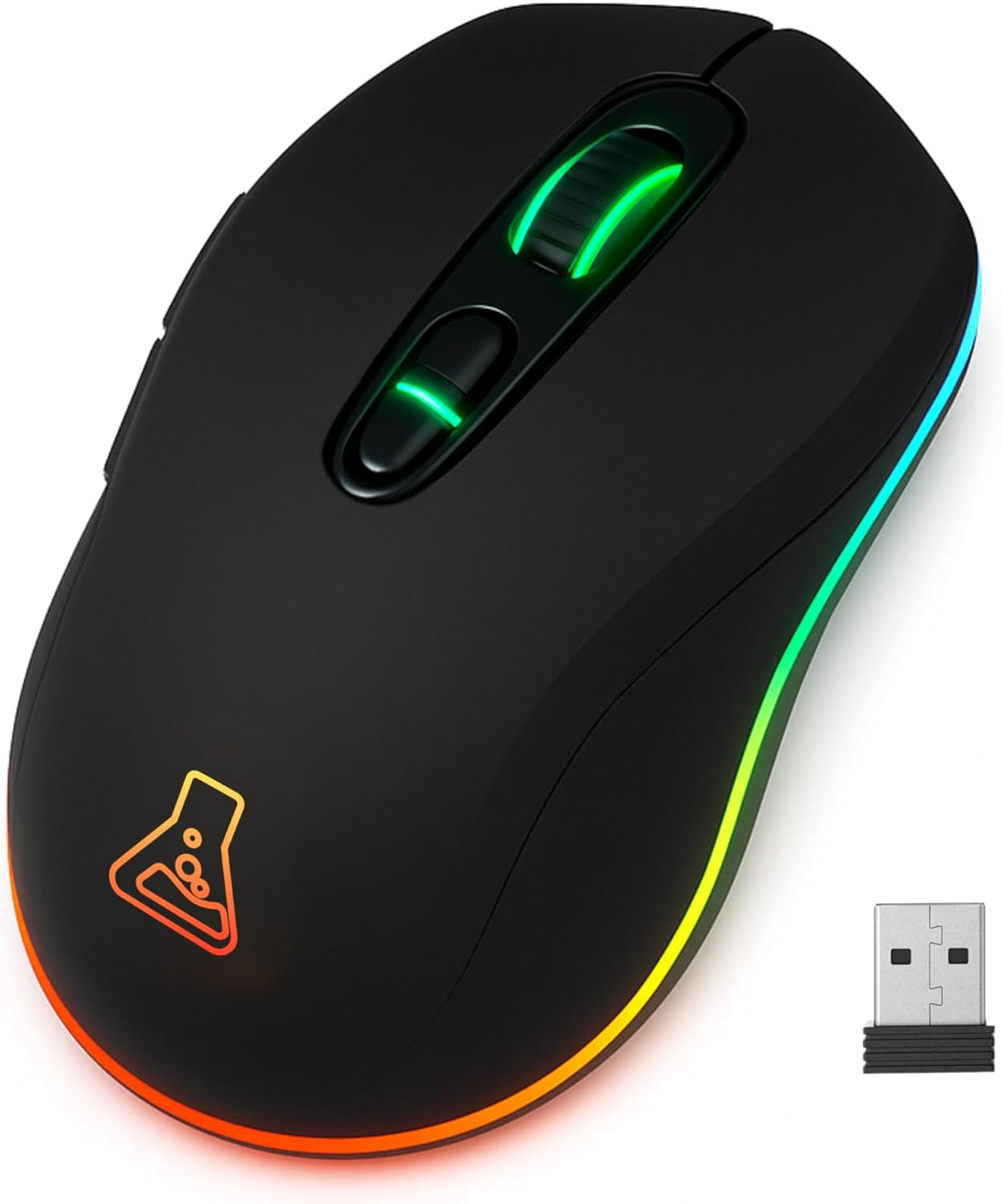
Image: The Kult Krypton mouse highlighting its dual wireless connectivity, supporting both Bluetooth and 2.4 GHz via a USB dongle.
Betjeningsvejledning
- DPI-justering:
The mouse features an adjustable optical sensor. Use the dedicated DPI button (usually located behind the scroll wheel) to cycle through different sensitivity levels (e.g., 800, 1600, 3200, 6400 DPI). The current DPI setting may be indicated by a change in LED color or a specific pattern.

Image: The Kult Krypton mouse illustrating its adjustable DPI settings, ranging from 800 to 6400, for precise control.
- RGB-lysstyring:
The mouse features integrated RGB lighting with 7 different colors. Specific buttons or button combinations may be used to change lighting modes or turn the lighting on/off. Refer to the product's quick start guide for exact button functions if not detailed here.

Image: The Kult Krypton mouse displaying its vibrant RGB lighting and emphasizing its Plug & Play feature and multi-platform compatibility.
- Knap funktioner:
The Kult Krypton mouse is equipped with 6 buttons. These typically include:
- Venstre klik
- Højreklik
- Scrollhjul (klikbart)
- DPI -cyklusknap
- Forlæns sideknap
- Baglæns sideknap
For advanced customization or remapping of buttons, check the manufacturer's website for any available software, though the product is advertised as Plug and Play.
- Strømstyring:
To conserve battery, the mouse may enter an automatic sleep mode after a period of inactivity. Move the mouse or click a button to wake it up. The 600mA battery provides approximately 15 hours of use with RGB lighting active, and up to 100 hours without RGB lighting.

Image: The Kult Krypton mouse emphasizing its extended battery life (15 hours with RGB, 100 hours without RGB) and a durability rating of 5 million clicks.
Opretholdelse
- Rensning: Brug en blød, tør klud til at rengøre musens overflade. Ved genstridigt snavs, brug en let tør klud.amp cloth can be used, but ensure no moisture enters the internal components. Avoid harsh chemicals or abrasive materials.
- Sensorpleje: Hold den optiske sensor på undersiden af musen ren og fri for støv og snavs for at sikre nøjagtig sporing.
- Batteripleje: To prolong battery life, avoid fully discharging the mouse frequently. Recharge when the battery indicator suggests low power. Store the mouse in a cool, dry place when not in use for extended periods.
Fejlfinding
- Musen svarer ikke:
- Sørg for, at musen er tændt.
- Kontroller batteriniveauet og genoplad om nødvendigt.
- For 2.4 GHz-forbindelse: Sørg for, at USB-modtageren er korrekt tilsluttet en fungerende USB-port. Prøv en anden USB-port.
- For Bluetooth connection: Ensure Bluetooth is enabled on your device and the mouse is paired. Try re-pairing the mouse.
- Ensure the mouse is in the correct connection mode (2.4GHz or Bluetooth) via its switch.
- Markørbevægelsen er uregelmæssig eller upræcis:
- Rengør den optiske sensor på undersiden af musen.
- Sørg for at bruge musen på en passende overflade (f.eks. en musemåtte). Undgå meget reflekterende eller gennemsigtige overflader.
- Juster DPI-indstillingen til et niveau, der passer til dine præferencer.
- RGB-belysning virker ikke:
- Check if the RGB lighting has been turned off via a button combination.
- Sørg for, at musen har tilstrækkelig batteriopladning.
Specifikationer
| Mærke | G-LAB |
| Modelnavn | KULT-KRYPTON |
| Forbindelsesteknologi | Bluetooth, 2.4 GHz Radio-frequency |
| Bevægelsesdetekteringsteknologi | Optisk |
| DPI rækkevidde | Op til 6400 DPI (justerbar) |
| Antal knapper | 6 |
| Håndorientering | Ambidekstrøs |
| Særlige funktioner | LED Light (RGB), Lightweight, Wireless, Silent |
| Kompatible enheder | Personal Computer, PS4, PS5 |
| Operativsystem | Linux, Mac, PC |
| Batteritype | Lithium-ion (600mA) |
| Batterilevetid (ca.) | 15 hours (with RGB), 100 hours (without RGB) |
| Holdbarhed | 5 millioner klik |
| Farve | Sort |
| Fabrikant | AXS |
| Oprindelsesland | Kina |
Garanti og support
- Producentens garanti: Dette produkt leveres med 2 års producentgaranti. Gem venligst din købsbevis til garantikrav.
- Tilgængelighed af reservedele: Reservedele er tilgængelige i 2 år fra købsdatoen.
- Kundesupport: For teknisk assistance, garantikrav eller yderligere forespørgsler, besøg venligst den officielle THE G-LAB webwebsted eller kontakt deres kundeserviceafdeling.


