Indledning
Thank you for choosing the FL ESPORTS CMK87 75% Wireless Gaming Keyboard. This mechanical keyboard features an 87-key TKL layout, designed for both Mac and Windows systems. It offers versatile connectivity options, hot-swappable switches, and customizable RGB backlighting to enhance your gaming and typing experience. This manual provides detailed instructions for setup, operation, maintenance, and troubleshooting to ensure optimal performance and longevity of your keyboard.

Image: The FL ESPORTS CMK87 75% Wireless Gaming Keyboard in green, showcasing dens kompakte layout og RGB-belysning.
Hvad er der i æsken
- FL ESPORTS CMK87 75% Wireless Gaming Keyboard
- Keycap aftrækker
- Batteri (forudinstalleret)
- USB-C-kabel (til kabelforbindelse og opladning)
- 2.4GHz Wireless Receiver (dongle)
- Brugervejledning (dette dokument)
Opsætningsvejledning
1. Opladning af tastaturet
Before first use, it is recommended to fully charge the keyboard. Connect the provided USB-C cable to the keyboard's USB-C port and the other end to a USB power source (e.g., computer USB port, wall adapter). The keyboard features a built-in 2000mAh battery for extended use.

Image: Illustration showing the keyboard's battery indicator at 100% and the 2000mAh battery capacity.
2. Connecting the Keyboard (Multi-Mode)
The CMK87 supports three connection modes: Bluetooth (BT5.0), 2.4GHz Wireless, and USB Wired. You can switch between these modes using the switch located on the keyboard.
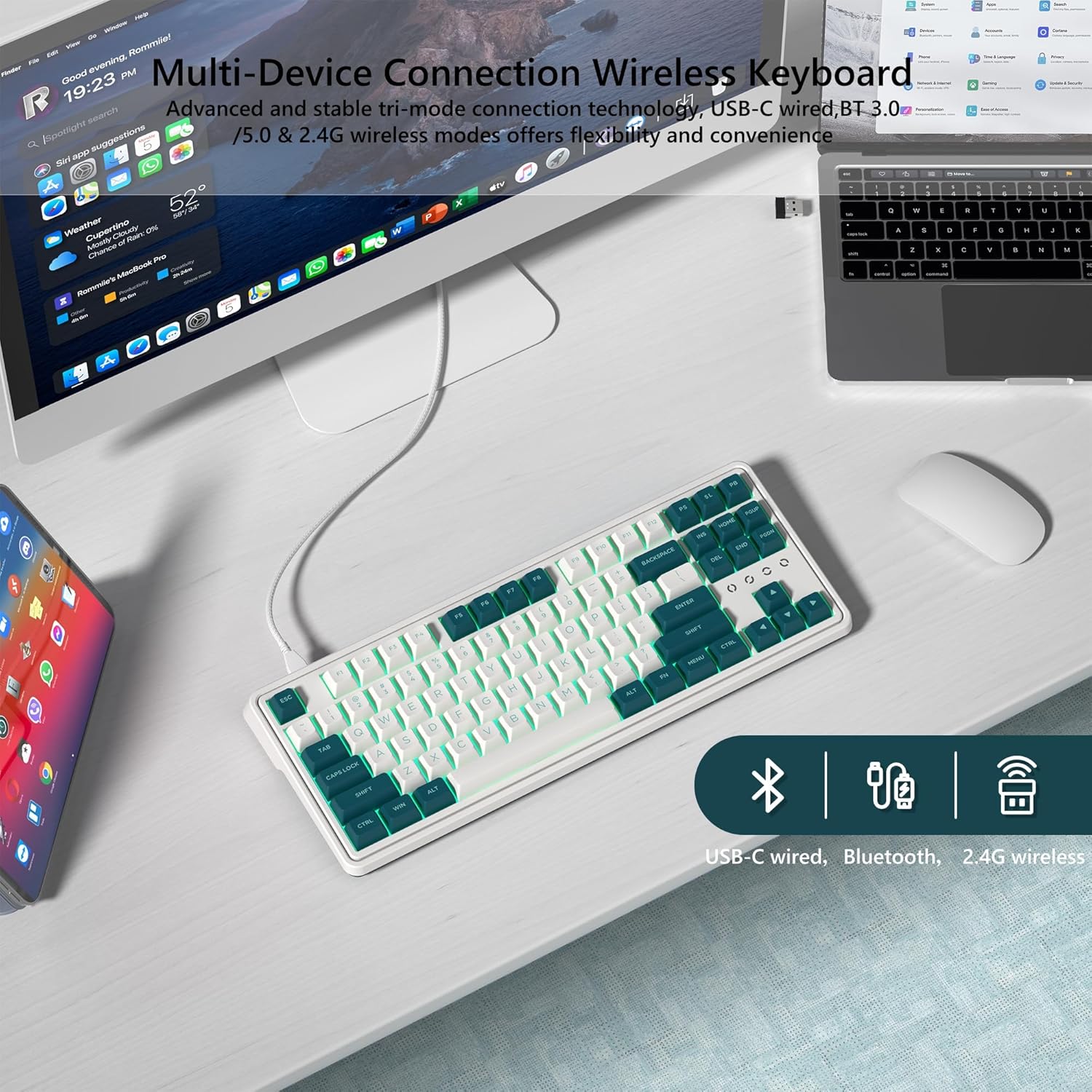
Image: The keyboard connected via USB-C, with icons for Bluetooth, USB-C wired, and 2.4G wireless connectivity.
2.1. USB Wired Mode
Connect the USB-C cable from the keyboard to your computer's USB port. The keyboard will automatically be recognized and ready for use. This mode also charges the keyboard.
2.2. 2.4 GHz trådløs tilstand
- Locate the 2.4GHz wireless receiver (dongle) usually found in a compartment on the keyboard or in the packaging.
- Sæt 2.4 GHz-modtageren i en ledig USB-port på din computer.
- Switch the keyboard's mode selector to the 2.4GHz position. The keyboard should connect automatically.
2.3. Bluetooth Mode (BT5.0)
- Switch the keyboard's mode selector to the Bluetooth position.
- On your device (PC, tablet, PS, Xbox), go to Bluetooth settings and enable Bluetooth.
- The keyboard should appear as "CMK87" or similar in the list of available devices. Select it to pair.
- The keyboard can store multiple Bluetooth connections. Use FN + Q/W/E to switch between paired devices.
Video: A demonstration of switching the keyboard's connectivity mode between wired, 2.4GHz wireless, and Bluetooth, highlighting the physical switch on the keyboard.
3. Systemkompatibilitet
The CMK87 keyboard is compatible with both Mac and Windows operating systems. A switch on the bottom of the keyboard allows you to select the appropriate layout for your system, ensuring correct key functionality.
Betjeningsvejledning
1. Hot-Swappable Switches and Keycaps
The CMK87 features a hot-swappable PCB, allowing you to easily replace 3-pin or 5-pin mechanical switches without soldering. This provides flexibility to customize your typing feel. The included keycap puller allows for easy removal and replacement of keycaps.

Billede: En detaljeret view of the keyboard's hot-swappable switch sockets, with a keycap puller and individual switches shown nearby.
Video: A demonstration of the keyboard's typing sound and RGB lighting effects, showcasing the responsiveness of the pre-lubed linear switches.
Video: Another demonstration of the keyboard's typing sound and RGB lighting, emphasizing the creamy feel of the mechanical switches.
2. RGB-baggrundsbelysning
The CMK87 features 1.68 million RGB backlit keys with various lighting effects. You can cycle through preset effects using FN key combinations (refer to the quick guide or software for specific commands). The lighting adds a dynamic atmosphere to your setup.
3. Macro Programming and Customization
All keys on the CMK87 support macro customization. You can record and edit macros, customize key functions, and synchronize cool music rhythm lighting effects using the dedicated keyboard driver software. This software allows for advanced personalization of your keyboard.

Image: A screenshot of the keyboard's software interface, showing options for macro settings, lighting customization, and key function remapping.
4. N-nøgleoverførsel (NKRO)
The keyboard supports N-key rollover, meaning it can register multiple key presses simultaneously. This feature is crucial for fast-paced gaming, ensuring every command is accurately registered without ghosting.
Opretholdelse
- Rensning: Regularly clean the keyboard with a soft, dry cloth. For deeper cleaning, remove keycaps using the provided keycap puller and use compressed air to clear debris from between the switches.
- Spild: In case of liquid spills, immediately disconnect the keyboard from power. Invert the keyboard to drain liquid and allow it to dry completely for at least 24-48 hours before reconnecting.
- Opbevaring: Opbevar tastaturet et køligt, tørt sted væk fra direkte sollys og ekstreme temperaturer.
- Switch/Keycap Replacement: When replacing switches or keycaps, ensure proper alignment to avoid damaging the pins or switch sockets.
Fejlfinding
Tastaturet reagerer ikke
- Sørg for, at tastaturet er opladet.
- Check the connection mode switch (USB, 2.4G, Bluetooth) and ensure it matches your intended connection.
- Prøv en anden USB-port eller et andet kabel for at bruge kabelbaseret tilstand.
- For 2.4GHz wireless, ensure the receiver is securely plugged in and try a different USB port.
- For Bluetooth, ensure Bluetooth is enabled on your device and the keyboard is paired. Try re-pairing if issues persist.
Problemer med Bluetooth-afbrydelse
- Ensure the keyboard is fully charged. Low battery can affect wireless stability.
- Flyt tastaturet tættere på din enhed for at reducere interferens.
- Remove and re-pair the keyboard in your device's Bluetooth settings.
- Sørg for, at ingen andre stærke trådløse signaler forstyrrer (f.eks. Wi-Fi-routere, andre Bluetooth-enheder).
- Opdater din enheds Bluetooth-drivere.
RGB-belysning virker ikke/tilpasning
- Sørg for, at tastaturet er tændt.
- Check if the lighting is turned off via FN key combinations.
- Install or update the keyboard's driver software to access full customization options.
Nøgler registreres ikke eller dobbelttastes
- Remove the keycap and switch for the affected key. Inspect for any debris or damage.
- Try re-seating the switch firmly into the hot-swap socket.
- If possible, test with a different switch to determine if the issue is with the switch or the PCB.
Specifikationer
| Feature | Detalje |
|---|---|
| Model | CMK87 |
| Layout | 75% (87 Keys TKL) |
| Forbindelse | Bluetooth 5.0, 2.4 GHz trådløs, USB-C kablet |
| Afbrydere | Pre-lubed Linear Switches (Hot-Swappable 3-pin/5-pin) |
| tasterne | Dobbeltstød PBT-taster |
| Baggrundsbelysning | 1.68 millioner RGB |
| Batterikapacitet | 2000mAh Lithium Polymer |
| Kompatibilitet | PC (Windows), Mac, Tablet, PS, Xbox |
| Særlige funktioner | Gasket Structure, PCB Single Key Slotting, Macro Customization, N-Key Rollover |
| Dimensioner | 17.32 x 9.45 x 2.64 tommer |
| Varens vægt | 4.02 pund |
| Fabrikant | FL ESPORTS |
| Oprindelsesland | Kina |
Garanti og support
For warranty information, technical support, or service inquiries, please contact FL ESPORTS directly through their official website or the retailer from whom you purchased the product. Keep your proof of purchase for any warranty claims.
Additional protection plans may be available for purchase from your retailer to extend coverage beyond the standard manufacturer's warranty.


