1. Introduktion
This manual provides detailed instructions for the FL ESPORTS CMK75 Mechanical Keyboard. It covers setup, operation, maintenance, and troubleshooting to ensure optimal performance and user experience. The CMK75 features a 75% layout, a TFT color screen, a multi-function knob, tri-mode connectivity, hot-swappable switches, and programmable keys.
2. Opsætning
2.1 Pakkens indhold
Sørg for, at alle varer er til stede:
- FL ESPORTS CMK75 Mechanical Keyboard
- USB-C til USB-A-kabel
- 2.4G Wireless Receiver (stored magnetically on the keyboard's underside)
- Tastehætte/kontaktudtrækker
- Extra Switches (if included with specific model variant)
- Brugervejledning (dette dokument)
2.2 Opladning af tastaturet
The keyboard is equipped with a 3000mAh lithium polymer battery. Connect the supplied USB-C cable to the keyboard's USB-C port and the other end to a computer's USB-A port or a compatible USB charger. The TFT screen will display the battery level. A full charge ensures extended usage.

Image: The FL ESPORTS CMK75 Mechanical Keyboard, showcasing its 75% layout, blue and white keycaps, and the integrated TFT color screen.
2.3 Forbindelsestilstande
The CMK75 supports three connection modes: Wired (USB-C), 2.4G Wireless, and Bluetooth (BT 3.0/5.0). Use the switch on the side of the keyboard to select your preferred mode.
- Kablet tilstand: Connect the USB-C cable directly to your computer. The keyboard will automatically switch to wired mode.
- 2.4G trådløs tilstand: Flip the switch to '2.4G'. Remove the 2.4G wireless receiver from the bottom of the keyboard and insert it into a USB port on your computer. The keyboard should connect automatically.
- Bluetooth-tilstand: Flip the switch to 'BT'. The keyboard can store up to three Bluetooth devices (BT1, BT2, BT3). To pair, press Fn + W (for BT1), Fn + E (for BT2), or Fn + R (for BT3) until the indicator light flashes, then search for 'CMK75' on your device and connect.

Image: Visual representation of the keyboard's tri-mode connectivity, showing its ability to connect to multiple devices via 2.4G wireless, USB-C, and Bluetooth.
2.4 OS-kompatibilitet
The CMK75 is compatible with both Windows and Mac OS systems. Use the operating system switch on the keyboard's underside to select the corresponding position (WIN/MAC) for optimal key mapping.
3. Betjeningsvejledning
3.1 TFT Color Screen and Multi-function Knob
The integrated TFT color screen displays various useful information such as date, time, battery level, operating system, connection mode, RGB light mode, and language. The metal knob allows for volume adjustment (rotate) and screen navigation/selection (press).
To change the screen language, navigate to the language setting on the TFT screen using the knob, select your preferred language (e.g., English), and confirm by pressing Fn + Enter.
Video: Demonstration of how to change the language setting on the keyboard's TFT color screen.

Image: The TFT color screen and metal knob, highlighting their functions and display capabilities.
3.2 RGB-baggrundsbelysning
The keyboard features customizable RGB backlighting with 16.8 million colors and various dynamic effects. You can adjust the brightness and speed of the lighting effects using key combinations or the programmable software. The south-facing RGB ensures vibrant illumination.
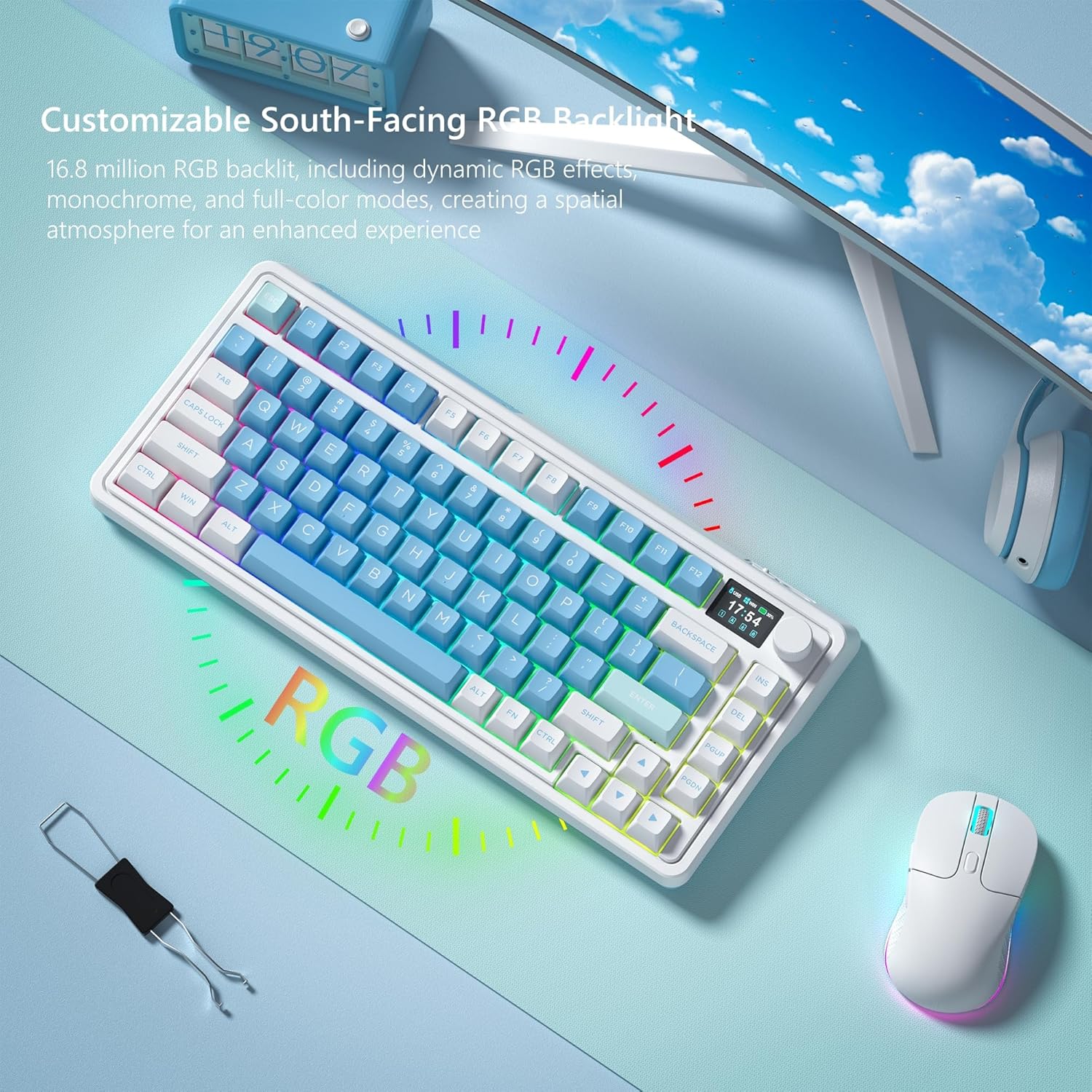
Image: The CMK75 keyboard with its vibrant, customizable RGB backlighting in action.
3.3 Programmerbar software
The keyboard's RGB backlight modes and macro settings are fully customizable through the dedicated keyboard driver software. This allows users to create custom keybindings, shortcuts, and personalized lighting effects for enhanced work and gaming efficiency.

Image: The user interface of the FL ESPORTS keyboard software, demonstrating customization options for key functions and macros.
Video: Overståetview of the keyboard's software capabilities, including key remapping and macro creation.
3.4 Hot-Swappable Switches and PBT Keycaps
The CMK75 features a hot-swappable PCB, allowing users to easily change 3-pin or 5-pin mechanical switches without soldering. The keyboard comes with durable, high-quality spherical profile PBT keycaps that resist wear and maintain a sleek, matte appearance.

Billede: Detaljeret view of the hot-swappable PCB, highlighting the ease of changing switches.
Video: Demonstrates the hot-swappable feature and the creamy sound profile of the keyboard's gasket structure.
3.5 Pakningsstruktur
The keyboard's gasket structure, combined with an extended integrated silicone pad and PCB single key slotting, optimizes resilience and stability. Five layers of filling silencer material between the PCB, positioning plate, and shaft provide a solid feel and a satisfying typing sound.

Image: An exploded diagram illustrating the multi-layered gasket structure for enhanced typing feel and sound.
3.6 Justerbar skrivevinkel
The keyboard features dual-level adjustable feet on its underside, allowing you to customize the typing angle for ergonomic comfort and improved typing posture.

Image: The adjustable feet on the keyboard's underside, providing options for different typing angles.
4. Vedligeholdelse
4.1 Rengøring
Regularly clean your keyboard to maintain its appearance and functionality. Use a soft, dry cloth to wipe down the keycaps and chassis. For deeper cleaning, remove keycaps using the provided puller and use compressed air to clear debris from beneath the keys.
4.2 Udskiftning af kontakt og tastatur
Use the included keycap/switch puller to carefully remove and replace switches or keycaps. Ensure proper alignment when inserting new components to avoid damage.
5. Fejlfinding
- Tastaturet reagerer ikke: Check the connection mode switch. For wired, ensure the USB-C cable is securely connected. For 2.4G wireless, verify the receiver is properly inserted and the switch is in 2.4G mode. For Bluetooth, ensure the keyboard is paired and the switch is in BT mode.
- Problemer med baggrundsbelysning: If RGB lighting is not functioning as expected, check software settings or try cycling through lighting modes using Fn key combinations.
- Batteri oplades ikke: Ensure the USB-C cable is correctly connected and the power source is active.
- Software not working: Ensure you have downloaded the correct driver from the official FL ESPORTS website. If issues persist, consult the manufacturer's support.
- Spill management: In case of liquid spills, immediately unplug the keyboard, wipe off excess liquid, and allow it to dry in a well-ventilated area before reconnecting.
6. Specifikationer
| Layout | 75 % (81 nøgler) |
| Forbindelse | Tri-Mode (USB-C Wired, 2.4G Wireless, Bluetooth 3.0/5.0) |
| Batterikapacitet | 3000mAh Lithium Polymer |
| Afbrydere | Hot-Swappable (3-pin/5-pin compatible) |
| tasterne | PBT (Spherical Profile) |
| Særlige funktioner | TFT Color Screen, Multi-function Knob, Gasket Structure, RGB Backlighting |
| Operativsystem | Windows, Mac OS |
| Varens vægt | 2.92 pund |
| Pakkedimensioner | 14.57 x 8.15 x 2.32 tommer |
7. Garanti og support
For warranty information, technical support, or further inquiries, please visit the official FL ESPORTS webwebstedet eller kontakt sælgeren direkte via din købsplatform. Gem dit købsbevis til garantikrav.
Video: An official FL ESPORTS video showcasing the CMK75 keyboard's features and design.


