1. Introduktion
This manual provides comprehensive instructions for the RAKwireless WisBlock Mini Meshtastic Starter Kit US915. This kit is designed to facilitate the creation of an off-grid messaging system using the Meshtastic firmware, enabling communication over a mesh network without reliance on traditional internet infrastructure. The kit operates on the US 915 MHz frequency band.
2. Pakkens indhold
The RAKwireless WisBlock Mini Meshtastic Starter Kit US915 includes the following components:
- 1x WisBlock Base (RAK19003)
- 1x WisBlock Core (RAK4631) with pre-soldered RAK4630 module
- 1x IPEX LoRa PCB Antenna
- 1x IPEX BLE PCB Antenna
- 1x USB Type-C to Type-A Cable
- Monteringsskruer
Optional items not included: battery, case, OLED display, GPS module, other sensors. A screen is not required for operation via the Meshtastic app.

Billede 2.1: Overview of the RAKwireless WisBlock Mini Meshtastic Starter Kit components, including the RAK19003 base, RAK4631 core, and antennas.
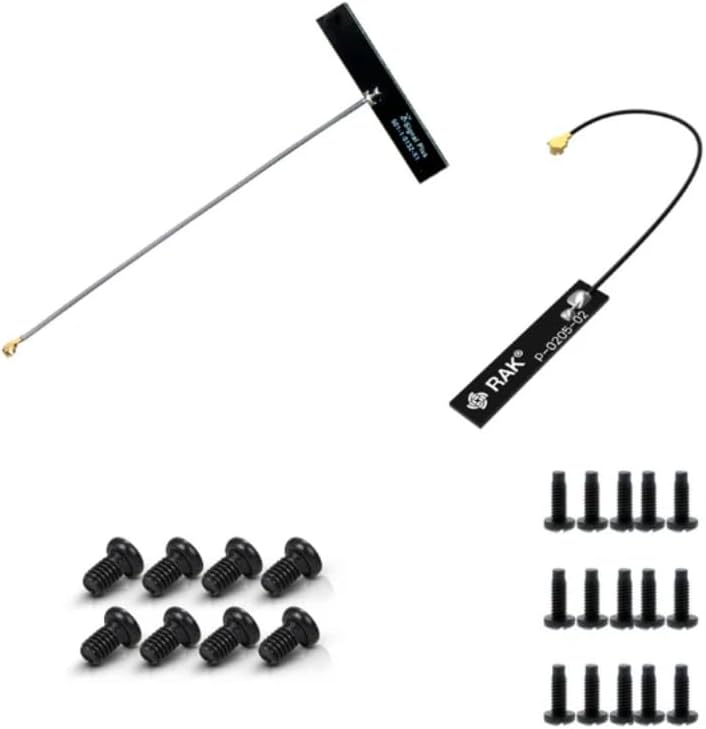
Billede 2.2: The included IPEX LoRa PCB Antenna, IPEX BLE PCB Antenna, and assembly screws.
3. Produktet er slutview
The kit comprises two primary WisBlock modules: the RAK19003 Base Board and the RAK4631 Core Module.
3.1. RAK19003 WisBlock Mini Base Board

Nøglefunktioner:
- USB Type-C connector for power and data.
- Compatible with GPS and other sensors via dedicated slots.
- Improved voltage regulator for stable power delivery.
- Mini form factor for compact designs.

Billede 3.1: The RAK19003 WisBlock Mini Base Board, featuring a USB-C port and various connection points for WisBlock modules.
3.2. RAK4631 WisBlock Core Module

Nøglefunktioner:
- Powerful Nordic nRF52840 Microcontroller Unit (MCU).
- Integrated Bluetooth 5.0 connectivity.
- Latest LoRa transceivers from Semtech (RAK4630 module).
- Pre-flashed with Meshtastic firmware for immediate use.
- Includes DevEUI: AC1F09FFFE014593.
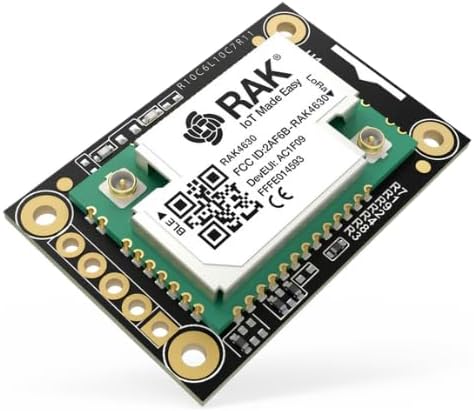
Billede 3.2: The RAK4631 WisBlock Core Module, which houses the RAK4630 module for LoRa and Bluetooth functionality.
4. Opsætningsvejledning
4.1. Module Assembly
- Attach the RAK4631 Core Module: Carefully align the RAK4631 Core Module with the CPU slot on the RAK19003 Base Board. Gently press down until it is securely seated.
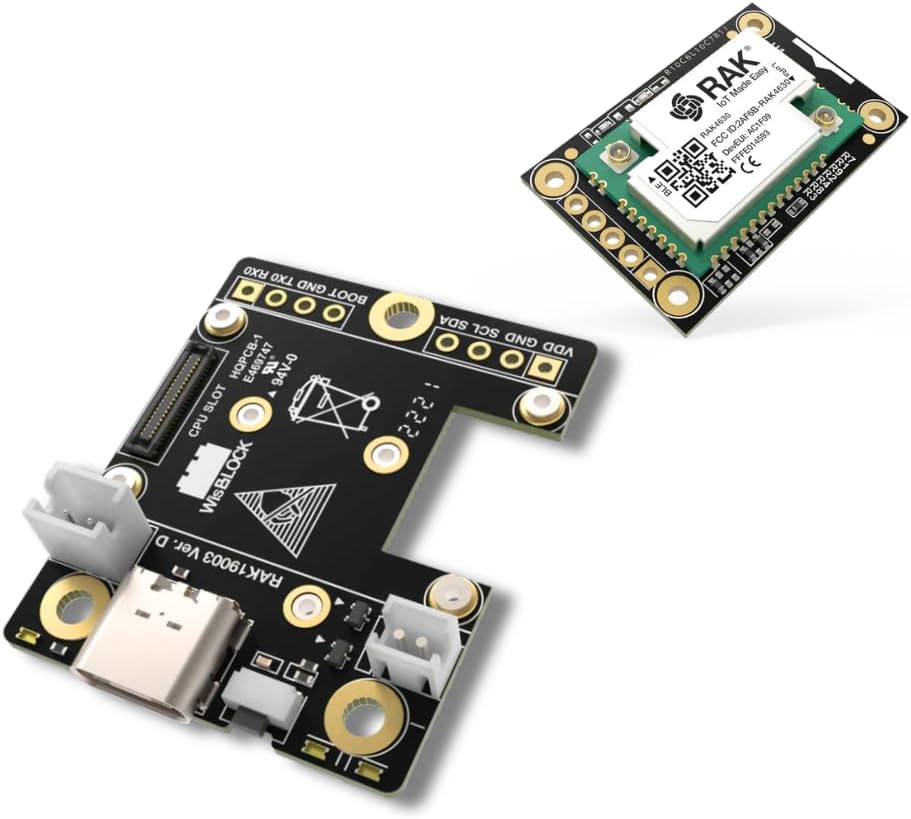
Billede 4.1: The RAK19003 base board and RAK4631 core module before assembly.
- Vedhæft antenner: Connect the IPEX LoRa PCB Antenna and the IPEX BLE PCB Antenna to their respective connectors on the RAK4631 module.Important: Ensure antennas are connected BEFORE powering on the device. Operating without antennas can damage the transceiver.
- Fastgør med skruer: Use the provided assembly screws to secure the modules if necessary, though they are often held by friction.
4.2. Initial Power and Firmware
- Tilslut USB-strøm: Connect the USB Type-C end of the provided cable to the RAK19003 Base Board and the Type-A end to a computer or USB power adapter.
- Firmware-status: The kit comes pre-flashed with a working version of Meshtastic firmware. However, it may not be the absolute latest version upon delivery due to shipping times.
- Firmwareopdateringer: Firmware updates are freely available from the official Meshtastic website. To update, connect the device to your computer, visit the Meshtastic web flasher, select your device and firmware version, and follow the on-screen instructions.
4.3. Battery Connection (Optional)
If using a battery (not included), connect it to the designated battery connector on the RAK19003 Base Board. The board includes an on-board solar charge controller for 3.7V LiPo batteries if a solar panel is connected.
Caution: Always check battery polarization (positive to positive, negative to negative) before connecting to avoid damaging the board. Refer to the board's markings.
Billede 4.2: Diagram illustrating battery polarization. Note: This diagram shows a RAK19007 board; verify polarization markings on your RAK19003 board before connecting a battery.
5. Betjeningsvejledning
5.1. Meshtastic App Integration
The RAKwireless WisBlock Mini Meshtastic Starter Kit is designed for seamless integration with the Meshtastic application, available for both iPhone and Android devices. A screen is not required on the device itself as all operations can be managed through the app.
- Download appen: Søg efter "Meshtastic" in your device's app store and install it.
- Opret forbindelse til enhed: Open the Meshtastic app. It will scan for nearby Meshtastic devices via Bluetooth. Select your RAKwireless device from the list to establish a connection.
- Konfigurer indstillinger: Within the app, you can configure various settings such as channel, device name, and other network parameters.
5.2. Mesh-netværkets funktionalitet
Meshtastic creates an off-grid mesh network using LoRa radio technology. Key operational aspects include:
- Message Transmission: Send messages directly from the Meshtastic app. Your device will transmit these messages over the LoRa network.
- Node Forwarding: Other Meshtastic devices (nodes) within range will receive and automatically forward messages, extending the communication range across the network. This allows communication over kilometers/miles.
- Internet Integration: If an internet-connected relay node is part of your mesh, messages can be relayed to online platforms, bridging the off-grid network with the internet.
6. Vedligeholdelse
Regular maintenance primarily involves keeping the device's firmware updated to ensure optimal performance, access to new features, and security enhancements.
- Firmwareopdateringer: Periodically check the official Meshtastic website for the latest firmware versions. Follow the instructions provided on their site for updating your device.
- Fysisk inspektion: Ensure all connections, especially antenna connections, are secure. Keep the device clean and free from dust and moisture.
7. Fejlfinding
If you encounter issues with your RAKwireless WisBlock Mini Meshtastic Starter Kit, consider the following:
- Enheden tænder ikke:
- Ensure the USB cable is securely connected to both the device and a power source.
- If using a battery, verify it is charged and correctly connected with proper polarization.
- Cannot Connect to Meshtastic App:
- Sørg for, at Bluetooth er aktiveret på din smartphone.
- Verify the device is powered on and within Bluetooth range.
- Restart both the device and the Meshtastic app.
- Check if the firmware is up to date.
- Poor Range or Communication Issues:
- Confirm that both LoRa and BLE antennas are securely attached.
- Ensure there are no major obstructions between devices.
- Consider the environment; dense urban areas or heavy foliage can reduce range.
- Verify all devices are on the same Meshtastic channel and region (US915).
- Firmwareopdateringsproblemer:
- Ensure a stable USB connection to your computer.
- Use the recommended Meshtastic web flasher or tools.
- Consult the Meshtastic community forums for specific error messages.
For further assistance, refer to the extensive Meshtastic community documentation and forums, or contact the vendor for basic support.
8. Specifikationer
| Feature | Detalje |
|---|---|
| Produktdimensioner | 3 x 2 x 1 tommer |
| Varens vægt | 2 ounce |
| Fabrikant | RAK |
| Modelnummer | 115093 |
| Mærke | RAK |
| Modelnavn | WisBlock Mini |
| Forbindelsesteknologi | Bluetooth, LoRa |
| Inkluderede komponenter | Bluetooth Antenna, LoRa Antenna, USB-C cable, RAK19003 Base, RAK4631 Core, Assembly Screws |
| Operating System (Firmware) | Meshtastic (based on Linux kernel for nRF52840) |
| Frekvensbånd | US 915 MHz |
9. Support og ressourcer
For additional information, support, and community resources, please refer to the following:
- Meshtastic Official Webwebsted: meshtastic.org (for firmware updates, documentation, and community forums)
- RAKwireless Documentation: docs.rakwireless.com (for detailed information on WisBlock modules)
- Vendor Support: Basic support is offered by the vendor for product-specific inquiries.
Dette produkt er fra et lille virksomhedsmærke. Din støtte er værdsat.


