1. Introduktion
This manual provides instructions for the AULCMEET replacement remote control, compatible with various LG Cinema LED LCD 3D Smart TV models. This remote is designed to function without programming, offering direct control over your television.
1.1 Kompatible LG TV-modeller
This remote control is compatible with the following LG TV models:
- 42LM3400, 47LM4600, 47LM4600-UC, 47LM4600UC, 47LM5800, 55LM4600, 55LM4600-UC, 55LM4600UC, 55LM5800, 55LM5800-UC, 55LM5800UC, 55LM5850
- 32LS3500, 32LS3500-UD, 32LS3500UD, 32LS3510, 32LS3510-UA, 32LS3510UA
- 37CS560, 37CS560-UE, 37CS560UE
- 42CS460-UC, 42CS460UC, 42CS530, 42CS530-UB, 42CS530UB, 42CS560, 42CS560-UE, 42CS560UE
- 42LS3400, 42LS3400-UA, 42LS3400UA, 42LS349C
- 32LS5600, 32LS5600UC, 32LS5600-UC, 37LS5600, 37LS5600UC, 37LS5600-UC, 42LS5600, 42LS5600UC, 42LS5600-UC, 42LS5650, 42LS5650UD, 42LS5650-UD
- 42PA4900, 42PA4900UD, 42PA4900-UD, 42PA4900UF, 42PA4900-UF
- 47LS4600, 47LS4600UA, 47LS4600-UA, 47LS5600, 47LS5600UC, 47LS5600-UC, 47LS5650
- 42LM3700, 42LM3400, 32LM5800, 42LM5800
- 47CM565, 47CM565-UB, 47CM565UB
2. Produktet er slutview
The AULCMEET replacement remote control features a standard layout for LG TVs, providing access to essential functions.

Figur 2.1: Forside view of the AULCMEET replacement remote control, showing all buttons.
2.1 Knapfunktioner
- Tænd/sluk (rød knap): Tænder eller slukker for tv'et.
- TV: Skifter til tv-tilstand.
- FORHOLD: Justerer skærmens billedformat.
- INPUT: Vælger inputkilder (HDMI, AV osv.).
- ENERGY SAVING: Aktiverer eller deaktiverer energibesparende tilstande.
- Nummerknapper (0-9): Direkte kanalvalg.
- LISTE: Viser kanallisten.
- FLASHBK: Vender tilbage til den forrige kanal.
- VOL (+/-): Justerer lydstyrken op eller ned.
- STUM: Slår lyden fra eller til.
- CH (Page Up/Down): Skifter kanaler op eller ned.
- FAVV: Får adgang til foretrukne kanaler.
- 3D: Activates or deactivates 3D mode (for compatible TVs).
- INDSTILLINGER: Åbner menuen for tv-indstillinger.
- INFO: Viser programoplysninger.
- Q.MENU: Opens the Quick Menu.
- Navigation Pad (Up/Down/Left/Right) & OK: Navigerer i menuer og bekræfter valg.
- Back (Curved Arrow): Vender tilbage til den forrige skærm eller menu.
- AV-TILSTAND: Selects AV modes.
- AFSLUT: Forlader den aktuelle menu eller funktion.
- Farveknapper (rød, grøn, gul, blå): Access specific functions depending on the TV menu or application.
- Playback Controls (Rewind, Play, Fast Forward, Pause, Stop): Styrer medieafspilning.
3. Opsætning
This AULCMEET replacement remote control is designed for immediate use with compatible LG TVs without requiring any programming.
3.1 Batteriinstallation
- Find batterirummet på bagsiden af fjernbetjeningen.
- Skub batteridækslet nedad, eller tryk på låsen, og løft det for at åbne.
- Isæt to (2) AAA-batterier, og sørg for, at de positive (+) og negative (-) poler stemmer overens med diagrammerne i batterirummet.
- Luk batteridækslet ved at skubbe det tilbage på plads, indtil det klikker sikkert.

Figure 3.1: Illustration of battery installation and the remote's direct usability.
3.2 Førstegangsbrug
Once batteries are installed, the remote control is ready to operate your compatible LG TV. Point the remote directly at the TV's infrared receiver.
4. Betjeningsvejledning
To operate your LG TV with this remote control, ensure there are no obstructions between the remote and the TV's infrared sensor.
- Tænd/sluk: Tryk på Magt knap én gang.
- Kanalvalg: Use the number buttons for direct channel input or the CH knapper til at skifte mellem kanalerne.
- Lydstyrkejustering: Brug BIND knapperne til at øge eller sænke lydstyrken.
- Inputkilde: Tryk på INPUT knappen for at gennemgå tilgængelige inputkilder (f.eks. HDMI 1, AV, Komponent).
- Menu navigation: Brug INDSTILLINGER or Q.MENU buttons to access TV menus. Navigate using the directional pad and confirm selections with the OK knap.

Figure 4.1: Remote control in use with a compatible LG TV.
5. Vedligeholdelse
Korrekt vedligeholdelse sikrer fjernbetjeningens levetid og optimale ydeevne.
5.1 Rengøring
- Tør fjernbetjeningen af med en blød, tør klud.
- Til genstridigt snavs, let dampda kluden med vand eller et mildt, ikke-slibende rengøringsmiddel.
- Undgå at bruge skrappe kemikalier, opløsningsmidler eller slibende rengøringssvampe, da disse kan beskadige fjernbetjeningens overflade og knapper.
5.2 Udskiftning af batteri
- Udskift batterierne, når fjernbetjeningen reagerer langsomt, eller den holder op med at virke.
- Udskift altid begge AAA-batterier med nye på samme tid.
- Bland ikke gamle og nye batterier eller forskellige typer batterier.
- Fjern batterierne, hvis fjernbetjeningen ikke skal bruges i længere tid, for at forhindre lækage.
5.3 Opbevaring
- Opbevar fjernbetjeningen på et køligt, tørt sted væk fra direkte sollys og ekstreme temperaturer.
- Undgå at tabe fjernbetjeningen eller udsætte den for for meget fugt.
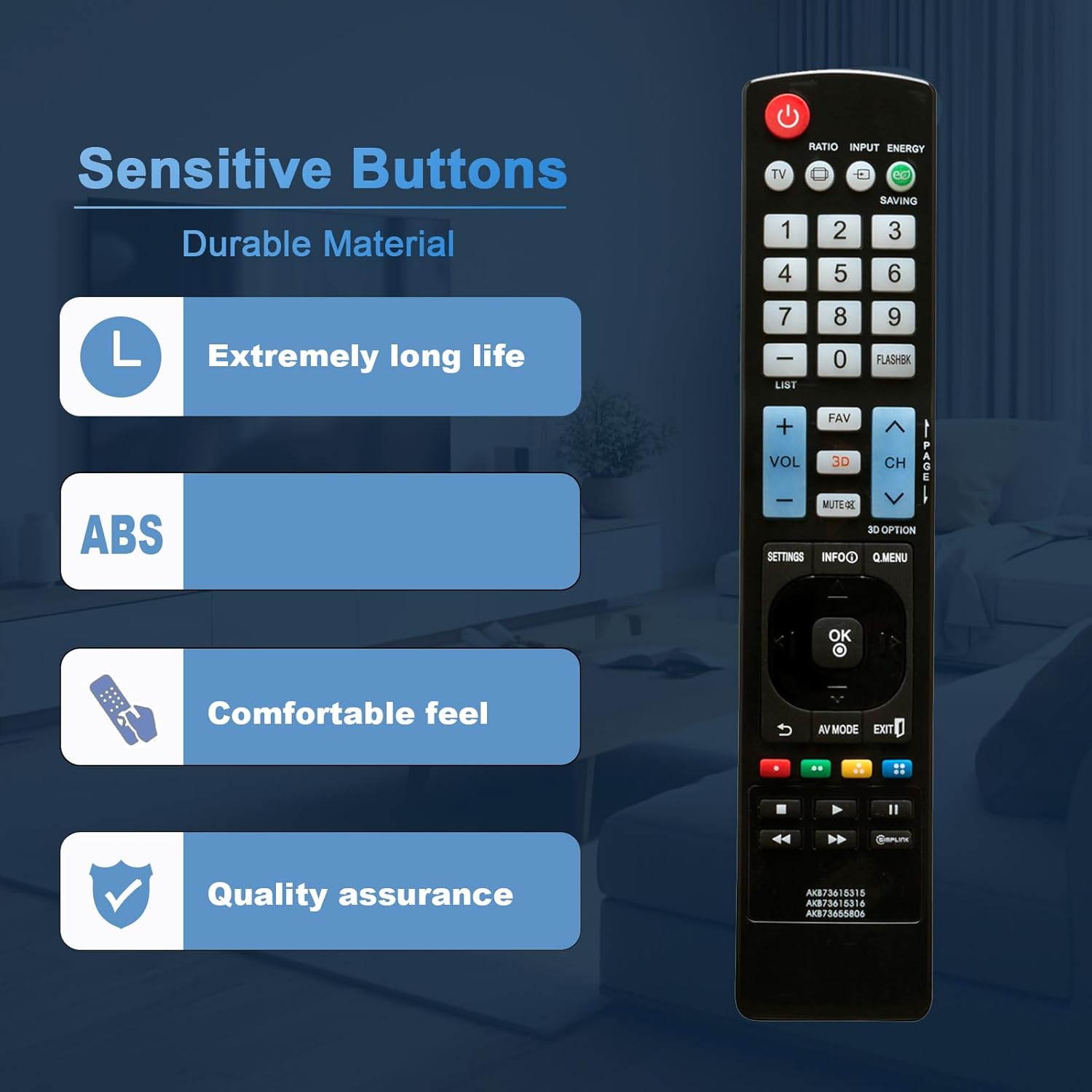
Figure 5.1: The remote control is constructed from durable ABS material for long-lasting use.
6. Fejlfinding
If you experience issues with your remote control, refer to the following common solutions:
| Problem | Mulig årsag | Løsning |
|---|---|---|
| Fjernbetjeningen svarer ikke. | Døde eller forkert isatte batterier. | Udskift batterierne med nye AAA-batterier, og sørg for at polariteten (+/-) vender korrekt. |
| Fjernbetjeningens rækkevidde er dårlig. | Low batteries; Obstruction between remote and TV; Interference. | Replace batteries. Ensure a clear line of sight to the TV's IR sensor. Move away from strong light sources or other electronic devices. |
| Specifikke knapper virker ikke. | Dirt or debris under the button; Button malfunction. | Clean the remote control. If the issue persists, the button may be faulty. |
| TV'et reagerer ikke på nogen fjernbetjeningskommandoer. | TV's IR sensor is blocked or faulty; TV is off or unplugged. | Check if the TV is powered on. Ensure nothing is blocking the TV's IR sensor. Try using the TV's physical buttons. |
7. Specifikationer
| Feature | Detalje |
|---|---|
| Mærke | AULCMEET |
| Modelnumre | AKB73615315, AKB73615316, AKB73655806 |
| Kompatible enheder | LG Cinema LED LCD 3D Smart TVs (various models) |
| Strømkilde | 2 x AAA batterier (medfølger ikke) |
| Dimensioner (L x B x H) | 6 x 2 x 0.5 tommer (ca. 15.24 x 5.08 x 1.27 cm) |
| Varens vægt | 1.9 ounce (ca. 53.86 gram) |
| Farve | Sort |
| Speciel funktion | Ergonomic design, Advanced Infrared Technology (up to 30ft range, 0-30 degree angle) |

Figur 7.1: Fjernbetjeningens fysiske dimensioner.
8. Support
For further assistance or inquiries regarding your AULCMEET replacement remote control, please refer to the retailer or manufacturer's support channels where the product was purchased.