Indledning
This manual provides comprehensive instructions for the TIATUA M9 Instant Print Kids Camera. Please read this manual carefully before using the camera to ensure proper operation and to maximize your experience.
Produkt overview
Nøglefunktioner
- 3.0-tommer IPS-skærm: A larger, soft IPS screen for comfortable viewning og navigation.
- 48 MP Photo Resolution: Capture high-quality images with a 48-megapixel lens.
- 1080p HD-videooptagelse: Record clear high-definition videos.
- Øjeblikkelig udskrivning: Print black and white photos directly from the camera without ink or toner.
- Multifunktionel: Includes photography, video recording, instant printing, fun frames, music playback, games, and a flashlight.
- Lang batterilevetid: Equipped with a 1000 mAh battery, providing up to 4 hours of continuous use.
- 32GB Memory Card Included: Amplagerplads til fotos og videoer.
- Kreative værktøjer: Comes with 5 colorful pens for customizing printed photos.
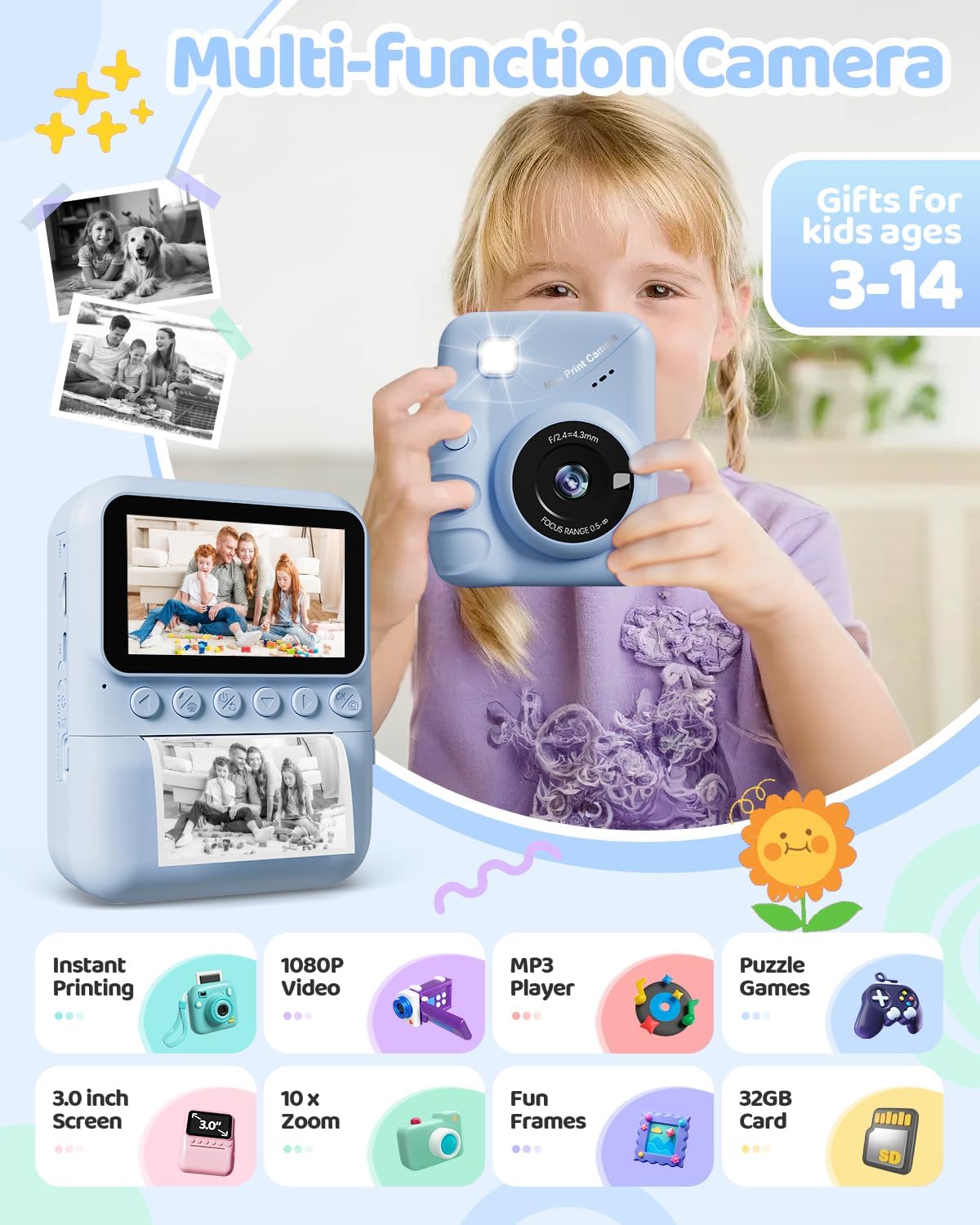
Image: The TIATUA M9 Instant Print Kids Camera highlighting its various functions like instant printing, 1080P video, MP3 player, puzzle games, 3.0-inch screen, 10x zoom, fun frames, and 32GB card.
Kom godt i gang
Pakkens indhold
Kontroller venligst pakken for at sikre, at alle varer er til stede:
- TIATUA M9 Instant Print Kids Camera
- 32 GB Micro SD-kort
- Printing Paper Rolls (typically 3 rolls)
- USB opladningskabel
- Snor/rem
- Colorful Pens (5 pieces)
- Brugervejledning (dette dokument)

Image: The TIATUA M9 Instant Print Kids Camera in dark blue, displayed with its accessories including a 32GB memory card, colorful pens, three rolls of printing paper, a USB charging cable, and a decorative lanyard.
Opladning af kameraet
Before first use, fully charge the camera. Connect the included USB cable to the camera's charging port and to a USB power adapter (not included) or a computer's USB port. The charging indicator light will show the charging status.
Isætning af Micro SD-kort
Locate the Micro SD card slot on the side of the camera. Insert the 32GB Micro SD card (included) into the slot until it clicks into place. Ensure the camera is powered off before inserting or removing the card.
Ilægning af udskriftspapir
Follow these steps to load the thermal printing paper:
- Åbn papiråbningen: Gently push the latch or button to open the paper compartment cover.
- Insert the Paper Roll: Place a new roll of thermal paper into the compartment. Ensure the paper feeds from the bottom of the roll and the end of the paper is facing outwards, ready to be pulled through the printing mechanism.
- Pull Paper Out: Pull approximately 1 inch (2.5 cm) of paper out of the slot, ensuring it is straight.
- Luk låget: Close the paper compartment cover firmly until it clicks.

Image: A three-step visual guide demonstrating how to load the thermal printing paper into the TIATUA M9 Instant Print Kids Camera. Step 1 shows opening the paper slot, Step 2 shows inserting the paper roll in the correct direction, and Step 3 shows pulling out approximately 1 inch of paper before closing the compartment.
Betjeningsvejledning
Grundlæggende kontrol
The camera features intuitive buttons for easy navigation:
- Power knap: Press and hold to turn the camera ON/OFF. Short press to switch modes or confirm selections.
- Udløserknap: Tryk for at tage et billede eller starte/stoppe videooptagelse.
- Navigationsknapper (op/ned/venstre/højre): Used to navigate menus, zoom in/out, or select options.
- OK/Bekræft-knap: Bekræfter valg i menuer.
- Menu-knap: Giver adgang til kameraindstillinger og -valgmuligheder.
Tager billeder
Sådan tager du et billede:
- Tænd kameraet.
- Select the photo mode from the main menu.
- Komponer dit billede med den 3.0-tommer IPS-skærm.
- (Optional) Use the navigation buttons to zoom in or out (up to 10x digital zoom).
- Press the Shutter button to capture the image.

Image: The TIATUA M9 Instant Print Kids Camera's 3.0-inch screen displaying a live view, demonstrating 1080P HD video recording capability and 10x digital zoom functionality with examples of zoomed-in images.
Optagelse af videoer
Sådan optager du en video:
- Tænd kameraet.
- Select the video recording mode from the main menu.
- Press the Shutter button once to start recording. A timer will appear on the screen.
- Press the Shutter button again to stop recording. The video will be saved to the Micro SD card.
Øjeblikkelig udskrivning
After taking a photo, you can instantly print it in black and white. The camera offers different printing densities:
- Low (1-3): Lighter print.
- Medium (4-5): Standard print.
- High (6-7): Darker print.
Select your desired density in the print settings before initiating the print. The camera uses thermal printing technology, requiring no ink cartridges.

Image: An illustration demonstrating the two printing modes (Grayscale Matrix and Grayscale Levels) and three printing densities (Low, Medium, High) available on the TIATUA M9 Instant Print Kids Camera, showing how image clarity changes with density settings.
Photo Frames and Filters
Enhance your photos with various built-in frames and filters. Access these options through the camera's menu while in photo mode. Select a frame or filter before taking a picture to apply it directly to the image and print.
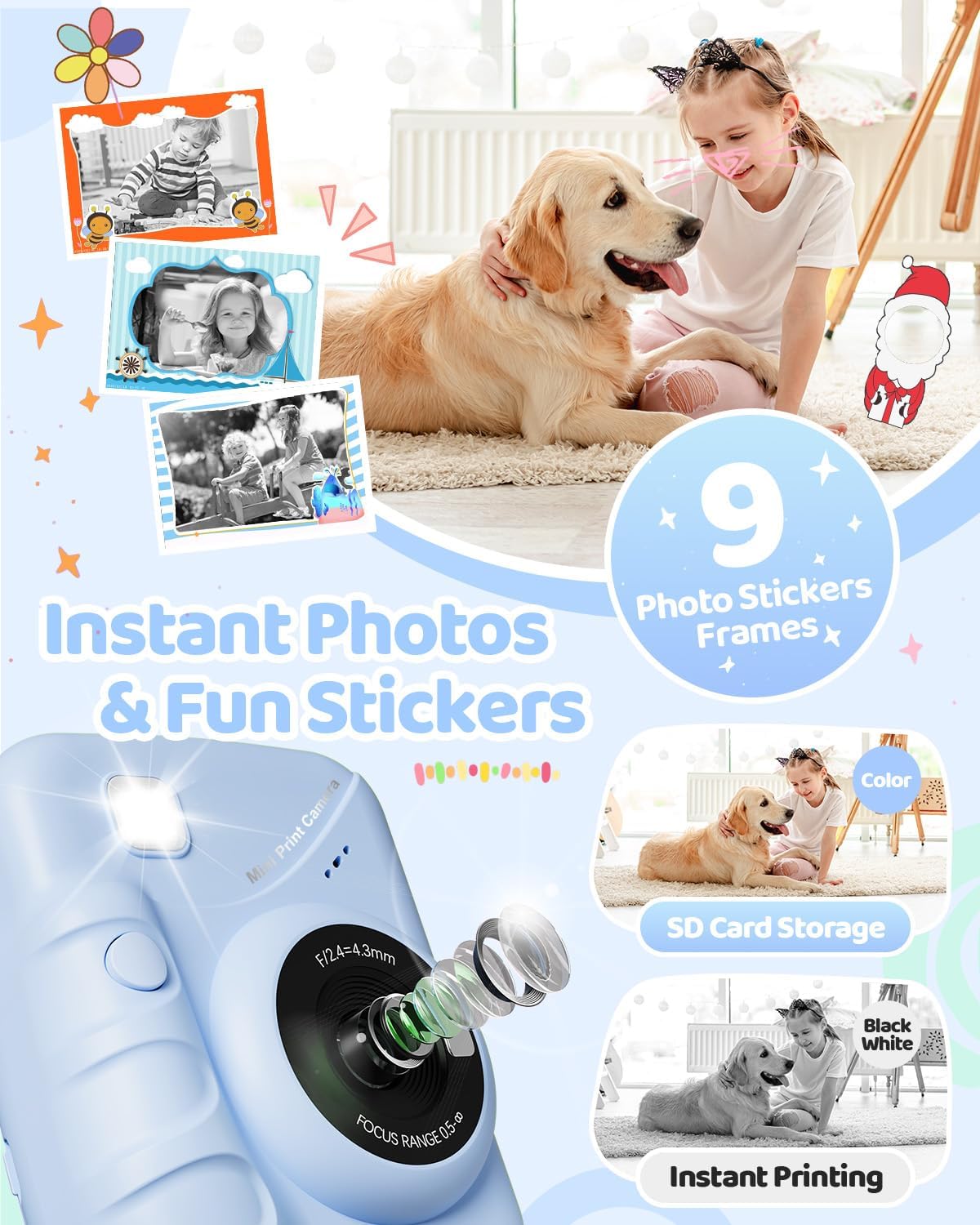
Image: The TIATUA M9 Instant Print Kids Camera displaying various fun photo stickers and frames that can be applied to images, encouraging creative expression.
At spille spil
The camera includes several pre-installed puzzle games for entertainment. Navigate to the "Games" option in the main menu to select and play. Use the navigation buttons to control the games.

Image: A child interacting with the TIATUA M9 Instant Print Kids Camera, which displays various puzzle games on its screen, alongside icons for a music player and other interesting features.
Playback and Review
Til view your captured photos and videos, enter the "Playback" mode from the main menu. Use the navigation buttons to scroll through your media. Press the OK button to view et billede eller afspil en video.
Opretholdelse
Rengøring af kameraet
To clean the camera body, use a soft, dry cloth. For the lens, use a specialized lens cleaning cloth. Do not use liquid cleaners or abrasive materials, as they may damage the camera.
Opbevaring
Store the camera in a cool, dry place away from direct sunlight and extreme temperatures. When not in use for extended periods, ensure the battery is partially charged (around 50%) to prolong its lifespan.
Fejlfinding
Fælles problemer og løsninger
- Kameraet tænder ikke:
- Ensure the battery is charged. Connect the camera to a power source using the USB cable.
- Tryk og hold tænd/sluk-knappen nede i et par sekunder.
- Kan ikke tage billeder/videoer:
- Check if the Micro SD card is inserted correctly and has sufficient free space.
- Ensure the camera is in the correct mode (photo or video).
- Print quality is poor or no print:
- Verify that the thermal paper is loaded correctly and not upside down.
- Check if there is enough paper in the compartment.
- Adjust the printing density settings in the camera menu.
- Ensure the print head is clean (refer to cleaning instructions).
- Screen is frozen:
- Try restarting the camera by holding the power button. If unresponsive, use a thin object to press the reset button (if available, usually a small pinhole).
Specifikationer
| Feature | Detalje |
|---|---|
| Mærke | TIATUA |
| Modelnavn | M9 |
| Farve | Mørkeblå |
| Skærm | 3.0 tommer LCD |
| Speciel funktion | Instant Photo |
| Forbindelsesteknologi | USB |
| Batterisammensætning | Lithiumpolymer (1000 mAh) |
| Video opløsning | 1080p |
| Effektiv stillopløsning | 48 megapixel |
| Maks lukkerhastighed | 1/2000s |
| Fokus Type | Autofokus |
| Zoom type | Optisk zoom |
| ISO rækkevidde | 100-6400 |
| Vandmodstandsniveau | Ikke vandtæt |
| Dimensioner (L x B x H) | 16.7 x 13.4 x 6.2 cm |
| Vægt | 420 gram |
Garanti og support
For warranty information and customer support, please refer to the contact details provided with your purchase or visit the official TIATUA webwebsted. Gem din købsbevis i tilfælde af garantikrav.


