Indledning
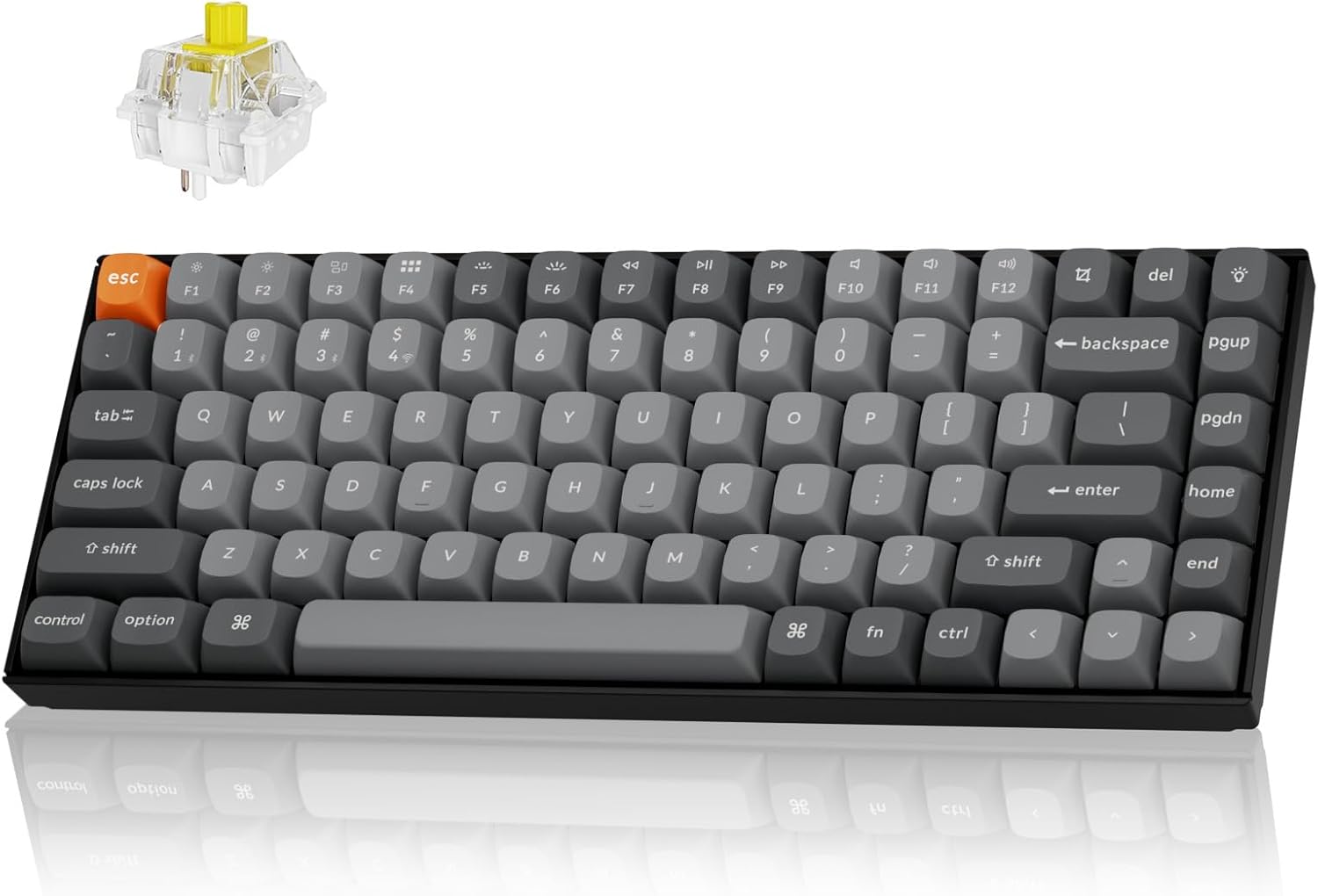
The Keychron K2 Max is a versatile 75% layout mechanical keyboard designed for seamless integration across multiple operating systems and connectivity options. It supports 2.4 GHz wireless, Bluetooth 5.1, and Type-C wired connections, offering a 1000Hz polling rate in 2.4G and wired modes for optimal performance in both gaming and professional environments. This manual provides detailed instructions for setting up, operating, maintaining, and troubleshooting your K2 Max keyboard.
Opsætning
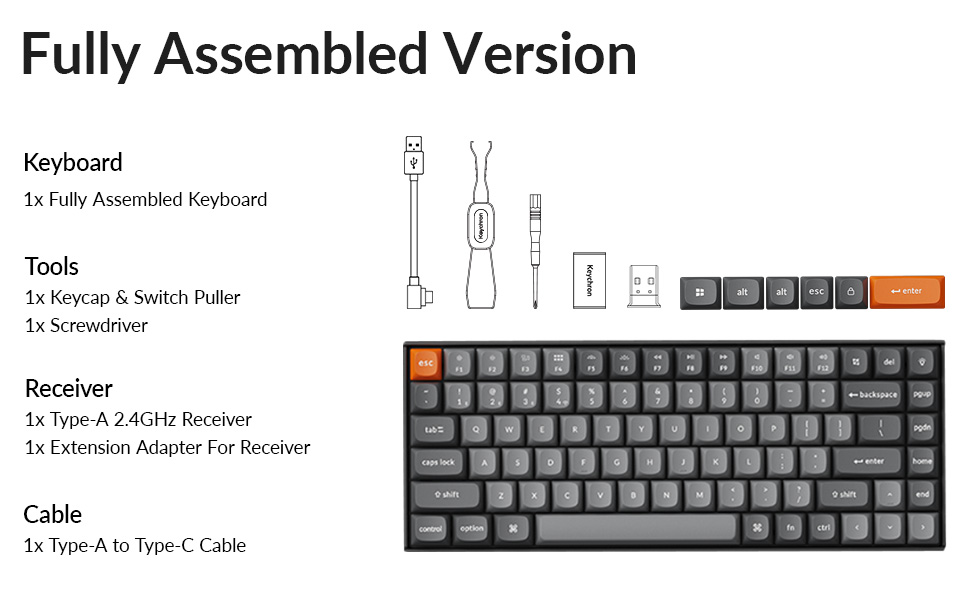
Pakkens indhold
Før du begynder, skal du sørge for, at alle komponenter er til stede i din pakke:
- 1x Fuldt samlet tastatur
- 1x Keycap & Switch puller
- 1 x skruetrækker
- 1x Type-A 2.4GHz modtager
- 1x forlængeradapter til modtager
- 1x Type-A til Type-C kabel
- Extra keycaps for Windows layout
Indledende opladning
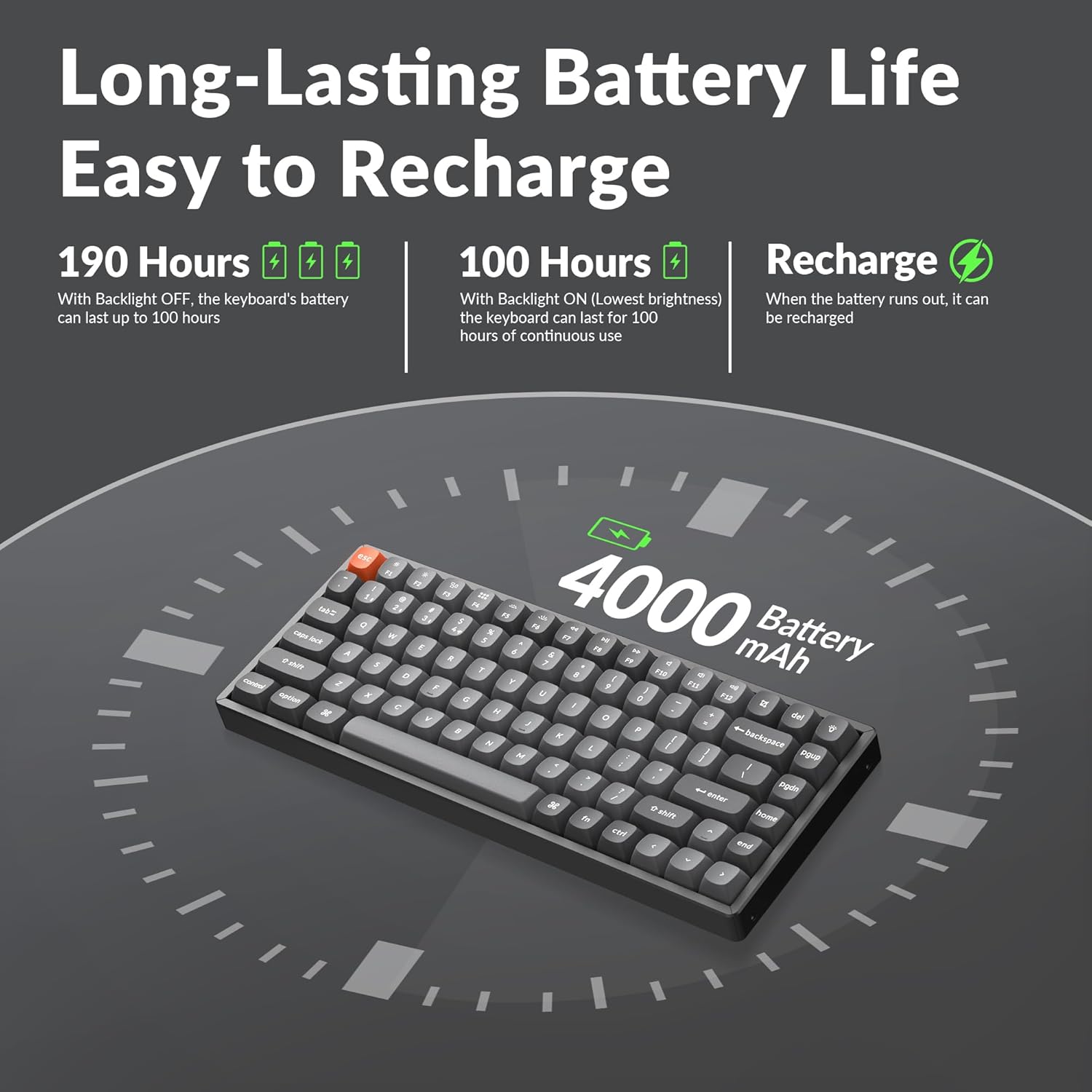
The keyboard comes with a built-in 4000mAh rechargeable battery. For optimal performance, it is recommended to fully charge the keyboard before first use. Connect the provided Type-A to Type-C cable to the keyboard's USB-C port and a power source (e.g., computer USB port or wall adapter).
Tilslutningsmuligheder
The K2 Max offers three connection modes:
- 2.4 GHz trådløst: For a stable and fast connection, ideal for gaming. Insert the 2.4GHz receiver into a USB port on your device. The receiver can be stored in a dedicated slot on the keyboard's underside when not in use.
- Bluetooth 5.1: For wireless convenience with up to 3 devices. Pair the keyboard with your laptop, tablet, or smartphone.
- Type-C kablet: For a direct and reliable connection, also allowing charging.


Betjeningsvejledning
Switching Operating Systems
The K2 Max is optimized for both macOS and Windows. Use the dedicated toggle switch on the keyboard to switch between macOS and Windows layouts. Extra keycaps for Windows are included to match the layout.

QMK/VIA-tilpasning
The keyboard supports QMK open-source firmware, allowing extensive customization of key remapping, macros, and shortcuts. Access the Keychron Launcher web app for configuration without requiring any software installation.

Baggrundslys kontrol
The K2 Max features South-Facing RGB Backlight. Use the dedicated function keys to cycle through various lighting effects, adjust brightness, and change colors. Refer to the keyboard's quick start guide for specific key combinations.
Styring af batterilevetid
The 4000mAh battery provides long-lasting performance. With the backlight off, the keyboard can last up to 190 hours. At the lowest brightness setting, it can provide approximately 100 hours of continuous use. Recharge the keyboard when the battery indicator shows low power.
Opretholdelse
Rengøring af tastaturet
For at rengøre dit tastatur skal du først afbryde alle strømkilder. Brug en blød, fnugfri klud, der er let tørret.ampened with water or a mild cleaning solution. For cleaning between keycaps, use compressed air or a small brush. Avoid spraying liquids directly onto the keyboard.
Udskiftning af tastatur og kontakt
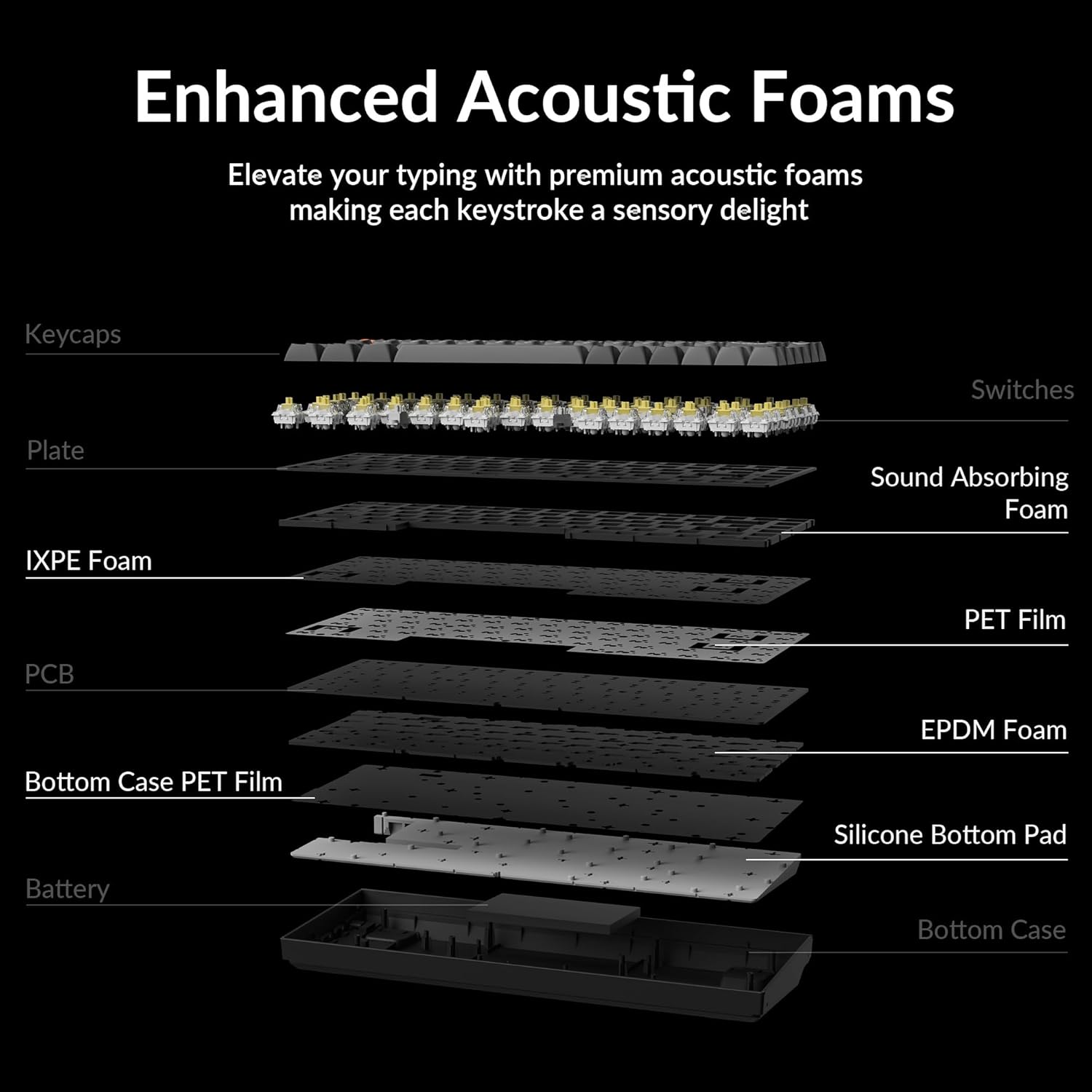
The Keychron K2 Max features hot-swappable switches, allowing you to change switches without soldering. Use the provided keycap and switch puller tools for safe removal and installation.
- Fjernelse af tastehætter: Gently pull the keycap straight up using the keycap puller.
- Fjernelse af kontakter: Insert the switch puller's prongs under the top and bottom clips of the switch and gently rock it while pulling upwards.
- Installation af afbrydere: Juster stifterne på den nye kontakt med hullerne på printkortet, og tryk godt ned, indtil den klikker på plads. Sørg for, at stifterne ikke er bøjede.
- Installation af tastehætter: Juster tastaturhætten med kontaktens stilk, og tryk godt ned.


Fejlfinding
Forbindelsesproblemer
- 2.4 GHz trådløst: Ensure the receiver is securely plugged into a USB port. Try a different USB port. Ensure the keyboard is in 2.4G mode.
- Bluetooth: Ensure Bluetooth is enabled on your device. Unpair and re-pair the keyboard if connection is lost. Ensure the keyboard is in Bluetooth mode and selected the correct device slot (BT1, BT2, BT3).
- wired: Check the USB-C cable connection at both ends. Try a different USB-C cable or port.
Taster reagerer ikke
- If a specific key is not responding, it might be a faulty switch. If your model is hot-swappable, try replacing the switch with a spare one or swapping it with a less frequently used key to diagnose.
- Ensure the keyboard is not in sleep mode.
- Check for any debris under the keycap or switch.
Problemer med baggrundsbelysning
- If the backlight is off, check if it's disabled or set to the lowest brightness. Adjust using the backlight control keys.
- Sørg for, at tastaturet har tilstrækkelig batteriopladning.
Opladningsproblemer
- Sørg for, at ladekablet er korrekt tilsluttet.
- Prøv en anden USB-port eller strømadapter.
- Allow the keyboard to charge for a few hours.
Specifikationer
| Modelnavn | K2M-B4 |
| Forbindelsesteknologi | 2.4G trådløs, Bluetooth 5.1, Type-C kablet |
| Tastaturbeskrivelse | Mekanisk |
| Speciel funktion | Backlit (South-Facing RGB) |
| Farve | Keychron Super Banana Switch (Black keyboard chassis) |
| Kompatible enheder | Gaming Console, Laptop, PC (Mac/Windows/Linux) |
| Batteri | 4000mAh litiumpolymer (inkluderet) |
| Varens vægt | 3.08 pund |
| Pakkedimensioner | 15.27 x 6.42 x 2.24 tommer |
| Fabrikant | Keychron |
Garanti og support
For garantioplysninger, teknisk support eller yderligere assistance, besøg venligst den officielle Keychron. website or their Amazon store. Keychron offers various protection plans for extended coverage.
Besøg Nøgleurbutik på Amazon for flere produkter og supportressourcer.


