Indledning
This manual provides detailed instructions for the Xtrike Me 9D Wired Gaming Mouse, Model 415. Please read this manual thoroughly before using the product to ensure proper setup and operation. This gaming mouse is designed for precision and customization, offering an enhanced experience for various computing tasks and gaming environments.
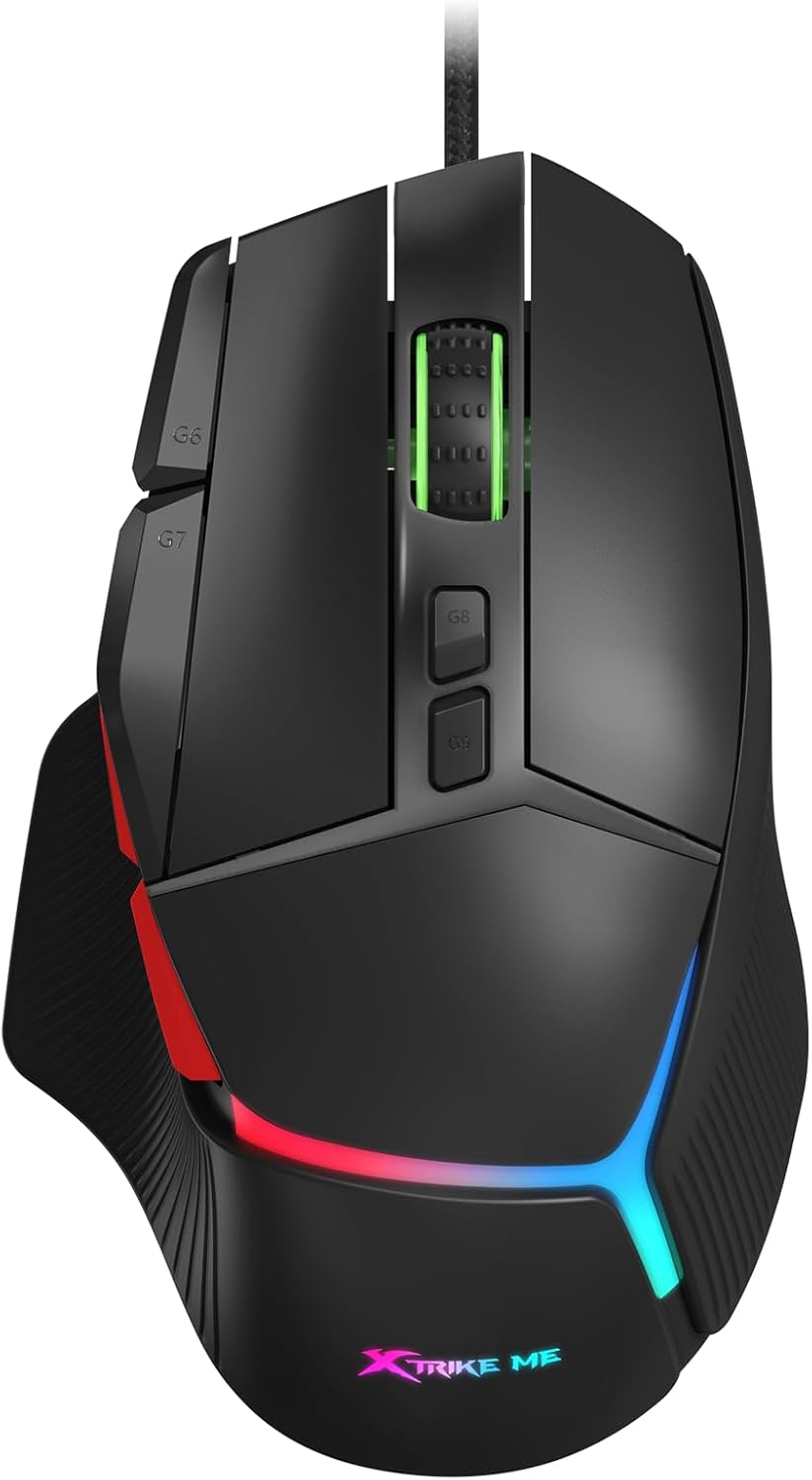
Billede: Forside view of the Xtrike Me 9D Wired Gaming Mouse, showcasinmed dets ergonomiske design og levende RGB-belysning.
Opsætning
The Xtrike Me 9D Wired Gaming Mouse is designed for plug-and-play functionality, requiring minimal setup. Follow these steps to begin using your mouse:
- Pak musen ud: Tag forsigtigt musen ud af emballagen.
- Tilslut til computer: Sæt USB-stikket på musen i en ledig USB-port på din computer.
- Driver installation: Your operating system (Windows XP and newer) should automatically detect and install the necessary drivers. No additional software installation is typically required for basic functionality. For advanced customization, such as programming buttons or specific RGB settings, driver support may be available from the manufacturer's webwebsted.
- Test funktionalitet: Flyt musen og klik på knapperne for at sikre, at den fungerer korrekt.

Image: The Xtrike Me 9D Wired Gaming Mouse positioned on a gaming mat, illustrating its readiness for use after connection.
Nøglefunktioner
The Xtrike Me 9D Wired Gaming Mouse offers a range of features designed to enhance your control and experience:
- 8000 DPI optisk sensor: Adjustable sensitivity from 800 to 8000 DPI for precise tracking.
- 9D Programmable Buttons: Nine customizable buttons for assigning commands and shortcuts.
- RGB-baggrundsbelysning: Dynamic and customizable lighting effects.
- 8 Million Click Rating: Durable switches designed for extended use.
- 125Hz pollinghastighed: Ensures smooth and accurate tracking with minimal lag.
- Letvægtsdesign: Weighs 58g (excluding wire) for agile and responsive movement.
- 1.8m Braided Cable: Durable and tangle-free cable for reliable connectivity.
- Ergonomisk form: Designed for comfort during prolonged use.

Billede: Et overheadbillede view of the mouse, visually indicating its key features such as DPI sensor, RGB backlight, and polling rate.
Betjeningsvejledning
Understanding the functions of your Xtrike Me 9D Wired Gaming Mouse will allow you to optimize your experience.
DPI justering
The mouse features an adjustable DPI (Dots Per Inch) setting, allowing you to change cursor sensitivity on the fly. The DPI can be adjusted from 800 to 8000. Typically, there are dedicated buttons (often labeled G8 and G9 or similar) near the scroll wheel for this purpose. Pressing these buttons will cycle through predefined DPI levels.
Billede: En detaljeret view of the mouse's top surface, highlighting the G8 and G9 buttons used for DPI adjustment.
Programmerbare knapper
The mouse is equipped with 9 programmable buttons. These buttons can be customized to perform specific functions, macros, or shortcuts. To program these buttons, you may need to download and install the official driver software from the Xtrike Me website. Refer to the software's instructions for detailed customization options.
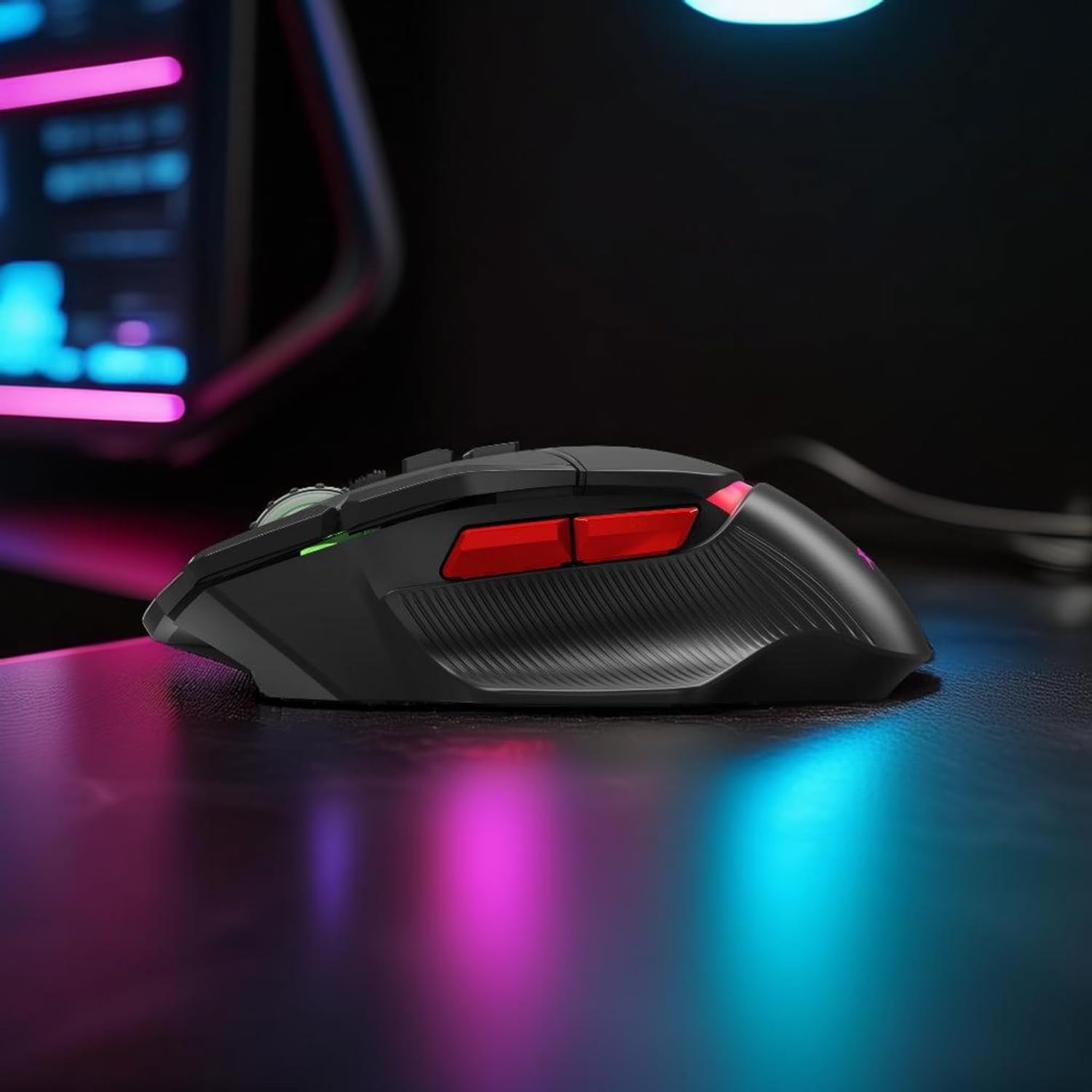
Billede: En sideprofile of the mouse, illustrating the placement of the additional programmable buttons.
RGB-baggrundsbelysningskontrol
The integrated RGB backlighting can be customized to match your preferences. Depending on the model and driver software, you may be able to:
- Change lighting colors.
- Select different lighting effects (e.g., static, breathing, wave).
- Adjust brightness or turn off the lighting.
These settings are typically managed through the dedicated driver software. Consult the software's user interface for specific instructions.
Opretholdelse
Proper care and maintenance will extend the lifespan of your gaming mouse:
- Rensning: Brug en blød, tør klud til at tørre musens overflade af. Ved genstridigt snavs kan du bruge en let tør klud.amp klud kan bruges, så der ikke kommer væske ind i musen. Undgå barske kemikalier eller slibende materialer.
- Sensorrensning: Der kan lejlighedsvis samle sig støv eller snavs omkring den optiske sensor i bunden af musen. Brug en vatpind eller trykluft til forsigtigt at rengøre sensorområdet.
- Kabelpleje: Avoid sharply bending or twisting the USB cable. Store the cable neatly to prevent tangles and damage.
- Opbevaring: Når musen ikke er i brug, skal den opbevares et rent, tørt sted væk fra ekstreme temperaturer.

Image: The underside of the mouse, displaying the optical sensor and glide feet, important areas for cleaning and maintenance.
Fejlfinding
If you encounter issues with your Xtrike Me 9D Wired Gaming Mouse, refer to the following common solutions:
- Mouse Not Detected:
- Sørg for, at USB-kablet er korrekt tilsluttet en fungerende USB-port.
- Prøv at tilslutte musen til en anden USB-port på din computer.
- Genstart din computer.
- Check your computer's Device Manager (Windows) or System Information (Mac) to see if the mouse is recognized.
- Uregelmæssig markørbevægelse:
- Rengør den optiske sensor på undersiden af musen.
- Sørg for at bruge musen på en passende overflade (f.eks. en musemåtte). Undgå meget reflekterende eller gennemsigtige overflader.
- Check for any software conflicts or outdated drivers.
- Knapper reagerer ikke:
- Sørg for, at musen er korrekt tilsluttet.
- If using programmable buttons, verify that the driver software is installed and the buttons are correctly configured.
- Test musen på en anden computer for at udelukke et systemspecifikt problem.
- RGB-belysning virker ikke:
- Check the driver software for lighting settings and ensure they are enabled.
- Ensure the mouse is receiving sufficient power from the USB port.
Specifikationer
| Feature | Detalje |
|---|---|
| Mærke | Xtrike Me |
| Model | 415 |
| Forbindelsesteknologi | USB kablet |
| Bevægelsesdetekteringsteknologi | Optisk |
| DPI-sensor | 800-8000 DPI (justerbar) |
| Afstemningsfrekvens | 125 Hz |
| Knapper | 9D Programmable Buttons |
| Click Rating | 8 millioner klik |
| Baggrundsbelysning | RGB |
| Kabellængde | 1.8m flettet kabel |
| Vægt | 58g (excluding wire) |
| Dimensioner | 128 × 78 × 42 mm |
| Materiale | Plast |
| Håndorientering | Ambidekstrøs |
| Kompatibel OS | Windows XP og nyere |
Garanti og support
For warranty information and technical support, please refer to the documentation included with your purchase or visit the official Xtrike Me webwebsted. Gem din købsbevis i tilfælde af garantikrav.


