1. Introduktion
The FL ESPORTS OG87 is a versatile tri-mode mechanical keyboard designed for seamless connectivity and a premium typing experience. Featuring an 87% layout, hot-swappable switches, multi-layer dampening, and customizable RGB lighting, it offers both functionality and aesthetic appeal. This manual provides detailed instructions for setup, operation, maintenance, and troubleshooting to ensure optimal performance of your keyboard.
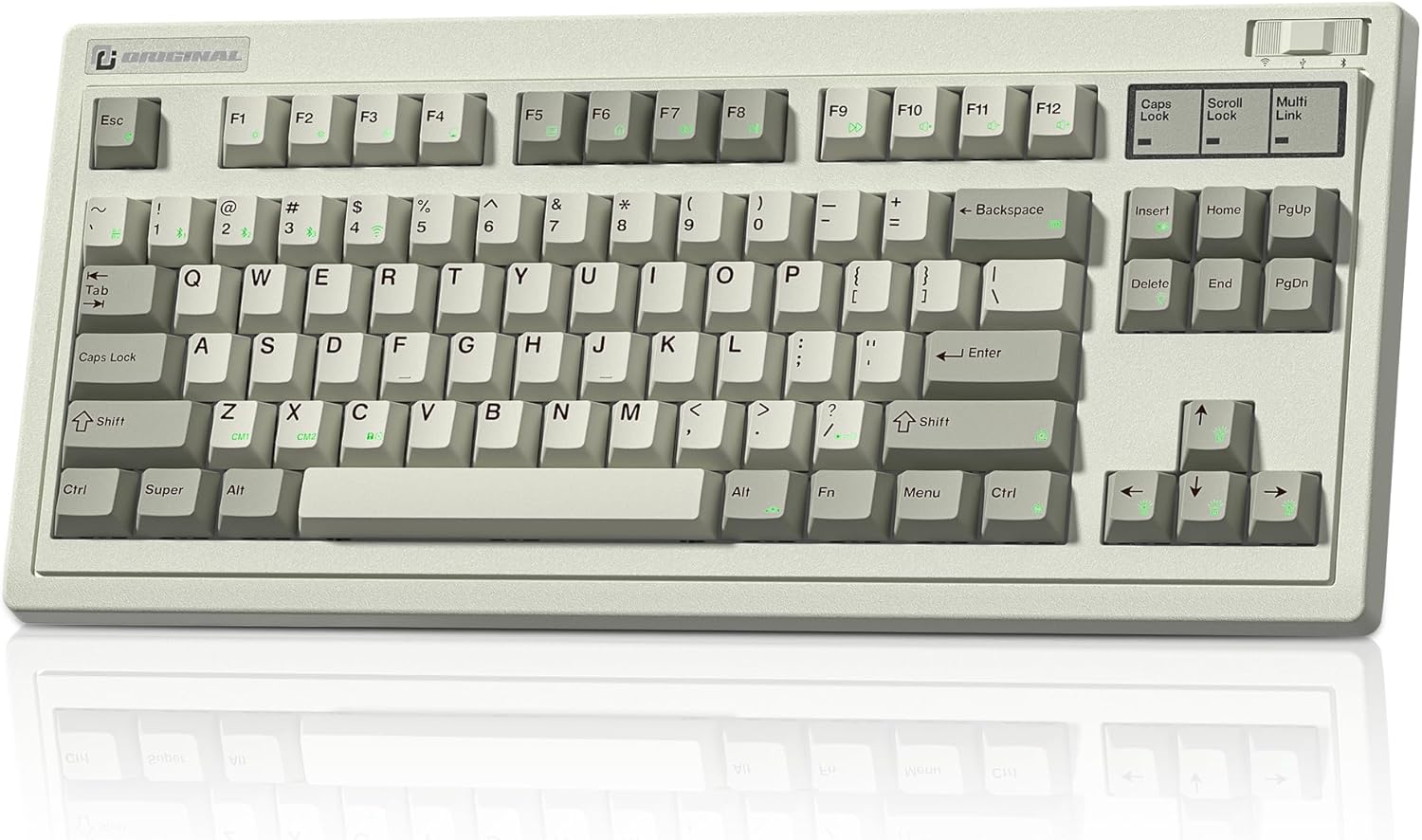
Figure 1: The OG87 Tri-Mode 87% Hot-Swap Keyboard in Retro Grey.
2. Opsætning og tilslutning
2.1 Pakkens indhold
Please ensure all components are present:
- OG87 Tri-Mode Keyboard
- USB-C til USB-A-kabel
- 2.4G trådløs modtager
- Keycap aftrækker
- Aftrækker
- Additional Mac Keycaps
2.2 Forbindelsestilstande
The OG87 keyboard supports three connectivity modes: Wired (USB-C), 2.4G Wireless, and Bluetooth 5.0. It can connect to up to 5 devices simultaneously, allowing for quick switching between them.

Figure 2: The OG87 keyboard offers versatile connectivity options for various devices.
2.2.1 Kablet tilstand
Connect the keyboard to your computer using the provided USB-C to USB-A cable. The keyboard will automatically switch to wired mode and begin charging.
2.2.2 2.4G trådløs tilstand
The 2.4G wireless receiver is conveniently stored in a dedicated slot on the side of the keyboard.

Figure 3: The 2.4G wireless dongle is stored securely within the keyboard's chassis.
- Remove the 2.4G wireless receiver from its storage slot.
- Sæt modtageren i en ledig USB-port på din computer.
- Toggle the switch on the keyboard to the 2.4G wireless mode (indicated by a specific icon or position).
- Tastaturet burde oprette forbindelse automatisk.
2.2.3 Bluetooth-tilstand
The keyboard can pair with up to three Bluetooth devices. Use the dedicated shortcut keys to switch between paired devices.
- Toggle the switch on the keyboard to Bluetooth mode.
- Press and hold the Fn + 1, Fn + 2, or Fn + 3 key combination for 3-5 seconds to enter pairing mode for the desired slot. The indicator light will flash rapidly.
- On your device (computer, tablet, phone), search for Bluetooth devices and select 'OG87 BT1', 'OG87 BT2', or 'OG87 BT3' (corresponding to the key pressed).
- Confirm the pairing on your device if prompted. The indicator light on the keyboard will become solid once connected.
Video 1: Demonstrates the Bluetooth pairing process for the OG87 keyboard with a mobile device.
3. Betjening og funktioner
3.1 Hot-swap-kontakter
The OG87 features universal hot-swap sockets, allowing you to easily change switches without soldering. It supports both 3-pin and 5-pin switches, giving you the freedom to customize your typing feel.
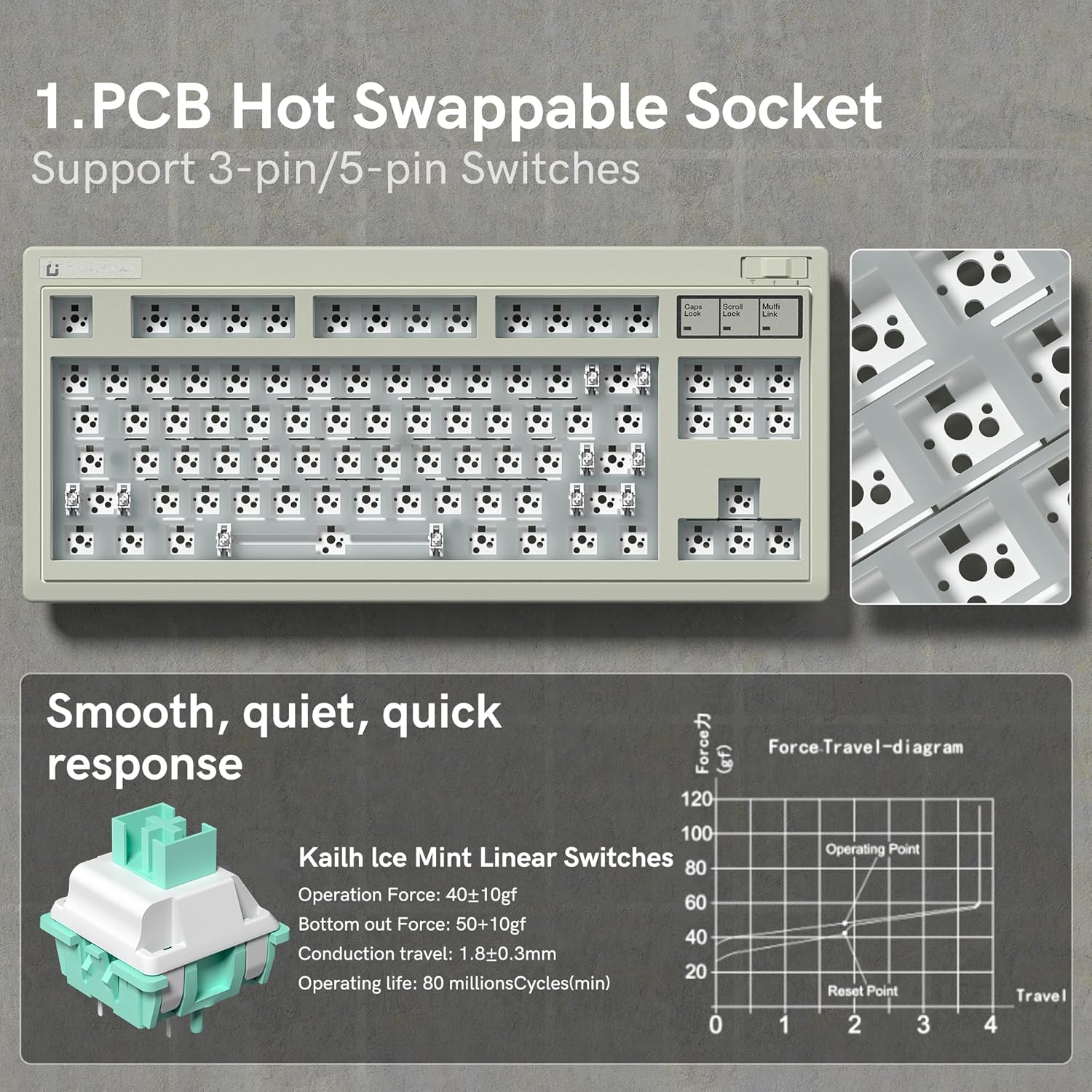
Figure 4: The hot-swappable PCB design allows for easy switch replacement and customization.
3.2 Engineered Acoustic Excellence
The keyboard incorporates a multi-layer precision-cut foam design to fill internal cavities, reducing resonance and providing a stable, consistent key feel with a deep, refined sound profile.

Figure 5: Internal structure designed for enhanced feel and refined sound.
3.3 RGB Lighting and Customization
The OG87 features 16.8 million RGB backlit keys with various lighting effects. You can customize these effects, remap keys, and program macros using the intuitive custom software.

Figure 6: Vibrant RGB backlighting with multiple effects.

Figure 7: The custom software allows for extensive customization of lighting, macros, and key functions.
Video 2: A demonstration of the various RGB lighting modes and effects on the OG87 keyboard.
3.4 Long-Lasting Battery
Equipped with a 4000mAh battery, the OG87 provides extended usage time. Battery life can vary based on usage and lighting settings.
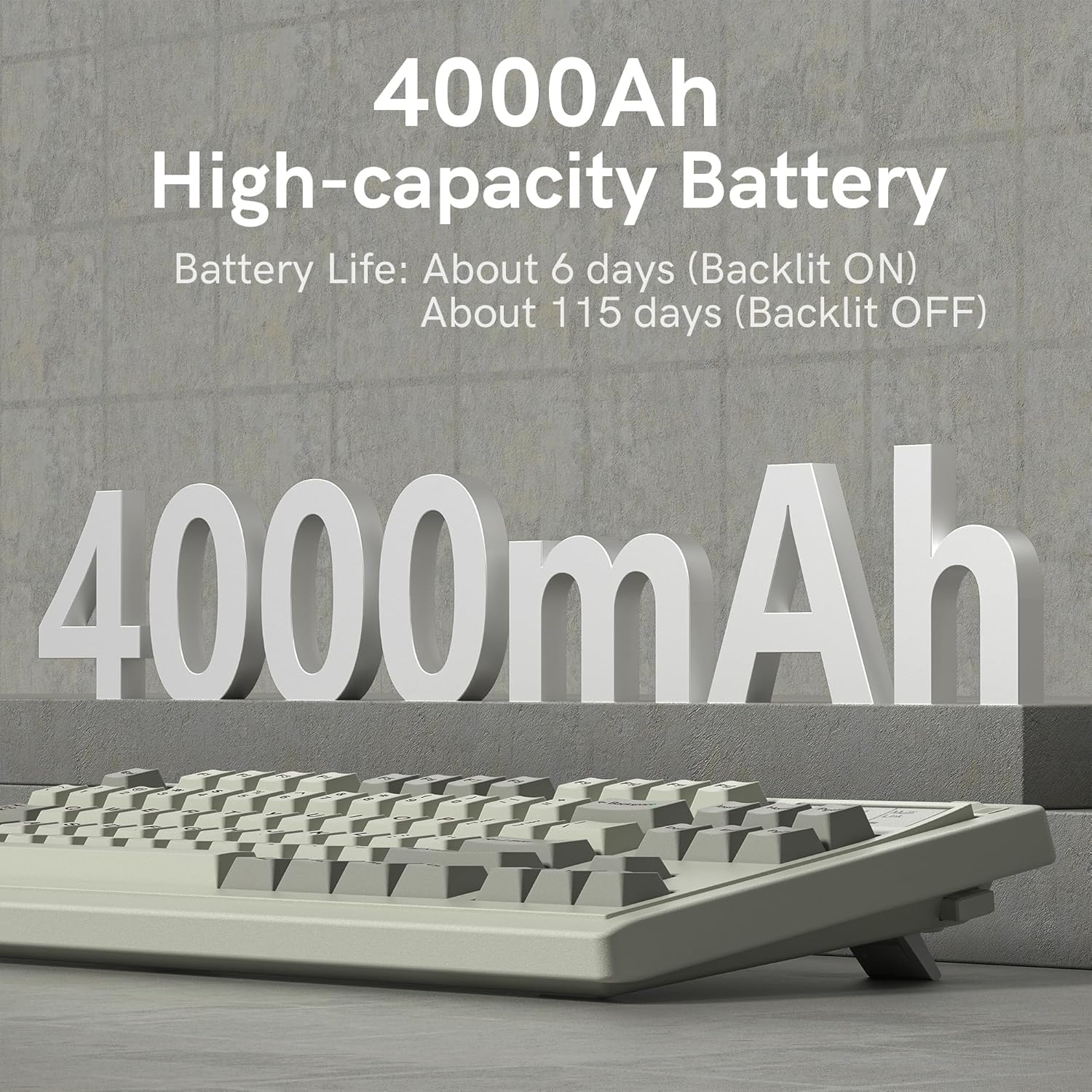
Figure 8: The 4000mAh battery ensures long periods of use.
4. Vedligeholdelse
4.1 Rengøring
Sådan bevarer du tastaturets udseende og funktionalitet:
- Frakobl tastaturet fra alle strømkilder før rengøring.
- Brug en blød, fnugfri klud lidt damprengøres med vand eller en mild rengøringsopløsning til at tørre tastaturerne og kabinettet af.
- For deeper cleaning, use the provided keycap puller to remove keycaps and clean underneath with compressed air or a small brush.
- Undgå at bruge skrappe kemikalier, slibemidler eller opløsningsmidler.
4.2 Pleje af batterier
For at forlænge batterilevetiden:
- Undgå at aflade batteriet helt ofte.
- Opbevar tastaturet et køligt og tørt sted, når det ikke er i brug i længere perioder.
- Oplad tastaturet regelmæssigt, selvom det ikke er i konstant brug, for at opretholde batteriets sundhed.
5. Fejlfinding
5.1 Forbindelsesproblemer
- Keyboard not connecting (2.4G/Bluetooth): Ensure the keyboard is in the correct mode. For Bluetooth, check if the device is in pairing mode (indicator light flashing). For 2.4G, ensure the dongle is securely plugged in. Try re-pairing or re-connecting.
- Intermitterende forbindelse: Move the keyboard closer to the receiver/device. Avoid obstacles that might interfere with the signal. Check for other wireless devices causing interference.
- Bluetooth-parringsfejl: Remove previous pairings from your device's Bluetooth settings and try pairing again. Ensure the keyboard is fully charged.
5.2 Softwareproblemer
- Software registrerer ikke tastaturet: Ensure the keyboard is connected via wired mode when using the software. Restart the software and/or your computer.
- Tilpasning gælder ikke: Ensure you have saved your settings within the software. Some settings may require the keyboard to be in wired mode to apply.
5.3 Key Functionality Issues
- Taster reagerer ikke: Check if the switch is properly seated in the hot-swap socket. Try replacing the switch with a known working one. Clean any debris around the switch.
- Double-typing or missed inputs: This could indicate a faulty switch. Try replacing the switch.
6. Specifikationer
| Feature | Specifikation |
|---|---|
| Mærke | FL ESPORTS |
| Model | OG87 |
| Forbindelsesteknologi | Bluetooth, 2.4G trådløs, USB-C kablet |
| Tastaturbeskrivelse | Mekanisk |
| Antal nøgler | 84 |
| Særlige funktioner | Retro Theme, Backlit, Hot-Swappable |
| Farve | Retro Grey |
| Strømkilde | Batteridrevet (4000mAh litiumpolymer) |
| Varens vægt | 3.44 pund |
| Pakkedimensioner | 17.2 x 10.3 x 2.4 tommer |
| Fabrikant | FL ESPORTS |
| Oprindelsesland | Kina |
7. Garanti og support
For warranty information and technical support, please refer to the official FL ESPORTS webwebstedet eller kontakt deres kundeservice direkte. Gem din købsbevis til eventuelle garantikrav.


