1. Sikkerhedsoplysninger
Please read all instructions carefully before using the ORDO Squishmallows Sonic Battery Toothbrush. Retain this manual for future reference.
- Kvælningsfare: This product is not suitable for children under 4 years of age. Small parts may present a choking risk.
- Keep the toothbrush and all its components out of reach of very young children.
- Do not attempt to disassemble or modify the toothbrush.
- If the toothbrush is damaged, discontinue use immediately.
- Consult a dentist or doctor if you experience any discomfort or bleeding gums while using the toothbrush.
2. Pakkens indhold
The ORDO Squishmallows Sonic Battery Toothbrush package includes the following items:
- 1 x ORDO Squishmallows Sonic Battery Toothbrush Handle
- 2 x Soft Bristle Brush Heads (one pre-installed, one extra)
- 1 x AA-batteri (forinstalleret eller medfølger separat)
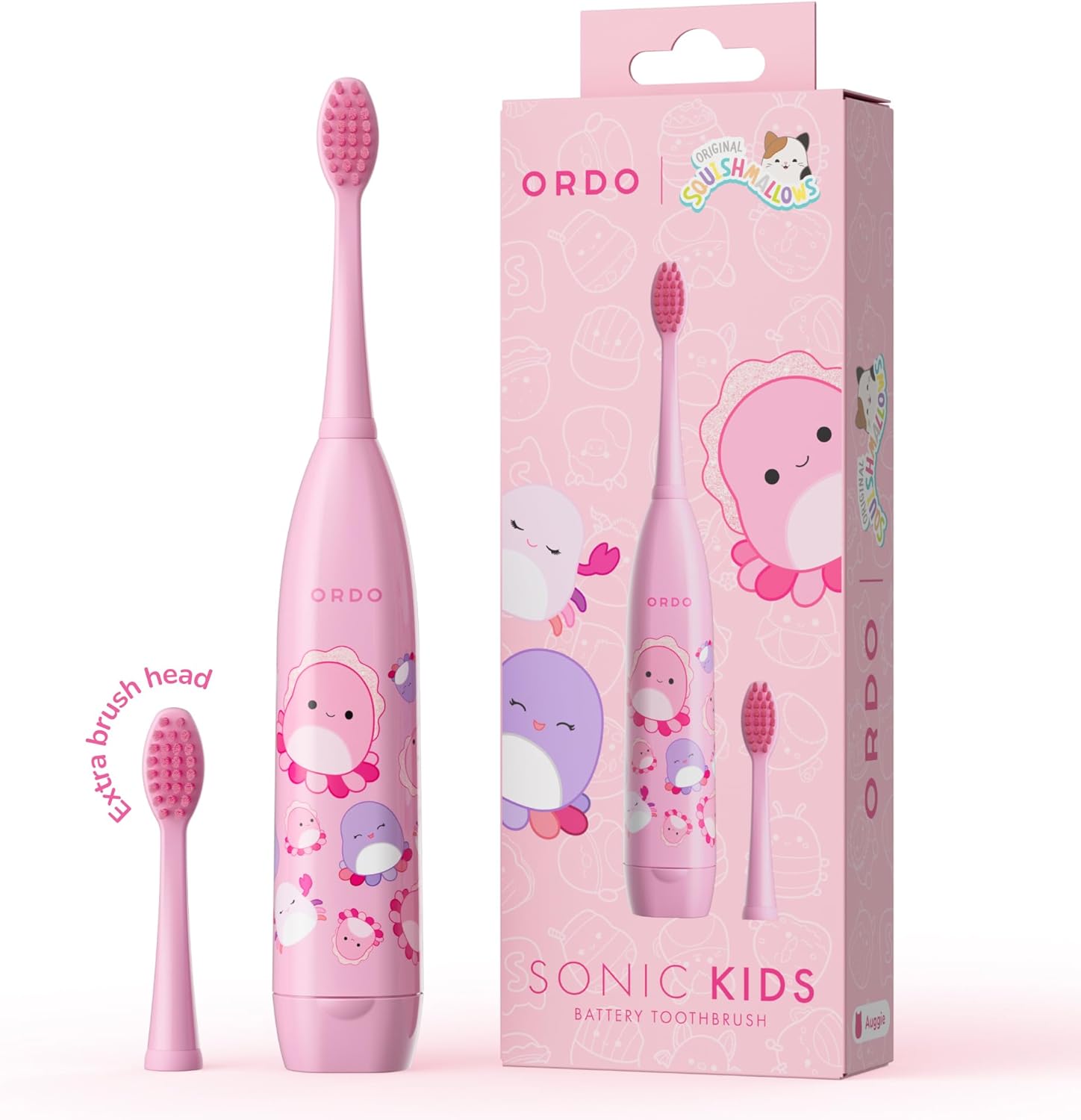
Image: The ORDO Squishmallows Sonic Battery Toothbrush with its packaging, showing the main toothbrush unit and an extra brush head.
3. Opsætning
3.1 Installing/Replacing the Brush Head
- Align the brush head with the shaft on the toothbrush handle.
- Twist the brush head clockwise until it clicks securely into place. Ensure it is firmly attached to prevent detachment during use.

Image: A diagram illustrating how to twist and attach the replaceable brush head to the toothbrush handle.
3.2 Batteriinstallation
The toothbrush requires one AA battery. A battery is typically included with the product.
- Locate the battery compartment at the bottom of the toothbrush handle.
- Twist the battery cap counter-clockwise to open it.
- Isæt et AA-batteri, og sørg for, at de positive (+) og negative (-) poler er justeret korrekt med markeringerne inde i batterirummet.
- Replace the battery cap by twisting it clockwise until it is securely closed.

Image: The ORDO Squishmallows Sonic Battery Toothbrush alongside an AA battery, illustrating the battery's role in providing power for up to 60 days.
4. Betjeningsvejledning
4.1 Børstning af tænder
- Wet the bristles of the brush head and apply a small amount of toothpaste.
- Press the power button, usually located at the bottom of the handle, to turn on the toothbrush.
- Placer børstehovedet mod dine tænder i en lille vinkel mod tandkødskanten.
- Move the brush gently across all surfaces of your teeth, allowing the sonic vibrations to clean effectively. Do not scrub vigorously.
- Brush for the recommended two minutes, ensuring all areas of the mouth are covered.
- After brushing, press the power button again to turn off the toothbrush.
- Skyl munden og børstehovedet grundigt med vand.

Billede: Et nærbillede view of the toothbrush head, highlighting its soft bristles and slim design, suitable for gentle and effective cleaning.

Billede: En detaljeret view of the toothbrush handle, emphasizing its ergonomic design for small hands, making it comfortable for children to hold and use.
5. Vedligeholdelse
5.1 Rengøring af tandbørsten
- Efter hver brug skylles børstehovedet grundigt under rindende vand for at fjerne eventuelle tandpasta-rester og snavs.
- Tør tandbørstehåndtaget af med adamp klæde. Nedsænk ikke håndtaget i vand.
- Allow the toothbrush to air dry before storing.
5.2 Udskiftning af børstehovedet
Dentists recommend replacing brush heads every three months, or sooner if the bristles become frayed or worn.
- Twist the old brush head counter-clockwise to remove it from the handle.
- Dispose of the old brush head responsibly.
- Attach a new brush head as described in Section 3.1.
5.3 Udskiftning af batteri
When the toothbrush's performance diminishes, it's time to replace the AA battery. A single AA battery can last up to 60 days with regular use.
- Follow the steps in Section 3.2 for battery installation.
- Always use a fresh, high-quality AA battery.
- Bortskaf brugte batterier i henhold til lokale regler.
6. Fejlfinding
| Problem | Mulig årsag | Løsning |
|---|---|---|
| Tandbørsten tænder ikke. | Batteriet er dødt eller forkert installeret. | Replace the AA battery, ensuring correct polarity. Refer to Section 3.2. |
| Svage vibrationer. | Lav batteristrøm. | Udskift AA-batteriet. |
| Børstehovedet føles løst. | Børstehovedet er ikke sikkert fastgjort. | Ensure the brush head is twisted clockwise until it clicks into place. Refer to Section 3.1. |
| Usædvanlig støj under drift. | Brush head not properly attached or internal issue. | Re-attach the brush head. If the issue persists, contact customer support. |
7. Produktspecifikationer
- Model: SKIDS-BAT-SM1
- Mærke: ORDO
- Strømkilde: 1 x AA -batteri (inkluderet)
- Speciel funktion: Sonic vibrationer
- Bristle Firmness: Blød
- Aldersinterval: Velegnet til børn fra 4 år og opefter
- Omtrentlig batterilevetid: Up to 60 days (with typical use)
- Pakkedimensioner: 7.83 x 3.19 x 1.38 tommer
- Fabrikant: Ordo
8. Garanti og support
For warranty information or technical support, please contact ORDO customer service through their official webwebstedet eller forhandleren, hvor produktet blev købt.
Please have your model number (SKIDS-BAT-SM1) and proof of purchase available when contacting support.
Fabrikant: Ordo
Webwebsted: Visit the ORDO Store on Amazon


