1. Vigtige sikkerhedsoplysninger
- Udsæt ikke uret for ekstreme temperaturer, direkte sollys eller høj luftfugtighed.
- Undgå at tabe uret eller udsætte det for hårde stød.
- Use only 1 AA alkaline battery. Do not mix old and new batteries or different types of batteries.
- Bortskaf brugte batterier ansvarligt i henhold til lokale regler.
- Keep the clock away from strong magnetic fields, which may interfere with its atomic signal reception.
2. Pakkens indhold
- AKCISOT Atomic 12 Inch Wall Clock
- Instruktionsmanual (dette dokument)
Note: 1 AA alkaline battery is required and not included.
3. Opsætning
3.1 Batteriinstallation
- Find batterirummet på bagsiden af uret.
- Insert one (1) new AA alkaline battery, ensuring the correct polarity (+ and -) as indicated inside the compartment.

Billede: Bagside view of the clock, highlighting the battery compartment and control buttons.
3.2 Time Zone and Daylight Saving Time (DST) Settings
Before the clock attempts to synchronize with the atomic signal, set your desired time zone and DST preference using the switches on the back of the clock.
- ZONE Switch: Select your time zone from the available options: PT (Pacific), MT (Mountain), CT (Central), ET (Eastern).
- DST -switch: Toggle this switch to ON if your region observes Daylight Saving Time, or OFF if it does not.
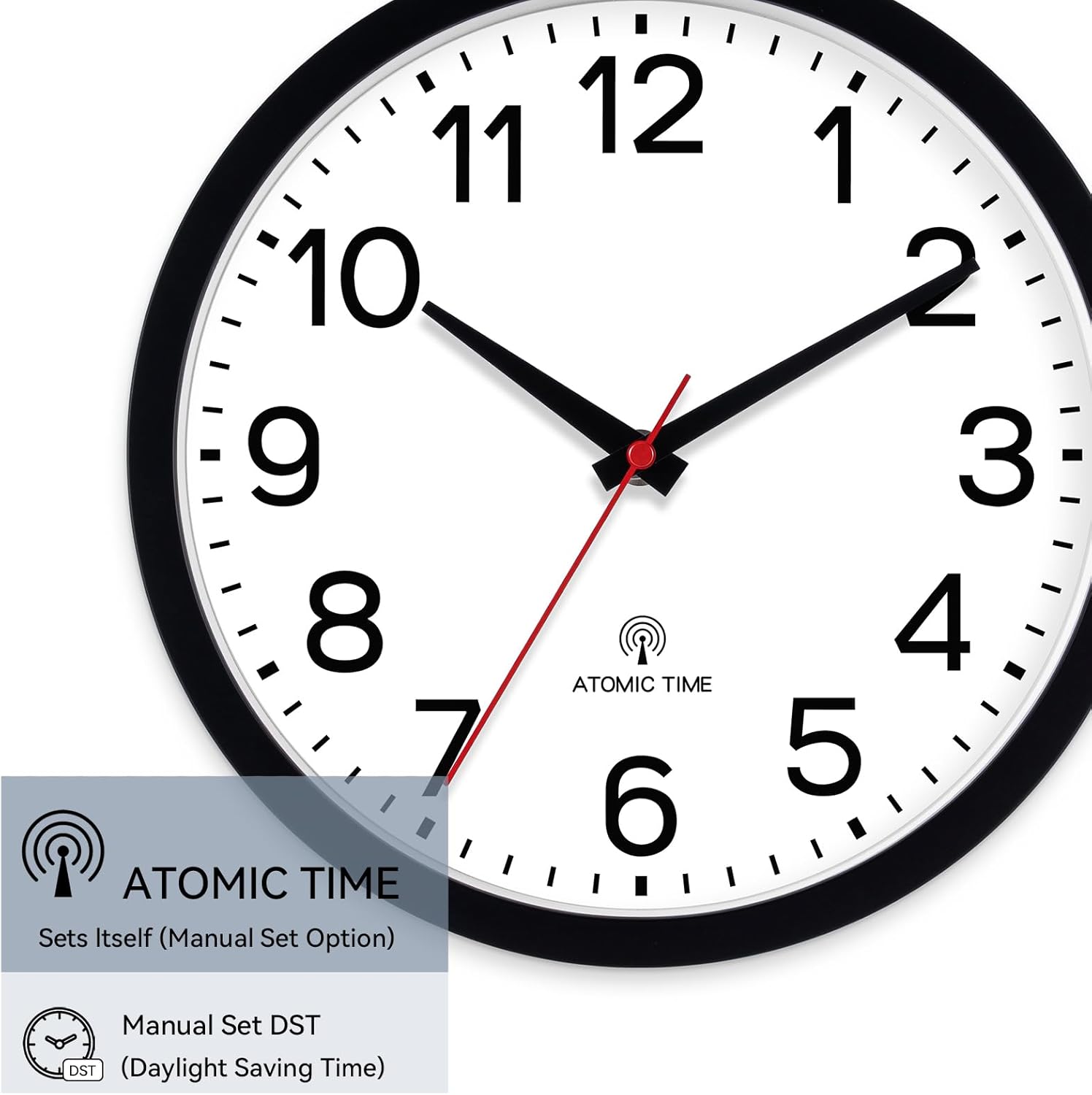
Image: Detail of the clock face, indicating Atomic Time functionality and DST setting options.
3.3 Indledende atomtidssynkronisering
After installing the battery and setting the time zone/DST, the clock will automatically attempt to receive the atomic time signal. The hands will typically move to 12:00 and then begin to set to the correct time. This process can take several minutes to several hours, depending on your location and signal strength. For optimal reception, place the clock near a window, away from electronic devices that may cause interference.
3.4 Montering af uret
The clock features an easy mounting hanging hole on the back. Use a suitable screw or hook (not included) securely fastened into your wall. Ensure the clock is hung level and stable.

Billede: Forside view of the AKCISOT 12-inch wall clock, ready for display.
4. Betjeningsvejledning
4.1 Automatisk tidssynkronisering
The AKCISOT Atomic Wall Clock automatically synchronizes with the atomic clock radio signal to maintain precise time. This synchronization typically occurs overnight. If the clock loses signal or experiences a power interruption, it will attempt to resynchronize.
4.2 Manual Forced Reception (REC Button)
If you wish to manually initiate the atomic signal reception, press the REC button located on the back of the clock. The clock will then attempt to receive the signal and set the time.
4.3 Manual Time Adjustment (M.SET Button)
In rare cases where atomic signal reception is consistently poor, you can manually set the time. Press and hold the M.SET button to advance the clock hands. Release the button when the desired time is reached.
4.4 Resetting the Clock (RESET Button)
If the clock is not functioning correctly or you wish to restart the setup process, press the NULSTIL button. This will reset the clock and initiate a new atomic signal search.
4.5 Lydløs bevægelse
This clock features a silent sweep second hand, designed to provide a peaceful environment without ticking noises. This makes it suitable for bedrooms, offices, and other quiet spaces.
5. Vedligeholdelse
5.1 Rengøring
For at rengøre uret skal du forsigtigt tørre overfladen af med en blød, tør klud. Brug ikke slibende rengøringsmidler, opløsningsmidler eller kemiske spraymidler, da disse kan beskadige overfladen eller de indvendige komponenter.
5.2 Udskiftning af batteri
Replace the AA alkaline battery approximately every 12-18 months, or when the clock hands stop moving or the time becomes inaccurate. Follow the battery installation steps in Section 3.1.
6. Fejlfinding
- Clock not running after battery installation:
Ensure the battery is inserted with correct polarity. Try a new battery. Press the NULSTIL knap. - Clock not synchronizing with atomic time:
Atomic signal reception can be affected by location, weather, and electronic interference. Try moving the clock to a different location, preferably near a window and away from other electronics. The initial synchronization may take longer than expected (sometimes up to 24 hours). Ensure your time zone and DST settings are correct. Press the REC button for a manual attempt. - Time is incorrect after synchronization:
Verify that the time zone and DST switches are set correctly for your region. If the issue persists, try resetting the clock and allowing it to resynchronize. - Clock is making a ticking sound:
This model is designed with a silent sweep second hand. If you hear a ticking sound, ensure the clock is not damaged. If the issue persists, contact customer support.
7. Specifikationer
| Feature | Detalje |
|---|---|
| Mærke | AKCISOT |
| Modelnummer | AKCISOT484 |
| Display Type | Analog |
| Speciel funktion | Silent Clock, Atomic Time Synchronization |
| Produktdimensioner | 12 cm B x 1.8 cm H |
| Strømkilde | Battery Powered (1 AA alkaline battery, not included) |
| Materiale | Plast |
| Rammemateriale | Plast |
| Farve | Sort |
| Indendørs/Udendørs brug | Indoor, Outdoor (covered areas recommended) |
| Varens vægt | 1.39 pund |
8. Garanti og support
8.1 Garantioplysninger
This product is sold without an explicit manufacturer's warranty. Please refer to the retailer's return policy for any issues within the return period.
8.2 Kundesupport
For further assistance or inquiries, please contact AKCISOT customer support through the retailer's platform or visit the official AKCISOT store page on Amazon: AKCISOT Store.