1. Introduktion
Thank you for choosing the Sheawasy Digital Camera SHXJ-02. This compact and user-friendly camera is designed for beginners, offering 1080P Full HD photo and video capabilities. It features dual screens, a 16X digital zoom, and an LED fill light, making it suitable for capturing everyday moments, selfies, and vlogs. This manual provides essential information for setting up, operating, and maintaining your camera.
2. Produktet er slutview
Gør dig bekendt med kameraets komponenter og betjeningselementer.

Figure 2.1: Camera Components and Controls Diagram
This diagram illustrates the various components and controls of the Sheawasy SHXJ-02 Digital Camera, highlighting the main screen, front screen, lens, LED fill light, and all operational buttons.

Figur 2.2: Forside og bagside View af kameraet
En omfattende view of the Sheawasy SHXJ-02 Digital Camera, displaying its front with the lens and front screen, and its back with the main display and navigation controls.
Kamerafunktioner:
- Dobbelt skærme: 2.4-inch main screen and 1.5-inch front screen for versatile shooting.
- 1080P FHD: High-definition photo and video capture.
- 16X digital zoom: Magnify subjects for detailed shots.
- Autofokus: Justerer automatisk fokus for klare billeder.
- LED-fyldningslys: Forbedrer synlighed i svagt lys.
- Musik funktion: Afspil MP3-lyd files directly from the camera.
- Kompakt design: Let og bærbar til brug på farten.
- Indbygget 32 GB lagerplads: Ampplads til billeder og videoer.
3. Opsætning
3.1 Batteriinstallation og opladning
The camera is powered by an included Lithium Polymer battery. Ensure the battery is fully charged before initial use. Connect the camera to a power source using the provided USB cable. The charging indicator will show the charging status.
3.2 Indsættelse af hukommelseskort
A 32GB memory card is included with your camera. Locate the memory card slot, typically on the side or bottom of the camera. Insert the memory card gently until it clicks into place. Ensure it is inserted in the correct orientation to avoid damage.
4. Betjeningsvejledning
4.1 Tænd/sluk
To power on the camera, press and hold the Power button located on the top of the device. To power off, press and hold the Power button again until the screen turns off.
4.2 Optagelse af billeder
- Tænd kameraet.
- Frame your shot using either the main rear screen or the front screen for selfies.
- The camera features autofocus. Allow it a moment to adjust for clarity.
- Press the Shutter button firmly to capture the photo.
4.3 Optagelse af videoer
- Tænd kameraet.
- Switch to video recording mode using the Mode button.
- Press the Shutter button once to start recording.
- Tryk på udløserknappen igen for at stoppe optagelsen.
4.4 Using Dual Screens
The camera is equipped with a 2.4-inch main screen on the back and a 1.5-inch front screen. The front screen is particularly useful for:
- Selfies: Easily compose self-portraits.
- Vlogging: Monitor your framing while recording videos of yourself.
- Composition Adjustment: Ensure everyone is in the frame for group shots.
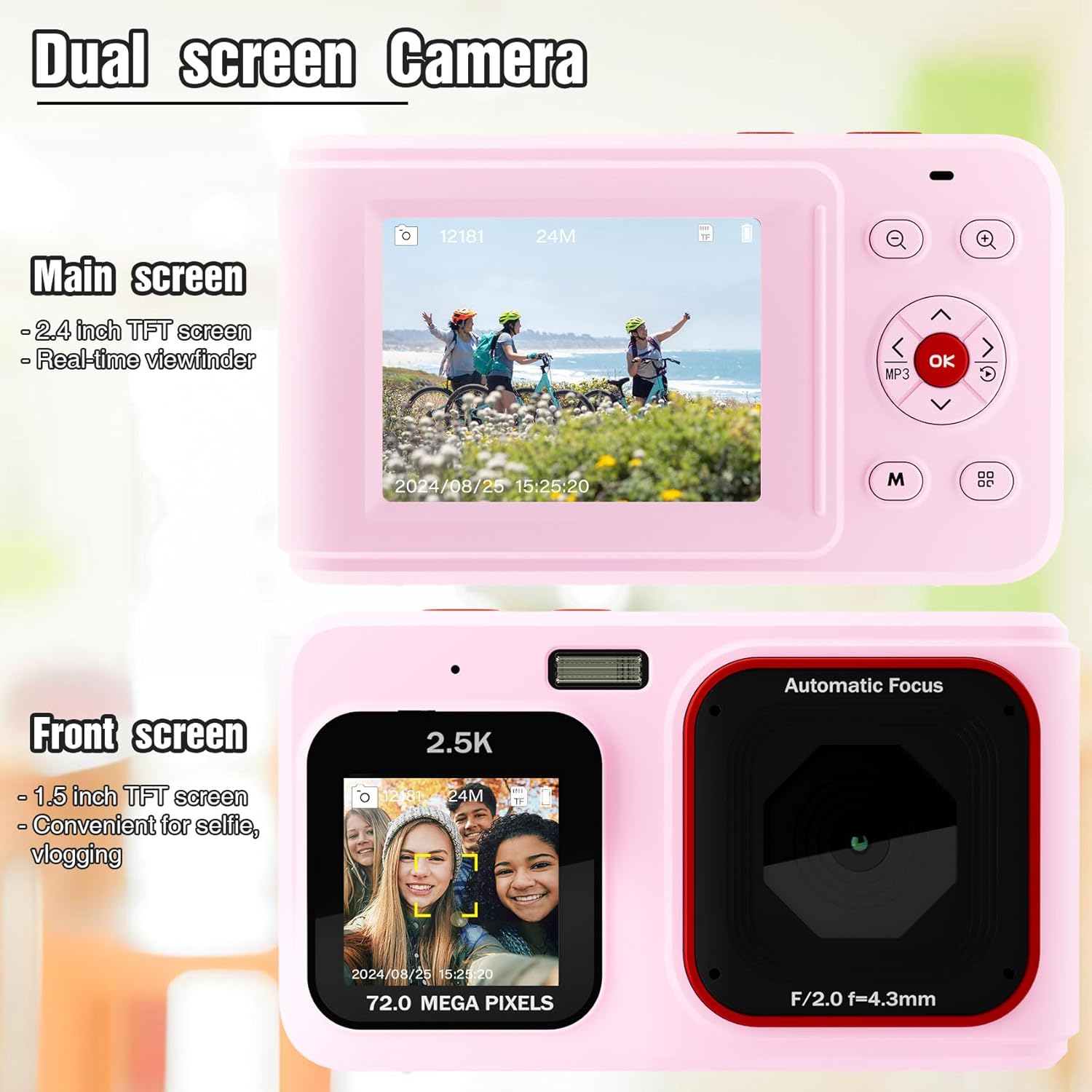
Figure 4.1: Dual Screen Functionality
This image highlights the camera's dual screen feature, with the larger rear screen for general viewing and a smaller front screen ideal for selfies and vlogging.
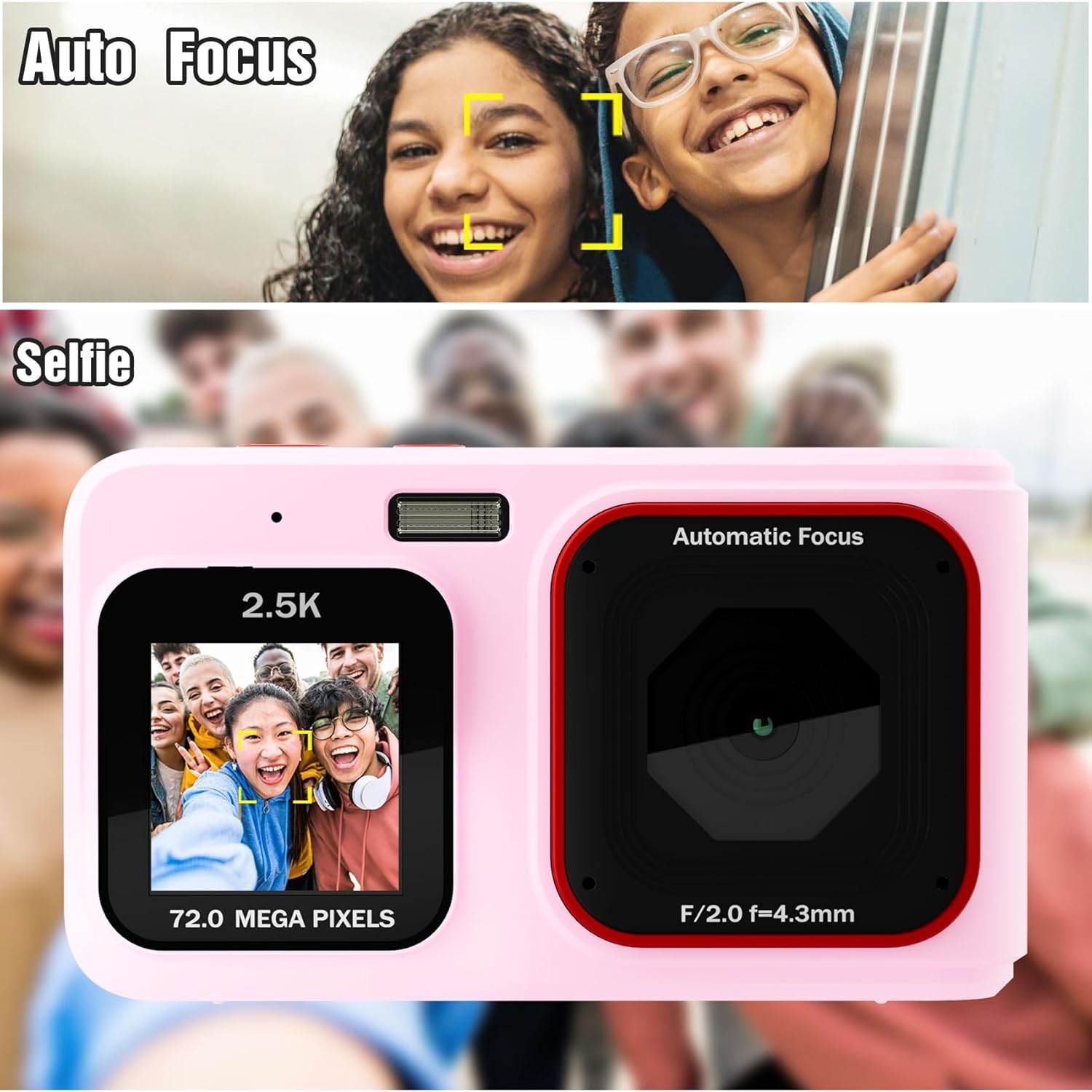
Figure 4.2: Autofocus and Selfie Mode
This visual explains the camera's autofocus capability, which helps in capturing clear subjects, and illustrates its use in selfie mode with the front screen.
4.5 Digital zoom
Use the Zoom In (+) and Zoom Out (-) buttons to digitally magnify or reduce your subject. The camera features 16X digital zoom. Note that digital zoom may reduce image quality compared to optical zoom.
4.6 LED-fyldningslys
For shooting in low-light environments, activate the built-in LED fill light. Refer to the camera's menu or a dedicated button (if available) to toggle this feature on or off.

Figure 4.3: LED Fill Light in Action
This image illustrates the effectiveness of the built-in LED fill light, showing how it improves visibility and detail in low-light photography compared to not using it.
4.7 Music Playback Function
The camera includes a music playback feature. Press the dedicated MP3 button to access music files stored on the memory card. You can connect headphones via the 3.5mm audio jack for private listening.

Figure 4.4: Music Functionality
This image demonstrates the camera's integrated music playback feature, including the 3.5mm audio jack for headphones.
4.8 Afspilningstilstand
Til review your captured photos and videos, switch to Playback mode using the Mode button. Use the navigation buttons to browse through your media. Press the OK button to view et udvalgt element.
5. Vedligeholdelse
5.1 Rengøring af kameraet
- Brug en blød, tør klud til at rengøre kamerahuset.
- For the lens and screens, use a specialized lens cleaning cloth and solution to avoid scratches.
- Brug ikke skrappe kemikalier eller slibende materialer.
5.2 Opbevaring
Store the camera in a cool, dry place away from direct sunlight and extreme temperatures. If storing for an extended period, remove the battery.
6. Fejlfinding
- Kamera tænder ikke: Sørg for, at batteriet er fuldt opladet og korrekt isat.
- Images are blurry or dark: Check lighting conditions. Use the LED fill light in low light. Hold the camera steady during capture. Note that this is an entry-level camera, and image quality expectations should be set accordingly.
- Kan ikke view images on camera: Ensure you are in Playback mode. Navigate through fileved hjælp af retningsknapperne.
- Fejl på hukommelseskort: Sæt hukommelseskortet i igen. Hvis problemet fortsætter, kan du prøve at formatere kortet (dette vil slette alle data) eller bruge et andet kompatibelt hukommelseskort.
- Kameraet fryser: Fjern og sæt batteriet i igen for at nulstille kameraet.
7. Specifikationer
| Feature | Specifikation |
|---|---|
| Modelnavn | SHXJ-02 |
| Mærke | Sheawasy |
| Video opløsning | 1080P FHD |
| Effektiv stillopløsning | 1 MP |
| Digital Zoom | 16X |
| Fotosensorteknologi | CMOS |
| Skærmstørrelse | 2.4 Inches (Main), 1.5 Inches (Front) |
| Hukommelseslagringskapacitet | 32 GB (indbygget) |
| Batteritype | Lithium polymer |
| Forbindelsesteknologi | USB |
| Understøttet File Format | AVI (Video) |
| Autofokus | Ja (Kontrastdetektion) |
| LED-udfyldningslys | Ja |
| Vandmodstandsniveau | Ikke vandafvisende |
8. Garanti og support
For warranty information and technical support, please refer to the documentation included with your purchase or contact Sheawasy customer service. Keep your purchase receipt as proof of purchase for any warranty claims.
For further assistance, please visit the official Sheawasy webwebstedet eller kontakt deres supportkanaler.


