1. Introduktion
Thank you for choosing the YEELIGHT Smart Outdoor Permanent RGB LED String Lights. This manual provides essential information for the safe and effective installation, operation, and maintenance of your new lighting system. These 150-foot string lights are designed for permanent outdoor use, offering a wide range of customizable lighting effects, app control, and music synchronization capabilities. They are built to withstand various weather conditions, ensuring year-round enjoyment.
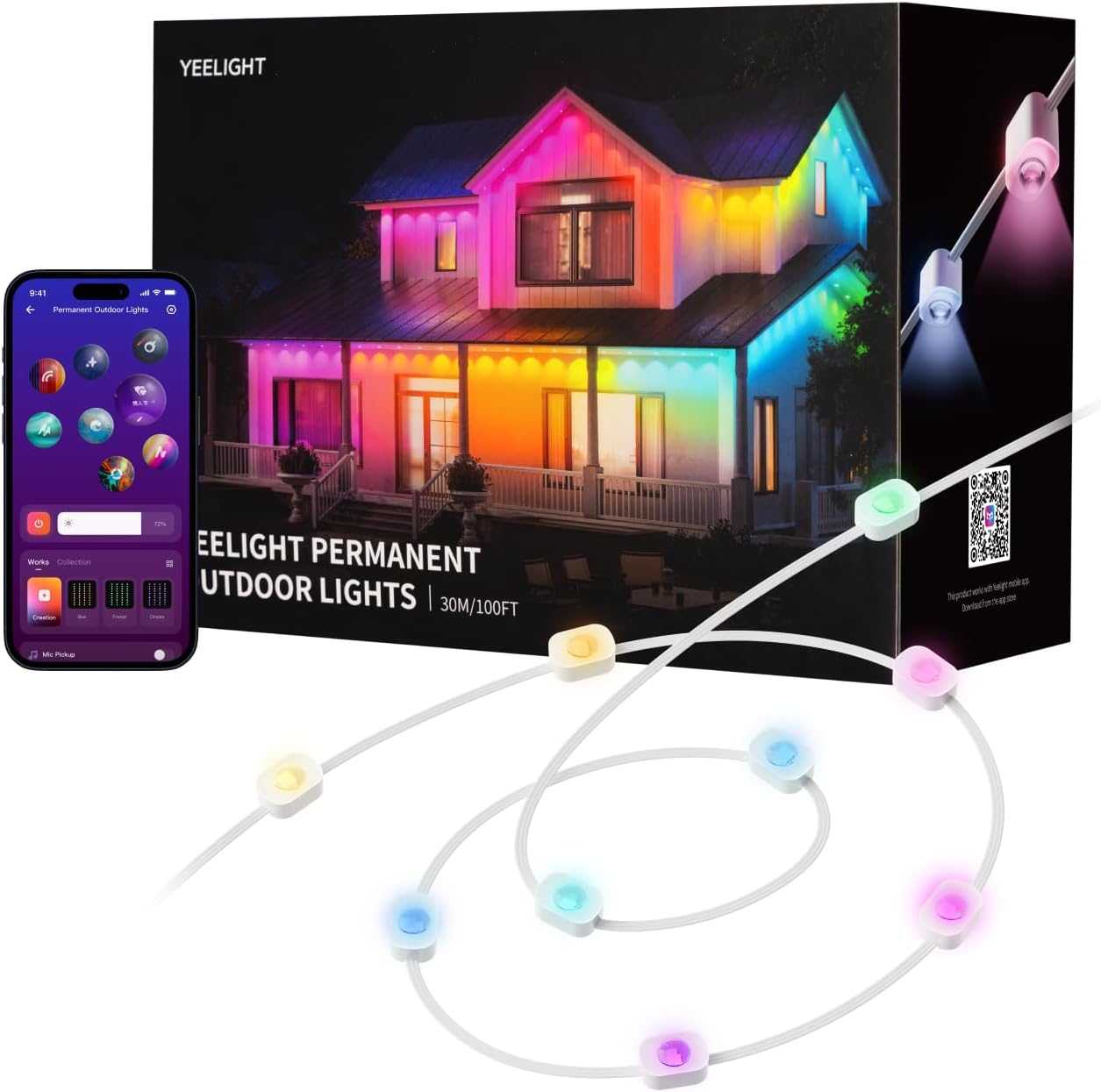
Image 1.1: YEELIGHT Smart Outdoor Permanent String Lights, showing the product packaging, the string lights, and a smartphone displaying the control app.
2. Opsætning og installation
Proper installation is crucial for the performance and longevity of your YEELIGHT Smart Outdoor Permanent String Lights. Follow these steps carefully:
- Planning the Layout: Determine the desired path for your string lights. Ensure the total length does not exceed 150 feet for this model. Consider the spacing of the individual light beads (approximately 1.64 ft or 0.5m apart).
- Forberedelse af overfladen: Clean the installation surface thoroughly. Ensure it is dry and free from dust, dirt, or grease for optimal adhesive performance.
- Påføring af klæbemiddel: The lights come with pre-applied 3M adhesive backing. Carefully peel off the protective film and press the light firmly against the surface for at least 5 seconds. This adhesive is suitable for various surfaces including concrete, marble, wood, metal, and vinyl.
- Securing with Clips: For enhanced security and long-term durability, use the provided screw clips. Install a clip near each light bead or at regular intervals along the string. This prevents sagging and provides additional support, especially in windy conditions.
- Connecting Multiple Strips (if applicable): If using multiple string light sections, connect them using the waterproof connectors. Ensure the connections are secure and the waterproof caps are tightly screwed in place to prevent moisture ingress.
- Strømtilslutning: Connect the string lights to the power adapter and then plug the adapter into a suitable outdoor power outlet. Ensure the outlet is protected from weather elements.

Billede 2.1: Nærbillede view of a single light unit, illustrating both the adhesive backing and the option for securing with a screw clip for robust installation.

Image 2.2: Step-by-step diagram illustrating the installation process, from positioning and cleaning to securing with clips and connecting sections.
3. Betjeningsvejledning
Your YEELIGHT Smart Outdoor Permanent String Lights are controlled via the Yeelight mobile application. Follow these steps to get started:
- Download the Yeelight App: Søg efter "Yeelight" in your smartphone's app store (iOS or Android) and download the application.
- Pairing the Lights: Open the Yeelight app and follow the on-screen instructions to add your new device. Ensure Bluetooth is enabled on your smartphone for initial pairing.
- Grundlæggende kontrol: Once paired, you can turn the lights on/off, adjust brightness, and change colors directly from the app.
- Forudindstillede scener: The app offers over 20 preset lighting scenes suitable for various occasions like Christmas, Halloween, parties, or daily ambiance. Select a scene to instantly transform your outdoor space.
- Customization (DIY): Utilize the DIY feature to customize each LED's color, dynamic effects, and speed. This allows for personalized lighting designs.
- Musiksynkronisering: Activate the Music Flow feature in the app to synchronize the lights with your music. The lights will respond to audio picked up by your phone or the control box, creating a dynamic light show.
- Varm hvid tilstand: Easily switch to a 3000K warm white mode for cozy, everyday lighting.

Image 3.1: A smartphone displaying the Yeelight app, showing various color and effect customization options for the string lights.

Image 3.2: The Yeelight app interface, highlighting the extensive customization options for colors, motion effects, and speed to create unique lighting displays.

Image 3.3: The Yeelight app demonstrating the Music Flow feature, where the lights dynamically change in sync with music, enhancing the audio-visual experience.
4. Vedligeholdelse
The YEELIGHT Smart Outdoor Permanent String Lights are designed for durability and minimal maintenance. Adhering to these guidelines will ensure their longevity:
- Rensning: Periodically wipe the light surfaces with a soft, damp cloth to remove dust and debris. Avoid using harsh chemicals or abrasive cleaners, as these can damage the waterproof coating or LED components.
- Vandtæthed: The LED strip is IP67 waterproof, and the control box is IP65 waterproof. This protects against dust and water jets. While designed for outdoor use, avoid submerging the lights or exposing them to high-pressure water streams.
- Temperaturområde: The lights are designed to operate reliably in temperatures ranging from -4°F to 140°F (-20°C to 60°C). Extreme temperatures outside this range may affect performance or lifespan.
- Forbindelsesintegritet: Periodically check all connections, especially the waterproof connectors between light sections, to ensure they remain tight and secure.
- Fysisk inspektion: Inspect the entire length of the string lights for any signs of physical damage, such as cuts in the cable or cracked light housings. If damage is found, discontinue use and contact customer support.

Image 4.1: Visual representation of the lights' durability, showcasing their resistance to rain (IP65/IP67 waterproof), high temperatures (140°F), and low temperatures (-4°F).
5. Fejlfinding
If you encounter issues with your YEELIGHT Smart Outdoor Permanent String Lights, refer to the following common troubleshooting steps:
- Lys tænder ikke:
- Kontroller, om strømadapteren er tilsluttet korrekt til en fungerende stikkontakt.
- Ensure all connections between the light sections and the control box are firm.
- Verify that the power outlet is receiving power.
- Lights Not Responding to App:
- Ensure Bluetooth is enabled on your smartphone and you are within range of the lights.
- Restart the Yeelight app.
- Try restarting your smartphone.
- If the issue persists, try unpairing and re-pairing the lights in the app.
- Inkonsekvent belysning eller flimren:
- Check for any loose connections along the string.
- Sørg for, at strømforsyningen er stabil og ikke overbelastet.
- Inspect the light strip for any visible damage.
- Lights Not Syncing with Music:
- Ensure the Music Flow feature is activated in the Yeelight app.
- Verify that your phone's microphone or the control box's microphone is enabled and picking up sound.
- Adjust the sensitivity settings in the app if available.
If these steps do not resolve the issue, please contact YEELIGHT customer support for further assistance.
6. Specifikationer
| Feature | Specifikation |
|---|---|
| Mærke | YEELIGHT |
| Modelnummer | YLYDD-0046 |
| Længde | 150 fod |
| Lyskildetype | LED (RGBICW) |
| Antal lyskilder | 300 |
| LED afstand | 1.64 fod (0.5 m) |
| Lumen per LED | 40 lm |
| Strålevinkel | 90° |
| Color Temperature (Warm White) | 3000 Kelvin |
| Kontrolmetode | App-kontrol (Bluetooth) |
| Indendørs/Udendørs brug | Udendørs |
| Vandmodstandsniveau | LED Strip: IP67, Control Box: IP65 |
| Driftstemperatur | -4°F til 140°F (-20°C til 60°C) |
| Strømkilde | Elektrisk med ledning |
| Materiale | Polyester, gummi |
| Inkluderede komponenter | Light strip, Power adapter, Mounting clips |

Image 6.1: Technical diagram detailing the 1.64 ft (0.5m) lamp bead spacing, 40 lm per LED, and a 90° beam angle for optimal light distribution.
7. Garanti og support
YEELIGHT products are manufactured with high-quality standards. For specific warranty information regarding your Smart Outdoor Permanent RGB LED String Lights, please refer to the warranty card included in your product packaging or visit the official YEELIGHT webGarantien dækker typisk fabrikationsfejl under normale brugsforhold.
For technical support, troubleshooting assistance, or warranty claims, please contact YEELIGHT customer service through the following channels:
- Officiel Webwebsted: Visit the YEELIGHT official webwebsted med ofte stillede spørgsmål, supportressourcer og kontaktoplysninger.
- E-mail support: Se din produktdokumentation for at finde e-mailadressen til kundesupport.
- Support i appen: The Yeelight app may offer a support section or direct contact options.
Please have your model number (YLYDD-0046) and proof of purchase ready when contacting support.


