1. Produktet er slutview
The JDIAG EL-50449 TPMS Relearn Tool is an essential device designed to activate and reset Tire Pressure Monitoring System (TPMS) sensors in a wide range of Ford, Lincoln, and Mercury series vehicles. This tool is crucial for maintaining proper tire pressure monitoring after tire rotations, sensor replacements, or tire changes, ensuring the TPMS warning light is correctly reset.

Figure 1: JDIAG EL-50449 TPMS Relearn Tool. This image shows the compact, red and black device with its antenna at the top, and a power button on the front. A stack of tires and a wheel with a TPMS warning icon are shown in the background, illustrating the tool's purpose.
Nøglefunktioner:
- Bred kompatibilitet: Supports Ford, Lincoln, and Mercury vehicles equipped with 315 or 433 MHz TPMS sensors.
- Essential Functionality: Ideal for tire pressure sensor replacement, clearing TPMS alarm lights, and tire changes.
- Time and Cost Saving: Activates tire pressure sensors quickly, reducing the need for professional service.
- Brugervenligt design: Simple operation with a single button for activation.
2. Opsætning og komponenter
2.1 Pakkens indhold
Pakken indeholder:
- 1 x JDIAG EL-50449 TPMS Relearn Tool
2.2 Batteriinstallation
The EL-50449 tool requires a 9V battery (not included). Ensure a new, high-quality 9V battery is used for optimal performance, as battery voltage directly affects signal strength.
- Find batterirummet på bagsiden af enheden.
- Åbn batteridækslet.
- Isæt et nyt 9V-batteri, og sørg for korrekt polaritet.
- Luk batteridækslet forsvarligt.

Figure 2: Components of the EL-50449 TPMS Relearn Tool. This diagram highlights the antenna, TX pilot light, low battery indicator, power button, and the 9V battery compartment (battery not included).
3. Betjeningsvejledning
The JDIAG EL-50449 tool simplifies the TPMS relearn process. Follow these general steps:
3.1 Køretøjskompatibilitet
This tool is specifically designed for Ford, Lincoln, and Mercury vehicles. Refer to the compatibility chart below to confirm your vehicle model and year are supported. The tool supports cars, SUVs, pickups, and light trucks with 315 or 433 MHz TPMS sensors. Heavy trucks are not supported.

Figure 3: Detailed compatibility list for Ford, Lincoln, and Mercury vehicles. This image provides a comprehensive table of compatible car models and their respective year ranges.
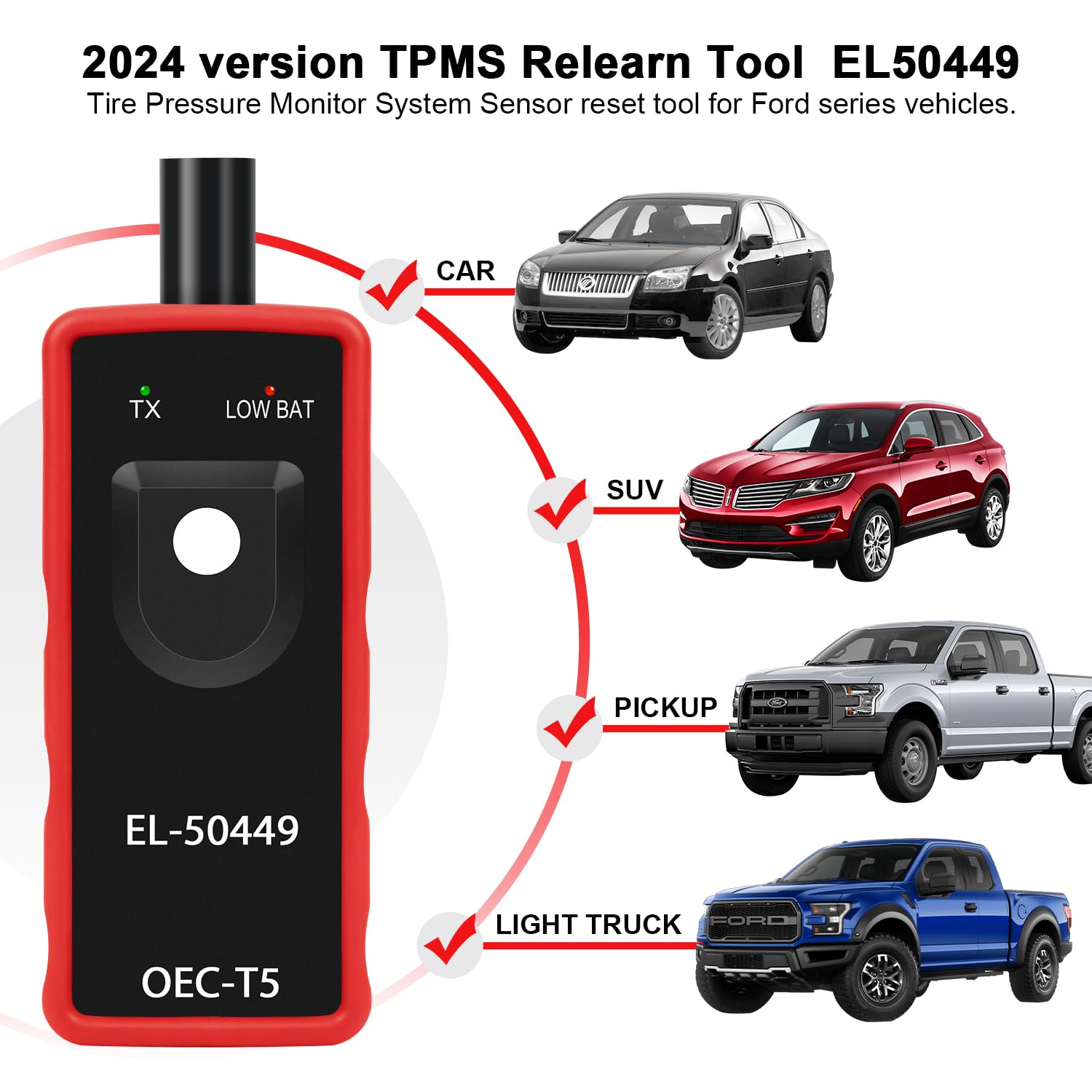
Figure 4: Visual representation of supported vehicle types including cars, SUVs, pickups, and light trucks, indicating the broad application of the EL-50449 tool.
3.2 Entering TPMS Relearn Mode
The procedure to enter TPMS relearn mode varies by vehicle model. Consult your vehicle's owner's manual for the exact steps. A common method for Ford vehicles involves a sequence of ignition cycles and brake pedal presses. Ensure your vehicle is in the correct relearn mode before proceeding with the tool.
3.3 Aktivering af TPMS-sensorer
Once the vehicle is in TPMS relearn mode:
- Hold the EL-50449 tool with the antenna positioned against the tire sidewall, near the valve stem.
- Ensure the antenna is parallel to the valve stem for optimal signal reception.
- Press and release the power button on the tool to activate the sensor. The TX pilot light will illuminate.
- Listen for a horn chirp from the vehicle, indicating successful sensor activation.
- Repeat this process for each tire in the specified order (typically Front Left, Front Right, Rear Right, Rear Left).

Figure 5: Demonstrates the correct positioning of the tool's antenna parallel to the tire valve stem, along with examples of incorrect positioning that may hinder sensor activation.

Figure 6: A user holding the EL-50449 tool near a vehicle tire, illustrating the process of activating a TPMS sensor. Yellow waves emanate from the tool towards the tire, symbolizing the signal transmission.
4. Vedligeholdelse
Proper maintenance ensures the longevity and reliable operation of your JDIAG EL-50449 TPMS Relearn Tool.
- Udskiftning af batteri: Replace the 9V battery when the "LOW BAT" indicator light illuminates. Always use a new, high-quality battery.
- Rensning: Wipe the tool with a soft, dry cloth. Do not use abrasive cleaners or immerse the device in water.
- Opbevaring: Store the tool in a cool, dry place away from direct sunlight and extreme temperatures. If storing for extended periods, remove the battery to prevent leakage.
5. Fejlfinding
If you encounter issues while using the EL-50449 tool, consider the following:
- Tool Not Activating Sensors:
- Ensure the vehicle is correctly in TPMS relearn mode.
- Verify the tool's antenna is positioned correctly and parallel to the valve stem.
- Check the battery. If the "LOW BAT" light is on, replace the 9V battery with a new one.
- Confirm the TPMS sensors are original and properly programmed. Non-original sensors may not be compatible.
- "LOW BAT" Indicator: This indicates the 9V battery needs to be replaced. A weak battery can lead to insufficient signal strength for sensor activation.
- No Horn Chirp: If the vehicle does not chirp after activating a sensor, it indicates the sensor was not successfully activated. Re-check tool positioning, battery, and ensure the vehicle is still in relearn mode.
- Inkompatibelt køretøj: This tool is not designed for heavy trucks with more than 4 tires. Refer to the compatibility list in Section 3.1.
6. Specifikationer
| Attribut | Detalje |
|---|---|
| Modelnummer | EL-50449 |
| Mærke | JDIAG |
| Kompatibilitet | Ford, Lincoln, Mercury series vehicles (315/433 MHz TPMS sensors) |
| Strømkilde | 1 x 9V batteri (medfølger ikke) |
| Udgangstype | Tryk knap |
| Monteringstype | Tire Mount (for activation) |
| Pakkedimensioner | 6.42 x 2.72 x 1.65 tommer |
| Varens vægt | 5.29 ounce |
| Fabrikant | JDIAG |
| Oprindelsesland | Kina |
7. Garanti og support
JDIAG is committed to providing reliable products and excellent customer service. While specific warranty details are not provided in this manual, JDIAG offers professional engineering support.
If you have any questions, require assistance with your EL-50449 TPMS Relearn Tool, or encounter any issues, please do not hesitate to contact JDIAG customer support. Our professional team is available to assist you within 24 hours.
For further information or to explore other JDIAG products, please visit the official JDIAG store on Amazon: JDIAG Store.


