1. Introduktion
This manual provides detailed instructions for the E-YOOSO X-45 Ergonomic Vertical Mouse. Designed for comfort and versatility, this mouse offers multiple connectivity options and adjustable sensitivity to enhance your computing experience. Please read this manual thoroughly before using the product to ensure proper operation and longevity.
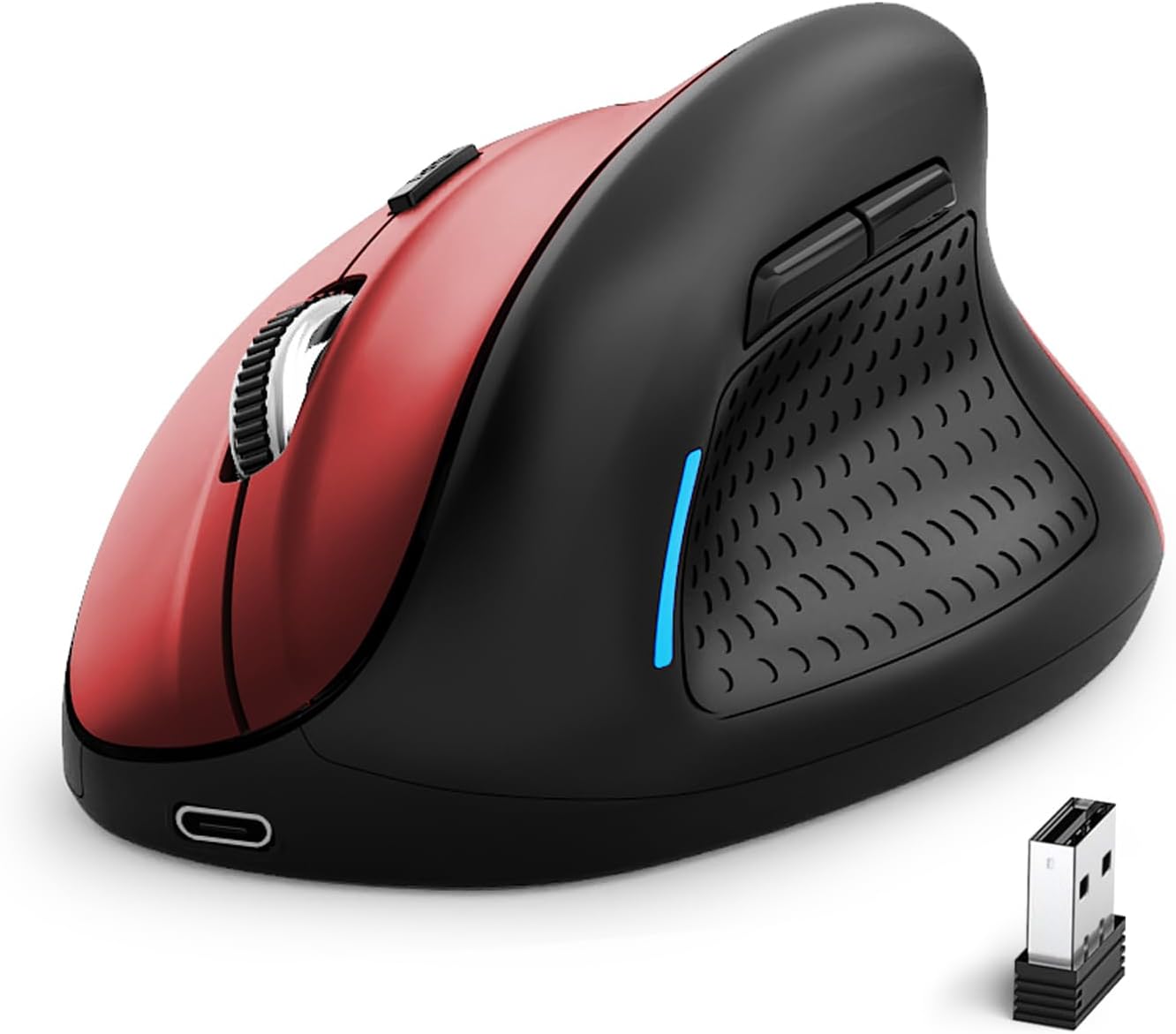
Image 1: E-YOOSO X-45 Ergonomic Vertical Mouse (Red Black)
2. Pakkens indhold
Bekræft at alle varer er til stede i din pakke:
- 1 x E-YOOSO X-45 Ergonomic Vertical Mouse
- 1 x USB-modtager (2.4G)
- 1 x USB-C opladningskabel
- 1 x Brugermanual (dette dokument)
3. Produktet er slutview
Familiarize yourself with the various components of your E-YOOSO X-45 mouse:

Image 2: Labeled components of the E-YOOSO X-45 Vertical Mouse
- Venstre knap: Standard venstreklikfunktion.
- DPI-knap: Adjusts cursor sensitivity (DPI levels).
- Scrollhjul: For vertical scrolling and middle-click.
- Højre knap: Standard højreklikfunktion.
- USB-modtager: Stores the 2.4G wireless dongle (located on the bottom of the mouse).
- Frem-knap: Navigerer fremad i web browsere eller file opdagelsesrejsende.
- Baglæns knap: Navigerer baglæns i web browsere eller file opdagelsesrejsende.
- Power/Mode Switch Button: Turns the mouse on/off and switches between connection modes.
- Parringsknap: Starter Bluetooth-parringstilstand.
4. Opsætning
4.1 Opladning af musen
The E-YOOSO X-45 mouse features a rechargeable battery. Use the provided USB-C cable to charge the mouse. A full charge typically takes 2-3 hours and can provide power for 2-3 months of usage, depending on usage patterns.
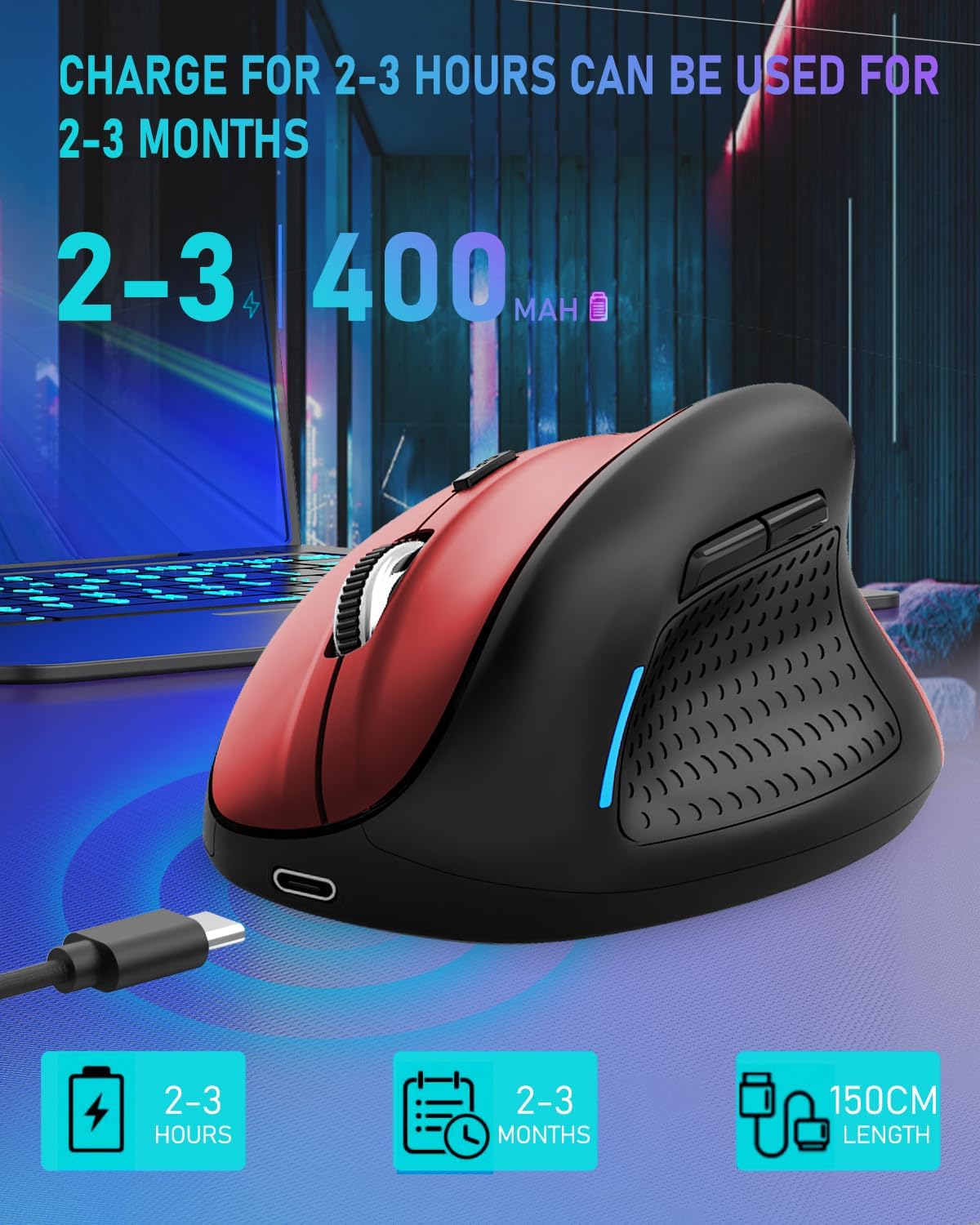
Image 3: Charging the E-YOOSO X-45 mouse
4.2 Forbindelsestilstande
The mouse supports three connection modes: 2.4G Wireless, Bluetooth, and Wired.

Image 4: Tri-Mode Connection Options
4.2.1 2.4G trådløs forbindelse
- Locate the USB receiver stored in the compartment on the bottom of the mouse.
- Sæt USB-modtageren i en ledig USB-port på din computer.
- Turn on the mouse using the Power/Mode Switch button on the bottom. Select the 2.4G mode.
- Musen burde oprette forbindelse automatisk.
4.2.2 Bluetooth-forbindelse
- Turn on the mouse using the Power/Mode Switch button on the bottom. Select one of the Bluetooth modes (BT1 or BT2).
- Press and hold the Pairing Button (9) on the bottom of the mouse until the indicator light flashes, indicating it is in pairing mode.
- Gå til Bluetooth-indstillingerne på din enhed (computer, tablet, smartphone) og søg efter nye enheder.
- Select "E-YOOSO X-45" (or similar name) from the list of available devices to pair.
- Når parringen er afsluttet, holder indikatorlampen op med at blinke.
4.2.3 Kabelforbindelse
- Connect the USB-C end of the charging cable to the mouse and the USB-A end to your computer.
- The mouse will automatically switch to wired mode and function without needing a battery or wireless connection.
5. Betjeningsvejledning
5.1 DPI-justering
The mouse features 5 adjustable DPI (Dots Per Inch) levels, allowing you to customize cursor sensitivity. Press the DPI Switch Button (2) to cycle through the following settings:
- 800 DPI
- 1200 DPI
- 1600 DPI
- 2000 DPI
- 4800 DPI
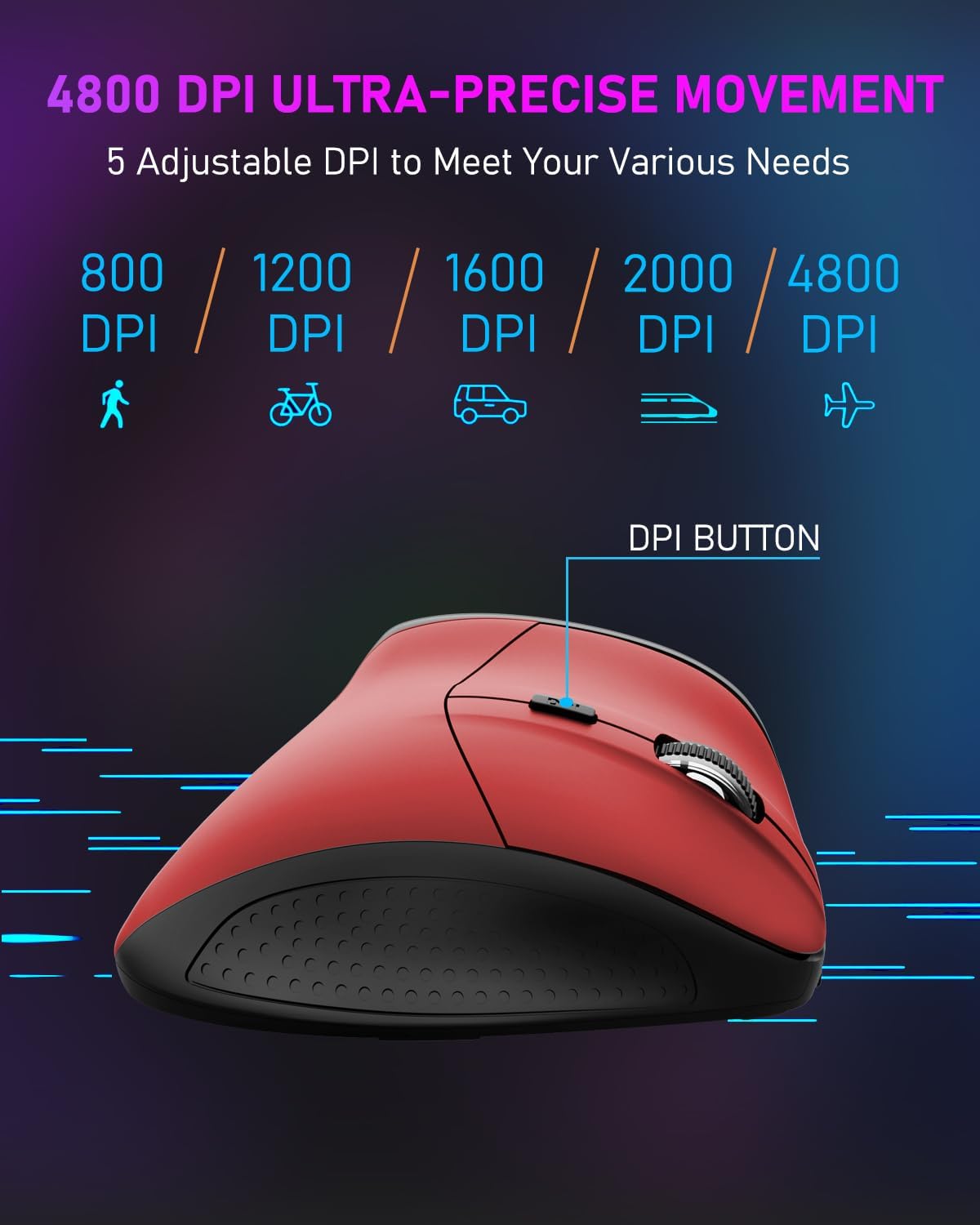
Image 5: DPI Adjustment Levels
5.2 Knapfunktioner
In addition to standard left and right clicks, the mouse includes:
- Scroll Wheel (3): For smooth vertical scrolling. Pressing it acts as a middle-click button.
- Forward Button (6): Bruges til at navigere fremad ind web browsere eller file opdagelsesrejsende.
- Backward Button (7): Used for navigating backward in web browsere eller file opdagelsesrejsende.
5.3 Ergonomic Design Benefits
The vertical design of the E-YOOSO X-45 mouse promotes a natural 'handshake' wrist and arm posture, which can help reduce wrist strain and discomfort during prolonged use compared to traditional horizontal mice.
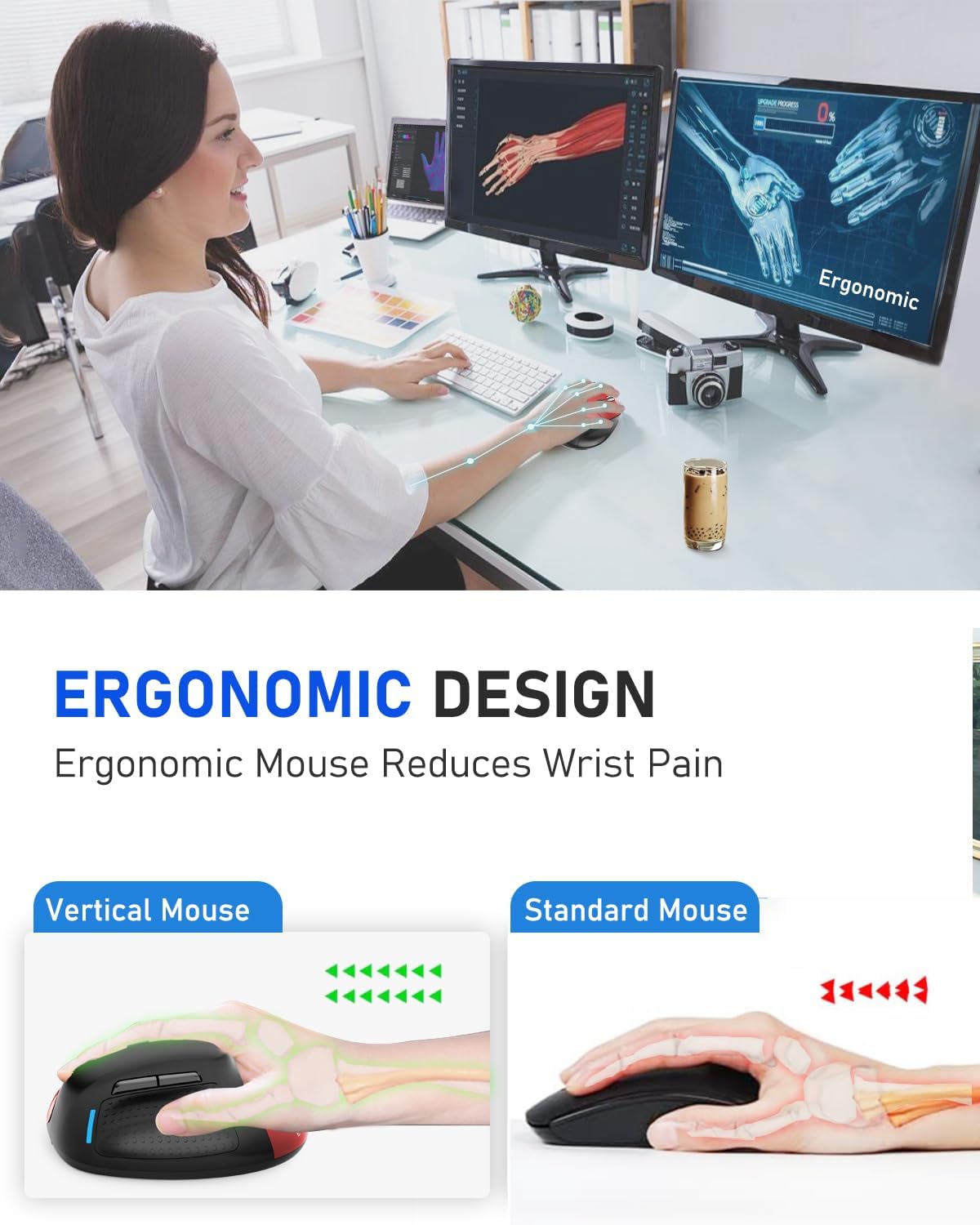
Image 6: Ergonomic Design Reduces Wrist Pain
6. Vedligeholdelse
To ensure optimal performance and longevity of your E-YOOSO X-45 mouse:
- Rensning: Brug en blød, tør klud til at rengøre musen. Undgå at bruge skrappe kemikalier eller slibende materialer.
- Opbevaring: Når musen ikke er i brug i længere perioder, skal den slukkes for at spare på batteriet. Opbevares køligt og tørt.
- Batteripleje: Undgå at aflade batteriet helt for ofte. Oplad musen, når batteriindikatoren er lav.
7. Fejlfinding
If you encounter issues with your E-YOOSO X-45 mouse, refer to the following common solutions:
| Problem | Mulig årsag | Løsning |
|---|---|---|
| Mouse not responding (2.4G) | Low battery; USB receiver not properly connected; Incorrect mode selected. | Charge the mouse; Re-insert the USB receiver; Ensure the mouse is in 2.4G mode. |
| Musen svarer ikke (Bluetooth) | Low battery; Not paired; Incorrect mode selected; Device Bluetooth off. | Charge the mouse; Re-pair the mouse; Ensure the mouse is in BT mode; Enable Bluetooth on your device. |
| Cursor erratic or unresponsive | Snavset optisk sensor; Uegnet overflade; Lavt batteri. | Clean the optical sensor; Use on a mouse pad or smooth, opaque surface; Charge the mouse. |
| Knapperne fungerer ikke | Software conflict; Low battery. | Restart your computer; Charge the mouse. |
8. Specifikationer
Key technical specifications for the E-YOOSO X-45 Ergonomic Vertical Mouse:
- Model: X-45
- Forbindelse: 2.4G Wireless, Bluetooth (BT 5.1), Wired (USB)
- DPI niveauer: 800 / 1200 / 1600 / 2000 / 4800 (Justerbar)
- Knapper: 6 (Venstre, Højre, Scrollhjul, DPI-knap, Frem, Bagud)
- Bevægelsesdetektering: Optisk
- Speciel funktion: Lydløse klik
- Produktdimensioner: 4.63 x 3.22 x 0.1 inches (Note: The provided dimension 0.1 inches for height seems incorrect for a vertical mouse, typically it would be larger. Please refer to actual product for accurate height.)
- Varens vægt: 6.4 ounce
- Fabrikant: E-YOOSO
- Kompatibilitet: Windows, Mac OS, Linux, Android, Chromebook, Laptops, Desktops
9. Garanti og support
E-YOOSO products are designed for reliability and performance. For warranty information, technical support, or customer service inquiries, please refer to the contact details provided on the product packaging or the official E-YOOSO webwebsted. Behold din købskvittering som købsbevis i tilfælde af garantikrav.


