1. Introduktion
Thank you for choosing the Ortizan Outdoor Speaker X12. This manual provides essential information for the safe and effective use of your speaker. Please read it thoroughly before operation and retain it for future reference. The Ortizan X12 is a portable Bluetooth speaker designed for outdoor and indoor use, featuring powerful stereo sound, integrated LED lighting, and multi-speaker synchronization capabilities.
2. Sikkerhedsoplysninger
- Udsæt ikke højttaleren for ekstreme temperaturer, direkte sollys eller åben ild.
- While the speaker is IPX5 waterproof, do not submerge it in water.
- Brug kun det medfølgende opladningskabel eller et tilsvarende certificeret kabel.
- Hold højttaleren væk fra børn og kæledyr.
- Forsøg ikke at skille ad, reparere eller modificere højttaleren. Dette vil ugyldiggøre garantien.
- Undgå at lytte ved for høj lydstyrke i længere perioder for at forhindre høreskader.
3. Pakkens indhold
Tjek venligst pakken for følgende varer:
- 1 x Ortizan X12 Speaker
- 1 x Power Cable (USB-C)
- 1 x 3.5 mm AUX-kabel
- 1 x Quick Start Guide
4. Produktet er slutview

Figur 4.1: Forside view of the Ortizan Outdoor Speaker X12, showcasing its lantern-like design and vibrant LED lighting panel.

Figure 4.2: Close-up of the speaker's base, showing the control buttons and input/output ports. From left to right, buttons typically include Power, Volume Down/Previous Track, Play/Pause/Call, Volume Up/Next Track, Mode, and Light Mode. Ports include USB-C charging, USB-A for power bank, AUX-in, and TF card slot.
Kontrol og porte:
- Power knap: Press and hold to turn on/off. Short press to check battery status.
- Knap til lydstyrke ned / forrige nummer: Kort tryk for at sænke lydstyrken, langt tryk for at sænke forrige nummer.
- Afspil/Pause/Opkald-knap: Kort tryk for at afspille/sætte musik på pause. Kort tryk for at besvare/afslutte opkald. Langt tryk for at afvise opkald.
- Knap til lydstyrke op / Næste nummer: Kort tryk for at skrue op for lydstyrken, langt tryk for næste nummer.
- Mode-knap (M): Short press to switch between Bluetooth, AUX, and TF Card modes. Long press to activate TWS/Multi-Sync pairing.
- Lystilstandsknap: Short press to cycle through LED light modes. Long press to turn lights on/off.
- USB-C opladningsport: Til opladning af højttaleren.
- USB-A udgangsport: Til brug af højttaleren som powerbank.
- AUX-indgangsport: Til kablet lydforbindelse.
- TF-kortslot: Til afspilning af musik direkte fra et TF-kort (MicroSD).
5. Opsætning
5.1 Opladning af højttaleren
Before first use, fully charge the speaker. Connect the provided USB-C power cable to the speaker's USB-C charging port and the other end to a 5V/2A (or higher) USB power adapter (not included). The charging indicator lights will show charging status. A full charge typically takes approximately 4 hours and provides up to 24 hours of playtime.

Figure 5.1: The speaker is designed for extended use, offering up to 24 hours of continuous playtime on a single charge, making it suitable for all-day events.
5.2 Tænd/sluk
- To power on, press and hold the Power button for 2-3 seconds until you hear an audible prompt and the LED lights illuminate.
- To power off, press and hold the Power button for 2-3 seconds again.
5.3 Bluetooth -parring
The speaker will automatically enter Bluetooth pairing mode when powered on for the first time or if no device is connected. The LED indicator will flash blue.
- Turn on your device's Bluetooth function (e.g., smartphone, tablet).
- Søg efter "Ortizan X12" in the list of available Bluetooth devices.
- Select "Ortizan X12" to connect. Once connected, you will hear a confirmation sound, and the LED indicator will turn solid blue.
The speaker has a Bluetooth range of up to 66 feet (20 meters) in open areas.
6. Betjeningsvejledning
6.1 Lydafspilning
- Bluetooth-tilstand: After successful pairing, play audio from your connected device. Use the Play/Pause, Volume Up/Down, and Next/Previous Track buttons on the speaker or your device.
- AUX-tilstand: Connect an audio device using the 3.5mm AUX cable to the speaker's AUX-in port. Press the Mode (M) button to switch to AUX mode.
- TF-korttilstand: Indsæt et TF-kort (MicroSD) med MP3-lyd files into the TF card slot. The speaker will automatically switch to TF Card mode and begin playback. If not, press the Mode (M) button to select it.

Figure 6.1: Illustration of the speaker's internal components, highlighting the dual 25W speakers and passive bass amplifiers that deliver 50W of powerful stereo sound.
6.2 EQ-tilstande
The Ortizan X12 features three equalizer (EQ) modes to optimize your listening experience. To cycle through the EQ modes (Rock, Pop, Jazz), press the Play/Pause button three times quickly.

Figure 6.2: Visual representation of the three distinct EQ effects: Rock, Pop, and Jazz, allowing users to tailor the audio output to their preferred music genre.
6.3 LED-lystilstande
The speaker features dynamic LED lighting. Short press the Light Mode button to cycle through the 4 adjustable LED light modes: Rainbow Light Show (rhythm-synced), Pulsation, Phase, and White Light. Long press the Light Mode button to turn the lights on or off.
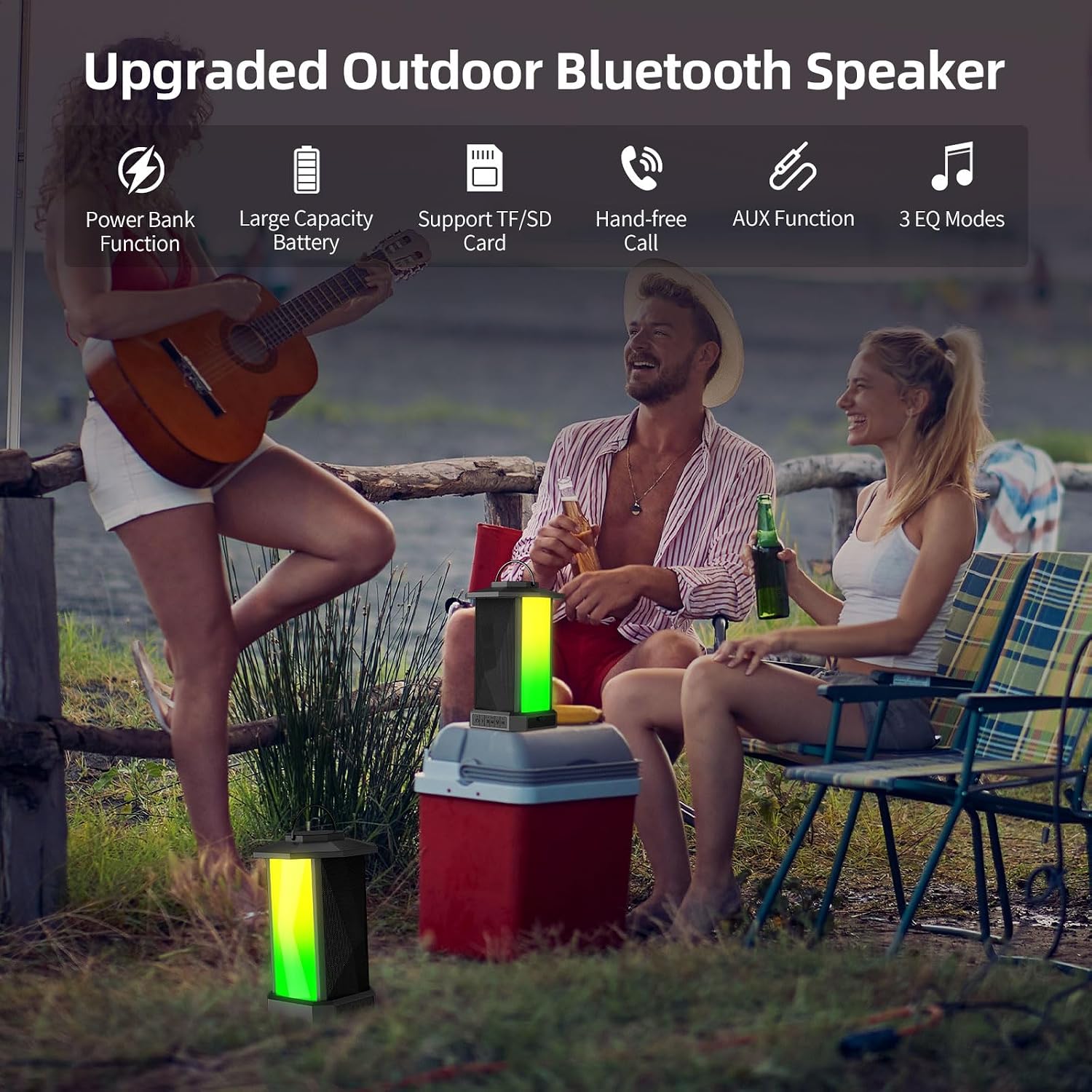
Figure 6.3: The speaker displaying its four distinct LED lighting modes, which can be adjusted to create different ambiance and synchronize with music.

Figure 6.4: A closer look at the four specific light modes: Rainbow (rhythm-synced), Colorful Breathing Light, White Light, and Full-color Gradient (rhythm-synced), offering diverse visual experiences.
6.4 Party Boost (Multi-Sync) Function
The X12 speaker supports connecting up to 100 speakers simultaneously for a true 360° surround sound experience. This feature is ideal for large gatherings.
- Sørg for, at alle højttalere er tændt og ikke er forbundet til nogen Bluetooth-enhed.
- On one speaker (this will be the primary speaker), long press the Mode (M) button until you hear a pairing tone.
- On the other speakers (secondary speakers), long press the Mode (M) button. They will automatically search for and connect to the primary speaker.
- Once connected, the primary speaker's LED will flash blue, and secondary speakers' LEDs will be solid blue.
- Connect your device to the primary speaker via Bluetooth as described in Section 5.3.
To disconnect the multi-sync, long press the Mode (M) button on any connected speaker. To quickly shut down all connected speakers, simply turn off the primary speaker.

Figure 6.5: An illustration demonstrating the ability of the Ortizan X12 speaker to connect with over 100 other speakers simultaneously using Bluetooth 5.0 for an expansive audio experience.

Figure 6.6: A simplified diagram illustrating the straightforward process of connecting a primary speaker to a Bluetooth device and then linking it to multiple secondary speakers for a synchronized audio setup.
6.5 Håndfri opkald
When connected via Bluetooth, the speaker's built-in microphone allows for hands-free calling.
- Besvar/afslut opkald: Short press the Play/Pause / Call button.
- Afvis opkald: Long press the Play/Pause / Call button.
6.6 Powerbankens funktion
The Ortizan X12 speaker can act as a power bank to charge your mobile devices. Connect your device's charging cable to the USB-A output port on the speaker. The speaker's internal battery (9900mAh) will provide power to your device.

Figur 6.7: Overview of key features including the power bank function, large battery capacity, TF/SD card support, hands-free calling, AUX function, and three EQ modes.
7. Vedligeholdelse
Korrekt vedligeholdelse sikrer din højttalers levetid.
- Rensning: Tør højttaleren af med en blød, damp klud. Brug ikke slibende rengøringsmidler, alkohol eller kemiske opløsningsmidler.
- Opbevaring: Store the speaker in a cool, dry place away from direct sunlight and extreme temperatures. If storing for an extended period, charge the battery to about 50% every 3 months to maintain battery health.
- Vandtæthed: The IPX5 rating means it is protected against low-pressure water jets from any direction. Do not immerse the speaker in water or expose it to high-pressure water. Ensure all port covers are securely closed when near water.
Figure 7.1: The speaker is shown with water splashing, demonstrating its IPX5 waterproof capability, which protects it from rain and splashes.
8. Fejlfinding
Hvis du støder på problemer med din højttaler, kan du se følgende almindelige problemer og løsninger:
| Problem | Mulig årsag | Løsning |
|---|---|---|
| Højttaleren tænder ikke. | Batteriet er afladet. | Oplad højttaleren helt. |
| Kan ikke parres via Bluetooth. | Speaker is not in pairing mode; device's Bluetooth is off; too many devices connected. | Ensure speaker is in pairing mode (flashing blue LED). Turn device's Bluetooth on/off. Forget "Ortizan X12" on your device and try again. Move closer to the speaker. |
| Ingen lyd eller lav lydstyrke. | Volume too low on speaker or device; incorrect mode selected; loose AUX cable. | Skru op for lydstyrken på både højttaler og enhed. Tryk på knappen Mode (M) for at vælge den korrekte indgang. Sørg for, at AUX-kablet er sat helt i. |
| Multi-Sync not working. | Speakers not in pairing mode; too far apart. | Ensure all speakers are disconnected from other Bluetooth devices. Long press Mode (M) button on all speakers to initiate multi-sync pairing. Keep speakers within range. |
| LED-lysene virker ikke. | Lights are off; speaker malfunction. | Short or long press the Light Mode button to activate/cycle lights. If issue persists, contact customer support. |
If the problem persists after trying these solutions, please contact Ortizan customer support.
9. Specifikationer
| Feature | Detalje |
|---|---|
| Modelnavn | X12 |
| Højttaler udgangseffekt | 50 watt |
| Forbindelsesteknologi | Bluetooth 5.0, USB, AUX, TF-kort |
| Bluetooth rækkevidde | 66 fod (20 meter) |
| Batterikapacitet | 9900 mAh (3 x 3300mAh Lithium Ion) |
| Batterilevetid | Op til 24 timer |
| Opladningstid | Ca. 4 timer |
| Vandmodstandsniveau | IPX5 |
| Mål (D x B x H) | 18 cm x 18 cm x 27 cm (7.09" x 7.09" x 10.63") |
| Varens vægt | 4.27 pund (1.94 kg) |
| Input bindtage | 5 volt (DC) |
| Lydudgangstilstand | Stereoanlæg |
| Særlige funktioner | Portable, Bass Boost, AUX, Built-in Microphone, Built-In Powerbank, Dustproof, LED Light, Multi Room Audio, Stereo Pairing |
10. Garanti og support
The Ortizan X12 speaker comes with a Limited Warranty. Please refer to the Quick Start Guide included in your package for specific warranty terms and conditions. For technical support, troubleshooting assistance, or warranty claims, please contact Ortizan customer service through the contact information provided in your product documentation or on the official Ortizan webwebsted.


