Indledning
This manual provides detailed instructions for the ATK VXE Dragonfly R1 SE+ White Wireless Gaming Mouse. The R1 SE+ is a lightweight (55g) wireless gaming mouse featuring the Pixart PAW3395 SE sensor, offering performance up to 18,000 DPI, 400 IPS, and 40G acceleration. It supports both 2.4GHz wireless and Bluetooth connections, and boasts a battery life of up to 70 hours. Please read this manual thoroughly to ensure proper use and optimal performance of your device.
Pakkens indhold
- ATK VXE Dragonfly R1 SE+ Wireless Gaming Mouse
- USB-modtager (dongle)
- USB-C ladekabel
- Brugervejledning (dette dokument)
Produkt overview
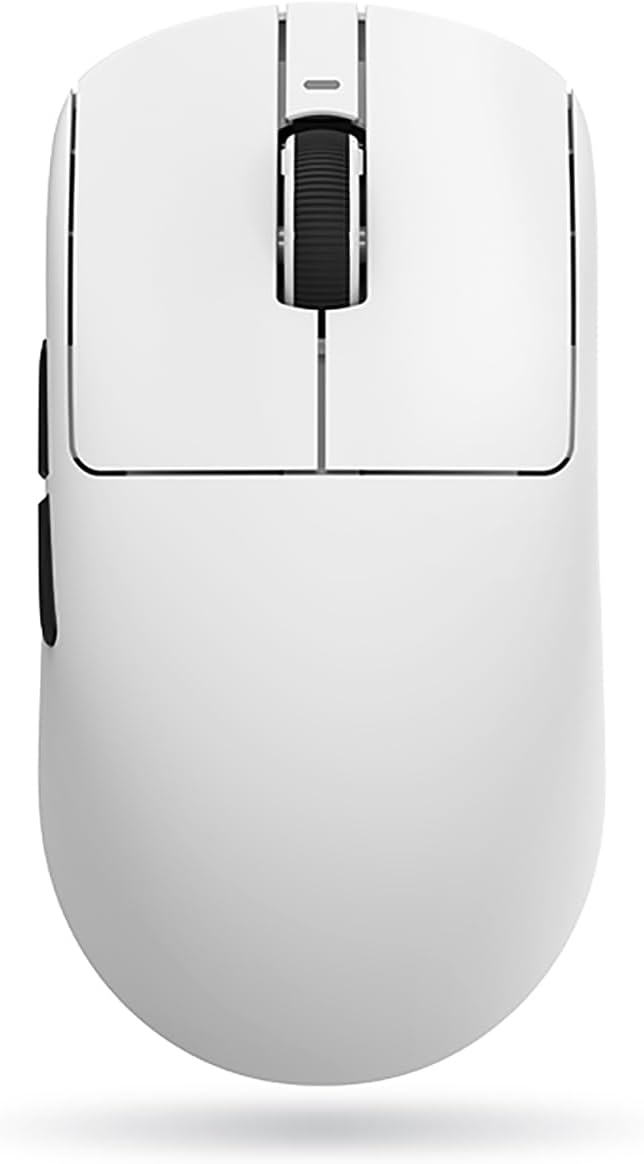


Opsætning
1. Opladning af musen
Before first use, it is recommended to fully charge the mouse. Connect the provided USB-C cable to the mouse's front port and the other end to a USB power source (e.g., computer USB port, USB wall adapter). The mouse's indicator light will show charging status. A full charge can provide up to 70 hours of battery life.
2. Tilslutning af musen
The ATK VXE Dragonfly R1 SE+ supports three connection modes: 2.4GHz Wireless, Bluetooth, and Wired.
2.1. 2.4 GHz trådløs forbindelse
- Find USB-modtageren (donglen), der normalt opbevares i et rum på undersiden af musen.
- Sæt USB-modtageren i en ledig USB-port på din computer.
- Turn on the mouse using the power switch located on the underside. Ensure the switch is set to the 2.4GHz mode (indicated by an icon or label).
- The mouse should automatically connect to your computer. If not, press the pairing button (if available) on the mouse or refer to the software section for re-pairing instructions.
2.2. Bluetooth-forbindelse
- Turn on the mouse and set the power switch to Bluetooth mode.
- Gå til Bluetooth-indstillinger på din computer.
- Put the mouse into pairing mode (usually by pressing and holding a button on the mouse, refer to specific button layout if available).
- Select "ATK VXE Dragonfly R1 SE+" from the list of available Bluetooth devices on your computer and complete the pairing process.
2.3. Kablet forbindelse
- Connect the provided USB-C cable to the mouse's front port.
- Tilslut den anden ende af USB-C-kablet til en USB-port på din computer.
- Musen skifter automatisk til kablet tilstand og begynder at oplade.
3. Software Installation (ATK V HUB)
For advanced customization, including DPI settings, polling rate, macro programming, button mapping, and illumination control, download and install the ATK V HUB software.
- Besøg den officielle ATK webwebsted (se produktemballagen eller producentens website for URL).
- Download the latest version of the ATK V HUB software compatible with your operating system (Windows XP, Linux, etc.).
- Følg instruktionerne på skærmen for at fuldføre installationen.
Betjening af musen
1. DPI-justering
The Pixart PAW3395 SE sensor supports DPI settings up to 18,000. You can cycle through preset DPI levels using the dedicated DPI button on the mouse (if available) or customize them precisely using the ATK V HUB software.
2. Afstemningsrate
The polling rate determines how often the mouse reports its position to the computer. A higher polling rate results in smoother and more responsive tracking. Adjust the polling rate (e.g., 125Hz, 500Hz, 1000Hz) via the ATK V HUB software.
3. Button Mapping and Macros
Utilize the ATK V HUB software to remap mouse buttons to different functions or assign complex macros for gaming and productivity tasks. The mouse features 5 programmable buttons.
4. Illumination (if applicable)
If your model includes illumination features, you can customize lighting effects, colors, and brightness through the ATK V HUB software.
5. Batteristyring
The mouse has a high-capacity battery providing up to 70 hours of use. Monitor battery level through the ATK V HUB software or the mouse's indicator light. Recharge when the battery is low to ensure uninterrupted performance.
Opretholdelse
1. Rensning
- Regularly clean the mouse surface with a soft, dry, lint-free cloth.
- Til genstridigt snavs, let dampRengør kluden med vand eller et mildt, ikke-slibende rengøringsmiddel. Undgå for meget fugt.
- Clean the optical sensor area on the underside of the mouse with a cotton swab to ensure accurate tracking.
- Brug ikke skrappe kemikalier, opløsningsmidler eller slibende materialer.
2. Batteripleje
- Undgå at aflade batteriet helt ofte.
- Opbevar musen et køligt og tørt sted, når den ikke er i brug i længere perioder.
- Hvis batteriet opbevares i længere tid, bør det oplades til ca. 50% for at forlænge dets levetid.
Fejlfinding
| Problem | Mulig årsag | Løsning |
|---|---|---|
| Musen svarer ikke (trådløs) | Low battery; USB receiver disconnected; Incorrect connection mode; Interference. | Charge the mouse; Reconnect USB receiver; Ensure mouse is in 2.4GHz or Bluetooth mode; Move closer to receiver; Avoid other wireless devices. |
| Musen svarer ikke (kablet) | Kablet er ikke korrekt tilsluttet; Defekt USB-port. | Ensure cable is securely connected; Try a different USB port on your computer. |
| Unøjagtig sporing eller markørforsinkelse | Dirty sensor; Unsuitable surface; Low battery; Incorrect DPI setting. | Clean the optical sensor; Use a mouse pad or suitable surface; Charge the mouse; Adjust DPI settings via mouse button or ATK V HUB software. |
| Software (ATK V HUB) not detecting mouse | Mouse not connected; Software not updated; Driver issues. | Ensure mouse is connected (wired connection often best for software detection); Reinstall software; Update mouse drivers via Device Manager. |
| Kort batterilevetid | High polling rate; Excessive illumination; Aging battery. | Reduce polling rate; Turn off or dim illumination; Battery replacement may be needed after prolonged use. |
Specifikationer
| Feature | Detalje |
|---|---|
| Mærke | ATK |
| Modelnavn | Dragonfly R1 SE+ |
| Varemodelnummer | R1SEP-W |
| Forbindelsesteknologi | 2.4GHz Wireless, Bluetooth, Wired (USB-C) |
| Sensor | Pixart PAW3395 SE Optical Sensor |
| DPI | Op til 18,000 DPI |
| IPS | 400 IPS |
| Acceleration | 40G |
| Antal knapper | 5 (Programmerbar) |
| Vægt | 55 gram |
| Dimensioner | 8 x 3.5 x 0.1 cm (omtrentligt) |
| Batterilevetid | Op til 70 timer |
| Batteritype | Lithium Ion (1 cell, 2 Watt Hours) |
| Kompatibel OS | Windows XP, Linux |
| Farve | Hvid |
Garanti og support
Garantioplysninger
Dette produkt leveres med en 6 Months Gate Warranty. Please retain your proof of purchase for warranty claims. The warranty covers manufacturing defects and malfunctions under normal use. It does not cover damage caused by misuse, accidents, unauthorized modifications, or normal wear and tear.
Kundesupport
For technical assistance, troubleshooting, or warranty inquiries, please contact ATK customer support. You can also refer to the ATK V HUB software for common FAQs and support resources.
- Online support: Besøg den officielle ATK webwebsted for supportressourcer, driverdownloads og kontaktoplysninger.
- Software Support: The ATK V HUB software may include built-in help or links to support.


