Indledning
The Genius NX-7000 is a 2.4 GHz wireless mouse designed for comfort and versatility. Featuring BlueEye technology, it offers precise tracking on various surfaces. Its ambidextrous design ensures comfortable use for both left and right-handed users. This manual provides essential information for setting up, operating, maintaining, and troubleshooting your NX-7000 wireless mouse.
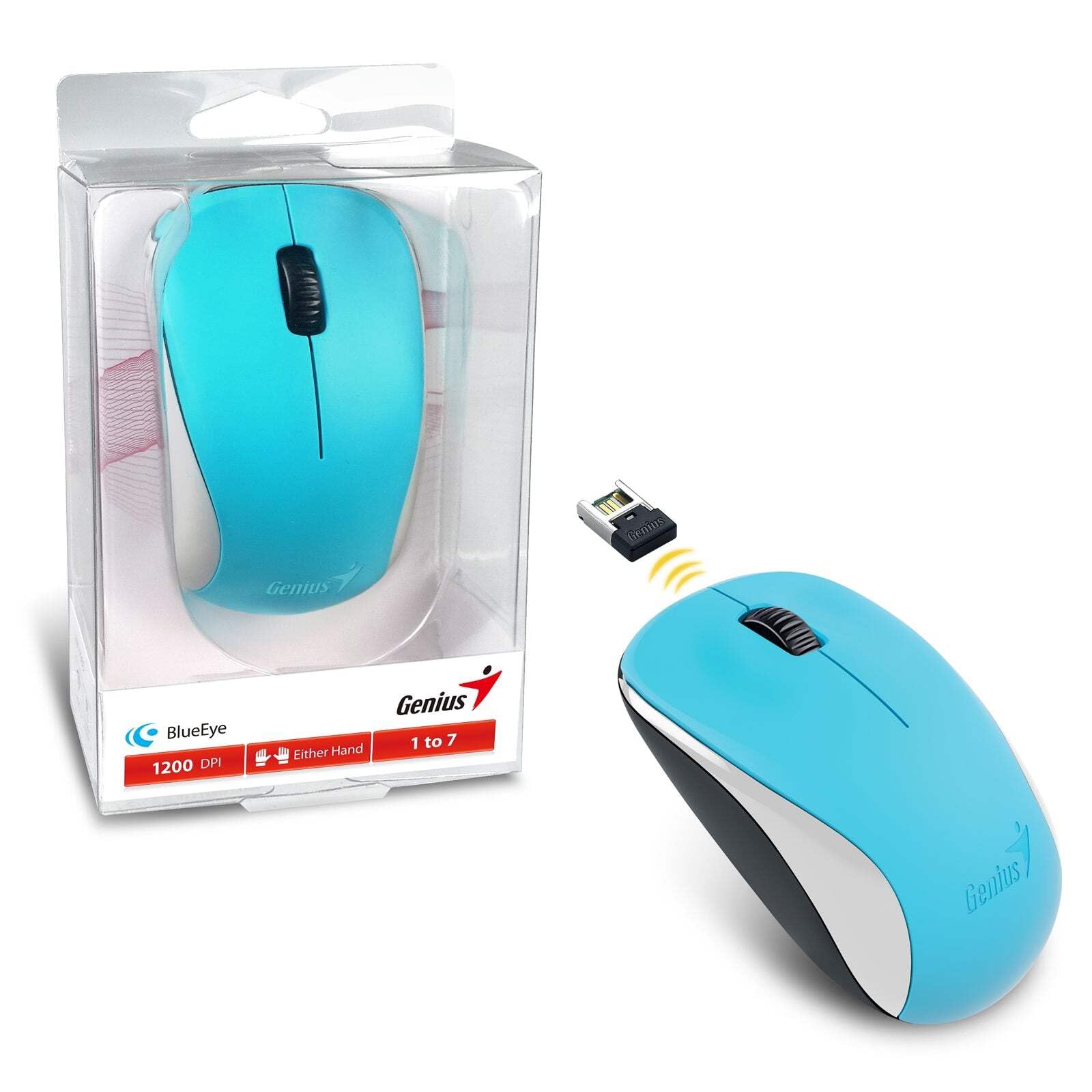
Image: The Genius NX-7000 wireless mouse in blue, shown alongside its compact USB pico receiver. The mouse features a contoured, ambidextrous design with a scroll wheel and two main buttons. The packaging is visible on the left.
Opsætning
1. Systemkrav
- Operating System: Windows 7, 8, 8.1, 10 or Mac OS X 10.8 or later.
- Tilgængelig USB-port.
- One AA battery (for mouse power).
2. Batteriinstallation
- Find batteridækslet på undersiden af musen.
- Skub eller løft dækslet for at åbne rummet.
- Isæt et AA-batteri, og sørg for, at de positive (+) og negative (-) poler er justeret korrekt med markeringerne inde i batterirummet.
- Luk batterirummets dæksel forsvarligt.
3. Connecting the USB Pico Receiver
- Remove the USB pico receiver from its storage slot on the bottom of the mouse.
- Plug the USB pico receiver into an available USB port on your computer.
- Your computer should automatically detect and install the necessary drivers for the mouse. This may take a few moments.
- Når driverne er installeret, er musen klar til brug.
Betjeningsvejledning
Grundlæggende betjening
- Venstre knap: Primær klikfunktion, typisk brugt til at vælge elementer, åbne files, or activating links.
- Højre knap: Sekundær klikfunktion, bruges typisk til at åbne kontekstmenuer.
- Scrollehjul (midterste knap): Bruges til at rulle gennem dokumenter eller web pages. Pressing the scroll wheel can also act as a middle click button, often used for opening links in new tabs.
BlueEye Technology
The NX-7000 utilizes 1000dpi BlueEye technology, which provides enhanced tracking accuracy. This technology allows the mouse to function reliably on a wide variety of surfaces, including those that are typically challenging for optical mice, such as dusted glass, marble, sofas, or carpets.
SmartGenius Software (Optional)
For advanced customization, you can download and install the SmartGenius software from the official Genius website. This software allows you to adjust DPI levels and other performance settings to suit your personal preferences, enhancing your user experience.
Pico Receiver Storage
When traveling or not using the mouse, the USB pico receiver can be conveniently stored inside a dedicated slot on the bottom of the mouse. This prevents loss and protects the receiver.
Unifying Genius Mice
The NX-7000 receiver is designed to work with other compatible Genius wireless mice. This feature allows you to use a single receiver for multiple Genius wireless devices, reducing the number of USB ports required and offering greater mobility if you own several Genius wireless products.
Opretholdelse
- Rensning: Brug en blød, tør klud til at rengøre musen. Ved genstridigt snavs, tør letampRengør kluden med vand. Undgå at bruge skrappe kemikalier eller slibende rengøringsmidler.
- Udskiftning af batteri: Replace the AA battery when the mouse performance degrades or it stops responding. Always dispose of used batteries responsibly according to local regulations.
- Opbevaring: When not in use for extended periods, remove the battery to prevent leakage. Store the mouse and receiver in a cool, dry place.
- Undgå ekstreme forhold: Udsæt ikke musen for ekstreme temperaturer, direkte sollys eller overdreven fugtighed.
Fejlfinding
| Problem | Mulig årsag/løsning |
|---|---|
| Musen svarer ikke. |
|
| Markørbevægelsen er uregelmæssig eller hoppende. |
|
| Mouse buttons or scroll wheel not working. |
|
Specifikationer
| Feature | Detalje |
|---|---|
| Modelnummer | 31030027402 |
| Tilslutningstype | Trådløs (2.4 GHz) |
| Sensor Engine | Blåøje |
| Opløsning (DPI) | 1200 DPI (Adjustable via SmartGenius software) |
| Antal knapper | 3 (Left, Right, Middle button with scroll wheel) |
| Design | Ambidextrøs, kontureret |
| Strømkilde | 1 x AA batteri |
| Dimensioner (B x H x D) | 60 x 105 x 37 mm (2.36 x 4.13 x 1.46 tommer) |
| Vægt | 85 g (0.19 lbs) |
| Tilgængelige farver | Ocean Blue, Spring Green, Elegant White, Passion Red, Calm Black |
Garanti og support
For information regarding warranty coverage, technical support, or service, please refer to the warranty card included with your product or visit the official Genius webwebsted. Du kan typisk finde supportressourcer, ofte stillede spørgsmål og kontaktoplysninger til kundeservice der.
Official Genius Webwebsted: www.geniusnet.com


