Indledning
This manual provides detailed instructions for the safe and efficient operation of your YABER T2 Plus Portable Projector. Please read this manual thoroughly before using the device and retain it for future reference.

Image: The YABER T2 Plus portable projector in cream color, shown with its handle and a TV dongle accessory.
Opsætning
1. Udpakning og indledende inspektion
- Fjern forsigtigt alle komponenter fra emballagen.
- Verify that all items listed in the packing list are present and undamaged.
- Report any missing or damaged items to customer support immediately.
2. Charging the Projector
The YABER T2 Plus features an integrated high-capacity rechargeable battery, providing up to 2.5 hours of video playback or 18 hours of audio. For optimal performance, fully charge the projector before first use.
- Connect the power adapter to the projector's power input.
- Plug the power adapter into a suitable electrical outlet (240 Volt).
- The charging indicator will illuminate. Charging is complete when the indicator changes color or turns off (refer to LED indicator section for details).

Image: The YABER T2 Plus projector illustrating its battery life: up to 2.5 hours for video playback and 18 hours for music playback on a single charge. It also notes that plugging in increases brightness.
3. Placement and Positioning
Position the projector on a stable, flat surface. The integrated handle can also serve as a stand, allowing for a 15-degree tilt.
- Ensure the projection surface is clean and smooth for best image quality.
- Maintain a projection distance that allows for the desired screen size. The T2 Plus can achieve a 100-inch screen from a short distance of 0.50m.
- Avoid placing the projector in direct sunlight or near heat sources.

Image: The YABER T2 Plus projector positioned outdoors on a small wooden crate, projecting an image onto a screen for a group of people enjoying a movie night.
Betjeningsvejledning
1. Tænd/sluk
- Sådan tænder du: Tryk på tænd/sluk-knappen, og hold den nede, indtil indikatorlampen lyser.
- To power off: Press and hold the power button until the projector shuts down.
2. Indledende konfiguration
Upon first power-on, the projector may guide you through an initial setup process for language, network, and other basic settings.
3. Billedjustering
The T2 Plus features intelligent screen adaptation technology for automatic adjustments, ensuring a clear and properly aligned image.
- Autofokus: The projector automatically adjusts for a clear image.
- Automatisk keystone-korrektion: Corrects distorted images caused by angled projection.
- Intelligent skærmjustering: Automatically aligns the image to the screen boundaries.
- Intelligent undgåelse af forhindringer: Detects and adjusts the projection to avoid obstacles on the wall.
- Aspektforhold: Supports 4:3 and 16:9 aspect ratios.
- Zoom: Features 50% zoom capability.
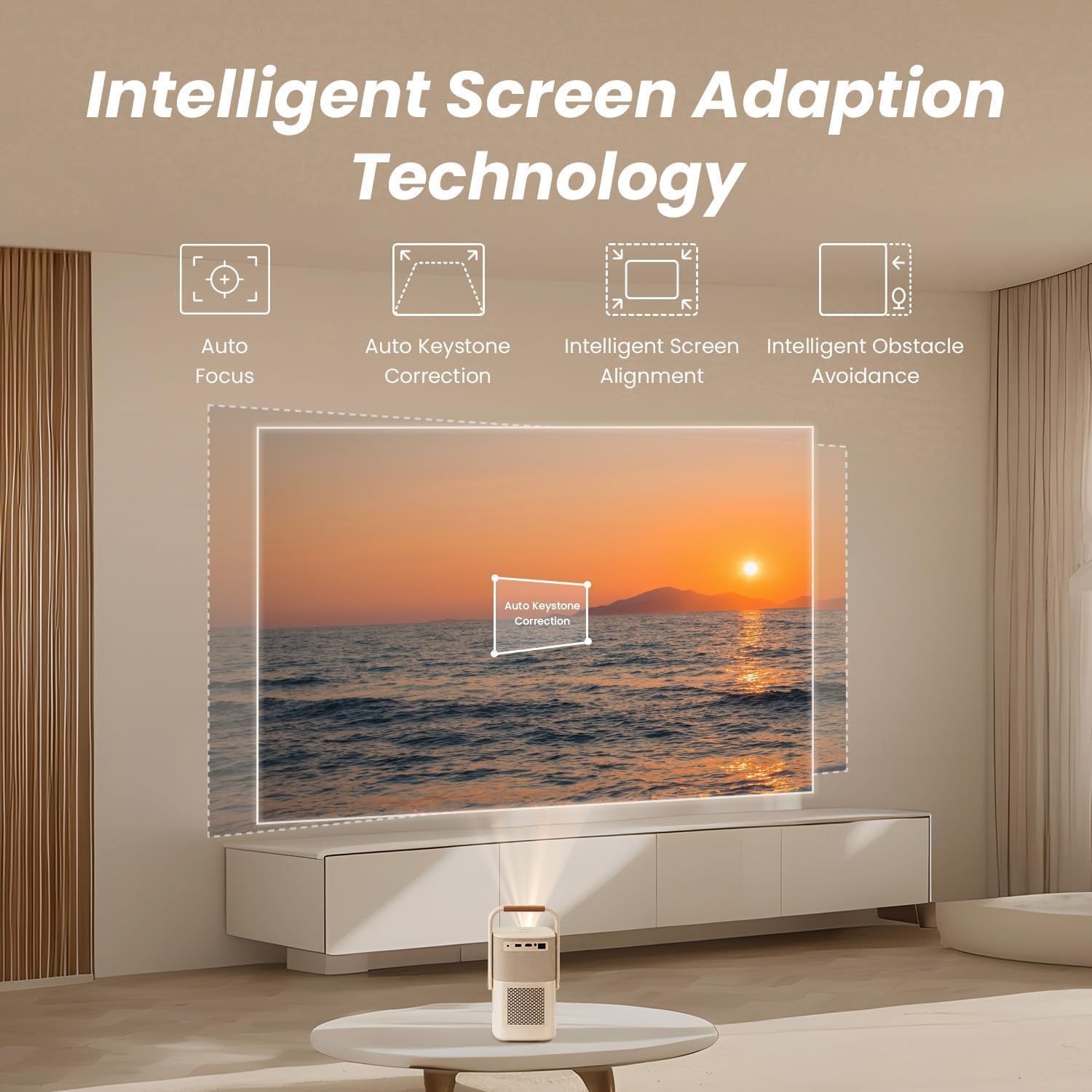
Image: A diagram illustrating the YABER T2 Plus projector's intelligent screen adaptation technology, including auto focus, auto keystone correction, intelligent screen alignment, and intelligent obstacle avoidance, with a projected image of a sunset over water.
4. Tilslutning af enheder
Projektoren tilbyder alsidige tilslutningsmuligheder:
- HDMI: Connect external devices like laptops, gaming consoles, or TV dongles.
- USB: Access documents and media files directly from a USB drive. Supports WPS files.
- Ethernet: Til kabelbaseret netværksforbindelse.
- Wi-Fi 6: Connect to wireless networks for streaming and online content.
- Bluetooth:
- Tovejs Bluetooth: Connect to mobile devices to use the projector as a 16W Hi-Fi stereo speaker.
- Pair with external Bluetooth speakers for enhanced audio output.
- YABER App: Utilize the YABER app with NFC for quick connections and to use your phone as a remote control.
5. Lydudgang
The T2 Plus features integrated 8W*2 JBL speakers with Dolby Audio support, delivering rich sound details, clear highs, and powerful bass.

Billede: En røntgenstil view of the YABER T2 Plus projector highlighting its internal speaker components, branded with "Sound by JBL" and "Dolby Audio," indicating 2x8W speaker output.
Opretholdelse
1. Rengøring af linsen
- Brug en blød, fnugfri klud, der er specielt designet til optiske linser.
- Tør forsigtigt linsen af med cirkulære bevægelser.
- Avoid using abrasive cleaners or excessive pressure.
2. Rengøring af ydersiden
- Tør projektorens yderside af med en blød, tør klud.
- For genstridige mærker, let dampen klud med vand.
- Brug ikke skrappe kemikalier eller opløsningsmidler.
3. Opbevaring
- Store the projector in a cool, dry place away from direct sunlight and extreme temperatures.
- Hvis batteriet opbevares i længere tid, skal du sørge for, at det er delvist opladet (ca. 50%) for at forlænge dets levetid.
Fejlfinding
| Problem | Mulig årsag | Løsning |
|---|---|---|
| Intet billede projiceret |
|
|
| Billedet er sløret |
|
|
| Ingen lyd |
|
|
| Problemer med Wi-Fi-forbindelse |
|
|
Specifikationer
| Feature | Detalje |
|---|---|
| Mærke | yaber |
| Modelnummer | T2 PLUS |
| Indfødt opløsning | 1920 x 1080 (oprindelig 1080P) |
| Lysstyrke | 450 ANSI Lumens |
| Forbindelse | Wi-Fi 6, Bluetooth, HDMI, USB, Ethernet |
| Lyd | Sound by JBL, Dolby Audio, 8W*2 Speakers |
| Batteri | Integrated Lithium-ion (10 mAh), up to 2.5 hours video / 18 hours audio |
| Særlige funktioner | Autofocus, Auto Keystone Correction, Intelligent Screen Alignment, Intelligent Obstacle Avoidance, Sealed Optical Engine |
| Produktdimensioner | 15.5 x 14 x 29 cm; 2.5 kg |
| Voltage | 240 volt |
| Wattage | 8 watt |
Garantioplysninger
Please refer to the warranty card included with your product for specific terms and conditions. Generally, YABER products come with a limited warranty covering manufacturing defects from the date of purchase. Keep your proof of purchase for warranty claims.
For return policy details, please consult the retailer where the product was purchased. For purchases made on Amazon, a 30-day refund/replacement policy is typically offered.
Kundesupport
If you encounter any issues not covered in this manual or require further assistance, please contact YABER customer support.
- Besøg den officielle YABER webwebsted for supportressourcer og kontaktoplysninger.
- The YABER app can also be used for quick connections and may offer support features.


