1. Introduktion
This user manual provides detailed instructions for the installation, operation, and maintenance of your Ease Life 1080P Security Camera (Model: Y108). This camera is designed for outdoor home security, offering a 360° view with pan/tilt capabilities, color night vision, motion detection, and two-way audio communication. Please read this manual thoroughly before using the product to ensure proper functionality and safety.

Image: The Ease Life 1080P Security Camera shown alongside a smartphone displaying its live view interface. The camera is white with two antennas and a prominent lens array. The app shows a live feed of a child and an adult playing with a ball.
2. Sikkerhedsoplysninger
- Ensure the power adapter used is compatible with the camera's specifications and local electrical standards.
- Udsæt ikke kameraet for ekstreme temperaturer, fugtighed eller ætsende miljøer.
- Undgå at placere kameraet i nærheden af stærke magnetfelter eller interferenskilder.
- Forsøg ikke at skille kameraet ad eller ændre det. Overlad al service til kvalificeret personale.
- Opbevar kameraet og dets tilbehør utilgængeligt for børn og kæledyr.
- Clean the camera with a soft, dry cloth. Do not use harsh chemicals or abrasive cleaners.
- Sørg for, at kameraet er sikkert monteret for at forhindre utilsigtede fald.
3. Pakkens indhold
Kontroller venligst pakkens indhold ved åbning. Hvis der mangler eller er beskadigede dele, skal du kontakte kundesupport.
- Ease Life 1080P Security Camera (Y108)
- Strømadapter
- Monteringsskruer og vægdyvler
- Brugervejledning (dette dokument)
- Mounting Template (may be included)
4. Produktet er slutview
Sæt dig ind i hovedkomponenterne i dit sikkerhedskamera.

Billede: En detaljeret view of the camera's front, highlighting the lens, infrared LEDs, and visible light LEDs for color night vision.
4.1 kameradimensioner
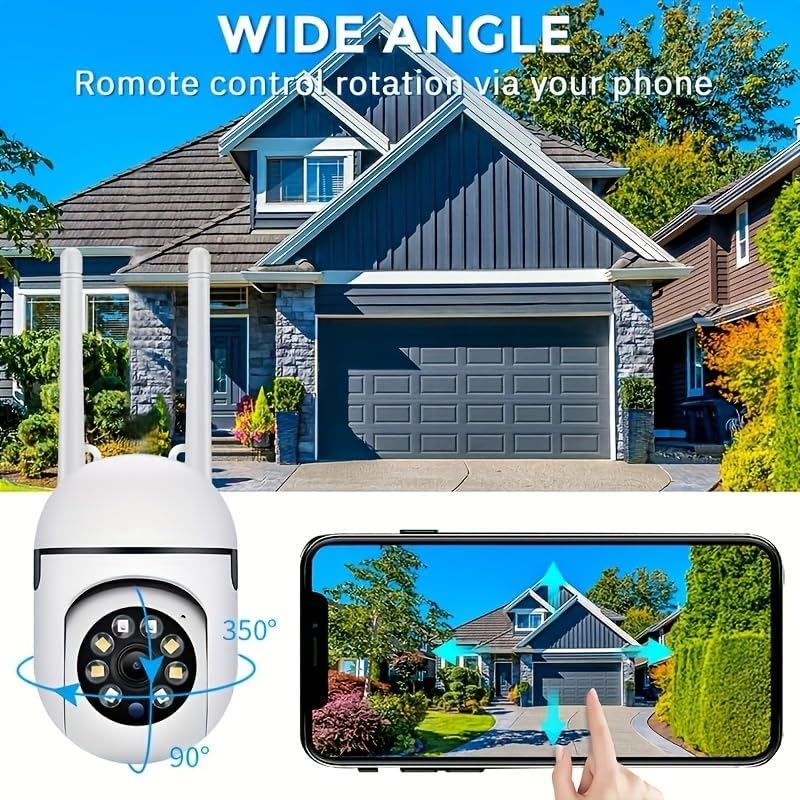
Image: Technical drawing showing the camera's dimensions: approximately 18cm (7.08 inches) in height, 7cm (2.76 inches) in width, and 8.8cm (3.46 inches) in depth from the wall mount.
4.2 nøglekomponenter
- Linse: Captures 1080P Full HD video.
- Infrarøde lysdioder: Til sort-hvid nattesyn.
- Hvide lysdioder: Til farvenattesyn og alarmbelysning.
- Mikrofon: Til tovejs audiokommunikation.
- Højttaler: For two-way audio communication and alarm sounds.
- Antenner: For 2.4GHz Wi-Fi connectivity.
- Micro SD -kortplads: Til lokal videolagring (kort medfølger ikke).
- Nulstil knap: Bruges til fabriksnulstilling.
- Strømport: Til tilslutning af strømadapteren.

Image: The camera is shown with labels pointing to the microphone and speaker, illustrating its two-way audio capability. A delivery person is shown interacting with the camera.
5. Opsætning
5.1 Appinstallation
- Søg efter "EaseLife" in your smartphone's app store (App Store for iOS, Google Play Store for Android).
- Download and install the EaseLife app.
- Åbn appen, og følg instruktionerne på skærmen for at registrere en ny konto eller logge ind, hvis du allerede har en.
5.2 Camera Connection (Wi-Fi)
- Power on the camera by connecting the power adapter. The camera will perform a self-test and then enter pairing mode (indicated by a specific LED status or voice prompt).
- Open the EaseLife app, tap the "+" icon to add a new device.
- Select your camera model or scan the QR code on the camera (if available).
- Follow the in-app instructions to connect the camera to your 2.4GHz Wi-Fi network. Ensure your phone is connected to the same 2.4GHz Wi-Fi network during setup.
- Når du har oprettet forbindelse, kan du navngive dit kamera og begynde live viewing.
5.3 Montering af kameraet
Vælg et passende sted til montering, og sørg for en fri view and access to a power outlet. The camera supports wall mounting.
- Use the provided mounting template (if included) or mark the drill holes on the desired surface.
- Bor huller og isæt vægdyvler, hvis det monteres på murværk eller gipsvæg.
- Fastgør kameraets monteringsbase til overfladen med de medfølgende skruer.
- Juster kameraets vinkel efter behov efter montering.

Image: The camera is depicted with arrows indicating its 360-degree horizontal pan and 90-degree vertical tilt rotation, demonstrating its wide coverage capabilities.
6. Betjeningsvejledning
6.1 Live View og panorering/tilt-kontrol
Open the EaseLife app and select your camera to access the live view. You can control the camera's pan (horizontal) and tilt (vertical) movements directly from the app interface to adjust the viewvinkel.

Image: The camera is shown with a wide-angle view of a house, illustrating its ability to cover a large area. A smartphone screen demonstrates remote control of the camera's rotation.
6.2 Tovejslyd
Tap the microphone icon in the app to speak through the camera's speaker. Tap the speaker icon to listen to audio from the camera's microphone. This feature allows for real-time communication with visitors or deterrence of intruders.
6.3 Bevægelsesdetektion og advarsler
Enable motion detection in the app settings. When motion is detected, the camera will record video and send push notifications to your smartphone. You can adjust sensitivity levels and set detection zones.
6.4 Nattesynstilstande
Kameraet understøtter flere nattesynstilstande:
- Infrarødt nattesyn: Provides clear black and white images in low light or complete darkness using infrared LEDs.
- Fuld farve nattesyn: Activates the camera's white light LEDs to provide full-color video even in dark conditions.
- Sound and Light Alarm Night Vision: Combines full-color night vision with an audible alarm and flashing lights upon motion detection to deter unwanted activity.

Image: Illustrations of the three night vision modes: Infrared (black and white), Full Color (illuminated by white light), and Sound and Light Alarm (with a red outline indicating an alarm trigger).
6.5 Optagelse og afspilning
Recordings can be stored on a Micro SD card (up to 128GB, not included) or via cloud service (subscription required). Access recorded footage through the "Playback" or "Gallery" section in the EaseLife app.
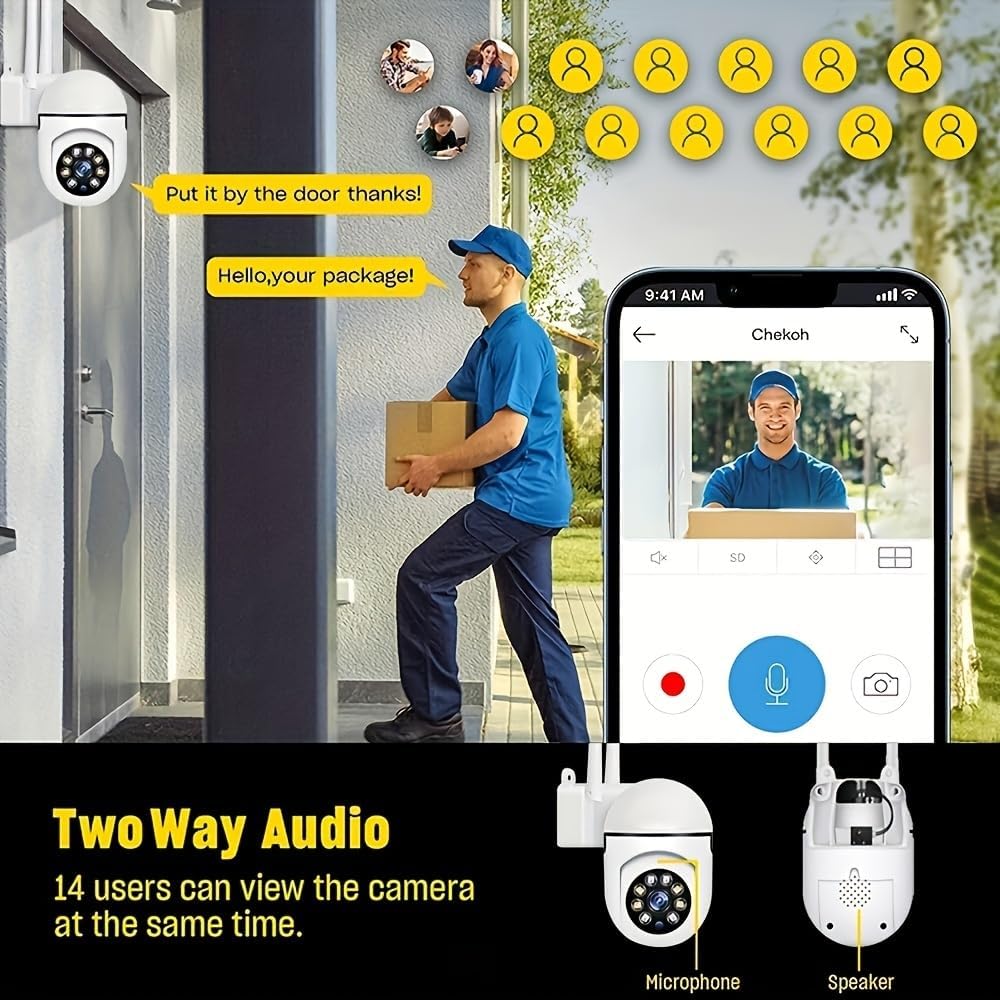
Image: A smartphone screen showing the replay function of the camera, with multiple thumbnail views of recorded events. Below, the camera is shown with its "Double light night vision" capability highlighted, indicating both infrared and white light LEDs.
7. Vedligeholdelse
- Rensning: Regularly wipe the camera lens and body with a soft, dry cloth to remove dust and dirt. Do not use liquid cleaners or sprays directly on the camera.
- Firmwareopdateringer: Check the EaseLife app periodically for firmware updates. Keeping your camera's firmware updated ensures optimal performance and access to new features.
- Power Cycle: Hvis kameraet oplever problemer, kan du prøve at tage stikket ud af strømkilden i 10 sekunder og derefter sætte det i igen.
8. Fejlfinding
| Problem | Mulig årsag | Løsning |
|---|---|---|
| Kamera offline i appen | No power; Wi-Fi disconnected; Router issues. | Check power connection. Restart camera and router. Reconnect camera to Wi-Fi via app. |
| Kan ikke oprette forbindelse til Wi-Fi | Incorrect Wi-Fi password; 5GHz Wi-Fi network; Weak signal. | Ensure correct 2.4GHz Wi-Fi password. Move camera closer to router. Reset camera and try pairing again. |
| Bevægelsesdetektion virker ikke | Funktion deaktiveret; Følsomhed for lav; Forkert detektionszone. | Enable motion detection in app. Adjust sensitivity. Define detection zones correctly. |
| Ingen lyd fra kameraet | Microphone/speaker disabled in app; Volume too low. | Check audio settings in app. Increase volume. |
| Dårlig billedkvalitet om natten | Night vision mode not optimal; Obstruction in front of lens. | Switch night vision modes. Clean lens. Ensure no obstructions. |
9. Specifikationer
| Feature | Detalje |
|---|---|
| Videooptagelsesopløsning | 1080p fuld HD |
| Forbindelsesteknologi | Trådløs (Wi-Fi) |
| Wi-Fi-frekvens | 2.4 GHz |
| Særlige funktioner | Night Vision (Infrared, Full Color, Sound & Light Alarm), Pan/Tilt (360° horizontal, 90° vertical), Motion Detection, Two-Way Talk |
| Kompatible enheder | Tablet, Smartphone (iPhone, Android) |
| Strømkilde | Elektrisk med ledning |
| Monteringstype | Vægmontering |
| Formfaktor | Kuppel |
| Varens vægt | 250 g |
| Fabrikant | BoyKeep |
10. Garanti og support
Your Ease Life 1080P Security Camera comes with a standard manufacturer's warranty. Please refer to the product packaging or the official BoyKeep webwebstedet for specifikke garantivilkår.
For technical support, troubleshooting assistance, or warranty claims, please contact BoyKeep customer service through the contact information provided on their official webwebsted eller via din købsplatform.
Online ressourcer: For the latest FAQs, video tutorials, and software updates, please visit the official EaseLife or BoyKeep support page.


