Vigtige sikkerhedsoplysninger
Ensure the desk is stable and properly assembled before use. Avoid placing heavy items on the top surface unless the desk is securely anchored to the wall. Follow the assembly instructions carefully to prevent tipping or instability.
1. Produktet er slutview
The Tribesigns Computer Desk Model XK00747 is designed for home office and study environments, offering a compact yet functional workspace. It features a robust industrial style with a black metal frame and engineered wood surfaces. The desk includes a total of 5 drawers: two integrated into the main desk surface and a three-drawer file cabinet that can be configured on either the left or right side to suit your preference. This design maximizes storage and workspace efficiency, making it ideal for small spaces.
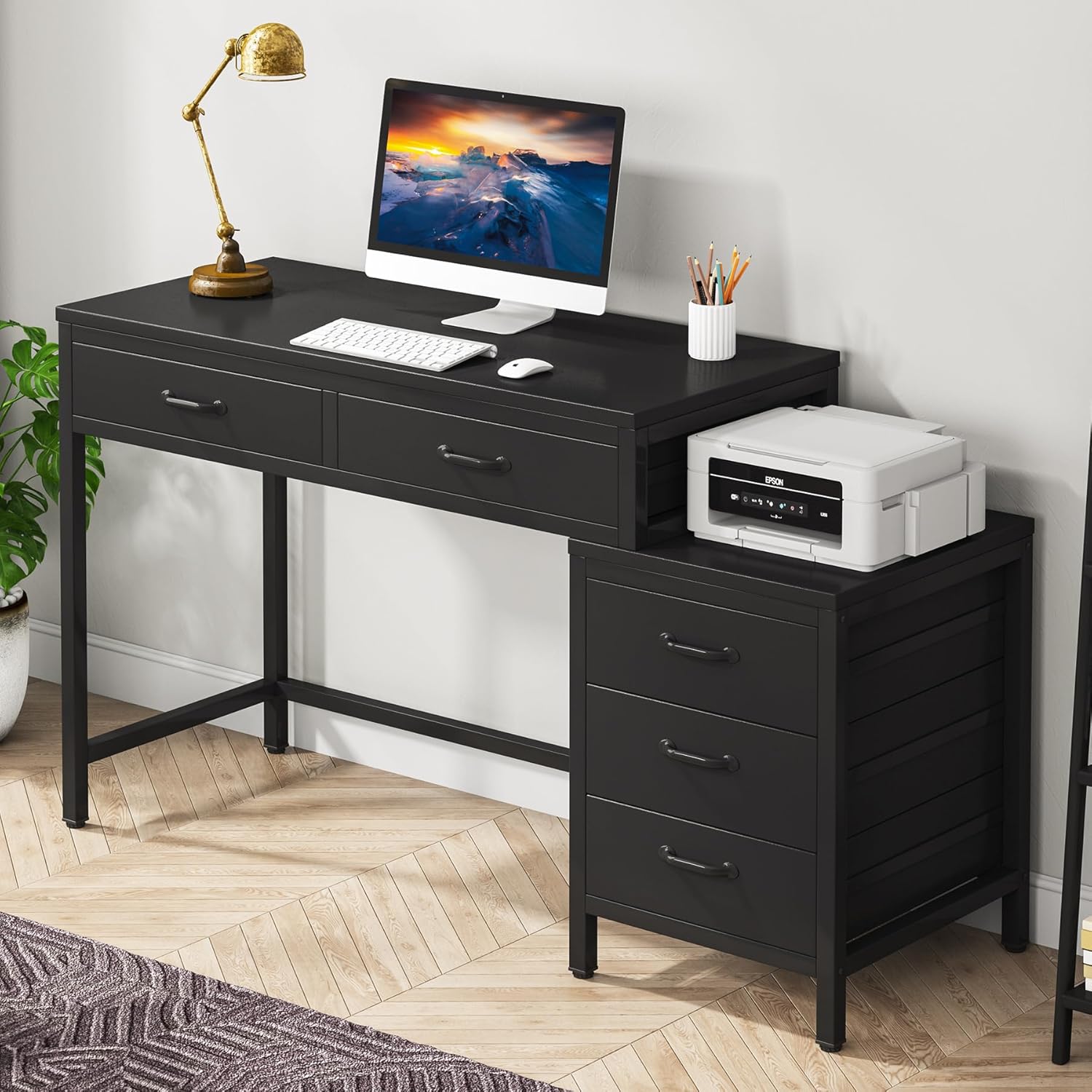
Image 1.1: The Tribesigns Computer Desk Model XK00747, showcasing its compact design with integrated drawers and a side file kabinet.
Nøglefunktioner:
- Kompakt design: Maximizes workspace and storage in small areas.
- 5 skuffer: Two desk drawers and a three-drawer file cabinet for ample opbevaring.
- Vendbar File Skab: Can be assembled on the left or right side.
- Robust konstruktion: Made from high-quality E1 particleboard, MDF board, and a thick metal tube frame.
- Justerbare benpuder: Ensures stability on uneven surfaces and protects floors.
- Industriel stil: Rustic brown and black finish for a modern aesthetic.
2. Pakkens indhold
Før monteringen påbegyndes, skal du kontrollere, at alle nedenstående komponenter er til stede og ubeskadigede. Hvis der mangler eller er beskadigede dele, bedes du kontakte kundesupport.
Video 2.1: Udpakning og mereview of all desk components, including wooden panels, metal frames, and hardware. This video provides a visual guide to ensure all parts are present before assembly.
Komponentliste:
- Desktop Panel (Engineered Wood)
- Drawer Panels (E1 Particleboard/MDF) - 5 sets
- Metal Frame Components (Legs, Support Bars)
- Skuffehåndtag
- Justerbare benpuder
- Assembly Hardware Kit (Screws, bolts, Allen wrench, screwdriver)
Each part is typically labeled with a number or letter for easy identification during assembly. Refer to the included diagram for specific part identification.
3. Monteringsvejledning
Assembly is recommended for 2 people. All necessary tools are included in the hardware kit. Follow the step-by-step diagrams in the provided instruction booklet. Pay close attention to the orientation of parts, especially when assembling the reversible file kabinet.

Image 3.1: Detailed dimensions of the desk and its components, crucial for planning your space and assembly.
Generelle trin:
- Udpak og identificer: Lay out all components and hardware. Match them with the parts list and diagrams.
- Saml hovedrammen: Connect the metal frame components using the provided screws and Allen wrench. Ensure all connections are secure.
- Vedhæft skrivebord: Secure the main desktop panel to the assembled frame.
- Saml skuffer: Construct the two desk drawers and the three file cabinet drawers according to the diagrams.
- Installer skuffer: Slide the desk drawers into their designated slots. For the file cabinet, decide on the left or right configuration before attaching it to the main desk structure.
- Attach Handles and Leg Pads: Secure all drawer handles and screw in the adjustable leg pads to the bottom of the desk legs.
Video 3.2: A quick tour of the assembled desk, demonstrating its features and providing insights into the assembly process.
Vendbar File Skab:
De file cabinet can be installed on either the left or right side of the main desk. The instruction manual provides separate diagrams for each configuration. Ensure you follow the correct steps for your desired setup.

Image 3.3: Visual representation of the reversible file cabinet, illustrating how it can be positioned on either side of the main desk.
4. Betjeningsvejledning
Skuffebrug:
The desk features two main drawers and three file cabinet drawers. These drawers are designed for smooth operation and include stoppers to prevent them from being pulled out completely. They provide ample space for office supplies, documents, and personal items.
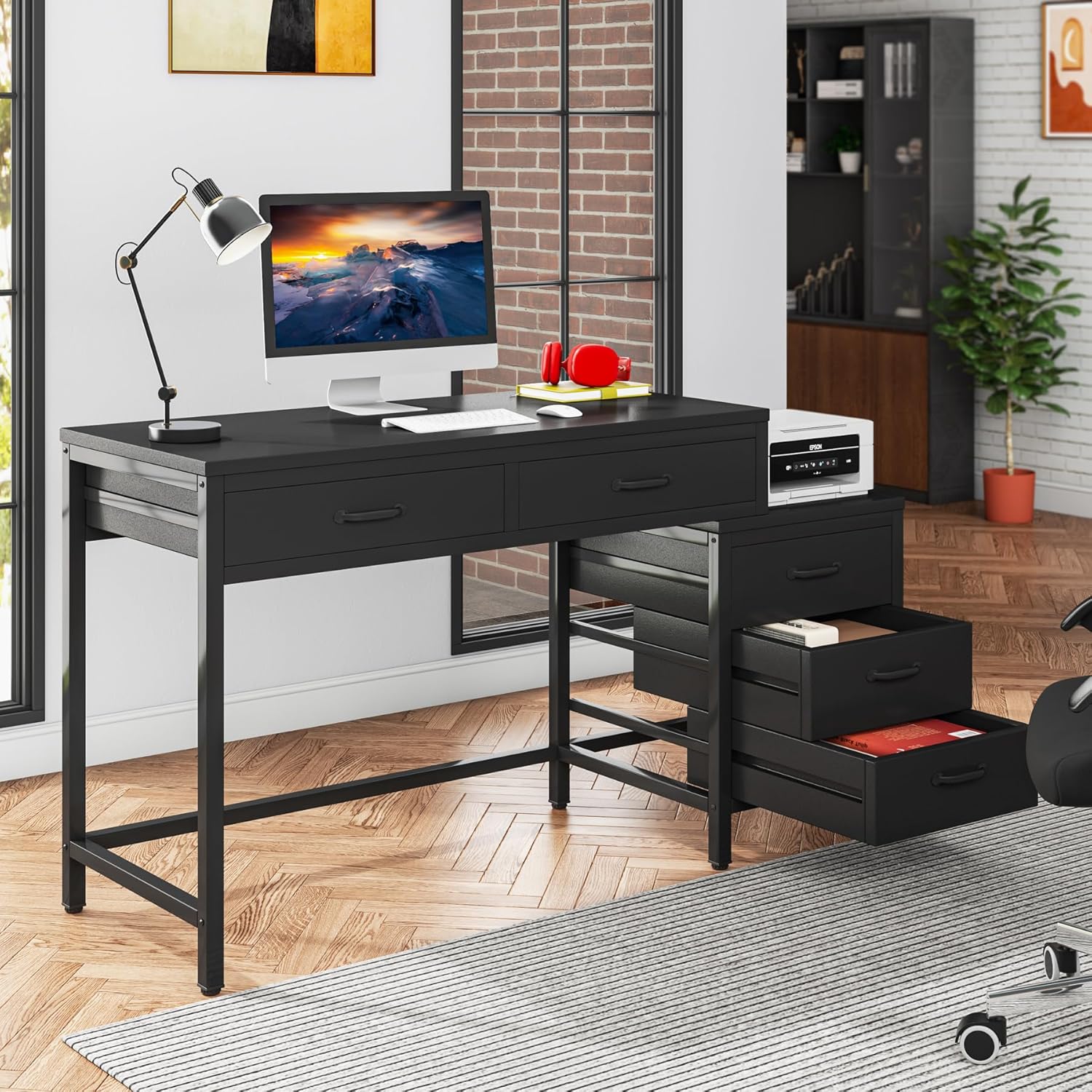
Image 4.1: The two main desk drawers are shown open, highlighting their depth and storage capacity.

Image 4.2: The three file cabinet drawers are displayed open, illustrating their utility for organizing documents and other items.
Justerbare benpuder:
The desk is equipped with adjustable leg pads. To level the desk on uneven floors, simply rotate the pads at the bottom of each leg until the desk is stable and does not wobble.

Billede 4.3: Et nærbillede view of the adjustable leg pads, demonstrating their function for leveling the desk and protecting floors.
5. Vedligeholdelse og pleje
- Rensning: Tør overflader af med en blød, damp klud. Undgå skrappe kemikalier eller slibende rengøringsmidler, der kan beskadige overfladen.
- Spild: Rengør spild straks for at forhindre pletter eller beskadigelse af det konstruerede træ.
- Stabilitetstjek: Periodically check all screws and bolts to ensure they are tight. Re-tighten if necessary to maintain stability.
- Vægtfordeling: Distribute weight evenly across the desktop and within drawers to prevent stress on the structure.
- Undgå direkte sollys: Langvarig udsættelse for direkte sollys kan forårsage falmning eller misfarvning.
6. Fejlfinding
Almindelige problemer:
- vaklende skrivebord: Check that all leg pads are properly adjusted and making contact with the floor. Ensure all frame bolts are securely tightened.
- Skuffer glider ikke jævnt: Verify that the drawer panels are correctly assembled and aligned within their guides. Ensure no obstructions are present.
- Manglende dele: If any parts were missing upon unboxing, refer to the package contents list and contact Tribesigns customer service for assistance.
- Vanskeligheder under montering: Review the instruction manual carefully, paying attention to diagrams and part orientations. If issues persist, consider seeking assistance from another person.
7. Specifikationer
| Feature | Detalje |
|---|---|
| Mærke | Stamtegn |
| Modelnummer | XK00747 |
| Produktdimensioner | 17.72" D x 39.37" B x 32.28" H |
| Farve | Sort |
| Stil | Industriel |
| Grundmateriale | Metal |
| Top materialetype | Konstrueret træ |
| Antal skuffer | 5 |
| Varens vægt | 36 kilo |
| Påkrævet samling | Ja |
| Anbefalet antal personer til forsamling | 2 |
8. Garanti og support
Garantioplysninger:
This Tribesigns product comes with a Limited Warranty. For specific terms and conditions, please refer to the warranty documentation included with your purchase or contact Tribesigns customer service.
Kundesupport:
For any questions, concerns, or assistance with your Tribesigns Computer Desk, please contact Tribesigns customer service. They provide 24-hour support for any problems you may encounter.


