1. Introduktion
This manual provides detailed instructions for the setup, operation, maintenance, and troubleshooting of your AULA F98 Tri-Mode Mechanical Keyboard. Please read this manual thoroughly to ensure proper use and to maximize your keyboard's performance and lifespan.

Billede 1.1: Overview of the AULA F98 Tri-Mode Mechanical Keyboard.
2. Produktfunktioner
- Tri-mode-tilslutning: Understøtter Bluetooth 5.0, 2.4 GHz trådløs og USB-C kablede forbindelser.
- Hot-swap-kontakter: Compatible with 3-pin/5-pin mechanical switches for easy customization and maintenance.
- RGB-baggrundsbelysning: Features 16.8 million colors with multiple preset lighting effects and music rhythm modes.
- Programmable Keys & Macros: All keys support macro customization via driver software.
- 99-tasters layout: Compact design with a numeric keypad, N-key rollover, and WIN key lock.
- Lang batterilevetid: Equipped with a 4000mAh battery.
- Premium Keycaps: Side-printed PBT keycaps for durability and comfort.
- Pakningsstruktur: Forbedrer skrivefornemmelsen og lyden.
3. Opsætningsvejledning
3.1 Pakkens indhold
Før du fortsætter, skal du sørge for at alle elementer er til stede:
- AULA F98 Mekanisk tastatur
- USB-C kabel
- 2.4 GHz trådløs modtager (gemt i tastaturet)
- Brugervejledning (dette dokument)
3.2 Tilslutning af tastaturet
The AULA F98 keyboard supports three connection modes: USB-C wired, 2.4GHz wireless, and Bluetooth 5.0. You can switch between up to 5 connected devices.
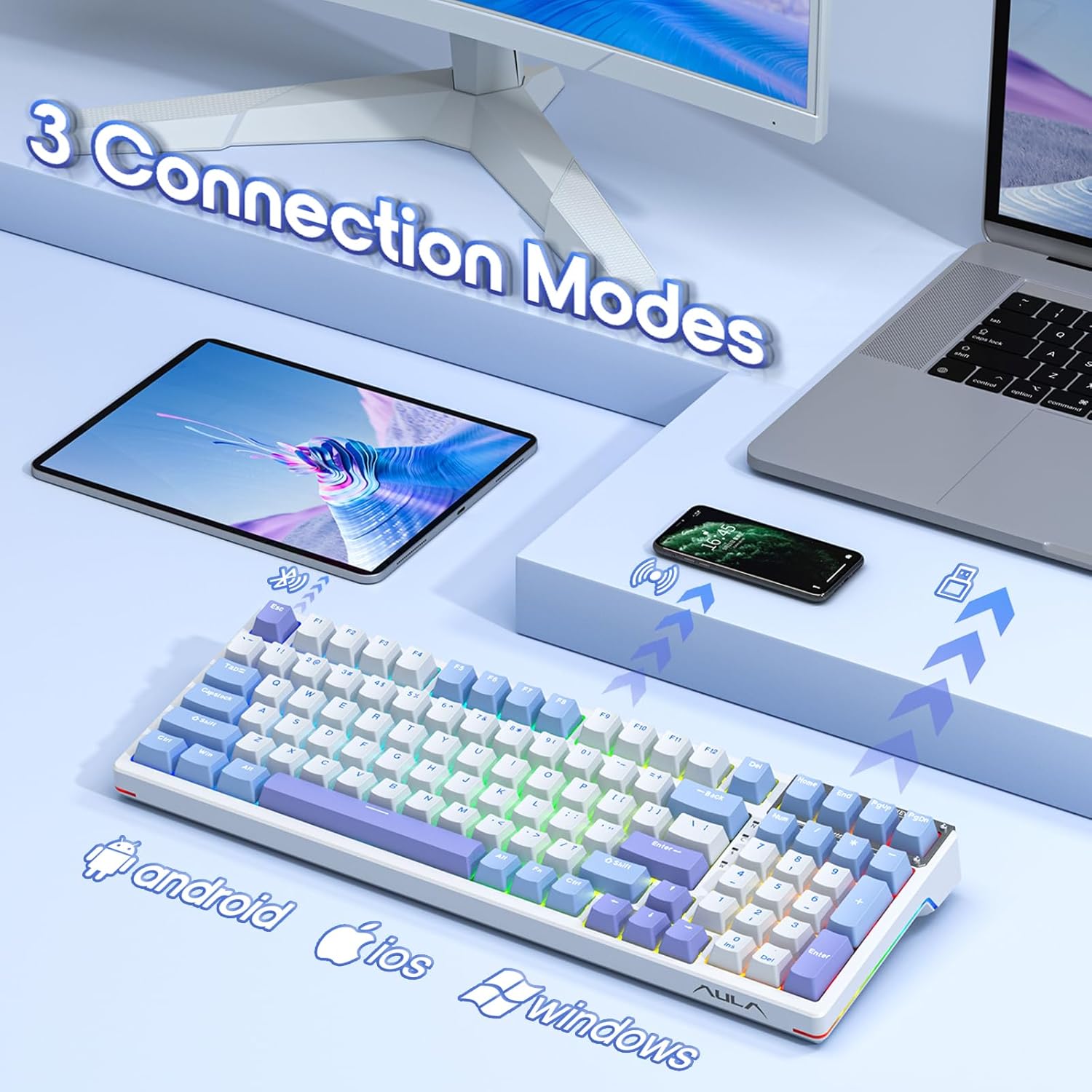
Image 3.1: The AULA F98 keyboard supports three connection modes for various devices.
3.2.1 USB-C kablet forbindelse
- Find USB-C-porten på tastaturet.
- Connect the provided USB-C cable to the keyboard and to an available USB port on your computer.
- Tastaturet vil automatisk blive genkendt og klar til brug.
3.2.2 2.4 GHz trådløs forbindelse
- Locate the 2.4GHz wireless receiver, typically stored in a magnetic compartment on the keyboard's underside or side.
- Sæt 2.4 GHz-modtageren i en ledig USB-port på din computer.
- Tænd tastaturet ved hjælp af tænd/sluk-knappen (normalt placeret på bagsiden eller siden).
- Tastaturet burde oprette forbindelse automatisk. Hvis ikke, tryk på FN + ~ to activate 2.4GHz mode.
3.2.3 Bluetooth 5.0-forbindelse
- Tænd for tastaturet.
- Tryk og hold FN + 1, FN + 2, eller FN + 3 for 3-5 seconds until the indicator light flashes rapidly. This indicates pairing mode.
- Åbn Bluetooth-indstillingerne på din enhed (computer, tablet, telefon), og søg efter nye enheder.
- Select "AULA F98" from the list of available devices to pair.
- Når den er parret, holder indikatorlampen op med at blinke og forbliver konstant.
- For at skifte mellem parrede Bluetooth-enheder skal du trykke på FN + 1/2/3 kort.
3.3 Opladning af batteriet
The keyboard is equipped with a 4000mAh rechargeable battery. Connect the USB-C cable to the keyboard and a power source (computer USB port or USB wall adapter) to charge. The indicator light will show charging status and turn off when fully charged.
4. Betjeningsvejledning
4.1 Grundlæggende nøglefunktioner
- N-Key Rollover: Tillader at flere taster trykkes ned samtidigt uden konflikt.
- WIN-nøglelås: Trykke FN + Win to lock/unlock the Windows key, preventing accidental presses during gaming.
4.2 RGB-baggrundsbelysningskontrol
The AULA F98 features extensive RGB backlighting. Use the following FN key combinations to control lighting effects:
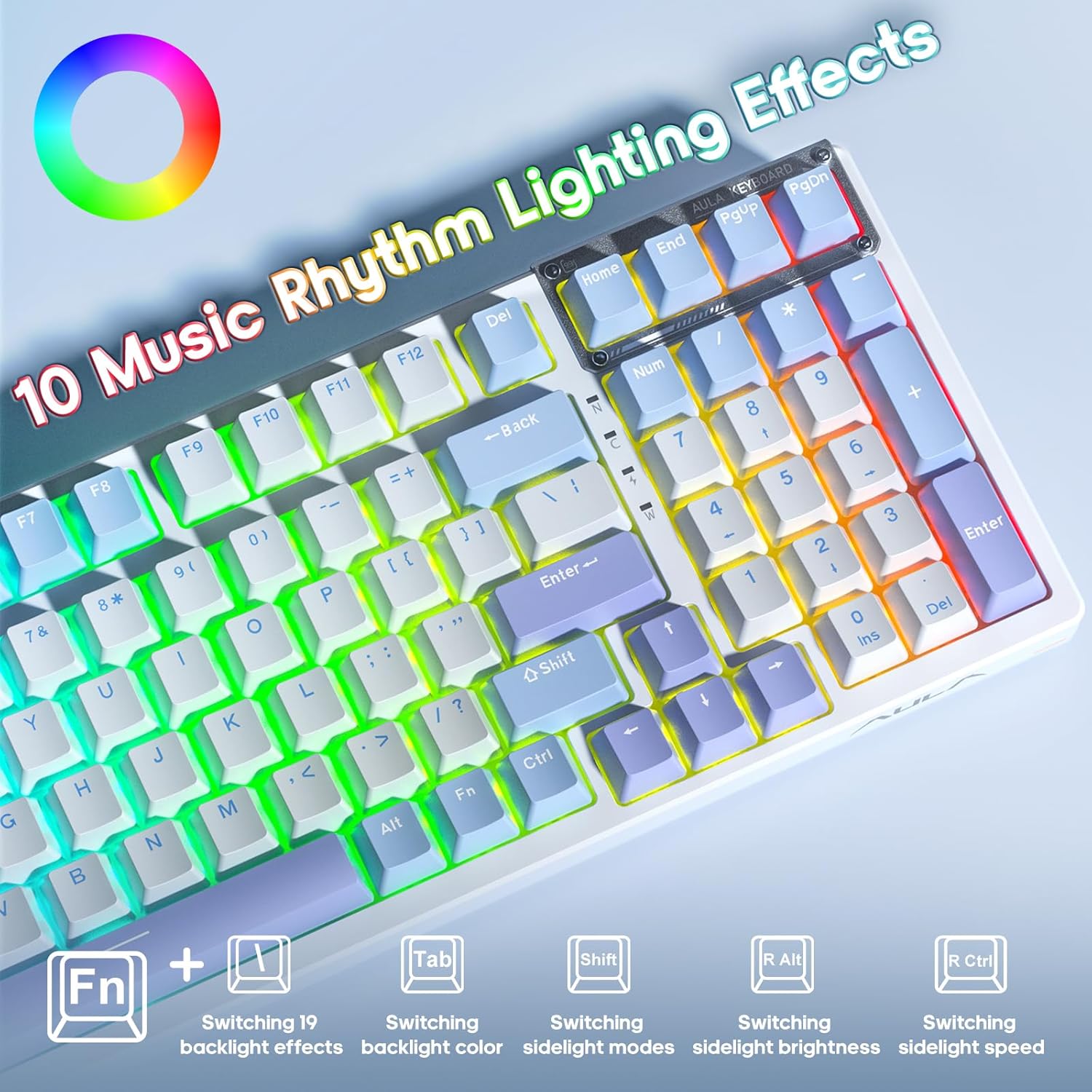
Image 4.1: FN key combinations for controlling RGB lighting effects and music rhythm modes.
- FN + \|: Switch between 19 preset backlight effects.
- FN + TAB: Skift baggrundsbelysningsfarver.
- FN + R Shift: Switch sidelight modes.
- FN + R Alt: Adjust sidelight brightness.
- FN + R Ctrl: Adjust sidelight speed.
- FN + ↑ / ↓: Juster baggrundsbelysningens lysstyrke.
- FN + → / ←: Juster baggrundsbelysningens hastighed

Image 4.2: The keyboard features customizable RGB side lighting.
4.3 Makroprogrammering
The AULA F98 keyboard supports macro customization for all keys using the dedicated driver software. The driver software is compatible with Windows operating systems.
- Download and install the AULA F98 driver software from the official AULA webwebsted.
- Start softwaren.
- Navigate to the 'Macro Manager' section.
- Record or edit macros as desired.
- Assign macros to specific keys.
- Save your configurations. The keyboard has onboard memory to store these settings.
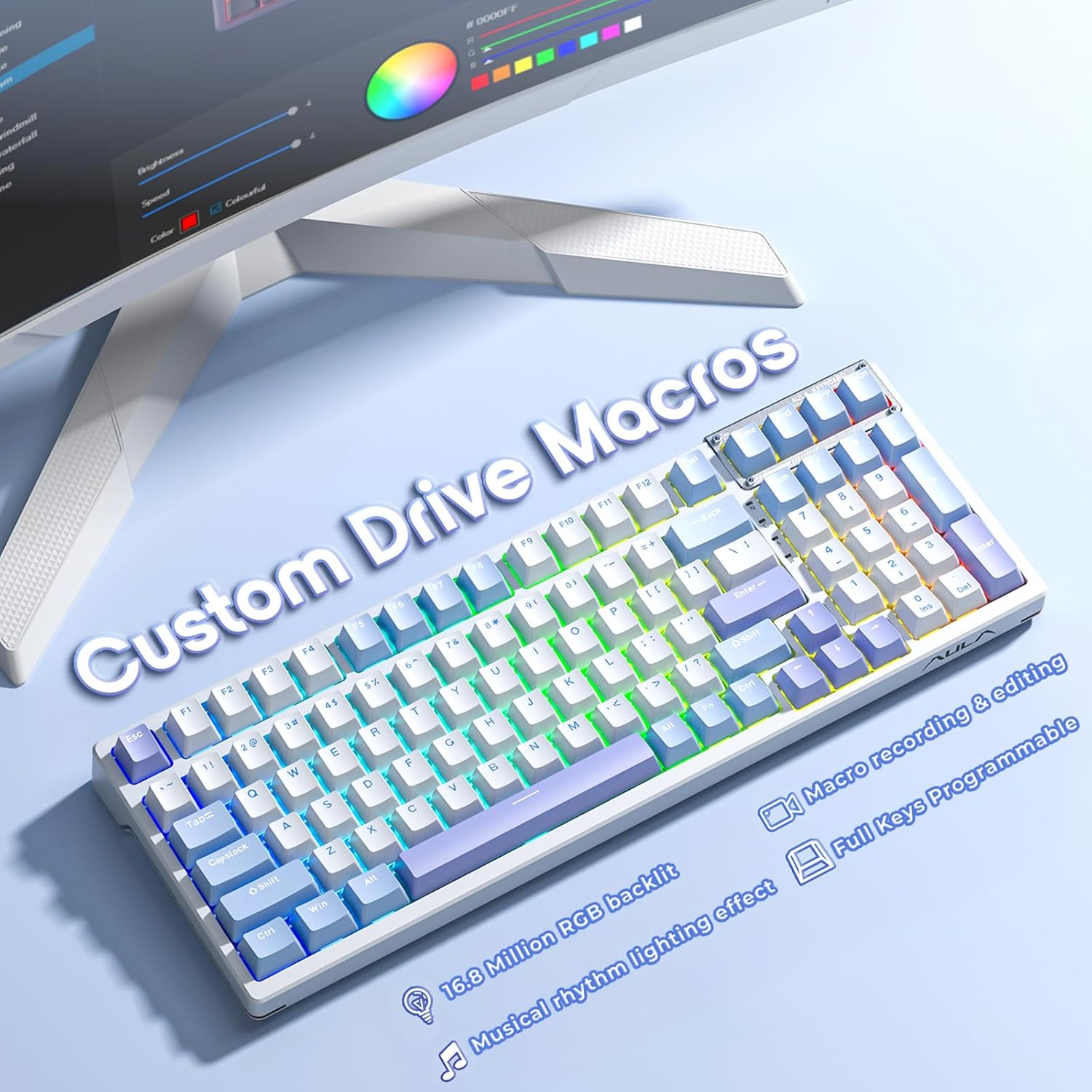
Image 4.3: The keyboard supports custom macros and is fully programmable via software.
4.4 Hot-swapping-kontakter og -taster
The AULA F98 is designed with hot-swappable sockets, allowing you to easily change mechanical switches and keycaps without soldering.

Image 4.4: The hot-swappable design allows for easy switch replacement, supporting 3-pin/5-pin switches.
4.4.1 Replacing Keycaps
- Brug en tastaftrækker til forsigtigt at fjerne den ønskede tast.
- Juster den nye tastaturhætte med kontaktens stilk, og tryk godt ned, indtil den klikker på plads.
4.4.2 Udskiftning af afbrydere
- First, remove the keycap using a keycap puller.
- Use a switch puller to carefully grip the top and bottom clips of the switch.
- Træk forsigtigt kontakten opad for at fjerne den fra printkortet.
- Juster stifterne på den nye kontakt med hullerne på printkortet. Sørg for, at stifterne er lige.
- Press the new switch down firmly until it is seated correctly. Do not force it if resistance is met; check pin alignment.
- Test the new switch to ensure it functions correctly before replacing the keycap.
5. Vedligeholdelse
5.1 Rengøring af tastaturet
Regelmæssig rengøring hjælper med at bevare tastaturets udseende og funktionalitet.
- Frakobl tastaturet fra alle strømkilder før rengøring.
- Brug en blød børste eller trykluft til at fjerne støv og snavs mellem tasterne.
- For stubborn dirt, gently wipe the keycaps and surface with a slightly damp, fnugfri klud. Undgå for meget fugt.
- Brug ikke hårde kemikalier eller slibende rengøringsmidler.
5.2 Generel pleje
- Avoid exposing the keyboard to extreme temperatures, direct sunlight, or liquids.
- Tab ikke tastaturet og udsæt det ikke for hårde stød.
- Store the 2.4GHz receiver in its designated magnetic compartment when not in use to prevent loss.
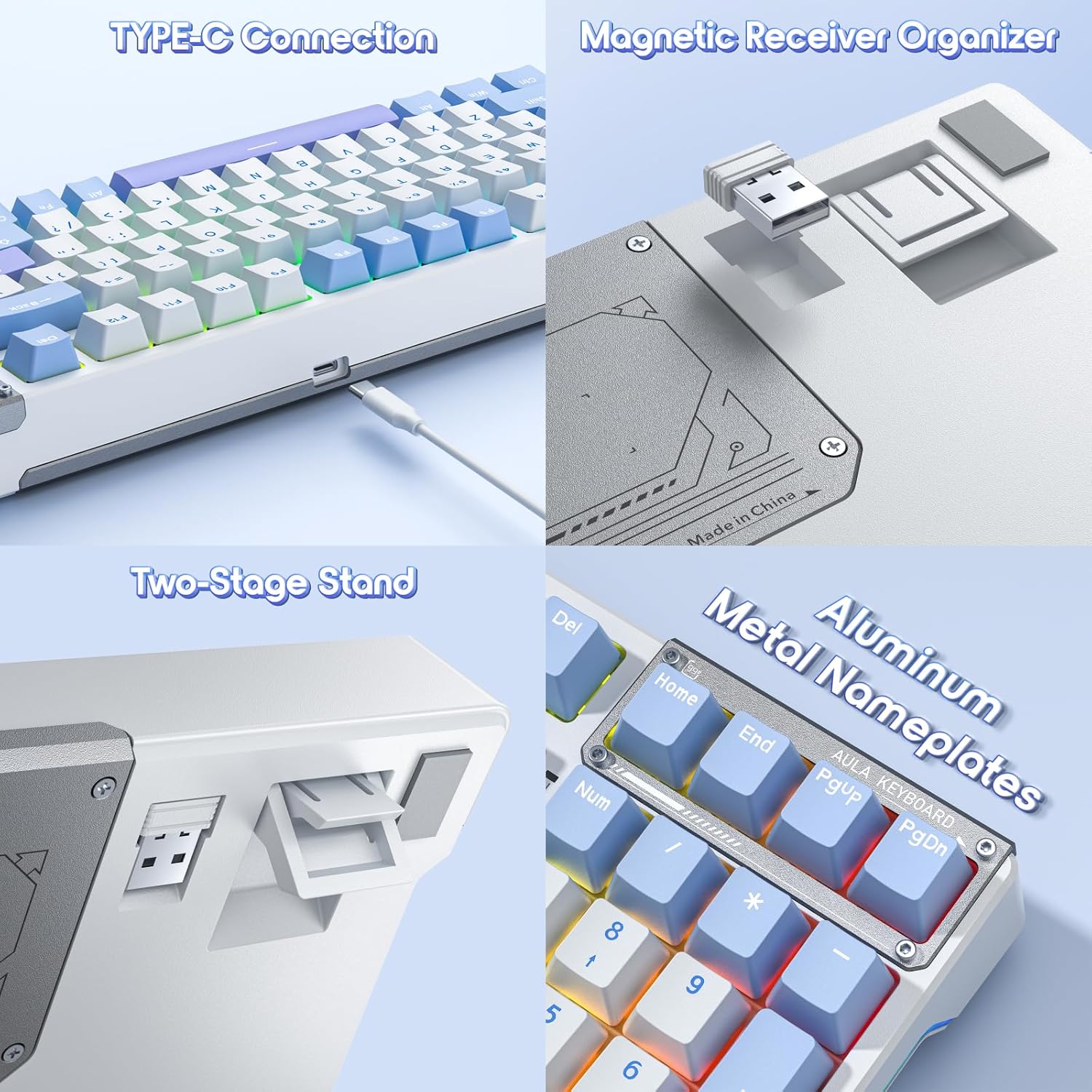
Image 5.1: Features like the Type-C connection, magnetic receiver organizer, two-stage stand, and aluminum nameplates contribute to the keyboard's design and functionality.
6. Fejlfinding
Hvis du støder på problemer med dit AULA F98-tastatur, kan du se følgende almindelige problemer og løsninger:
| Problem | Mulig årsag | Løsning |
|---|---|---|
| Tastaturet svarer ikke (kablet) | Loose USB-C cable connection; faulty USB port. | Ensure the USB-C cable is securely connected. Try a different USB port or cable. |
| Tastaturet svarer ikke (2.4 GHz trådløst) | Receiver not plugged in; low battery; incorrect mode. | Plug in the 2.4GHz receiver. Charge the keyboard. Press FN + ~ to ensure 2.4GHz mode is active. |
| Tastaturet svarer ikke (Bluetooth) | Not paired; low battery; incorrect mode; device Bluetooth off. | Ensure Bluetooth is enabled on your device. Re-pair the keyboard (see Section 3.2.3). Charge the keyboard. Press FN + 1/2/3 for at vælge den korrekte Bluetooth-kanal. |
| Baggrundsbelysningen virker ikke eller er forkert | Backlight turned off; brightness too low; software conflict. | Juster lysstyrken med FN + ↑. Cycle through effects with FN + \|. Check driver software settings. |
| Keys not registering input | Faulty switch; debris under keycap. | Remove keycap and clean. If hot-swappable, replace the switch (see Section 4.4.2). |
| Macros not working | Macro not saved; driver software issue. | Ensure macros are correctly configured and saved in the driver software. Reinstall the driver if necessary. |
7. Specifikationer
| Feature | Detalje |
|---|---|
| Modelnummer | F98 |
| Forbindelsesteknologi | 2.4 GHz trådløs, Bluetooth 5.0, USB-C kablet |
| Tastaturbeskrivelse | Mekanisk |
| Switch Type | LEOBOG Reaper Linear Switches (Pre-lubed), Hot-Swappable (3-pin/5-pin) |
| tasterne | Sidetrykt PBT |
| Baggrundsbelysning | RGB (16.8 Million Colors), 19 Preset Effects, 10 Music Rhythm Effects |
| Batterikapacitet | 4000mAh |
| Produktdimensioner | 38.98 x 13.82 x 0.4 tommer (99 x 35.1 x 1.0 cm) |
| Varens vægt | 3.01 pund (1.36 kg) |
| Kompatible enheder | PC, bærbar computer, spillekonsol |
| Inkluderede komponenter | USB kabel |
8. Garanti og support
AULA products are designed for reliability and performance. For warranty information, please refer to the documentation included with your purchase or visit the official AULA website. For technical support or further assistance, please contact AULA customer service through their official channels.
Gem venligst dit købsbevis for garantikrav.


