1. Introduktion
This manual provides detailed instructions for the operation and maintenance of your Jesebang Wireless Earbuds, Model IS07. Please read this manual thoroughly before using the product to ensure proper function and longevity. These earbuds feature Bluetooth 5.3 connectivity, HiFi stereo sound, and an IP7 waterproof rating, designed for use with Android and iOS devices.
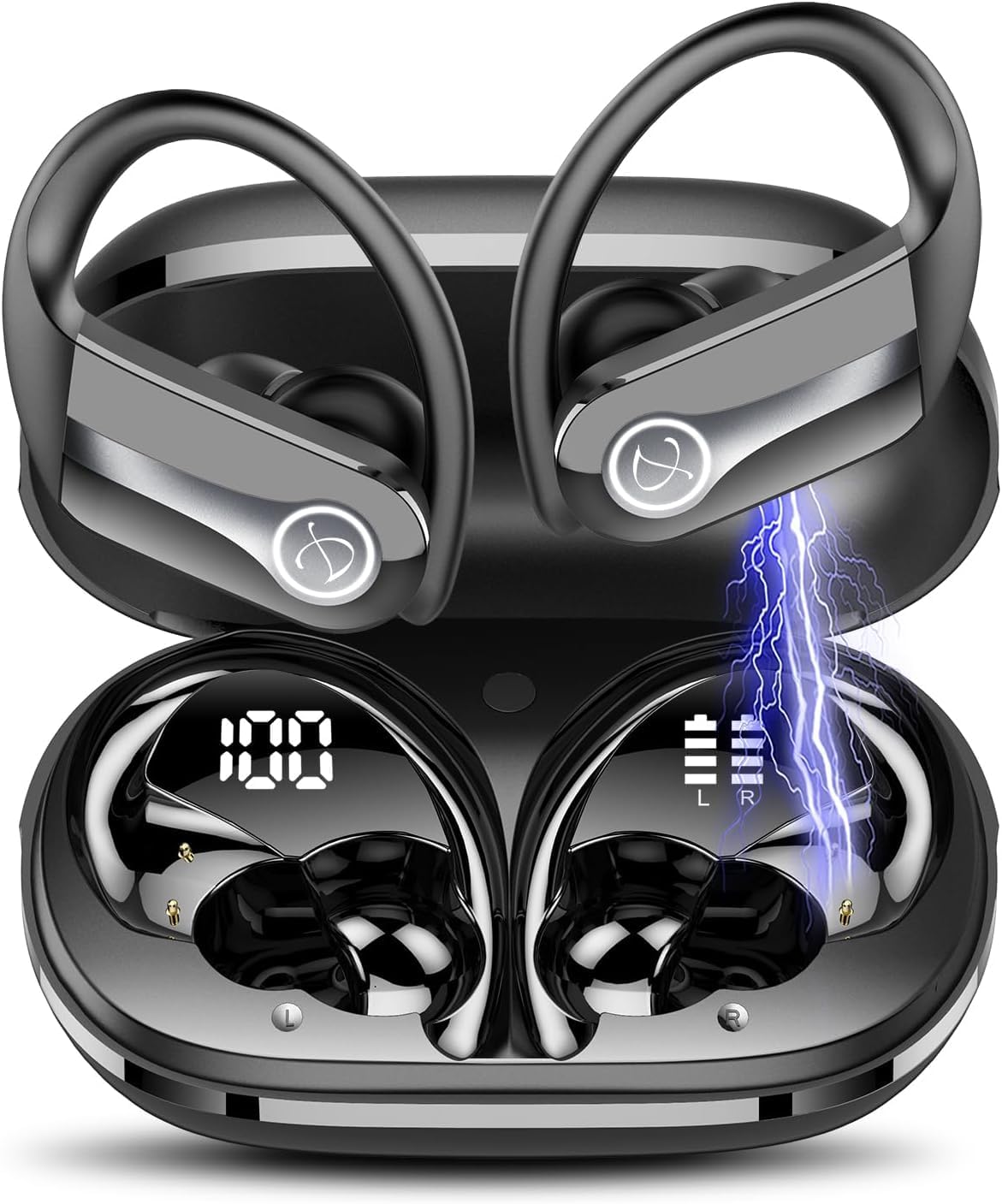
Image 1.1: Jesebang Wireless Earbuds IS07 in their charging case, displaying battery levels. The earbuds are black with silver accents and feature ear hooks for secure fit. The charging case shows a digital display for its battery percentage (100%) and individual earbud battery indicators (L and R).
2. Opsætning
2.1 Indledende opladning
Before first use, fully charge the earbuds and the charging case. The product includes a charging cable. Connect the charging cable to the charging port on the case and a compatible USB power source. The digital display on the charging case will indicate the charging status and battery percentage.
- Sørg for, at øretelefonerne sidder korrekt i opladningsetuiet.
- En fuld opladning tager typisk cirka 1-2 timer.
- The charging case display will show "100" when fully charged.
2.2 Parring med en enhed
Ørepropperne går automatisk i parringstilstand, når de tages ud af opladningsetuiet.
- Åbn opladningsetuiet, og fjern begge ørepropper.
- On your smartphone or device, navigate to the Bluetooth settings.
- Søg efter available devices and select "IS07" from the list.
- Når forbindelsen er oprettet, vil en stemmemeddelelse bekræfte den gennemførte parring.
- If pairing fails, place the earbuds back into the case, close the lid, wait a few seconds, and repeat the process.
3. Betjeningsvejledning
3.1 Tænd/sluk
- Tænd: Tag ørepropperne ud af opladningsetuiet. De tænder automatisk.
- Sluk: Place earbuds back into the charging case and close the lid. They will power off automatically and begin charging.
3.2 Tryk på kontrolelementer
The Jesebang IS07 earbuds feature touch-sensitive controls for various functions:
| Handling | Fungere |
|---|---|
| Enkelt tryk (V/H) | Afspil/Sæt musik på pause, Besvar/Afslut opkald |
| Dobbelttryk (L) | Forrige spor |
| Dobbelttryk (R) | Næste spor |
| Tredobbelt tryk (V/H) | Aktiver Voice Assistant |
| Long Press (2s) (L/R) | Afvis opkald |
| Long Press (3s) (L/R) | Volume Up (R) / Volume Down (L) |
Note: Functions may vary slightly depending on your connected device and operating system.
4. Vedligeholdelse
4.1 Rengøring
Regelmæssig rengøring hjælper med at opretholde lydkvaliteten og produktets levetid.
- Brug en blød, tør og fnugfri klud til at tørre ørepropperne og opladningsetuiet af.
- Til genstridigt snavs, let dampRengør kluden med vand. Brug ikke skrappe kemikalier eller slibende materialer.
- Rengør opladningskontakterne på både ørepropperne og etuiet med jævne mellemrum med en tør vatpind for at sikre korrekt opladning.
4.2 Opbevaring
Når ørepropperne ikke er i brug, skal de opbevares i deres opladningsetui for at beskytte dem og holde dem opladede. Opbevares køligt og tørt, væk fra direkte sollys og ekstreme temperaturer.
4.3 Vandtæthed (IP7)
The earbuds are rated IP7 waterproof, meaning they can withstand immersion in water up to 1 meter for 30 minutes. This makes them suitable for workouts and light rain. However, they are not designed for swimming or prolonged submersion. Ensure earbuds are dry before placing them back in the charging case to prevent damage to the charging contacts.
5. Fejlfinding
If you encounter issues with your Jesebang Wireless Earbuds, refer to the following common solutions:
| Problem | Mulig årsag | Løsning |
|---|---|---|
| Øretelefoner parrer ikke | Out of range, low battery, pairing mode not active | Ensure earbuds are charged. Place them back in the case, close, then reopen to re-enter pairing mode. Check Bluetooth on your device. |
| Kun én øretelefon virker | Earbuds not connected to each other, low battery on one earbud | Place both earbuds back in the case, close the lid, then remove them together. Ensure both are charged. |
| Ingen lyd | Volume too low, not connected, incorrect audio output selected | Increase volume on your device and earbuds. Verify Bluetooth connection. Check audio output settings on your device. |
| Opladningsproblemer | Dirty charging contacts, faulty cable/adapter | Clean charging contacts. Try a different charging cable or power adapter. Ensure earbuds are correctly seated in the case. |
Hvis problemet fortsætter, bedes du kontakte kundesupport (se afsnit 7).
6. Specifikationer
| Feature | Detalje |
|---|---|
| Modelnavn | IS07 |
| Forbindelsesteknologi | Trådløs (Bluetooth 5.3) |
| Øreplacering | In Ear |
| Formfaktor | In Ear |
| Farve | Sort |
| Vandtæt vurdering | IP7 |
| Spilletid | Op til 40 timer (med opladningsetui) |
| Inkluderede komponenter | Ladekabel |
| Varens vægt | 3.52 ounce |
| Batterier | 3 Lithium Polymer batterier (medfølger) |
7. Garanti og support
7.1 Garantioplysninger
Jesebang products typically come with a standard manufacturer's warranty. Please refer to the product packaging or the official Jesebang website for specific warranty terms and conditions. Keep your purchase receipt as proof of purchase for warranty claims.
7.2 Kundesupport
For technical assistance, troubleshooting beyond this manual, or warranty inquiries, please contact Jesebang customer support. You can usually find contact information on the official Jesebang webhjemmeside eller gennem den forhandler, hvor du købte produktet.
Online support: Visit the official Jesebang webwebsted for ofte stillede spørgsmål og supportressourcer. Jesebang Store on Amazon


