1. Introduktion
This manual provides essential information for the safe and efficient operation of your TESLA QLED Smart TV, Model Q55S939GUS. Please read these instructions thoroughly before using your television and retain them for future reference. This television features a 55-inch (140 cm) QLED display, Google TV operating system, Ultra HD resolution, HDR10, Dolby Atmos audio, built-in Wi-Fi, Bluetooth, and Chromecast.

Billede 1.1: Forside view of the TESLA QLED Smart TV, highlighting key features.
2. Sikkerhedsoplysninger
Always follow basic safety precautions when using this television to reduce the risk of fire, electric shock, and injury. Keep the television away from moisture and heat sources. Ensure proper ventilation. Do not block ventilation openings. Use only attachments/accessories specified by the manufacturer. Refer all servicing to qualified service personnel.
3. Pakkens indhold
Bekræft at alle varer er til stede i pakken:
- TESLA QLED Smart TV (Model Q55S939GUS)
- Fjernbetjening
- Strømkabler
- TV Stand/Base
- Batterier til fjernbetjening
- Brugervejledning (dette dokument)
4. Opsætning
4.1 Fysisk opsætning
Montering af stativet: Carefully place the TV screen-down on a soft, flat surface. Align the stand with the mounting holes on the bottom of the TV and secure it with the provided screws. Ensure the stand is firmly attached before placing the TV upright.

Image 4.1: TESLA QLED Smart TV with stand.
Vægmontering: If you plan to wall mount the TV, refer to the instructions provided with your wall mount kit. Ensure the wall mount is compatible with the VESA mounting pattern of your TV. The back of the TV includes mounting points for this purpose.
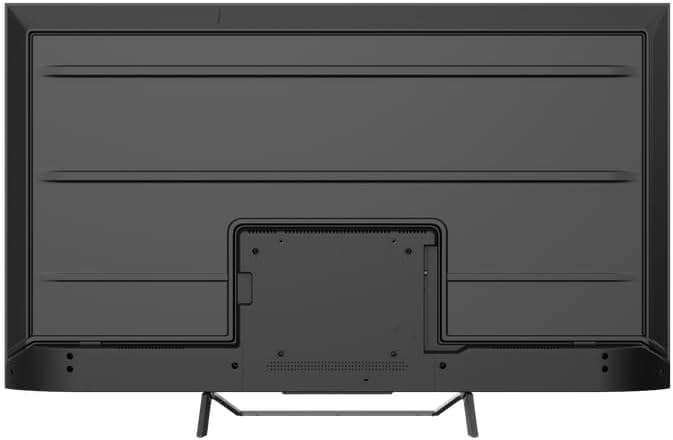
Billede 4.2: Bagside view of the TV, indicating mounting points.
4.2 Første opstart og netværksforbindelse
- Tilslut strømkablet til tv'et og derefter til en stikkontakt.
- Tryk på tænd/sluk-knappen på fjernbetjeningen eller på selve tv'et.
- Follow the on-screen instructions to select your language, country, and connect to your Wi-Fi network. You can also connect via Ethernet for a wired connection.
4.3 Opsætning af Google TV
During the initial setup, you will be guided through setting up your Google TV account. This allows access to Google Assistant, Google Play Store apps, and personalized content recommendations. You will need a Google account to fully utilize these features.
5. Betjening af tv'et
5.1 Fjernbetjening overview
The remote control provides access to all TV functions. Insert the provided batteries into the remote control. Familiarize yourself with the button layout for easy navigation.

Image 5.1: TESLA Smart TV Remote Control.
5.2 Grundlæggende funktioner
- Magt: Tryk på tænd/sluk-knappen for at tænde eller slukke for tv'et.
- Bind: Brug VOL +/- knapperne til at justere lydniveauet.
- Kanaler: Use the P +/- buttons to change channels.
- Navigation: Use the directional pad and OK button to navigate menus and select options.
- Hjem: Press the Home button to return to the Google TV home screen.
5.3 Smart TV Features (Google TV, Apps, Chromecast)
Your TESLA QLED Smart TV runs on Google TV, offering an intuitive interface and access to a vast library of content.
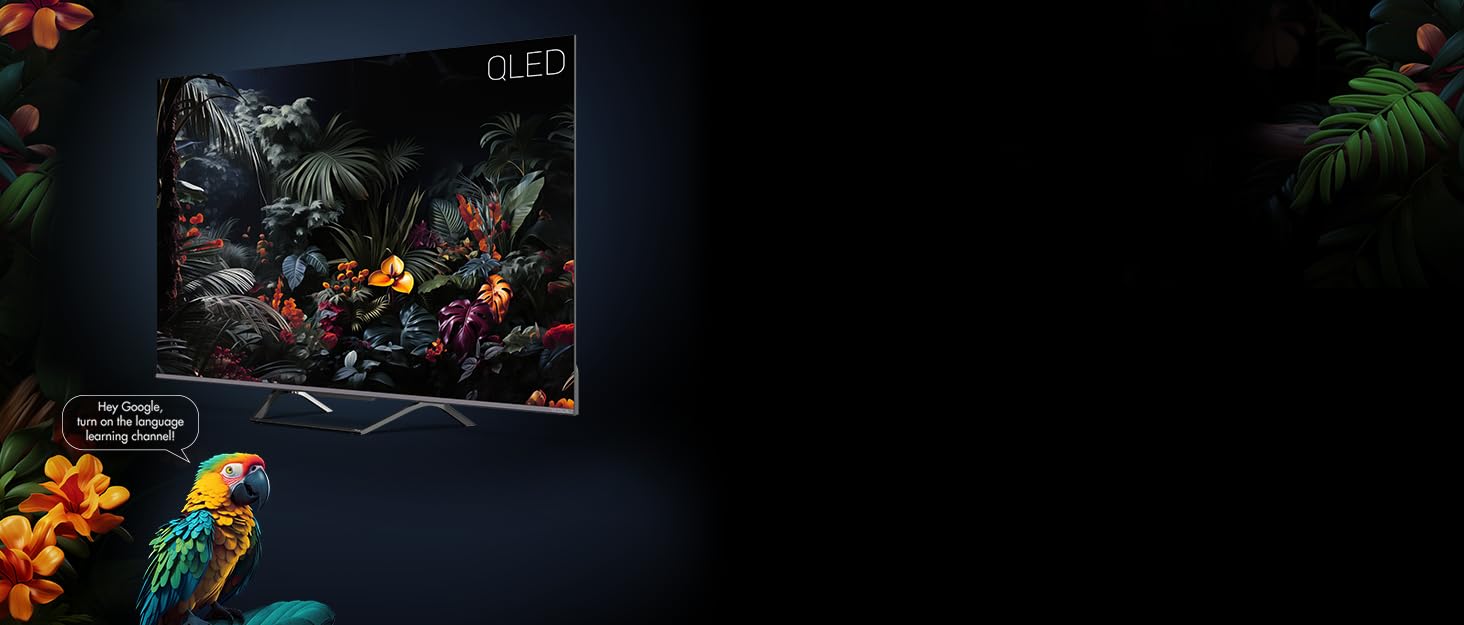
Image 5.2: Google Assistant integration on TESLA QLED TV.
- Google TV-grænseflade: The home screen provides personalized recommendations, quick access to installed apps like Netflix, YouTube, and Prime Video, and live TV options.
- Google Assistant: Brug stemmekommandoer via fjernbetjeningen til at søge efter indhold, styre smart home-enheder, få svar og meget mere.
- Chromecast indbygget: Cast content (videos, photos, music) directly from your compatible mobile devices or computer to the TV screen.
- Google Play Butik: Download and install over 10,000 additional applications and games.
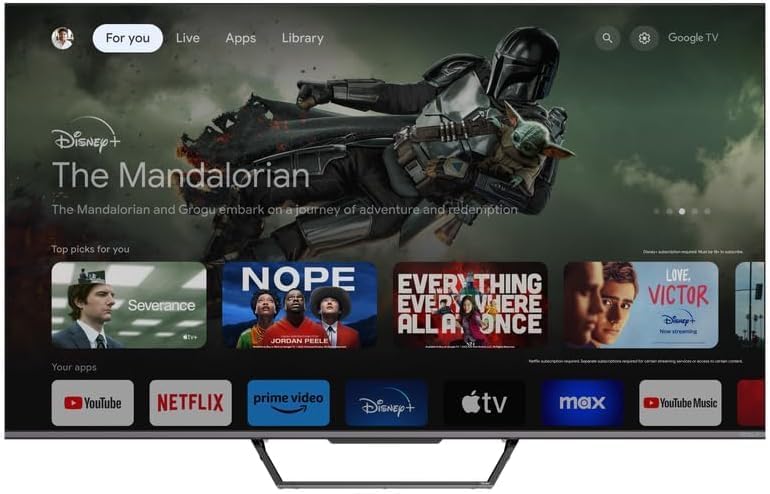
Image 5.3: Google TV home screen with app access.
5.4 Forbindelse
TV'et tilbyder forskellige porte til tilslutning af eksterne enheder:
- HDMI-porte (x3): Connect gaming consoles, Blu-ray players, soundbars, and other HDMI-enabled devices.
- USB-porte (x2): Tilslut USB-drev til medieafspilning eller ekstern lagring.
- Wi-Fi: Connect wirelessly to your home network for internet access.
- Bluetooth: Connect wireless headphones, speakers, or other Bluetooth accessories.
- Ethernet: For en stabil kablet internetforbindelse.
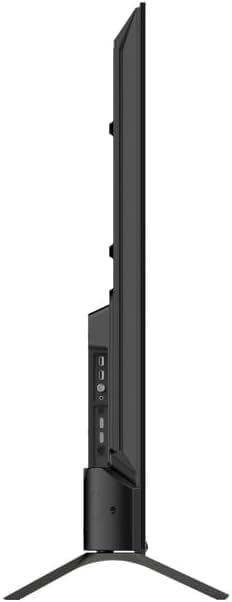
Billede 5.4: Side view of TV with connectivity ports.
5.5 Lyd- og billedindstillinger
- Dolby Atmos & Ultra Surround: Experience immersive, three-dimensional audio. Adjust audio settings in the TV menu to optimize sound for your environment.
- QLED teknologi: Quantum Dot technology delivers over a billion shades of color, enhanced brightness, and superior contrast.
- HDR10: High Dynamic Range 10 provides a wider range of colors and contrasts, resulting in a more realistic image.
- Billedtilstande: Select from various preset picture modes (e.g., Standard, Vivid, Movie, Game) or customize settings like brightness, contrast, color, and sharpness to suit your preferences.
6. Vedligeholdelse
6.1 Rengøring
Tag altid stikket ud af tv'et, inden du rengør det. Brug en blød, tør klud til at tørre skærmen og kabinettet af. Tør forsigtigt genstridige pletter afampen the cloth with water or a specialized screen cleaner. Never use abrasive cleaners, waxes, or solvents.
6.2 Softwareopdateringer
Your Google TV will periodically receive software updates to improve performance and add new features. Ensure your TV is connected to the internet to receive these updates. You can check for updates manually in the TV's settings menu.
7. Fejlfinding
Hvis du støder på problemer med dit tv, kan du se følgende almindelige problemer og løsninger:
| Problem | Mulig løsning |
|---|---|
| Ingen strøm | Kontroller, om strømkablet er korrekt tilsluttet til tv'et og stikkontakten. Sørg for, at stikkontakten fungerer. |
| Intet billede, men der er lyd | Kontrollér inputkilden. Sørg for, at eksterne enheder er korrekt tilsluttet og tændt. |
| Ingen lyd, men der er billede | Check the volume level. Ensure Mute is not activated. Check audio output settings. |
| Fjernbetjening virker ikke | Udskift batterierne. Sørg for, at der ikke er nogen forhindringer mellem fjernbetjeningen og tv'et. |
| Kan ikke oprette forbindelse til Wi-Fi | Check your router and internet connection. Re-enter the Wi-Fi password. Try restarting the TV and router. |
For further assistance, consult the TESLA support webwebsted eller kontakt kundeservice.
8. Specifikationer
Key technical specifications for the TESLA QLED Smart TV Model Q55S939GUS:
| Feature | Specifikation |
|---|---|
| Mærke | TESLA |
| Modelnummer | Q55S939GUS |
| Skærmstørrelse | 55 tommer (140 cm) |
| Displayteknologi | QLED |
| Opløsning | 4K (3840 x 2160) |
| Operativsystem | Google TV |
| Opdateringshastighed | 60 Hz |
| Særlige funktioner | Chromecast, Built-in Speaker, Game Mode, Flat Panel, Wide Color Enhancer |
| Lydteknologi | Dolby Atmos, Ultra Surround, 2 x 10W Speakers |
| Forbindelse | Bluetooth, HDMI (x3), RF, USB (x2), Wi-Fi, Ethernet |
| Produktmål (D x B x H) | 26.5 x 122.5 x 72 cm |
| Farve | Metallisk sølv |

Image 8.1: Illustrative diagram of TV dimensions and remote control. Note: This product is 55 inches, not 75 inches as shown in the diagram.
9. Garanti og support
For warranty information, please refer to the warranty card included with your product or visit the official TESLA website. Keep your proof of purchase for warranty claims. For technical support, troubleshooting assistance, or service requests, please contact TESLA customer support through their official channels.


