1. Introduktion
Thank you for choosing the FLEXISPOT Standing Desk. This manual provides essential information for the safe and efficient assembly, operation, and maintenance of your new adjustable height desk. Please read this manual thoroughly before use and retain it for future reference.
2. Sikkerhedsoplysninger
For at sikre sikker drift og forhindre skader, bedes du overholde følgende sikkerhedsforanstaltninger:
- Overskrid ikke den maksimale vægtkapacitet for 154 pund (70 kg). Overloading may cause instability or damage.
- Hold børn og kæledyr væk fra skrivebordet under drift.
- Ensure there are no obstructions in the desk's path during height adjustments.
- Du må ikke sidde eller stå på skrivebordet.
- Brug kun skrivebordet indendørs i et tørt miljø.
- Afbryd strømmen før rengøring eller vedligeholdelse.
- If any parts are damaged or missing, contact customer support immediately. Do not attempt to repair the desk yourself.
Vigtig: This desk is designed for office and home use. Any other use is considered improper and may lead to injury or damage.
3. Pakkens indhold
Verify that all components are present and undamaged before beginning assembly. Refer to the image below for a visual representation of the package contents.
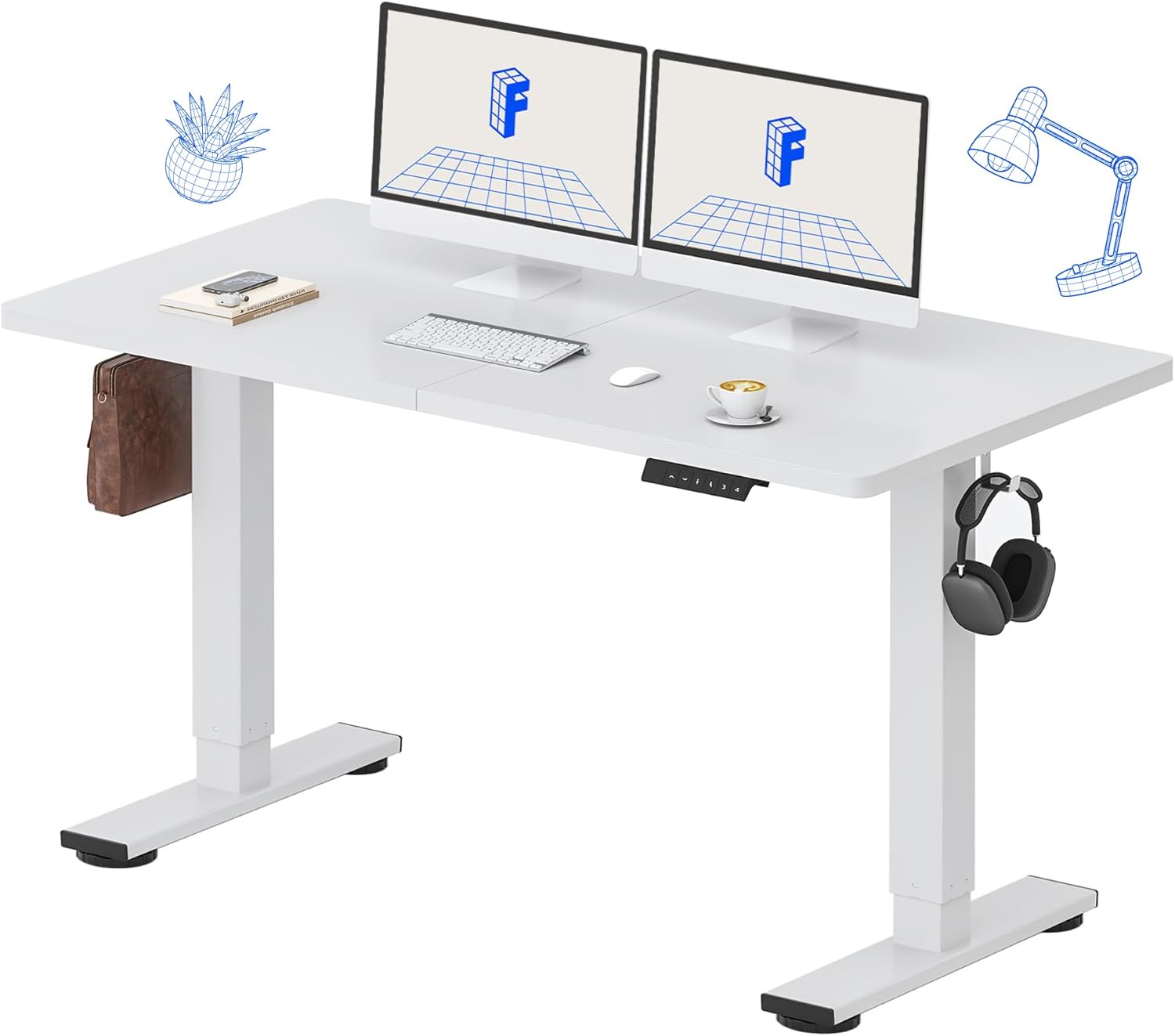
Image: All components of the FLEXISPOT Standing Desk, including the white desktop, white frame, and control panel.
- Desktop (55" x 24" White)
- Desk Frame (White)
- Kontrolpanel med LED-display
- Strømadapter
- Monteringsværktøj
- Desk Organizer
- Side Storage Hooks (Set of 2)
4. Opsætning og montering
Assembly is straightforward and all necessary tools are included. For detailed visual instructions, please refer to the included instruction booklet.
Monteringstrin:
- Pak alle komponenter ud, og læg dem på en ren, plan overflade.
- Attach the lifting columns to the desktop using the provided screws and tools.
- Fastgør fodstøtterne til bunden af løftesøjlerne.
- Monter kontrolpanelet på undersiden af skrivebordet på et bekvemt sted.
- Connect all cables (motor, control panel, power adapter) according to the diagram in the included instruction booklet.
- Sæt strømadapteren i en stikkontakt.
- Perform the initial reset (refer to Operating Instructions).

Image: The FLEXISPOT Standing Desk is shipped in a single package for convenience.
5. Betjeningsvejledning
Kontrolpanelets funktioner:

Billede: Detaljeret view of the multi-function keypad, showing the LED display, Up/Down keys, and memory function buttons.
- LED display: Viser den aktuelle skrivebordshøjde i tommer.
- Up/Down Keys (∧ / ∨): Press and hold to adjust the desk height upwards or downwards. Release to stop.
- Hukommelsesforudindstillinger (1, 2, 3, 4):
- To save a height: Adjust the desk to your desired height, then press the 'M' button (or similar memory set button, if present) followed by the desired number (1, 2, 3, or 4). The display will show 'S-' followed by the number to confirm.
- To recall a height: Press the corresponding number button (1, 2, 3, or 4). The desk will automatically move to the saved position.
Højdejusteringsområde:
Skrivebordet kan justeres fra en minimumshøjde på 28.9 tommer til en maksimal højde på 46.5 tommer.

Image: Illustration showing the adjustable height range of the desk from 28.9 inches to 46.5 inches.
Initial Reset Procedure:
After initial setup or if the desk encounters an error, a reset may be required:
- Press and hold the 'Down' (∨) button until the desk reaches its lowest position and slightly retracts.
- Release the button. The desk is now reset and ready for use.
6. Vedligeholdelse
Regular maintenance ensures the longevity and optimal performance of your FLEXISPOT Standing Desk.
- Rensning: Tør skrivebordet og rammen af med en blød kludamp cloth. Avoid abrasive cleaners or harsh chemicals. Ensure the desk is unplugged before cleaning. The desktop is waterproof and scratch-resistant.
- Kabelstyring: Kontrollér regelmæssigt alle kabler for at sikre, at de er sikkert tilsluttet og ikke er klemt eller beskadiget.
- Vægt kapacitet: Do not exceed the 154 lb weight limit. Distribute weight evenly across the desktop.
- Motorstøj: The desk features a whisper-quiet motor (<50dB). If you notice unusual noises, discontinue use and contact support.

Image: The desk's high-quality desktop is waterproof, scratch-resistant, and smooth.

Image: A comparison chart illustrating the low noise level of the desk's motor (under 50dB) compared to other common sounds.
7. Fejlfinding
If you encounter issues with your FLEXISPOT Standing Desk, refer to the table below for common problems and solutions.
| Problem | Mulig årsag | Løsning |
|---|---|---|
| Skrivebordet bevæger sig ikke. | Strømkabel frakoblet; Overbelastning; Motorfejl. | Check power connection. Reduce weight on desk. Perform reset procedure. |
| Skrivebordet bevæger sig ujævnt. | Uneven weight distribution; Obstruction. | Redistribute weight. Check for obstructions under or around the desk. Perform reset procedure. |
| Fejlkode på display. | Systemfejl. | Unplug the desk for 10 minutes, then plug back in. If error persists, contact customer support. |
| Hukommelsesforudindstillinger virker ikke. | Forudindstillingerne er ikke gemt korrekt. | Re-save your desired height settings following the instructions in Section 5. |
If the problem persists after attempting these solutions, please contact FLEXISPOT customer support.
8. Specifikationer
| Feature | Detalje |
|---|---|
| Modelnummer | MAH0002206 |
| Desktop dimensioner | 55 cm (B) x 24 cm (D) |
| Højdejusteringsområde | 28.9" - 46.5" |
| Maksimal vægtkapacitet | 154 lbs (70 kg) |
| Material (Desktop) | Konstrueret træ |
| Materiale (ramme) | Legeret stål |
| Motorstøjniveau | <50dB |
| Farve | White Top + White Frame |
| Inkluderede komponenter | Desk Organizer, Side Storage Hooks |

Image: The FLEXISPOT Standing Desk in use, demonstrating its versatility for both sitting and standing work, even accommodating a walking pad.

Billede: Nærbillede view of the side storage hooks, useful for hanging headphones or bags.

Image: Technical diagram illustrating the desktop and frame dimensions, including the adjustable height range.
9. Garanti og support
FLEXISPOT products come with a warranty to ensure your satisfaction. The specific warranty type is either 'Limited' or 'Lifetime' as per product registration and terms.
- Garanti: Refer to your product registration or the official FLEXISPOT webhjemmeside for detaljerede garantivilkår.
- Returnerer: Nyd 30-dages nem returnering.
- Kundesupport: If you have any questions, require assistance with assembly, or encounter any issues not covered in this manual, please contact FLEXISPOT customer support.
For further assistance, visit the official FLEXISPOT Store: FLEXISPOT Butik på Amazon


