Indledning
This manual provides detailed instructions for the setup, operation, and maintenance of your DrunkDeer A75 Pro Rapid Trigger Mechanical Gaming Keyboard. Designed for performance, the A75 Pro features silent magnetic switches, adjustable actuation, and customizable RGB lighting, all within a compact 75% TKL layout.
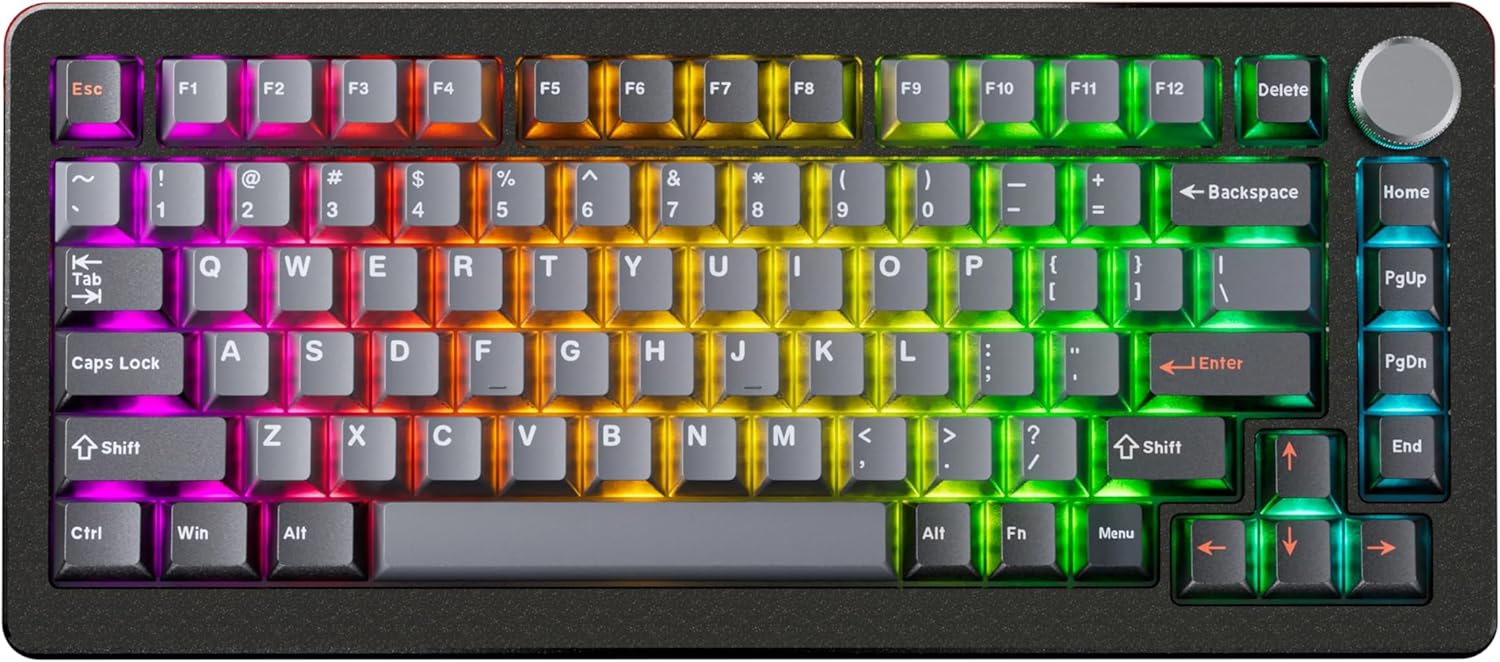
Image: The DrunkDeer A75 Pro keyboard showcasing its RGB lighting and 75% layout.
Pakkens indhold
- DrunkDeer A75 Pro Mechanical Gaming Keyboard
- USB-A til USB-C kabel
- Keycap Puller (may vary by package)
- Brugervejledning (dette dokument)
Opsætning
Tilslutning af tastaturet
- Locate the USB-C port on the back of the DrunkDeer A75 Pro keyboard.
- Tilslut den ene ende af det medfølgende USB-A til USB-C-kabel til tastaturets USB-C-port.
- Connect the other end of the cable (USB-A) to an available USB port on your computer.
- Tastaturet vil automatisk blive genkendt af dit operativsystem.
Indledende konfiguration
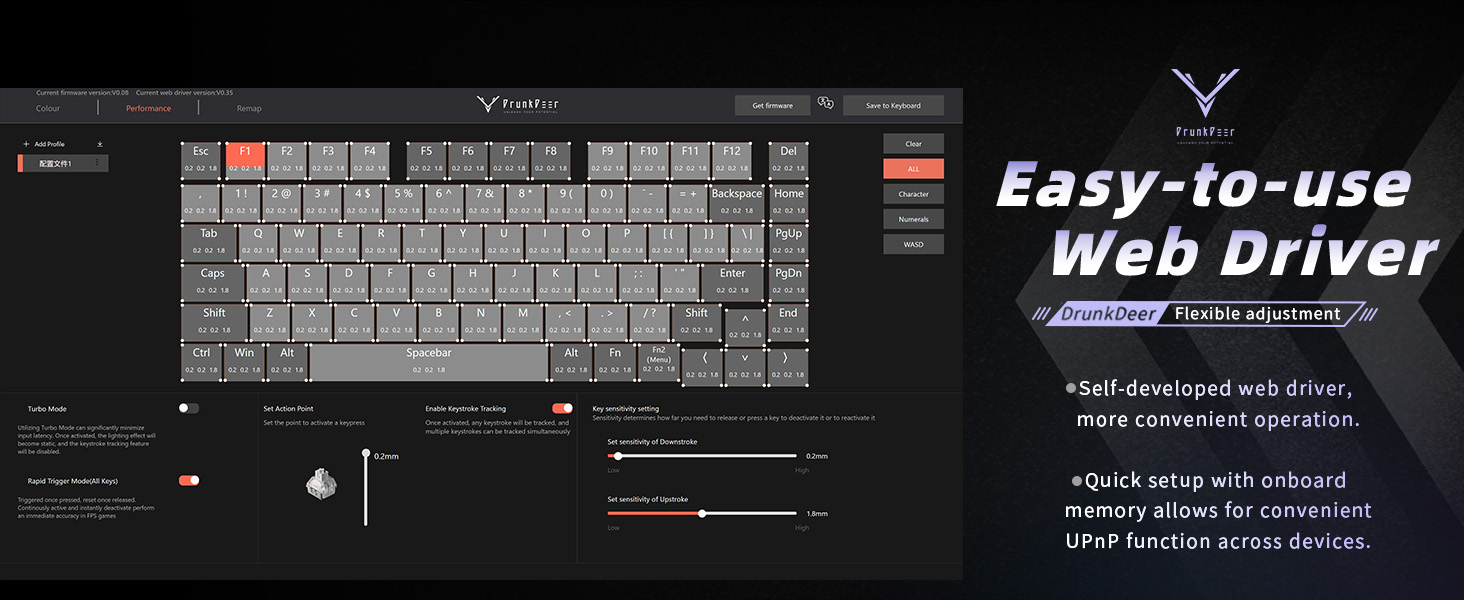
The DrunkDeer A75 Pro utilizes a web-based driver for configuration. No software installation is required. This allows for quick setup and onboard memory for settings across devices.

Billede: Den web-based driver interface for the DrunkDeer A75 Pro, showing key remapping and performance settings.
- Åbn a web browser and navigate to the official DrunkDeer web driver page (refer to the product packaging or official DrunkDeer website for the exact URL).
- Ensure your keyboard is connected to the computer. The web driver should detect your keyboard.
- You can now adjust settings such as actuation points, rapid trigger sensitivity, and RGB lighting effects.
Betjeningsvejledning
Rapid Trigger and Adjustable Actuation
The DrunkDeer A75 Pro features magnetic switches with Rapid Trigger technology and adjustable actuation points. This allows for precise control over keypress sensitivity and reset points.

Image: A diagram explaining the rapid trigger function and adjustable actuation distance of the magnetic switches.
- Justerbar aktivering: Brug web driver to set the key travel distance required to register a keypress. This can be adjusted from 0.2mm to 3.8mm.
- Hurtig udløser: This feature allows a key to register a reset as soon as it begins to move upwards, enabling faster repeated inputs. Configure Rapid Trigger sensitivity through the web chauffør.
- Dual Trigger, Single Key Emergency Stop (RDT): This advanced feature allows a key to trigger one action on press and another on release, providing enhanced control in specific applications. For example, pressing 'A' could trigger movement, and releasing 'A' could trigger a 'D' keypress for an emergency stop. This is configurable via the web chauffør.
- Last Win Mode: When enabled, if opposite directions are pressed simultaneously (e.g., 'A' and 'D'), the keyboard prioritizes the last key pressed, allowing for instant direction changes without stopping.
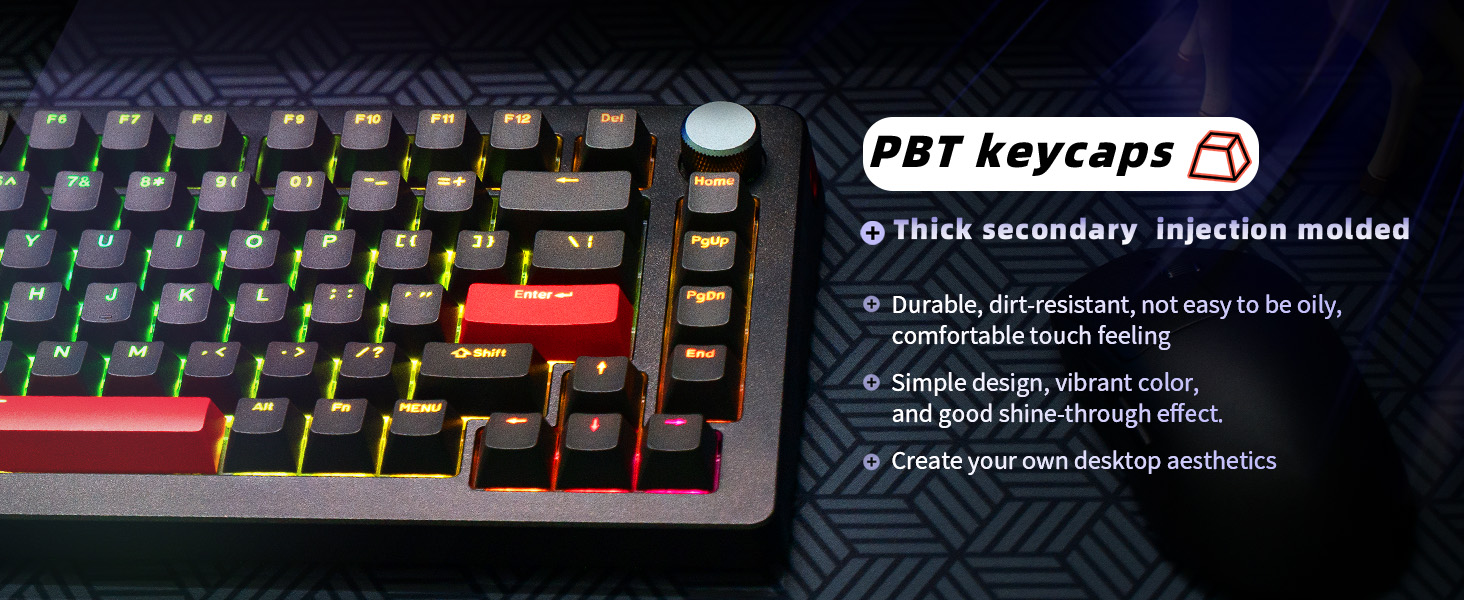
Image: An illustration demonstrating the "Last Win Mode" feature, showing how simultaneous opposite key presses are handled.
RGB lyseffekter
The A75 Pro features customizable RGB lighting with multiple effects and brightness levels.

Image: The DrunkDeer A75 Pro keyboard displaying its customizable RGB lighting effects.
- Access the RGB settings through the web chauffør.
- Choose from 18 different lighting effects.
- Adjust brightness with 10 available levels.
- Single key custom RGB lamp effects are supported.
Knop funktionalitet
The multi-function knob located on the top right of the keyboard typically controls volume by default. Pressing the knob usually acts as a play/pause button.
- Rotate the knob clockwise to increase volume.
- Rotate the knob counter-clockwise to decrease volume.
- Press the knob to play or pause media.
- Customization options for the knob may be available through the web chauffør.
Opretholdelse
Rengøring af tastaturet
- Frakobl tastaturet fra computeren, før du rengør det.
- Brug en blød, fnugfri klud lidt dampskylles med vand eller en mild rengøringsopløsning til at tørre tasterne og kabinettet af.
- For deeper cleaning, use a keycap puller to remove keycaps and clean underneath with compressed air or a small brush.
- Undgå at sprøjte væsker direkte på tastaturet.
Switch Care
The DrunkDeer A75 Pro uses hot-swappable magnetic switches. These switches are specifically designed and manufactured by Raesha for DrunkDeer.
Billede: En eksploderet view of a hot-swappable magnetic switch, highlighting its components.
- While switches are hot-swappable, only Raesha HE switches manufactured for DrunkDeer are compatible.
- The switches come pre-lubed for optimal performance and silent operation.
- If a switch needs replacement, carefully use a switch puller to remove it and insert a new compatible switch.
Fejlfinding
Tastaturet reagerer ikke
- Sørg for, at USB-kablet er korrekt tilsluttet til både tastaturet og computeren.
- Prøv at tilslutte tastaturet til en anden USB-port på din computer.
- Test tastaturet på en anden computer for at udelukke systemspecifikke problemer.
- Genstart din computer.
Keys Registering Unintentionally (Too Sensitive)
- Få adgang til web driver and increase the actuation point distance for the affected keys or globally.
- Adjust the Rapid Trigger sensitivity settings in the web driver to a less sensitive value.
- Ensure your fingers are not resting too heavily on the keys if a very low actuation point is set.
RGB Lighting Not Working Correctly
- Check the RGB settings in the web driver to ensure desired effects and brightness are selected.
- Verify that no specific key lighting has been disabled or set to a very low brightness.
- Ensure the keyboard firmware is up to date via the web chauffør.
Web Driver Not Detecting Keyboard
- Confirm the keyboard is properly connected via USB.
- Prøv et andet USB-kabel eller -port.
- Sørg for din web browser is up to date.
- Clear browser cache and cookies, then try accessing the web driver again.
Specifikationer
| Mærke | Beruset Hjort |
| Modelnummer | A75P-B0PM |
| Tastaturbeskrivelse | Mechanical, Rapid Trigger, Silent Magnetic Switch |
| Layout | 75% TKL, 82 Keys, ANSI |
| tasterne | PBT, Cherry Profile |
| Forbindelsesteknologi | Kabelført USB-A |
| Særlige funktioner | Adjustable Actuation, RGB Lighting, Programmable Knob, Hot-swappable Switches (Raesha HE only) |
| Kompatible enheder | Spillekonsol, PC |
| Varens vægt | 3.12 pund |
| Pakkedimensioner | 14.61 x 8.15 x 2.24 tommer |
Garanti og support
For garantioplysninger og teknisk support henvises til den officielle DrunkDeer-side. website or contact their customer service directly. Details regarding product registration, troubleshooting assistance, and warranty claims can typically be found on their support pages.
Fabrikant: Beruset Hjort
Dato først tilgængelig: 17. juli 2024
For the most up-to-date support resources, visit the official DrunkDeer webwebsted: DrunkDeer Store on Amazon


