Indledning
This manual provides essential information for setting up, operating, and maintaining your HP Victus 15.6-inch Gaming Laptop. Please read this guide thoroughly to ensure optimal performance and longevity of your device.
Opsætning
1. Udpakning og indledende inspektion
Carefully remove the laptop and all accessories from the packaging. Verify that all components listed in the 'What's in the Box' section are present and inspect the laptop for any physical damage.
- Laptop
- Strømadapter
- Dokumentation
2. Tilslutning af strømadapteren
Connect the power adapter to the laptop's charging port and then plug it into a power outlet. It is recommended to fully charge the battery before initial use.
3. Første opstart og Windows-opsætning
Tryk på tænd/sluk-knappen for at tænde den bærbare computer. Følg instruktionerne på skærmen for at fuldføre Windows 11 Home-opsætningen, herunder valg af sprog, netværksforbindelse og oprettelse af brugerkonto.
Betjeningsvejledning
1. Tastatur og touchpad
The laptop features a full-size, backlit keyboard and a responsive touchpad. The touchpad supports multi-touch gestures for navigation. The keyboard backlight can be adjusted using function keys.

Image: HP Victus 15.6-inch Gaming Laptop, open view showing the backlit keyboard and large touchpad.
2. Skærmfunktioner
The 15.6-inch Full HD IPS display offers a 144Hz refresh rate for smooth visuals, particularly beneficial for gaming. The micro-edge anti-glare design reduces reflections.
3. Forbindelsesporte
The HP Victus laptop is equipped with various ports for external devices and peripherals:
- USB-A porte
- USB-C port
- HDMI port
- Ethernet-port (RJ-45)
- Headphone/microphone combo jack
- SD kortlæser
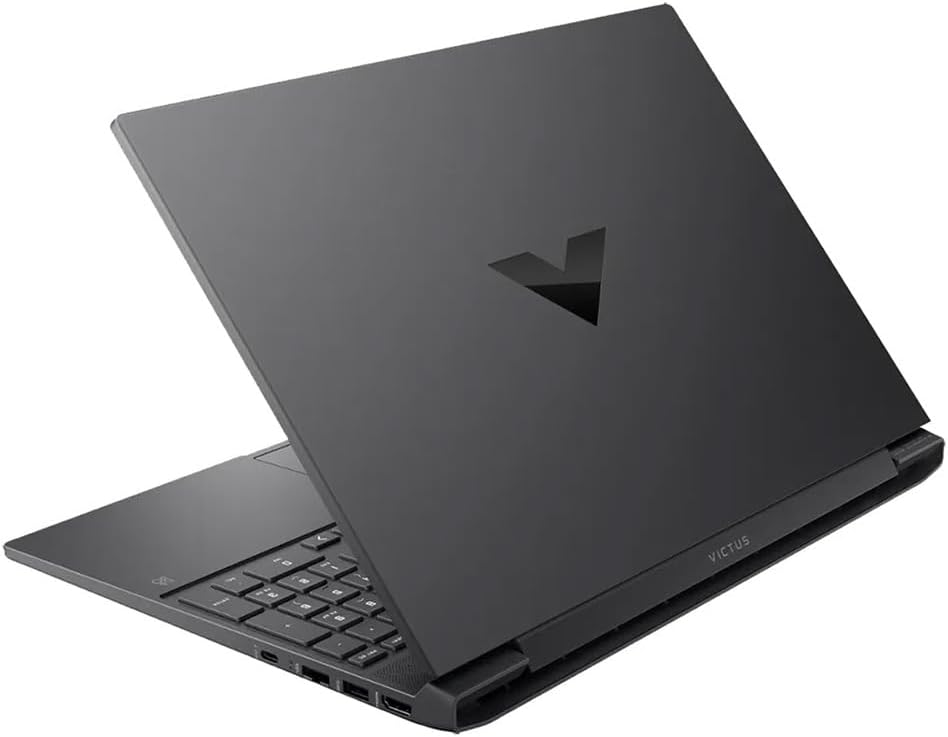
Billede: Side view of the HP Victus laptop, highlighting the available connectivity ports.
4. Trådløs kommunikation
The laptop supports Wi-Fi 6 (802.11ax) for high-speed wireless internet and Bluetooth 5.3 for connecting wireless accessories.
Ydelse overståetview
The HP Victus is designed for gaming and demanding tasks, featuring:
- Processor: AMD Ryzen 5 8645HS
- Grafik: NVIDIA GeForce RTX 4050 Laptop GPU with 6 GB GDDR6 dedicated memory
- VÆDDER: 8 GB DDR5
- Opbevaring: 512 GB PCIe Gen4 NVMe M.2 SSD
This configuration provides a balanced experience for modern gaming and productivity applications.
Opretholdelse
1. Kølesystem
The laptop features an optimized cooling system with vents on the bottom to ensure efficient heat dissipation. Ensure these vents are not obstructed during use to maintain optimal performance and prevent overheating.
2. Softwareopdateringer
Regularly update your Windows 11 operating system and device drivers to ensure system stability, security, and performance. HP Support Assistant can help manage driver updates.
3. Rensning
Use a soft, lint-free cloth to clean the screen and exterior surfaces. For stubborn smudges, a slightly dampened cloth with water or a screen-specific cleaner can be used. Avoid harsh chemicals.
Fejlfinding
1. Strømproblemer
If the laptop does not turn on, ensure the power adapter is securely connected and the power outlet is functional. Try a different outlet or power adapter if available. If the battery is completely drained, it may take a few minutes for the laptop to respond after plugging in.
2. Skærmproblemer
If the screen is blank or flickering, try adjusting the brightness settings using the function keys. Ensure external monitors are properly connected if in use. Restarting the laptop can often resolve minor display glitches.
3. Forbindelsesproblemer
For Wi-Fi problems, check if Wi-Fi is enabled in Windows settings and restart your router. For Bluetooth issues, ensure the device is discoverable and within range. Update network drivers if problems persist.
Specifikationer
| Feature | Detalje |
|---|---|
| Modelnavn | HP Victus 15-fb2082wm |
| Processor | AMD Ryzen 5 8645HS |
| Grafik | NVIDIA GeForce RTX 4050 bærbar grafik (6 GB GDDR6) |
| VÆDDER | 8 GB DDR5 |
| Opbevaring | 512 GB PCIe Gen4 NVMe M.2 SSD |
| Vise | 15.6-inch FHD (1920 x 1080) IPS, 144Hz, micro-edge, anti-glare |
| Operativsystem | Windows 11 Home |
| Trådløs | Wi-Fi 6 (802.11ax), Bluetooth 5.3 |
| Batterilevetid (gennemsnitlig) | Op til 11 timers videoafspilning |
| Vægt | 4.4 pund |
| Dimensioner (LxBxH) | 15 x 15 x 2 tommer |
Garanti og support
For warranty information and technical support, please refer to the documentation included with your laptop or visit the official HP support website. Keep your purchase receipt and product serial number handy for any service inquiries.
Online support: HP's officielle support