Indledning
This manual provides detailed instructions for the setup, operation, and maintenance of your bemi Kix-m Smartwatch Fitness Tracker. Please read this manual thoroughly before using the device to ensure proper function and to maximize your user experience. The bemi Kix-m is designed to assist you in monitoring your fitness activities and health metrics.
Hvad er der i æsken
- bemi Kix-m Smartwatch
- Ladekabel
- Brugervejledning (dette dokument)
Opsætning
1. App Installation
The bemi Kix-m Smartwatch operates with the "H Band" application. This application is compatible with smartphones running Android 4.4 or newer and iOS 8.0 or newer.
- Søg efter "H Band" in the App Store (for iOS devices) or Google Play Store (for Android devices).
- Download og installer applikationen på din smartphone.
- Follow the on-screen prompts to create an account and set up your personal profile.
2. Enhedsparring
To connect your smartwatch with the "H Band" app:
- Sørg for, at din smartphones Bluetooth er aktiveret.
- Open the "H Band" application.
- Naviger til afsnittet om enhedsparring i appen (findes normalt under "Enhed" eller "Min enhed").
- The app will search for available devices. Select "Kix-m" from the list to initiate pairing.
- Bekræft parringsanmodningen på både din smartphone og smartwatch, hvis du bliver bedt om det.
Note: If you experience issues with pairing, ensure the watch is charged and within Bluetooth range of your phone. Refer to the troubleshooting section for further assistance.
Betjeningsvejledning
1. Grundlæggende navigation
The bemi Kix-m Smartwatch features a 1.5-inch touchscreen display for navigation. Swipe left, right, up, or down to access different functions and menus. Tap to select options.
2. Musikafspilning
The Kix-m includes a built-in audio player with 512MB of internal memory, allowing you to store and play music directly from the watch.
- Overførsel af musik: Connect the smartwatch to a computer using the charging cable. The watch should appear as a removable storage device. Drag and drop your MP3 files into the designated music folder on the watch.
- Connecting Headphones/Speakers: The watch features a dual Bluetooth module. Navigate to the Bluetooth settings on your watch, enable Bluetooth, and pair with your wireless headphones or speaker.
- Styring af afspilning: Access the music player from the watch's menu. You can play, pause, skip tracks, and adjust volume directly from the watch screen.
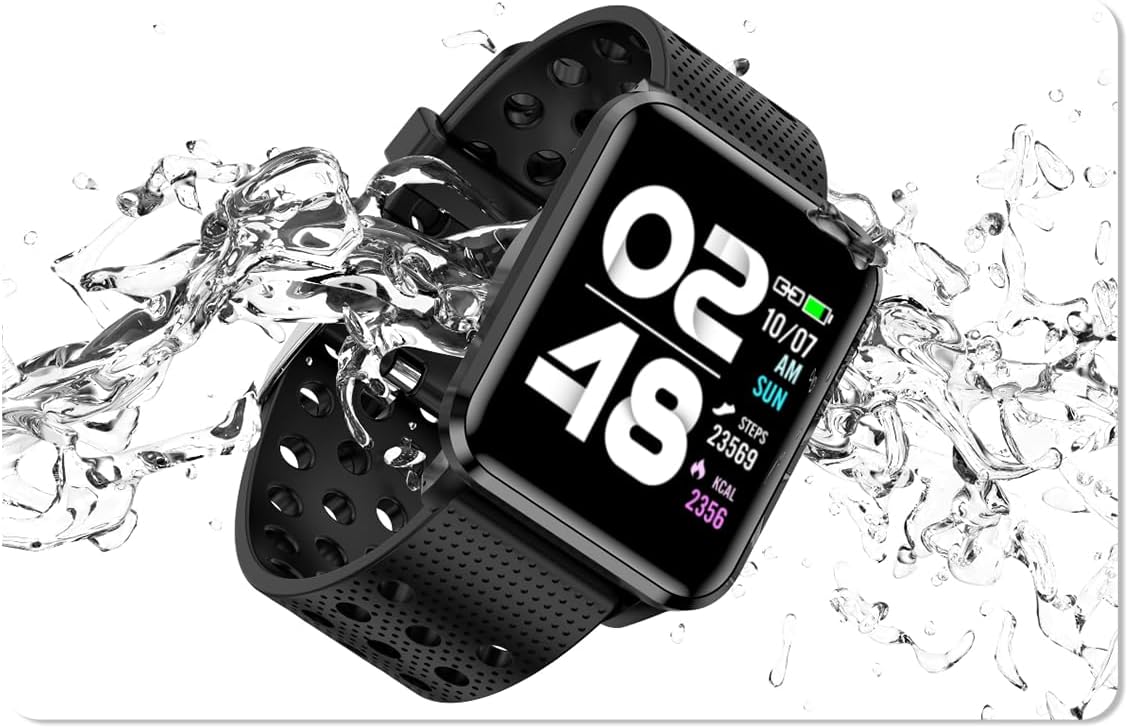
Image: The bemi Kix-m Smartwatch showing its music playback interface, with wireless earbuds positioned next to it, illustrating the device's audio capabilities.
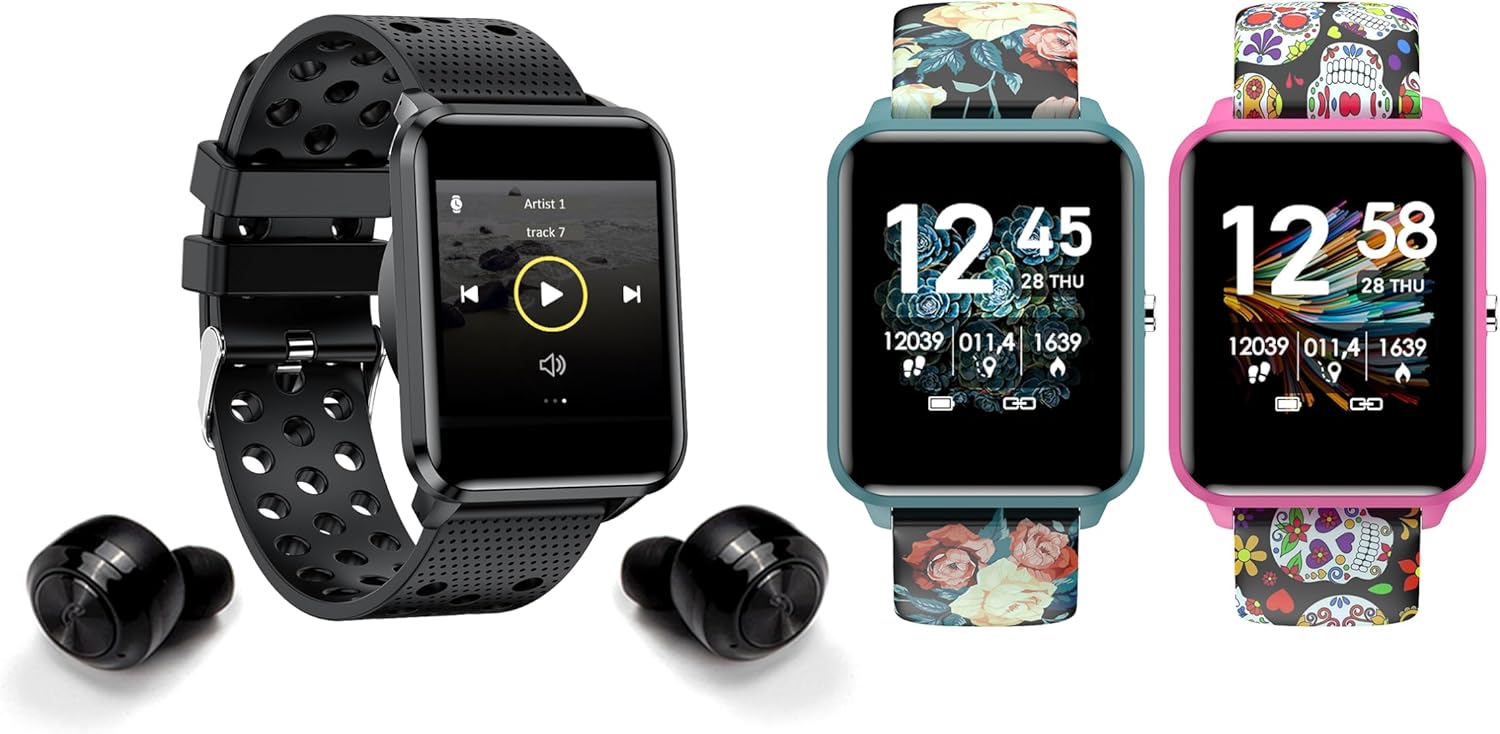
Image: The bemi Kix-m Smartwatch showing its music playback interface, with wireless earbuds positioned next to it, illustrating the device's audio capabilities.
3. Aktivitetssporing
The smartwatch continuously monitors your daily activity, including steps taken, distance covered, and calories burned. This data is synchronized with the "H Band" app for detailed analysis.

Image: A screenshot of the H Band application dashboard, displaying various activity metrics such as steps, blood oxygen saturation (SpO2), heart rate, and sleep patterns, alongside a smartwatch face.
4. Sportstilstande
The Kix-m offers 10 different sport modes to track specific workouts. Select the appropriate mode before starting an activity to get accurate data for your performance.
- Access sport modes from the main menu.
- Choose your desired activity (e.g., running, cycling).
- The watch will display real-time metrics relevant to your chosen sport.
5. Sundhedsovervågning
The smartwatch provides continuous monitoring of several health metrics:
- Pulsmåler: Sporer din puls i løbet af dagen. View realtidsdata på uret eller detaljerede grafer i appen.
- Blodilt (SpO2): Måler dit iltniveau i blodet.
- Søvnsporing: Monitors your sleep patterns, including deep sleep, light sleep, and awake times. Data is analyzed in the "H Band" app to provide insights into sleep quality.

Billede: Bagsiden view of the bemi Kix-m Smartwatch, highlighting the optical sensors used for heart rate and blood oxygen monitoring.

Image: The bemi Kix-m Smartwatch screen showing current blood pressure and heart rate measurements, with a background graph indicating historical data.

Billede: En detaljeret view of the H Band application's sleep tracking interface, showing sleep duration, quality, and different sleep stages.
6. Smarte funktioner
- Meddelelser: Receive alerts for calls, messages, and app notifications directly on your wrist. Configure notification settings within the "H Band" app.
- Kamerastyring: Use your smartwatch as a remote shutter for your smartphone camera. Access this feature from the watch's menu.
- Sporing af kvinders sundhed: A dedicated mode for women's health tracking, including menstrual cycle and ovulation predictions. Set up and manage this feature in the "H Band" app.
- Bevægelsespåmindelse: Uret kan minde dig om at bevæge dig efter perioder med inaktivitet.
- Alarm, stopur, timer: Standard utility functions available on the watch.
- Find telefon: Use this feature to locate your paired smartphone by making it ring.

Image: The bemi Kix-m Smartwatch screen showing a photo, demonstrating its remote camera control functionality with a smartphone in the background.

Image: A screenshot of the H Band application displaying the women's health tracking interface, including menstrual cycle and ovulation prediction features.
7. Tilpasning
Choose from 24 clock faces available in the "H Band" application. You can also upload a photo from your phone to use as a custom watch face.

Image: A display of multiple bemi Kix-m Smartwatches showcasing different customizable watch faces, including a personalized photo option.
Opretholdelse
1. Opladning
Connect the provided charging cable to the charging port on the back of the smartwatch and to a USB power source. The watch will display a charging indicator. A full charge typically takes 1-2 hours.
2. Vandafvisende
The bemi Kix-m Smartwatch is IP68 waterproof, meaning it is resistant to dust and can withstand immersion in water up to 1.5 meters for up to 30 minutes. It is suitable for daily use, such as washing hands or light rain. Avoid hot water, saunas, or diving, as these conditions may compromise the water resistance.

Image: The bemi Kix-m Smartwatch being splashed with water, illustrating its IP68 water resistance rating for daily activities.
3. Rensning
Tør urets skærm og rem af med en blød kludamp cloth. Avoid using harsh chemicals or abrasive materials, which can damage the device.
Fejlfinding
- Uret tænder ikke: Sørg for, at uret er fuldt opladet. Tilslut det til opladningskablet og en strømkilde i mindst 30 minutter.
- Kan ikke parres med telefonen:
- Sørg for, at Bluetooth er aktiveret på din telefon.
- Sørg for, at uret er i nærheden af din telefon.
- Genstart både din telefon og smartwatch.
- Check if the "H Band" app is updated to the latest version.
- Hvis den tidligere har været parret, kan du prøve at ophæve parringen af enheden fra din telefons Bluetooth-indstillinger og derefter parre den igen via appen.
- Unøjagtige sundhedsdata:
- Sørg for, at uret sidder tæt på dit håndled, men ikke for stramt.
- Rengør sensoren på bagsiden af uret.
- Bemærk, at smartwatches ikke er medicinsk udstyr, og at aflæsninger kun er til reference.
- Notifikationer vises ikke:
- Bekræft, at uret er parret med din telefon.
- Check notification permissions for the "H Band" app in your phone's settings.
- Ensure notifications are enabled within the "H Band" app for the desired applications.
Specifikationer
| Modelnummer | Kix-m |
| Skærmstørrelse | 1.5 tommer |
| Hukommelseslagringskapacitet | 512MB (for music) |
| Forbindelsesteknologi | Bluetooth, WiFi |
| Vandmodstand | IP68 |
| Operativsystemkompatibilitet | Android 4.4+, iOS 8.0+ |
| Batteritype | Lithium polymer |
| Varens vægt | 4.2 ounce |
| Pakkedimensioner | 4.8 x 2.83 x 2.24 tommer |
Bemærk: Specifikationerne kan ændres uden forudgående varsel.
Garanti og support
For warranty information and customer support, please refer to the official bemi webwebstedet eller kontakt din forhandler. Gem din købskvittering som købsbevis i tilfælde af garantikrav.
For yderligere hjælp, besøg venligst bemi Store on Amazon.


