1. Introduktion
Thank you for choosing the Anweller Q1 Smart Door Knob. This smart lock provides a secure and convenient keyless entry solution for your home or office. With multiple unlocking methods, advanced security features, and easy installation, the Q1 is designed to enhance your daily life. Please read this manual carefully before installation and use to ensure proper operation and maximize the product's lifespan.
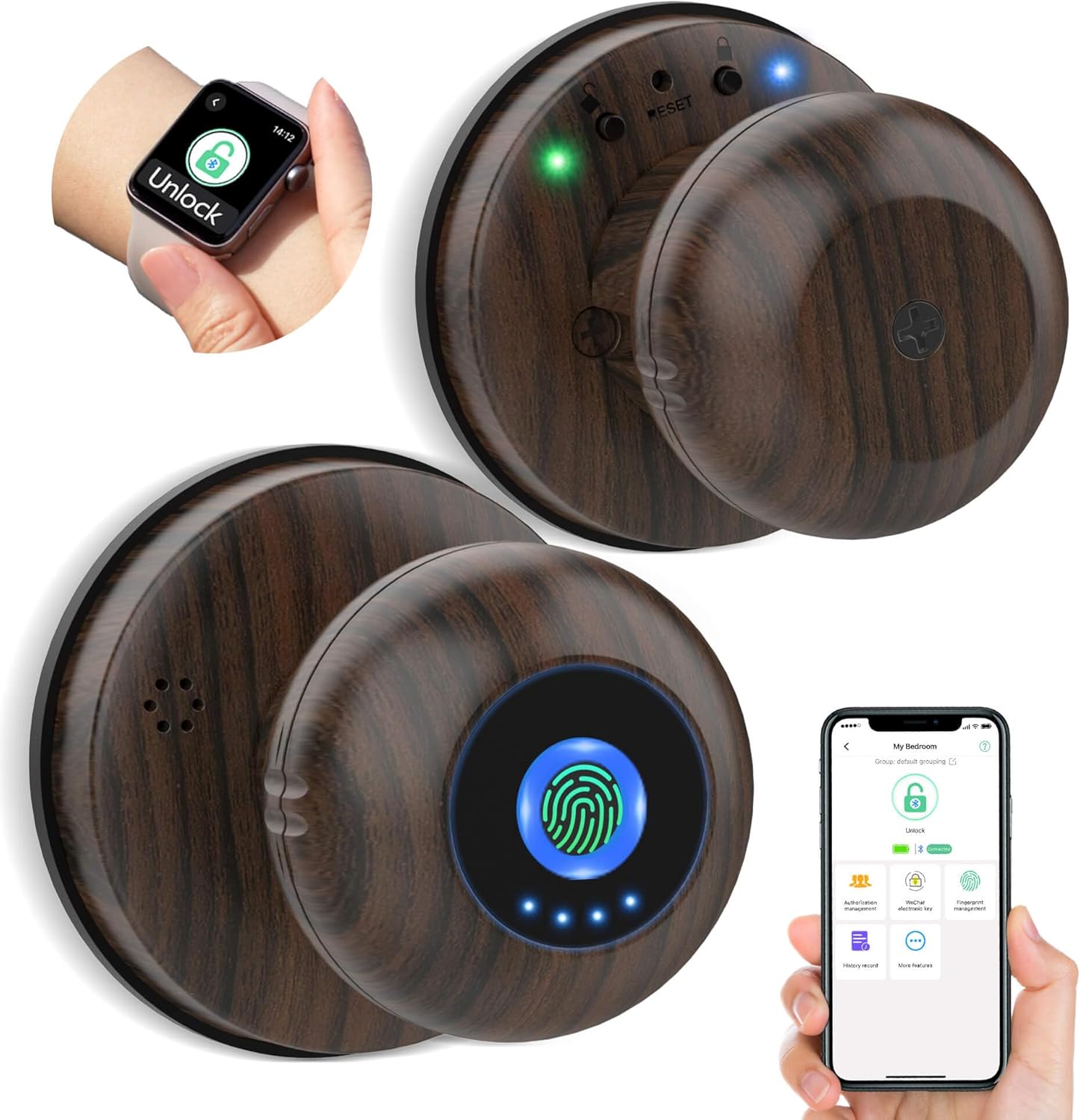
Image: The Anweller Q1 Smart Door Knob, showcasing its sleek design and the multiple ways it can be unlocked, including fingerprint, mobile app, Apple Watch, and a traditional mechanical key.
2. Sikkerhedsoplysninger
- Udsæt ikke låsen for direkte vand eller ekstreme temperaturer.
- Use only the specified battery type (4 AAA batteries, not included). Do not mix old and new batteries or different types of batteries.
- Keep mechanical keys in a safe place outside the property in case of emergency or battery depletion.
- Undgå at bruge slibende rengøringsmidler eller opløsningsmidler på låsens overflade.
- Ensure proper installation to prevent damage to the door or lock.
3. Pakkens indhold
Kontroller venligst, at alle komponenter er til stede, før installationen påbegyndes:
- 1 x Anweller Q1 Smart Door Knob Lock (All Parts)
- 1 x skruetrækker
- 1 x Brugermanual (dette dokument)
- 2 x Spare Mechanical Keys
4. Specifikationer
| Feature | Detalje |
|---|---|
| Modelnavn | Q1 |
| Dimensioner (L x B x H) | 2.4 x 2.4 x 3.1 tommer |
| Varens vægt | 1.1 pund |
| Materiale | Alloy Steel, Zinc Steel |
| Oplåsningsmetoder | Fingerprint, Mobile App, Apple Watch, Mechanical Key |
| Forbindelse | Bluetooth, Wi-Fi (via gateway, not included) |
| Controller type | Android, iOS (Amazon Alexa compatible with gateway) |
| Kompatibel dørtykkelse | 1-3/16" til 2-1/8" (30 mm til 55 mm) |
| backset | 2-3/8" eller 2-3/4" (60 mm eller 70 mm) |
| Compatible Hole Diameter | 1-17/20" til 2-3/8" (47 mm til 60 mm) |
| Strømforsyning | 4 x AAA batterier (medfølger ikke) |
| Batterilevetid | Up to 180+ days (depending on usage) |
5. Installation (Opsætning)
The Anweller Q1 Smart Door Knob is designed for easy DIY installation, typically requiring only a screwdriver (included). No extra drilling is needed for standard door preparations.
5.1 Før installation
- Verify your door's compatibility with the specifications listed in Section 4.
- Ensure the door is clean and free of debris.
- The door knob is reversible and can be installed on both left-handed and right-handed doors.
5.2 Installationstrin
Refer to the detailed graphical instructions provided in the separate installation guide included in your package for step-by-step assembly. The general process involves:
- Prepare the door: Ensure the latch and strike plate are correctly aligned.
- Installer låsemekanismen i dørkanten.
- Attach the exterior and interior knob assemblies, ensuring proper cable connection.
- Secure the lock with the provided screws using the screwdriver.
- Insert 4 AAA batteries into the interior knob's battery compartment.
- Test the lock's functionality with the mechanical key before closing the door.

Image: A visual guide illustrating the simple DIY installation process for the Anweller Q1 Smart Door Knob, highlighting compatible door dimensions such as thickness, backset, and hole diameter, along with its reversibility for left or right-handed doors.
6. Betjening
6.1 Oplåsningsmetoder
6.1.1 Lås op med fingeraftryk
The Anweller Q1 features a self-learning AI fingerprint reader for quick and precise recognition. To unlock, simply place your registered finger on the fingerprint sensor. The lock will unlock in approximately 0.2 seconds.

Image: A close-up of a hand interacting with the Anweller Q1 Smart Door Knob, demonstrating the fingerprint unlock feature by placing a finger on the illuminated sensor.
6.1.2 Kontrol af mobilapps
Download the dedicated mobile application (available for Android and iOS) to manage your lock. Through the app, you can:
- Unlock/Lock the door remotely (within Bluetooth range).
- Add or delete fingerprints.
- View unlock records and activity logs.
- Manage user permissions.
- Adjust lock settings (e.g., auto-lock timer, passage mode).

Image: A smartphone screen showing the Anweller mobile application interface for controlling the smart door knob, alongside an Apple Watch demonstrating its capability for unlocking the door.
6.1.3 Apple Watch Unlock
For added convenience, the lock can be unlocked directly from your Apple Watch via the companion app.
6.1.4 Mekanisk nøgleoplåsning
In case of battery depletion or other emergencies, the lock can always be opened using the provided mechanical keys. The keyhole is discreetly located on the exterior knob.

Image: A hand demonstrating the use of a mechanical key to unlock the Anweller Q1 Smart Door Knob, highlighting the traditional backup method.
6.2 driftstilstande
6.2.1 Auto-Lock Mode (Default)
By default, the Anweller Q1 will automatically lock after a set period (configurable via the app) once it has been unlocked. This ensures your door is always secured.
6.2.2 Passage -tilstand
Passage Mode allows the door to remain unlocked for continuous access, ideal for gatherings or when you need frequent entry/exit. To activate/deactivate Passage Mode, press the dedicated button on the interior knob or use the mobile app.
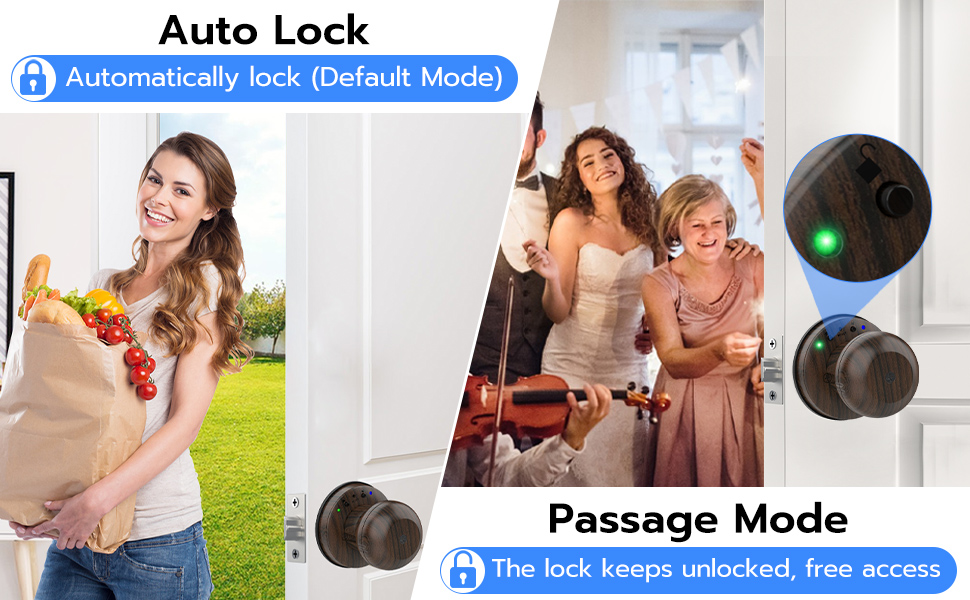
Image: A visual comparison demonstrating the Auto Lock mode, where the door automatically locks, versus the Passage Mode, where the lock remains unlocked for free access, both controlled by the Anweller Q1 Smart Door Knob.
6.2.3 Privatlivstilstand
Activate Privacy Mode from the interior knob to prevent unlocking from the outside, even with registered fingerprints or the app. This provides an extra layer of security and privacy when inside.
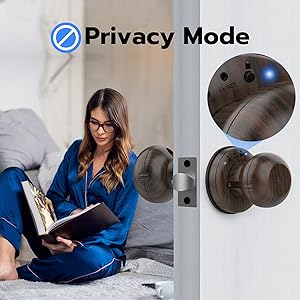
Image: A person relaxing in a room, with the Anweller Q1 Smart Door Knob visible on the door, demonstrating the concept of Privacy Mode for enhanced security and peace of mind.
6.2.4 Mute-tilstand
Enable Mute Mode to silence the lock's sounds, useful for quiet environments or late-night entries/exits.
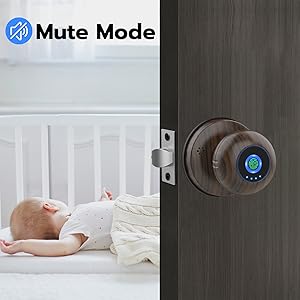
Image: A peaceful scene with a baby sleeping in a crib, and the Anweller Q1 Smart Door Knob on the door, highlighting the benefit of Mute Mode for quiet operation.
6.3 Batteristyring
The Anweller Q1 is designed for low power consumption, providing up to 180+ days of standby time. The lock will provide a low battery reminder when power is below 20%.
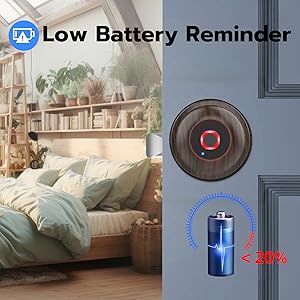
Image: The Anweller Q1 Smart Door Knob displaying a visual low battery reminder, indicating when the battery level is below 20%.
In case of complete battery depletion, you can use a power bank to provide emergency power via the micro-USB port on the exterior knob, allowing you to unlock the door and replace the batteries.

Image: The Anweller Q1 Smart Door Knob illustrating two emergency unlock methods: providing temporary power via a power bank and using a traditional backup key.
7. Vedligeholdelse
- Rensning: Wipe the lock's surface with a soft, dry cloth. Do not use harsh chemicals or abrasive materials.
- Udskiftning af batteri: Replace all four AAA batteries when the low battery indicator appears. Ensure correct polarity.
- Fingeraftrykssensor: Hold fingeraftrykssensoren ren og tør for optimal ydeevne.
8. Fejlfinding
| Problem | Mulig årsag | Løsning |
|---|---|---|
| Fingeraftryk ikke genkendt. | Finger is wet/dirty, sensor is dirty, unregistered fingerprint. | Sørg for, at fingeren og sensoren er rene og tørre. Registrer fingeraftrykket igen, hvis det er nødvendigt. Prøv en anden vinkel. |
| Lås reagerer ikke. | Dead batteries, lock malfunction. | Replace batteries. Use emergency power via power bank. Use mechanical key. Contact support if issue persists. |
| Kan ikke oprette forbindelse til app. | Bluetooth off, app not updated, lock not paired. | Ensure Bluetooth is enabled on your device. Update the app. Re-pair the lock with the app. |
| Automatisk låsning virker ikke. | Passage Mode active, auto-lock timer disabled. | Deactivate Passage Mode. Check auto-lock settings in the app. |
| Låsen laver usædvanlige lyde. | Mechanical obstruction, internal issue. | Check for any obstructions around the latch or strike plate. Contact customer support. |
9. Garanti og kundesupport
Anweller tilbyder en 12-month free trial time og gratis livstids teknisk support for the Q1 Smart Door Knob. We are committed to ensuring your satisfaction.
If you encounter any issues or have queries, please do not hesitate to contact us directly for hassle-free replacement or refund within 12 months.
E-mail: hongjdzwj@outlook.com
We aim to provide prompt and effective assistance for all your needs.


