1. Introduktion
This manual provides detailed instructions for the installation, configuration, and operation of your SODOLA 12 Port 10Gb Managed Switch. This device is designed to enhance network performance with high-speed connectivity and advanced management features, suitable for home labs, small businesses, and professional network environments.
2. Produktet er slutview
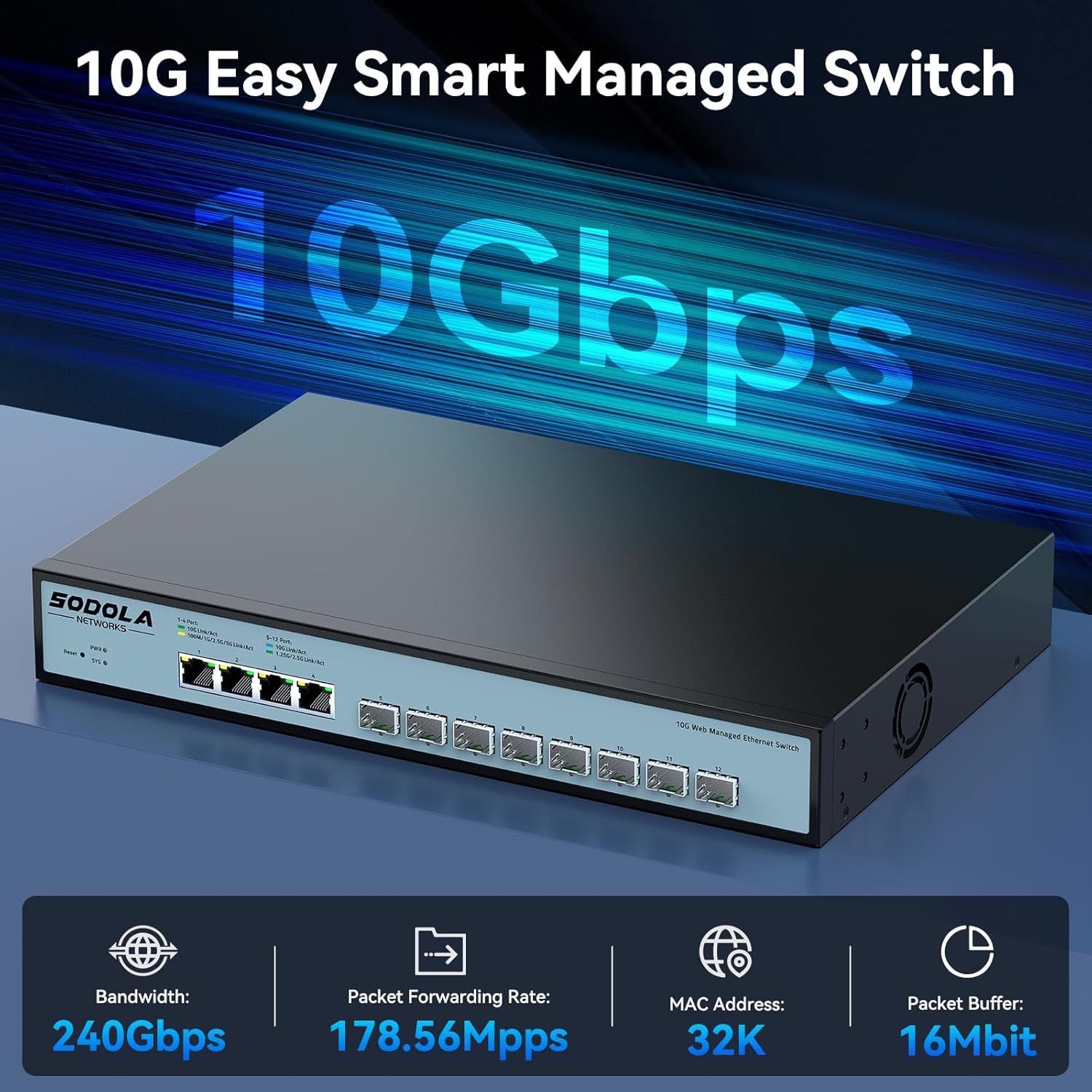
The SODOLA 12 Port 10Gb Managed Switch features a robust design with a combination of 10 Gigabit Ethernet ports to support diverse network requirements.
2.1 Nøglefunktioner
- Hybrid 10G Port Flexibility: 8x10G SFP+ ports for fiber/DAC and 4x10GBase-T RJ45 ports for versatile high-speed connections.
- Web Ledelse: Brugervenlig web GUI for configuring LACP, QoS, VLAN, SNMP, and other network management functions.
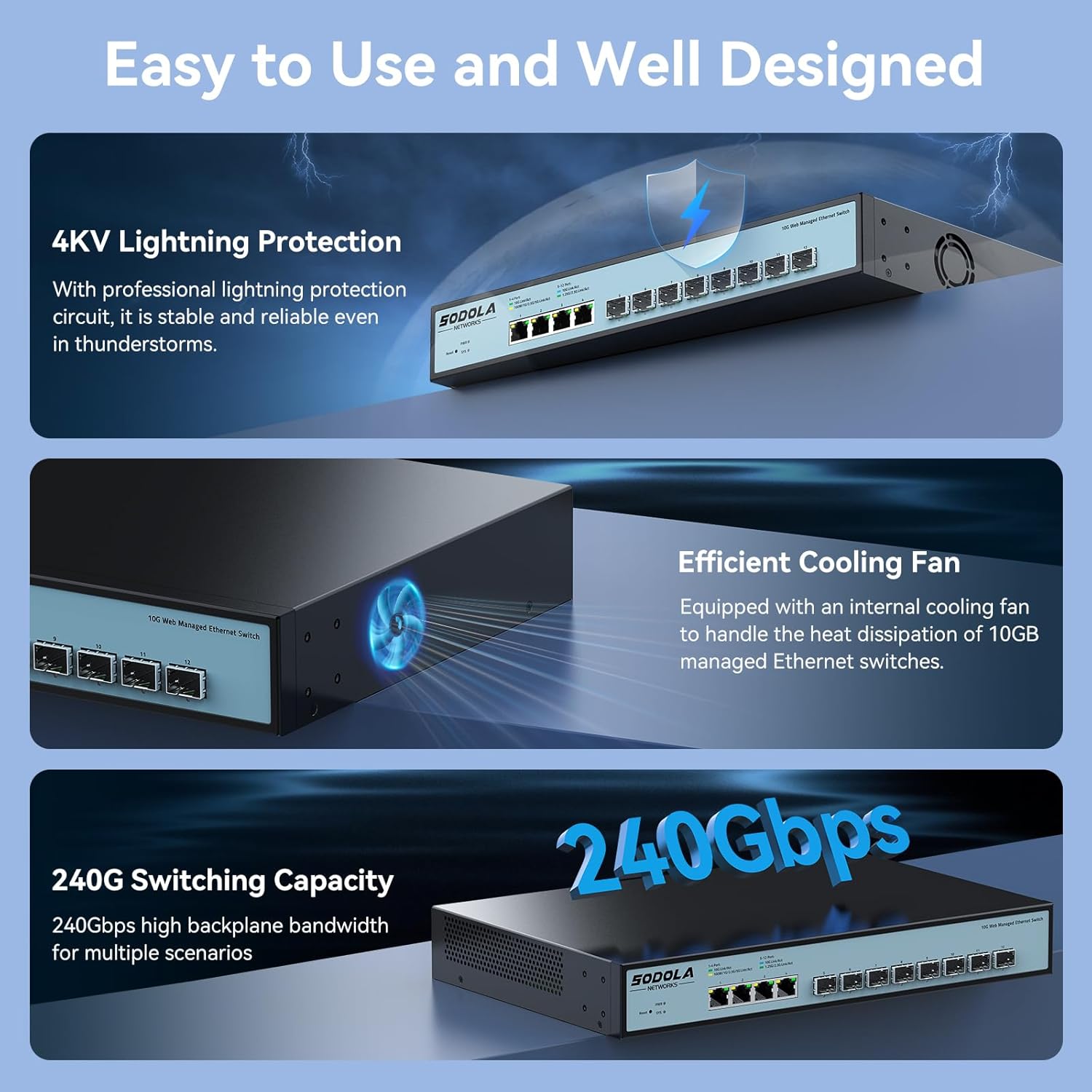
- Effektiv køling: Built-in fans dynamically adjust speed to maintain stable 10G performance and prevent overheating.
- Rack-monterbart design: 1U compact design with included mounting brackets for easy installation in racks or cabinets.
- Bred kompatibilitet: RJ45 ports support 10G/5G/2.5G/1G/100M speeds, ensuring backward compatibility with existing network devices.
2.2 Frontpanelets layout

Billede 2.2.1: Frontpanel view highlighting the Reset Button, Power Indicator, 4x10G RJ45 Ports, and 8x10G SFP+ Ports.
2.3 Portkonfiguration

Billede 2.3.1: Detailed port configuration, illustrating adaptive speed rates for RJ45 ports (1G/2.5G/5G/10G) and SFP+ ports (1G/2.5G/10G modules). Compatible cables include CAT5e, CAT6, and CAT7 for RJ45 connections.
3. Pakkens indhold
Verify the contents of your package upon unboxing. If any items are missing or damaged, please contact customer support.

Billede 3.1.1: Illustration of included accessories and the switch unit.
- SODOLA 12 Port 10G Managed Ethernet Switch (Model: SL-SWTGW2C48NS)
- Strømledning
- Rack Ears (for 1U rack mounting)
- Brugermanual
- Certificate of Inspection
4. Opsætning og installation
4.1 Fysisk installation
The switch can be installed on a desktop or mounted in a standard 1U rack.
- Desktopplacering: Placer kontakten på en flad, stabil overflade. Sørg for tilstrækkelig ventilation omkring enheden.
- Rack montering: Attach the included rack ears to the sides of the switch using the provided screws. Secure the switch into a standard 19-inch rack.
4.2 Strømtilslutning
Connect the power cord to the AC input port on the rear of the switch and then to a suitable power outlet (AC 100-240V). The Power Indicator LED on the front panel will illuminate when the device receives power.
4.3 Netværksforbindelser
Connect your network devices (servers, workstations, NAS, routers, access points) to the RJ45 or SFP+ ports using appropriate Ethernet cables or SFP/SFP+ modules and fiber optic cables.
- RJ45-porte: Use CAT5e, CAT6, or CAT7 cables for optimal performance. These ports support auto-negotiation for speed (100M/1G/2.5G/5G/10G) and Auto-MDI/MDIX.
- SFP+ porte: Insert compatible 1G, 2.5G, or 10G SFP/SFP+ transceiver modules and connect with appropriate fiber optic or DAC cables.
5. Web Management interface
The SODOLA 12 Port 10Gb Managed Switch can be configured and monitored via a web-baseret grafisk brugergrænseflade (GUI).
5.1 Adgang til Web Interface

Billede 5.1.1: Steps for accessing the web ledelsesgrænseflade.
- Ryd browsercache: Sørg for din web browser's cache is cleared to prevent issues with loading the interface.
- Adjust Network Settings: Connect your computer directly to one of the switch's RJ45 ports.
- Set PC IP to Match Switch Subnet: Configure your computer's network adapter with a static IP address within the same subnet as the switch's default IP. For example, if the switch's default IP is 192.168.2.1, set your PC's IP to 192.168.2.100 med en undernetmaske af 255.255.255.0.
- Access Login Page: Åbn a web browseren og naviger til standard-IP-adressen: http://192.168.2.1.
- Login: Indtast standardoplysningerne:
Brugernavn: admin
Adgangskode: admin
5.2 Nøglefunktioner til administration

Billede 5.2.1: Overview af tilgængelige web ledelsesfunktioner.
De web interface provides access to various advanced network management features, including:
- LACP (Link Aggregation Control Protocol): Kombinér flere fysiske links til et enkelt logisk link for øget båndbredde og redundans.
- QoS (Quality of Service): Prioriter netværkstrafik for at sikre, at kritiske applikationer får tilstrækkelig båndbredde.
- VLAN (virtuelt lokalnetværk): Segmenter dit netværk i mindre, isolerede broadcast-domæner for forbedret sikkerhed og ydeevne.
- SNMP (Simple Network Management Protocol): Overvåg netværksenheder og administrer netværkets ydeevne.
- Multicast: Efficiently send data to a group of recipients.
- DHCP: Configure DHCP server or relay functions.
- IP-indstilling: Configure the switch's IP address and related network parameters.
- Portspejling: Overvåg netværkstrafik ved at sende en kopi af pakker fra én port til en anden.
6. Konfiguration Eksamples
6.1 Portindstillinger
Billede 6.1.1: Example of port configuration in the web interface.
Inden for web interface, navigate to the port settings section to configure individual port parameters such as speed, duplex mode, and flow control. Remember to click "Apply" after making changes and then "Save" to retain configurations after a reboot.
6.2 10G LAN Setup Case

Billede 6.2.1: Example network topology for a 10G LAN setup.
This diagram illustrates a common setup for a 10G Local Area Network (LAN) suitable for home or Small Office/Home Office (SOHO) environments. It demonstrates how the SODOLA switch can integrate with a router, Network Attached Storage (NAS) utilizing LACP for increased throughput, WiFi 7 Access Points, 10G-capable PCs, and segmented VLANs for different device groups like printers.
7. Vedligeholdelse
7.1 Kølesystem
Billede 7.1.1: Internal cooling fan for heat dissipation.
The switch is equipped with an efficient cooling fan to manage heat dissipation, ensuring stable operation, especially during high workloads. Ensure that the fan vents are not obstructed to allow for proper airflow.
7.2 Generel pleje
- Keep the device in a clean, dry environment, away from direct sunlight and heat sources.
- Undgå at udsætte kontakten for fugt eller ekstreme temperaturer.
- Rengør ydersiden af kontakten med en blød, tør klud. Brug ikke flydende rengøringsmidler eller rengøringsmidler på sprayform.
- Tjek regelmæssigt for firmwareopdateringer på producentens website for at sikre optimal ydeevne og sikkerhed.
8. Fejlfinding
Dette afsnit indeholder løsninger på almindelige problemer, du kan støde på.
8.1 Ingen strøm
- Sørg for, at netledningen er korrekt tilsluttet både afbryderen og en fungerende stikkontakt.
- Kontroller, at stikkontakten fungerer ved at tilslutte en anden enhed.
- Check the Power Indicator LED on the front panel. If it is off, there may be a power supply issue.
8.2 Ingen netværksforbindelse
- Check the Link/Act LEDs for the connected ports. A solid green or amber light indicates a link, and blinking indicates activity. If the LED is off, check the cable connection and the connected device.
- Ensure that the Ethernet cables are properly seated and not damaged.
- Verify that the connected devices are powered on and configured correctly.
- If using SFP+ ports, ensure the SFP/SFP+ modules are correctly inserted and compatible with the connected device.
8.3 Kan ikke få adgang Web Interface
- Confirm your computer's IP address is within the same subnet as the switch's default IP (e.g., 192.168.2.x).
- Ensure you are using the correct default IP address (192.168.2.1) and credentials (admin/admin).
- Prøv at rydde din web browserens cache eller ved at bruge en anden browser.
- If the switch's IP address has been changed and forgotten, a factory reset may be necessary. Refer to the reset procedure in the full manual (if available) or contact support.
9. Specifikationer
| Mærke | Sodola |
| Modelnummer | 4x10G RJ45+8x10G SFP+(Managed) |
| Interface Type | 4x10G RJ45, 8x10G SFP+ |
| Antal havne | 12 |
| Dataoverførselshastighed | 10 Gigabit i sekundet |
| Etui materiale | Metal |
| Varens vægt | 4.4 pund |
| Pakkedimensioner | 14.57 x 11.42 x 3.35 tommer |
| Kompatible enheder | Stationær, bærbar, server |
10. Sikkerhedsoplysninger
- Læs alle instruktioner omhyggeligt, før du betjener enheden.
- Åbn ikke enheden casing. Der er ingen dele indeni, som kan serviceres af brugeren.
- Brug kun den strømadapter, der følger med enheden.
- Sørg for korrekt jordforbindelse til enheden.
- Avoid installing the device in areas with high humidity, dust, or extreme temperatures.
- Afbryd strømmen, før du rengør eller flytter enheden.
11. Garanti og support
SODOLA products are designed for reliability and performance. For warranty information or technical support, please refer to the official SODOLA webwebstedet eller kontakt din lokale forhandler. Gem din købskvittering til garantikrav.
Fabrikant: Shenzhen hongyavision Technology Co.,Ltd.


