Produkt overview
The JALL 12-inch Large Digital Wall Clock is designed for clear visibility and versatile use in various indoor environments. It features a large LED display with multiple color options, automatic brightness adjustment, and a built-in night light. This clock is powered by a corded electric connection and includes a backup battery to retain settings during power outages.

Image: The JALL 12-inch Large Digital Wall Clock, showcasing its vibrant digital display and the ambient warm night light feature.
Pakkens indhold
- JALL 12'' Large Digital Wall Clock
- 5V strømadapter
- USB Cable Cord
- Brugervejledning (dette dokument)
Opsætningsinstruktioner
1. Strømtilslutning
The JALL Digital Wall Clock is designed to be continuously plugged into a power source. It is IKKE battery operated for its main functions.
- Connect the provided USB cable to the clock's power input port (DC 5V/1A).
- Plug the other end of the USB cable into the 5V power adapter.
- Sæt strømadapteren i en almindelig stikkontakt.

Image: Back of the clock illustrating the 5V/1A power input and the internal CR2032 backup battery compartment.
2. Backup Battery (Memory Function)
The clock contains a CR2032 button cell battery. This battery is solely for timekeeping memory and retaining your settings during a power outage. It does not power the LED display.
- The CR2032 battery is pre-installed. No user action is typically required for initial setup.
- If the clock loses time or settings after a power disconnection, the CR2032 battery may need replacement. Refer to the Maintenance section for instructions.

Billede: Detaljeret view of the clock's internal structure, highlighting the CR2032 backup battery for memory retention.
3. Monteringsmuligheder
The clock can be placed on a tabletop or mounted on a wall.
- Bordpladeplacering: Ensure the clock is placed on a stable, flat surface.
- Vægmontering: Use the integrated hanging holes on the back of the clock. A "Paper Hanging Assistant" may be included to aid in marking drill points for accurate installation.
Betjeningsvejledning
1. Time Display and Settings
The clock features a large 12-inch display for easy readability. Specific buttons for setting time (e.g., "SET", "+", "-") are typically located on the side or back of the unit. Refer to the quick start guide or included manual for precise button functions.
- 12H/24H Format: The clock supports both 12-hour (with AM/PM indicator) and 24-hour time formats. Consult the specific button instructions to switch between modes.
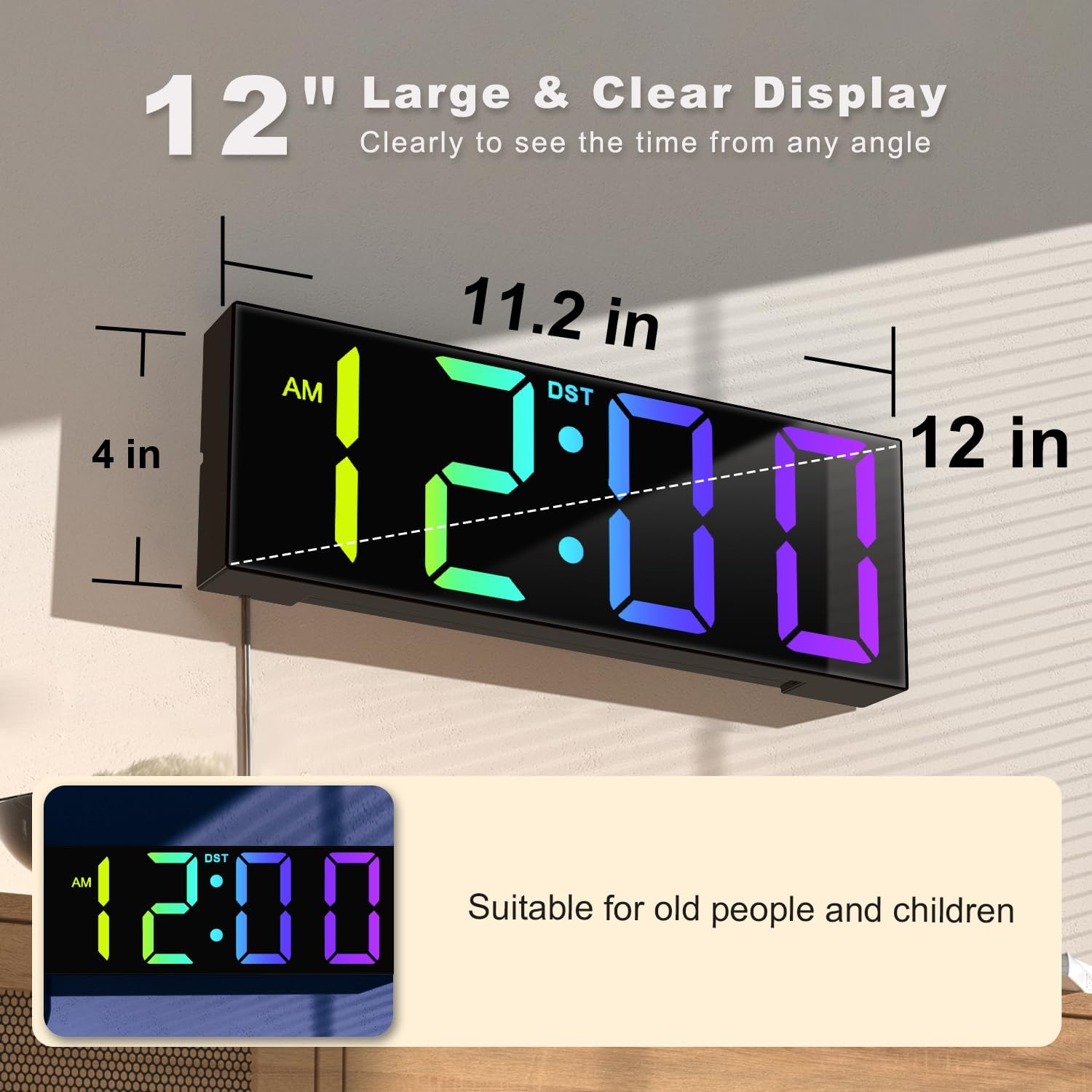
Image: The clock's large display and dimensions, highlighting its readability from a distance.
2. Farvetilstande
The clock offers up to 8 different color display modes, including pure colors and dynamic RGB changing colors.
- Use the designated button (often labeled "COLOR" or similar) to cycle through the available color options.

Image: Visual representation of the 8-in-1 colorful display modes available on the clock.
3. Brightness and Auto Dimming
The clock features an automatic light sensor that adjusts the display brightness according to ambient light conditions, ensuring comfortable viewdag eller nat.
- Automatisk dæmpning: This feature is typically enabled by default. The clock will automatically brighten in well-lit environments and dim in darker rooms to protect your eyes.
- Natlys: The back surround night light provides an ambient glow. It may have adjustable brightness levels (e.g., 10 levels) controlled by a dedicated button.

Image: The clock's auto-dimming feature, adapting its brightness to ambient light for optimal viewkomfort.

Image: The warm night light feature of the clock, providing ambient illumination.
4. Sommertid (DST)
Uret understøtter nem justering til sommertid.
- A dedicated DST button or setting allows you to quickly adjust the time forward or backward by one hour as required by DST changes (typically in March and November).

Image: Explanation of the DST feature, simplifying time changes for Spring Forward and Fall Back.
Opretholdelse
1. Rensning
- For at rengøre uret skal du forsigtigt tørre displayet af ogasinmed en blød, tør eller let damp klæde.
- Avoid using abrasive cleaners, solvents, or spray cleaners directly on the clock, as these can damage the finish or electronic components.
- Sørg for, at uret er taget ud af stikkontakten, inden rengøring.
2. Backup Battery Replacement
If the clock consistently loses its time or settings after a power disconnection, the internal CR2032 backup battery may need to be replaced.
- Unplug the clock from the power outlet.
- Locate the battery compartment on the back of the clock (refer to the "Preset Backup Battery" image in the Setup section).
- Åbn forsigtigt batterirummet.
- Fjern det gamle CR2032-batteri.
- Isæt et nyt CR2032-batteri, og sørg for at polerne vender korrekt (+ siden opad).
- Luk batterirummet forsvarligt.
- Reconnect the clock to power.
Note: The CR2032 battery is for memory retention only and does not power the main display.
Fejlfinding
| Problem | Mulig årsag | Løsning |
|---|---|---|
| Urvisningen er slukket. | Ingen strømforsyning. | Ensure the power adapter is securely plugged into both the clock and a working electrical outlet. Check if the outlet has power. |
| Clock loses time/settings after power disconnection. | Backup battery (CR2032) is dead or missing. | Replace the CR2032 backup battery. Refer to the Maintenance section. |
| Skærmen er for lys eller for svag. | Auto-dimming feature is active or night light setting needs adjustment. | The clock automatically adjusts brightness. If manual adjustment is desired for the night light, use the corresponding control buttons. Ensure the light sensor is not obstructed. |
| Cannot change display color. | Incorrect button pressed or feature not understood. | Refer to the "Operating Instructions" for specific button functions related to color modes. |
Specifikationer
| Mærke | JALL |
| Modelnummer | LLRK32096 |
| Farve | Sort |
| Display Type | Digital |
| Produktdimensioner | 11.2 cm B x 4 cm H |
| Strømkilde | Ledningsbaseret elektrisk (5V/1A) |
| Backup batteri | 1 x CR2032 (for memory only) |
| Monteringstype | Bordplade eller vægmontering |
| Materiale | Akryl, plast |
| Speciel funktion | Daylight Saving, Auto Brightness, RGB Colors, Night Light |
| Varens vægt | 1.04 pund |
| Indendørs/Udendørs brug | Indendørs |
Garanti og support
Specific warranty information for the JALL 12'' Large Digital Wall Clock is not provided in this manual. For warranty details, technical support, or customer service inquiries, please refer to the product packaging, the manufacturer's official website, or contact the seller directly.
You may also visit the JALL Store on Amazon for more information: JALL Butik


