1. Introduktion
This manual provides comprehensive instructions for the setup, operation, and maintenance of your zodvboz C60 Smart Activity Tracker. The C60 is an ultra-thin fitness band designed to monitor your health and activity, offering features such as sleep tracking, multiple sport modes, step counting, calorie tracking, and smart notifications. It is compatible with both Android and iOS devices and features an IP67 waterproof rating.

Image: The zodvboz C60 Smart Activity Tracker, showcasing dets elegante sorte design og digitale display.
2. Hvad er inkluderet
Upon unboxing your C60 Smart Activity Tracker, please ensure all the following components are present:
- Smartwatch (C60 unit)
- Silikonebånd
- Brugermanual
- Charger Cable (Magnetic)
- Watch Box
3. Opsætningsvejledning
3.1. Første opladning
Before first use, fully charge your C60 Smart Activity Tracker. Connect the magnetic charger cable to the charging points on the back of the device and plug the USB end into a compatible power source (e.g., computer USB port, USB wall adapter). A full charge typically takes approximately 2.5 hours. The device is designed to last up to 7-10 days on a single charge with typical usage.
3.2. Appinstallation og parring
To unlock the full functionality of your C60 tracker, you need to install the companion application on your smartphone.
- Download appen: Søg efter "Da Fit" in your smartphone's app store (available on both iOS App Store and Google Play Store).
- Installer og åbn: Install the "Da Fit" app and open it.
- Create Account (Optional): Følg vejledningen på skærmen for at oprette en konto eller logge ind.
- Aktiver Bluetooth: Sørg for, at Bluetooth er aktiveret på din smartphone.
- Par enhed: In the Da Fit app, navigate to the device section (usually indicated by a watch icon or "Add Device"). The app will search for nearby devices. Select "C60" from the list to pair.
- Bekræft parring: A pairing request may appear on your C60 tracker. Confirm the pairing on both the tracker and your smartphone.
The C60 is compatible with Android 5.0 and iOS 9.0 devices or newer.

Image: Visual representation of the C60's battery life and its compatibility with both iOS and Android operating systems.
4. Operating Your C60 Smart Activity Tracker
4.1. Navigering på skærmen
The C60 features a 1.1-inch AMOLED touch color screen. You can navigate through different functions by swiping left, right, up, or down, and tapping to select options. The display is designed for clear visibility even in bright sunlight.
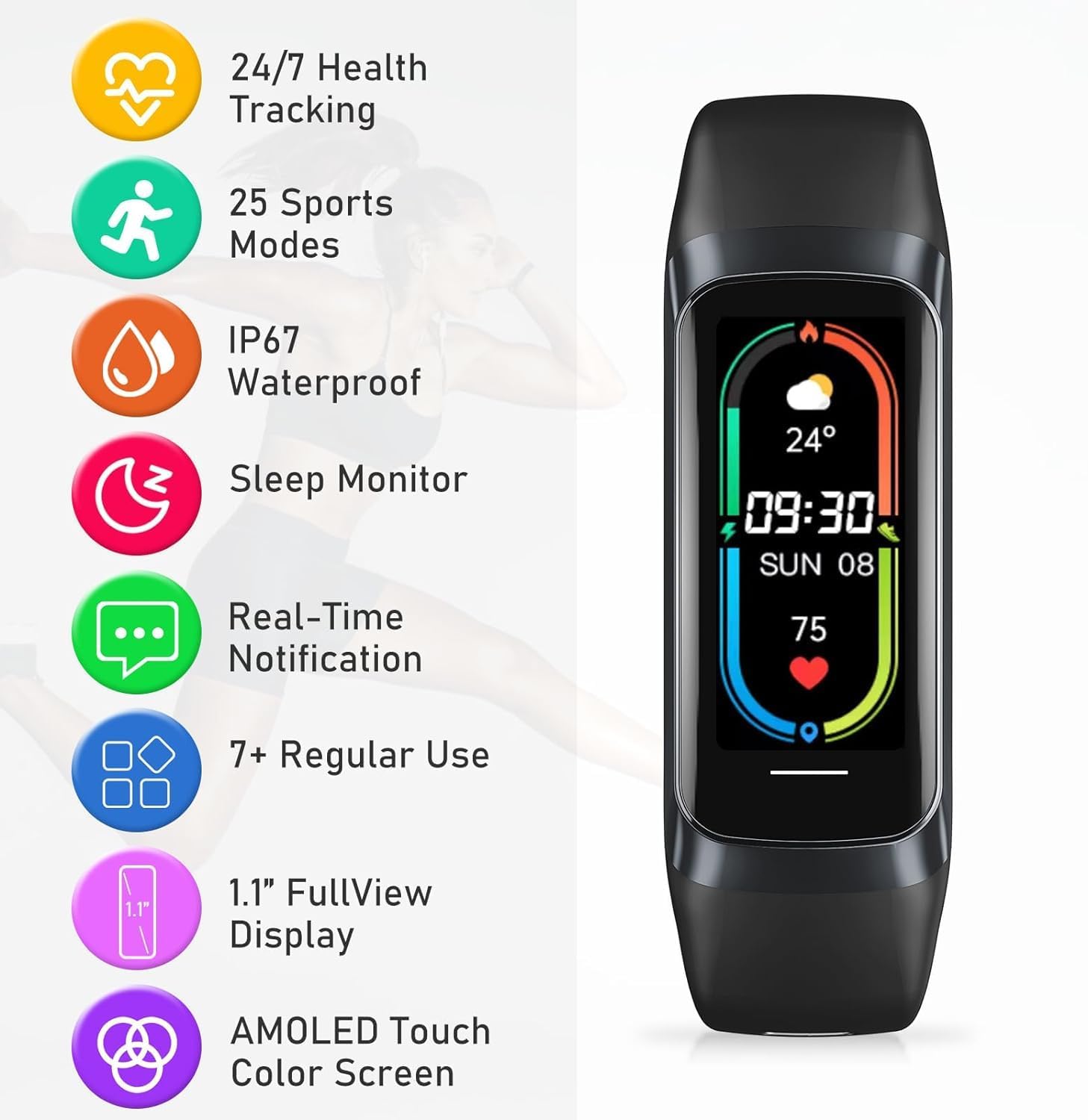
Billede: En overview of the C60's key features, including its display type and various tracking capabilities.
4.2. Smarte notifikationer
Once paired with your smartphone, the C60 can display real-time alerts for incoming calls, text messages, and notifications from various applications directly on your wrist. Configure which app notifications you wish to receive through the Da Fit app settings.

Image: Demonstrates the smart notification capabilities of the C60, including reminders and remote controls.
4.3. Activity and Sport Tracking
The C60 offers multi-sport activity tracking with over 25 dedicated sport modes. It precisely monitors various sports states, including step counts, calorie burn, and distance. Select the desired sport mode on your tracker before starting an activity for accurate data collection.

Image: Illustrates the extensive range of 25 professional sports modes supported by the C60 tracker.
4.4. Sundhedsovervågning
The C60 provides comprehensive health and wellness monitoring:
- Heart Rate Monitoring: Sporer kontinuerligt din puls hele dagen.
- Sleep Quality Tracker: Intelligently monitors sleep quality, recording and distinguishing between awake, light, and deep sleep phases to help you maintain good sleep habits.
- Health and Wellness Reminders: Customizable reminders for hydration and activity to help you maintain a healthy routine.

Image: Focuses on the C60's sleep monitoring capabilities, showing how it tracks different sleep stages.
4.5. Tilpassede urskiver
Personalize your C60 with over 70 stylish and downloadable watch faces available through the Da Fit app. This allows you to reflect your personal style and preferences directly on your wrist.

Image: Showcases the wide variety of customizable watch faces available for the C60's AMOLED display.
4.6. Vandafvisende
The C60 Smart Activity Tracker boasts an IP67 waterproof rating and a 3ATM waterproof grade, allowing for water resistance up to 30 meters. This means you can swim, shower, and sweat without worry, making it suitable for various water-related activities.

Image: The C60 tracker being used in water, illustrating its rugged and durable waterproof design.
5. Vedligeholdelse
- Rensning: Regularly clean your C60 tracker and band with a soft, damp klæde. Undgå at bruge skrappe kemikalier eller slibende materialer.
- Tørring: After exposure to water, ensure the device is thoroughly dry before charging to prevent damage to the charging contacts.
- Batteripleje: For at forlænge batteriets levetid bør du undgå at aflade batteriet helt ofte. Oplad enheden, når batteriniveauet er lavt.
- Opbevaring: Opbevar trackeren et køligt og tørt sted, når den ikke er i brug i længere perioder.
6. Fejlfinding
| Problem | Mulig årsag | Løsning |
|---|---|---|
| Enheden tænder ikke | Lavt batteri | Oplad enheden i mindst 30 minutter. |
| Kan ikke parres med smartphone | Bluetooth off, app issue, device out of range | Ensure Bluetooth is on, restart the app and phone, bring devices closer, try re-pairing. |
| Notifikationer vises ikke | App permissions, notification settings | Check app notification permissions on your phone and settings within the Da Fit app. |
| Unøjagtige aktivitetsdata | Improper wearing, software glitch | Ensure the tracker is worn snugly on your wrist. Restart the device and app. |
| Screen is fuzzy/unresponsive | Software issue, physical damage | Genstart enheden. Hvis problemet fortsætter, skal du kontakte kundesupport. |
7. Specifikationer
| Feature | Detalje |
|---|---|
| Mærke | zodvboz |
| Modelnavn | C60 |
| Display Type | AMOLED Touch Color Screen |
| Skærmstørrelse | 1.1 Inches (as per product title) / 1.83 Inches (as per specifications) - Note: There is a discrepancy in provided data. |
| Hukommelseslagringskapacitet | 300 MB |
| Operativsystem | iOS 9+, Android 4.4+ |
| Kompatible enheder | Smartphone |
| Særlige funktioner | Touchscreen, Multisport Tracker, Activity Tracker, Alarm Clock, Pedometer |
| Vandmodstand | IP67, 3ATM (op til 30 meter) |
| Batteritype | Lithium polymer |
| Batterikapacitet | 230 Amp Timer |
| Batteriets gennemsnitlige levetid | 7-10 dage |
| Opladningstid | 2.5 timer |
| Forbindelsesteknologi | Bluetooth |
| Varens vægt | 50 g |
8. Garanti og support
The zodvboz C60 Smart Activity Tracker comes with a 3 års garanti. For any product-related inquiries, technical assistance, or warranty claims, please contact zodvboz dedicated customer support. Refer to the contact information provided in your product packaging or on the official zodvboz webwebsted.


