1. Vigtige sikkerhedsoplysninger
Please read this entire manual before assembling or operating the Wenoker Exercise Bike. Keep this manual for future reference. Failure to follow these instructions could result in injury or damage to the product.
- Rådfør dig med din læge, før du starter et træningsprogram, især hvis du har eksisterende helbredsproblemer.
- Hold børn og kæledyr væk fra udstyret under drift.
- Placer motionscyklen på en flad, stabil overflade. Sørg for tilstrækkelig plads omkring cyklen for sikker brug.
- Inspect the equipment before each use for loose parts, wear, or damage. Do not use if damaged.
- Brug passende træningstøj og fodtøj. Undgå løstsiddende tøj, der kan sætte sig fast i bevægelige dele.
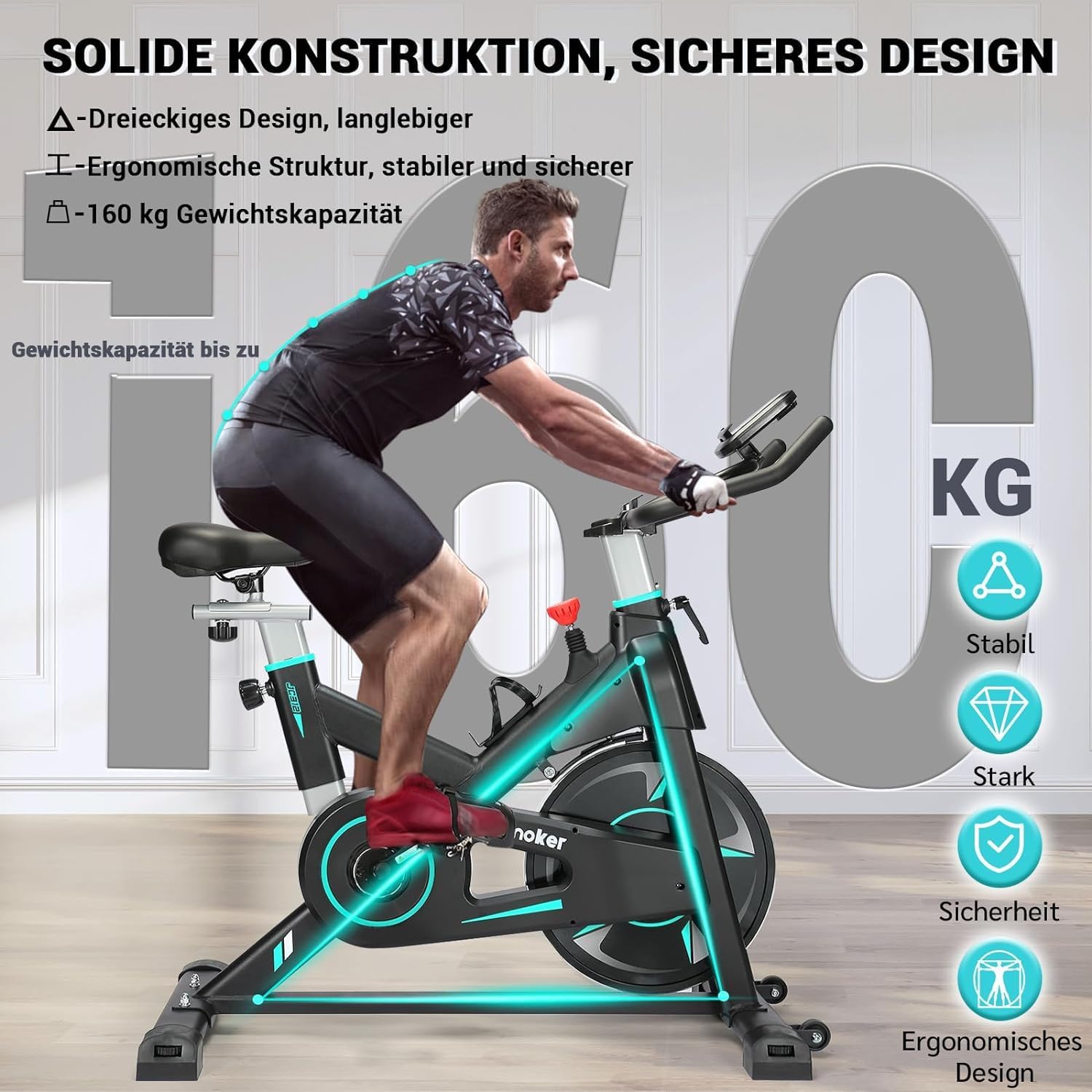
- The maximum user weight for this exercise bike is 160 kg (352 lbs).
- Use the emergency brake to stop the flywheel quickly if needed.
- Forsøg ikke at modificere motionscyklen.
2. Produktet er slutview
The Wenoker Exercise Bike Model 312BDE is designed for effective indoor cardio and fitness training. It features a robust magnetic resistance system for a smooth and quiet workout experience.

The Wenoker Exercise Bike Model 312BDE, featuring a robust frame, adjustable components, and an integrated display.
Nøglefunktioner:
- Magnetisk modstandssystem: Provides powerful, quiet, and smooth resistance without physical contact with the flywheel.
- Nødbremse: Instantly stops the flywheel for safety.
- Justerbare komponenter: Multi-grip handlebars and a comfortable seat are adjustable vertically and horizontally to accommodate various user heights (1.43m to 1.92m).
- LCD-skærm: Tracks workout data including time, speed, distance, odometer, and calories burned.
- Tabletholder: Securely holds your mobile phone or tablet for entertainment during workouts.
- Transporthjul: Integrated wheels allow for easy relocation of the bike.
- Robust konstruktion: Designed for stability and durability, supporting users up to 160 kg.
3. Pakkens indhold
Upon unpacking, ensure all components are present and undamaged. All necessary assembly tools are included in the package.
Hovedkomponenterne omfatter typisk:
- Main Frame with Flywheel
- For- og bagstabilisatorer
- Sadelpind og sæde
- Styrstolpe og styr
- Pedaler (venstre og højre)
- LCD-skærm
- Hardware-sæt (bolte, skiver, møtrikker)
- Monteringsværktøj
4. Opsætning og montering
Follow these steps to assemble your Wenoker Exercise Bike. It is recommended to have two people for some assembly steps.
Step 1: Attach Stabilizers
Fastgør de forreste og bageste stabilisatorer til hovedstellet med de medfølgende bolte og skiver. Sørg for, at de er forsvarligt fastspændt for at give cyklen en stabil base.
Ensure the stabilizers are firmly attached for optimal stability.
Trin 2: Installer pedaler
Identify the Left (L) and Right (R) pedals. The left pedal typically tightens counter-clockwise, and the right pedal tightens clockwise. Thread them carefully into the crank arms and tighten securely with a wrench.
Step 3: Assemble Seat Post and Seat
Insert the seat post into the main frame. Adjust the height to your preference and secure it with the locking knob. Attach the seat to the seat post, ensuring it is level and tightened.

The seat and handlebars are adjustable to fit various user heights and preferences.
Step 4: Attach Handlebar Post and Handlebars
Insert the handlebar post into the main frame. Adjust the height and secure it. Attach the handlebars to the handlebar post, ensuring all bolts are tightened.
Step 5: Connect LCD Monitor
Connect the sensor wires from the main frame to the back of the LCD monitor. Mount the LCD monitor onto the handlebar assembly. Insert batteries (if required, typically 2 AAA batteries, not included) into the monitor.
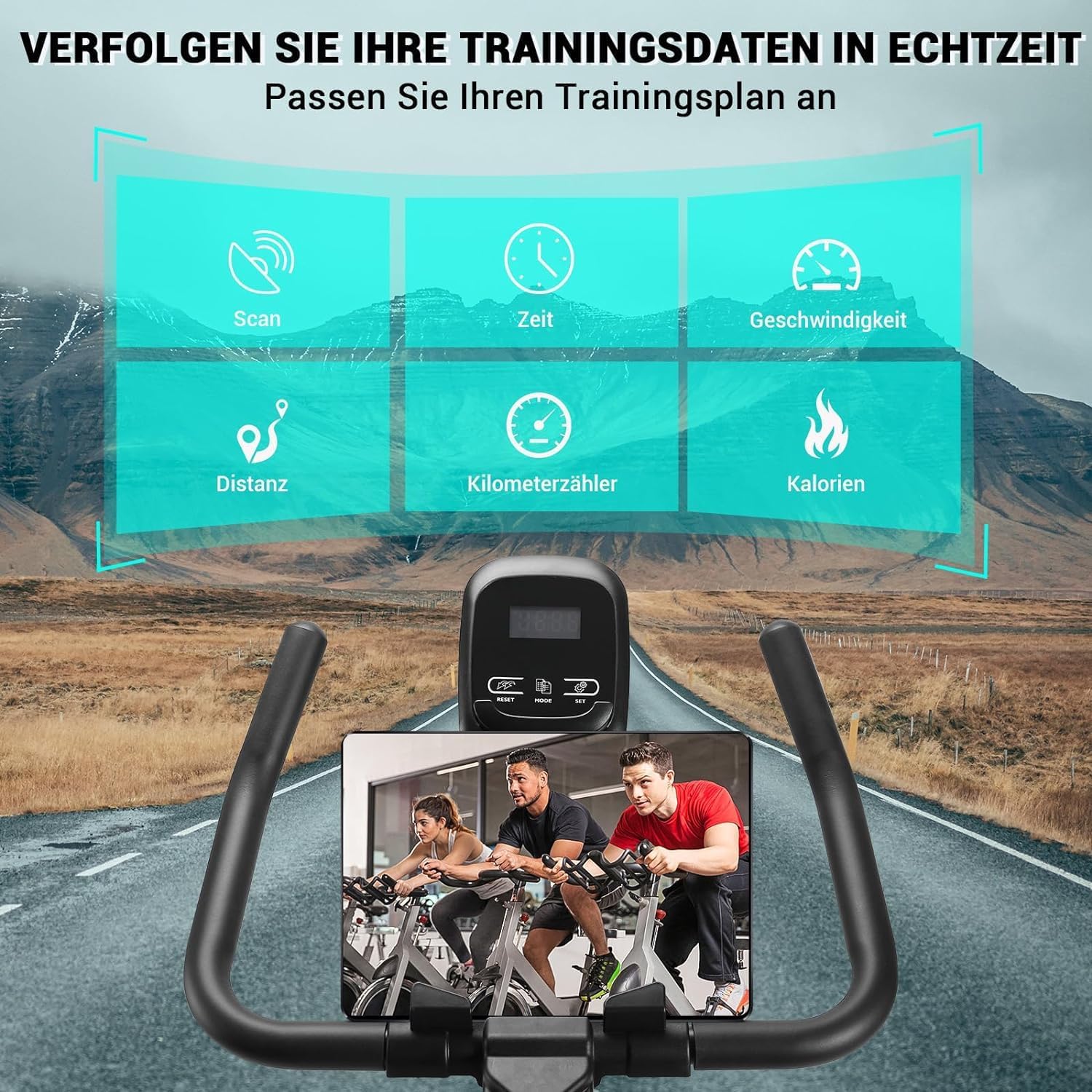
The LCD monitor displays workout data, and the integrated holder supports your tablet or phone.
5. Betjeningsvejledning
5.1 Justering af sæde og styr
- Sædehøjde: Loosen the locking knob on the seat post, adjust the seat to a comfortable height where your leg is slightly bent at the bottom of the pedal stroke, then re-tighten.
- Sæde frem/tilbage: Loosen the knob under the seat, slide the seat to your desired position, and re-tighten.
- Styrhøjde: Loosen the locking knob on the handlebar post, adjust to a comfortable height that allows for a slight forward lean without straining your back, then re-tighten.
5.2 Justering af modstand
The bike uses a magnetic resistance system. The resistance level is controlled by the red knob located on the main frame.
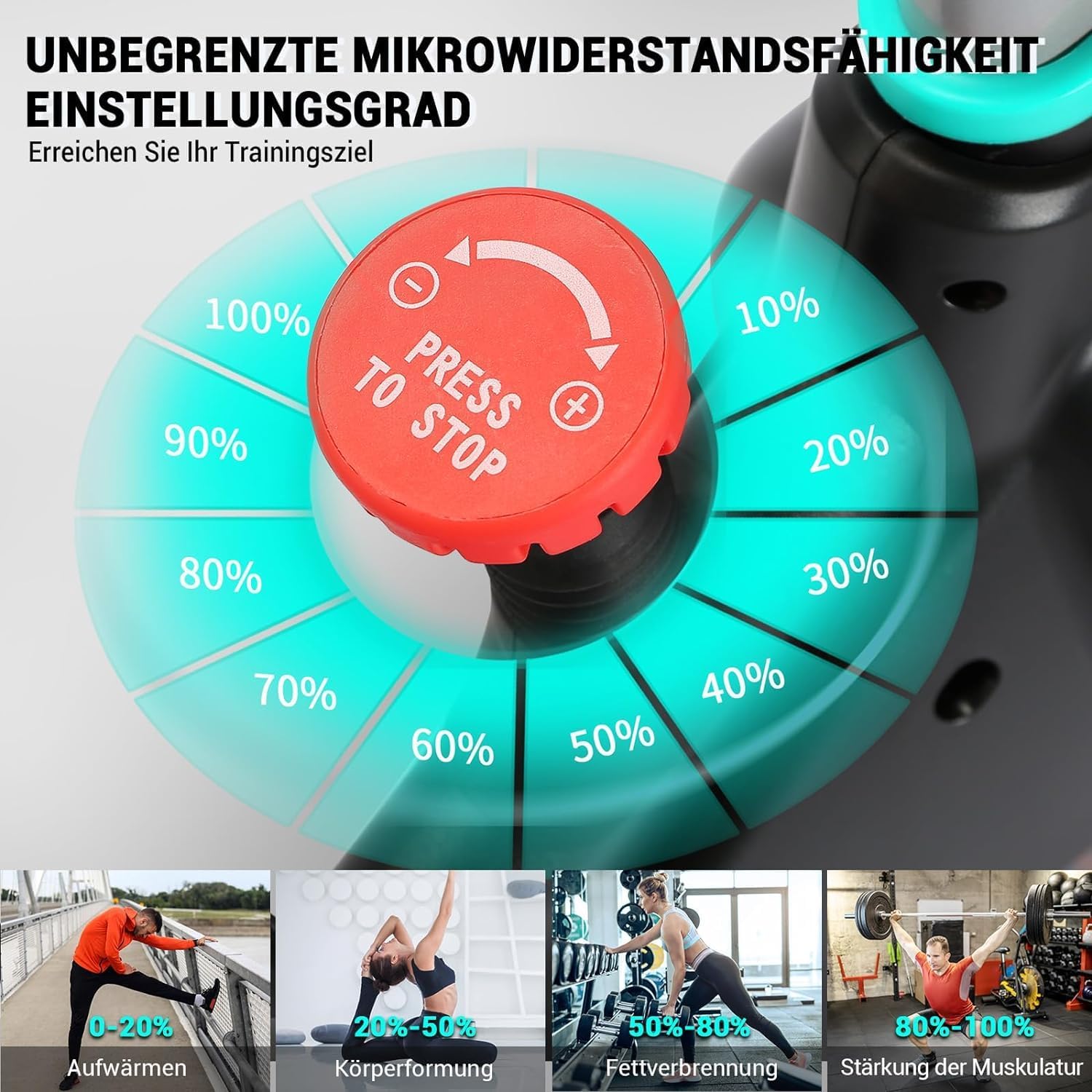
Turn the red knob clockwise to increase resistance and counter-clockwise to decrease resistance.
- Drej på drejeknappen clockwise (+) to increase the resistance for a more challenging workout.
- Drej på drejeknappen counter-clockwise (-) to decrease the resistance for an easier workout.
5.3 Using the Emergency Brake
To stop the flywheel quickly in an emergency or to dismount safely, press down firmly on the red resistance knob. This will engage the emergency brake and bring the flywheel to an immediate stop.
5.4 LCD-skærmens funktioner
The LCD monitor displays your workout data. It typically operates with a single button or a few buttons for mode selection and reset.
- SCAN: Automatically cycles through all functions (Time, Speed, Distance, Calories, Odometer) every few seconds.
- TID: Displays the duration of your current workout.
- HASTIGHED: Viser din aktuelle cykelhastighed.
- AFSTAND: Displays the distance covered during your current workout.
- KILDTÆLLER: Shows the total accumulated distance since the monitor was last reset (or from first use).
- KALORIER: Estimerer de forbrændte kalorier under din træning.
- NULSTIL: Press and hold the button (usually "MODE" or "RESET") to clear all current workout data.
The monitor will automatically turn on when you start pedaling and turn off after a few minutes of inactivity to save battery.
6. Vedligeholdelse
Regular maintenance ensures the longevity and safe operation of your Wenoker Exercise Bike.
- Rensning: Tør cyklen af med annonceamp en klud efter hver brug for at fjerne sved og støv. Undgå slibende rengøringsmidler.
- Check Bolts and Connections: Periodically check all bolts, nuts, and connections to ensure they are tight. Re-tighten if necessary.
- Smøring: Det magnetiske modstandssystem og remdrevet er generelt vedligeholdelsesfrie og kræver ikke smøring.
- Opbevaring: Opbevar cyklen et tørt, køligt sted væk fra direkte sollys og ekstreme temperaturer.
7. Fejlfinding
| Problem | Mulig årsag | Løsning |
|---|---|---|
| LCD Monitor Not Displaying Data |
|
|
| Bike is Unstable or Wobbles |
|
|
| Usædvanlig støj under drift |
|
|
| Modstand ændrer sig ikke |
|
|
8. Specifikationer
| Feature | Detalje |
|---|---|
| Modelnummer | 312BDE |
| Mærke | Wenoker |
| Modstandsmekanisme | Magnetisk |
| Drive System | Bælte |
| Materiale | Aluminium |
| Maksimal brugervægt | 160 kg (352 lbs) |
| Anbefalet brugerhøjde | 1.43 m - 1.92 m (4 ft 8 in - 6 ft 3 in) |
| Produktmål (L x B x H) | 105 x 19 x 76 cm (41.3 x 7.5 x 29.9 tommer) |
| Varens vægt | 30.5 kg (67.2 lbs) |
| Strømkilde (skærm) | Battery (2x AAA, not included) |
| Særlige funktioner | Adjustable Resistance Level, LCD Display, Tablet Holder, Transport Wheels |
9. Garantioplysninger
Wenoker products are manufactured to high-quality standards. For specific warranty details, please refer to the warranty card included with your product or contact Wenoker customer support. Keep your proof of purchase for warranty claims.
10. Kundesupport
If you have any questions, require assistance with assembly, operation, or maintenance, or need to report a problem, please contact Wenoker customer support. Refer to the contact information provided in your product packaging or on the official Wenoker webwebsted.
For online resources and FAQs, visit: www.wenoker.com (Bemærk: Dette er en pladsholder URL, please refer to actual product documentation for correct support links.)


