1. Introduktion
Thank you for choosing the KitchenAid KMMF330PPS Over-the-Range Microwave. This appliance is designed to provide efficient and convenient cooking solutions for your kitchen. Please read this manual thoroughly before operating your microwave to ensure safe and optimal performance. Keep this manual for future reference.
Vigtige sikkerhedsoplysninger
Følg altid grundlæggende sikkerhedsforanstaltninger, når du bruger elektriske apparater, for at reducere risikoen for forbrændinger, elektrisk stød, brand, personskade eller eksponering for overdreven mikrobølgeenergi.
- Forsøg ikke at betjene denne ovn med døren åben, da dette kan resultere i skadelig eksponering for mikrobølgeenergi.
- Anbring ikke genstande mellem ovnens forside og lågen, og lad ikke snavs eller rengøringsrester samle sig på tætningsflader.
- Brug ikke ovnen, hvis den er beskadiget. Det er især vigtigt, at ovndøren lukker korrekt, og at der ikke er nogen skader på døren (f.eks. bøjet), hængsler og låse (f.eks. knækkede eller løse) eller dørtætninger og tætningsflader.
- Ovnen bør ikke justeres eller repareres af andre end kvalificeret servicepersonale.
2. Opsætning og installation
The KitchenAid KMMF330PPS is an Over-the-Range microwave oven, designed for installation above a cooking range. Proper installation is crucial for safety and performance. It is highly recommended that installation be performed by a qualified installer.
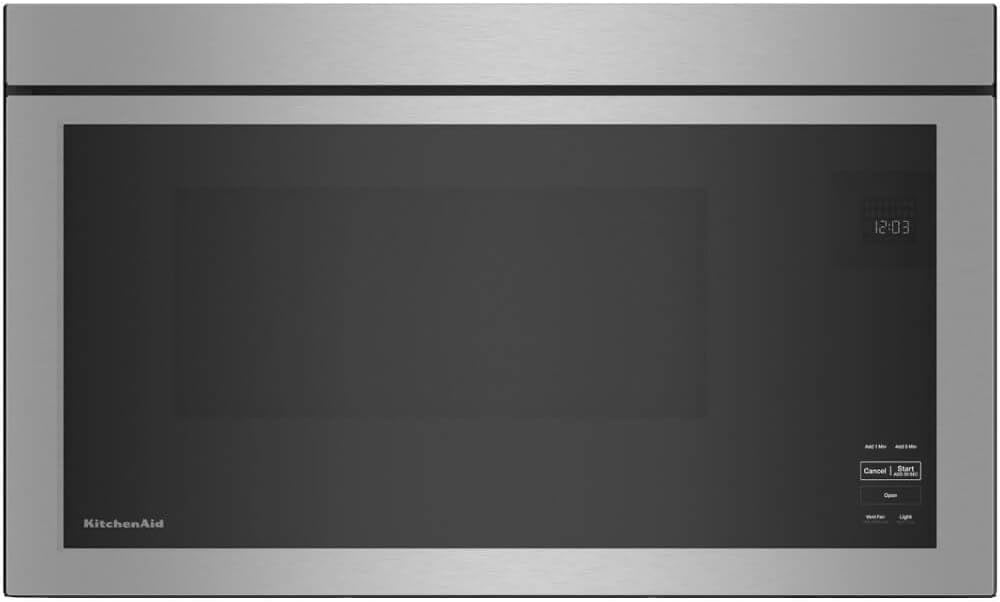
Figur 2.1: Forside view of the KitchenAid KMMF330PPS microwave, showcasing dets elegante design og integrerede kontrolpanel.
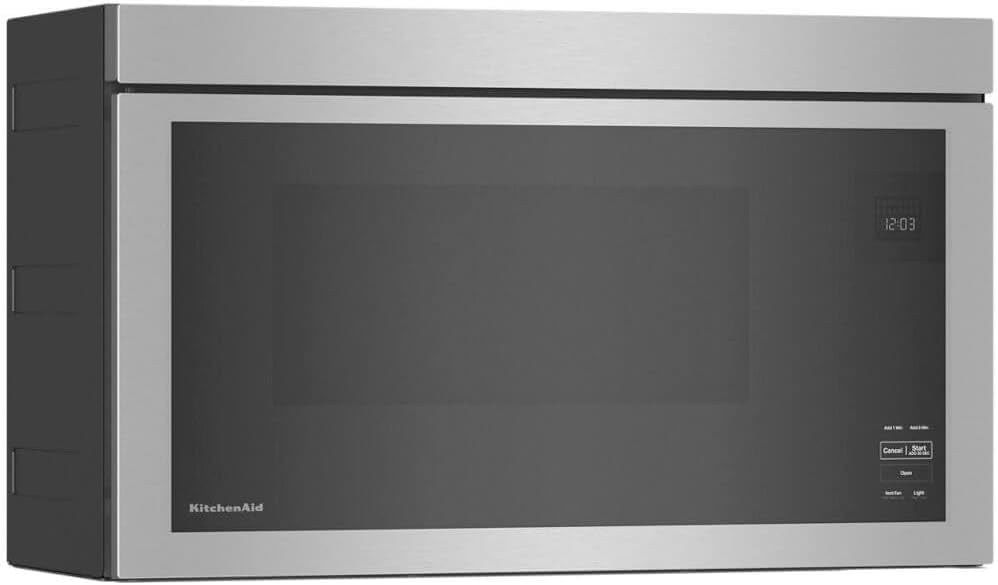
Figur 2.2: Vinklet view of the microwave, highlighting its compact profile suitable for over-the-range installation.

Figure 2.3: The microwave seamlessly integrated into a modern kitchen setting above a stovetop.
Vigtige overvejelser ved installation:
- Ventilation: Ensure proper ventilation is established as per local building codes. This model includes grease filters for effective air purification.
- Elektriske krav: Connect the microwave to a dedicated, grounded electrical outlet with the correct voltage og amperage as specified in the electrical diagram (not provided in this manual, refer to installation guide).
- Montering: Securely mount the microwave to the wall studs and upper cabinet using the provided mounting bracket and hardware.
- Turntable-Free Design: This microwave features a turntable-free design, simplifying installation as there is no glass tray to position.
3. Betjeningsvejledning
The KitchenAid KMMF330PPS microwave offers intuitive controls and various cooking functions. The control panel is integrated into the door for a sleek appearance.
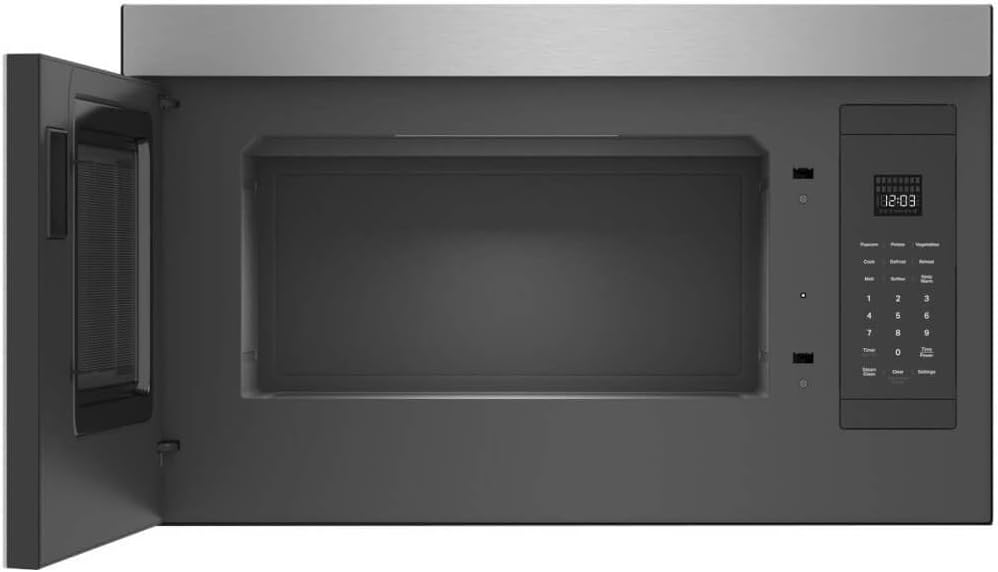
Figur 3.1: Interiør view of the microwave with the door open, showing the spacious, turntable-free cavity and the control panel on the right.
Kontrolpanel overview:
- Vise: Shows time of day, cooking time, and function indicators.
- Add 1 Min / Add 5 Min: Quickly add cooking time in one or five-minute increments.
- Ophæve: Stopper tilberedning eller sletter indstillinger.
- Start / Add 30 Sec: Starts cooking or adds 30 seconds to the current cooking time.
- Åben: Electronically opens the microwave door.
- Vent Fan (High-Med-Low): Styrer udsugningsventilatorens hastighed.
- Light (High-Low): Controls the cooktop light intensity.
- Numerisk tastatur (0-9): Used to enter cooking times and other numerical inputs.
- Forudindstillede funktioner: Dedicated buttons for common tasks like Popcorn, Potato, Vegetables, Cook, Defrost, Reheat, Melt, Soften, and Keep Warm.
- Timer (Set-Off): Sets or turns off the kitchen timer.
- Time Power: Justerer mikrobølgeovnens effektniveau.
- Damprens: Activates a steam cleaning cycle for easy interior maintenance.
- Clear (Hold to Mute Sounds): Clears current settings or mutes audible signals.
- Indstillinger: Accesses various microwave settings and options.
Grundlæggende betjening:
- Place food in a microwave-safe container directly on the oven floor (due to turntable-free design).
- Luk døren forsvarligt.
- Enter desired cooking time using the numeric keypad or select a pre-set function.
- Trykke Start / Add 30 Sec at begynde at lave mad.
For detailed instructions on specific functions like Sensor Cooking, Defrost, or Reheat, please refer to the full digital manual available on the KitchenAid webwebsted.
4. Vedligeholdelse og rengøring
Regular cleaning and maintenance will ensure the longevity and optimal performance of your KitchenAid microwave. The PrintShield Finish resists fingerprints and smudges, making exterior cleaning easier.

Figure 4.1: A hand wiping the interior surface of the microwave, demonstrating the ease of cleaning the turntable-free design.
Rengøring af interiøret:
- Daglig rengøring: Wipe the interior surfaces, including the oven floor, with a soft cloth and mild detergent after each use to prevent food buildup.
- Damprens funktion: Utilize the built-in Steam Clean function for stubborn stains. Follow the instructions on the control panel for this cycle.
- Undgå slibemidler: Do not use abrasive cleaners, steel wool, or harsh chemicals, as they can damage the interior finish.
Rengøring af ydersiden:
- PrintShield Finish: For the stainless steel exterior with PrintShield Finish, use a soft cloth and warm, soapy water. Wipe dry with a clean, soft cloth.
- Kontrolpanel: Tør forsigtigt kontrolpanelet af med enamp cloth. Do not spray cleaners directly onto the panel.
Fedtfiltre:
The microwave is equipped with grease filters to trap grease from the cooktop. These filters should be removed and cleaned regularly (e.g., monthly) to maintain optimal ventilation performance.
- Remove the filters by sliding them out.
- Wash the filters in hot water with a mild detergent or in a dishwasher.
- Skyl grundigt og lad det tørre helt, før det monteres igen.
5. Fejlfinding
If you experience issues with your microwave, consult the following common troubleshooting tips. For more complex problems, contact customer support.
- Microwave Not Starting: Ensure the door is fully closed. Check if the microwave is plugged in and the circuit breaker has not tripped.
- Food Not Heating Evenly: Stir or rotate food halfway through cooking. Ensure appropriate power levels are selected.
- Skærm virker ikke: Check power supply. If power is present, try resetting the microwave by unplugging it for a few minutes and then plugging it back in.
- Usædvanlige lyde: Verify that no foreign objects are inside the microwave cavity. If the noise persists, contact service.
- Vent Fan Not Working: Check if the fan is obstructed. Ensure the fan speed is set correctly. Clean grease filters if they are clogged.
6. Specifikationer
| Feature | Detalje |
|---|---|
| Mærkenavn | KitchenAid |
| Modelnummer | KMMF330PPS |
| Installationstype | Over-the-Range |
| Varens vægt | 65 pund |
| Produktdimensioner | 21.75 x 14.75 x 32.75 tommer |
| Speciel funktion | Pladespillerfrit design |
| Inkluderede komponenter | Turntable (Note: Product description states Turntable-Free Design, this may refer to a removable component or a general feature listed incorrectly in source data) |
| Timer funktion | Timerfunktion tilgængelig |
| Dato først tilgængelig | 6. juni 2024 |
7. Garanti og support
For garantioplysninger og kundesupport henvises til den officielle KitchenAid-manual. webwebstedet eller kontakt deres kundeservice direkte. Du kan også besøge KitchenAid-butik på Amazon for yderligere ressourcer og hjælp.


