1. Introduktion
The TomTom GO Classic Lite (5 Inch) is a budget-friendly car satellite navigation device designed to provide cost-effective and reliable navigation. This device offers high-quality maps with monthly updates, live TomTom Traffic information, and the intuitive TomTom RouteBar for quick route overviews. It is engineered to provide confident and informed driving, ensuring peace of mind on the road.
Nøglefunktioner omfatter:
- TomTom Trafik: Real-time updates to avoid traffic jams and provide reliable estimated times of arrival (ETAs).
- Europe Map Updates: Monthly map updates included to ensure the latest road information.
- Clear and Responsive Screen: A 5-inch capacitive touchscreen with higher resolution for clear guidance.
- Fartkameraadvarsler: Live notifications to help maintain speed limits (free for three months, then subscription-based).
- Updates via Wi-Fi: Conveniently update maps and software directly from the device without a computer.
- Exclusive TomTom Features: Includes the RouteBar, user-friendly interface, and smart search engine.
2. Opsætning
2.1. Hvad er der i æsken
Før du begynder, skal du sørge for at alle komponenter er til stede:
- TomTom GO Classic Lite device with integrated mount
- USB-C-kabel
- Installation poster
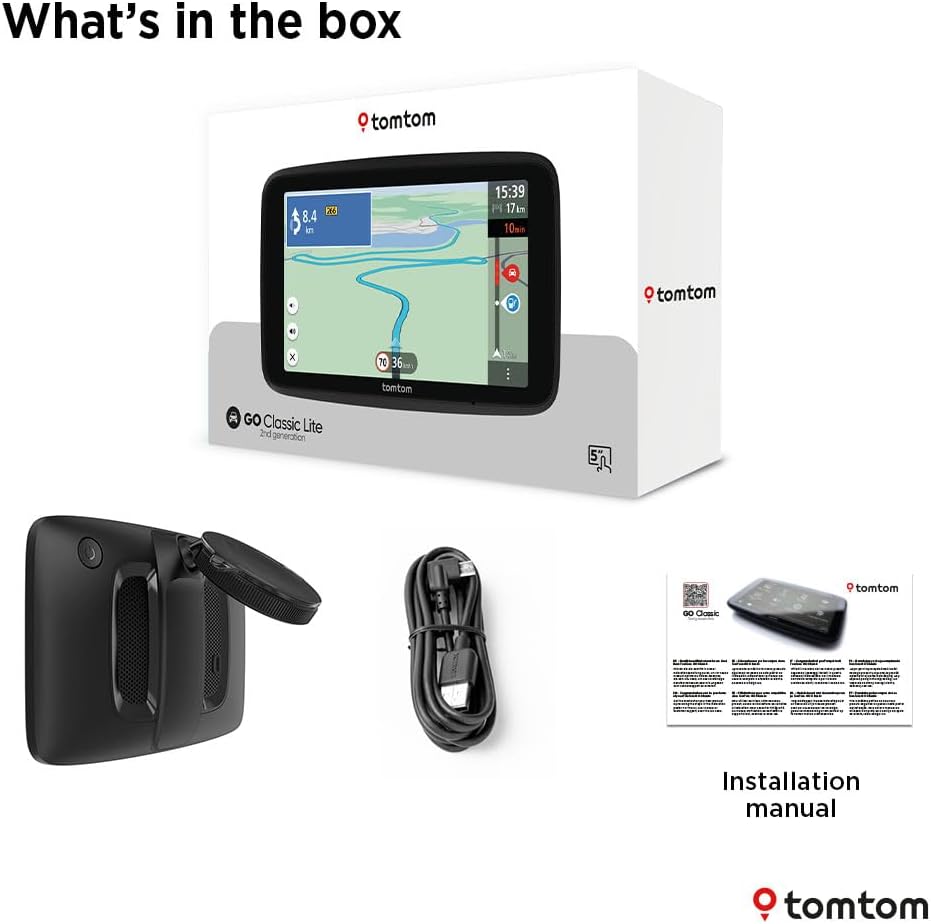
Image: Contents of the TomTom GO Classic Lite box.
2.2. Enhed overview
Gør dig bekendt med enhedens fysiske komponenter:

Billede: Bagside view of the TomTom GO Classic Lite, highlighting the On/Off button, 5-inch capacitive touch screen, integrated reversible mount, powerful speaker, and USB-C port.
- On/Off knap: Placeret på den øverste kant.
- USB-C-port: Til opladning og dataoverførsel.
- Integrated Reversible Mount: Allows mounting on either the windscreen or dashboard.
- Kraftig højttaler: For clear voice instructions.
2.3. Montering af enheden
The TomTom GO Classic Lite features an integrated reversible mount for flexible placement in your vehicle.

Image: Mounting options for the TomTom GO Classic Lite, showing placement on a windscreen and dashboard. Note that dashboard mounting may require additional accessories.
- Windscreen Mounting: Attach the suction cup of the integrated mount firmly to a clean, dry area of your windscreen.
- Montering af instrumentbræt: For dashboard mounting, an adhesive disk or beanbag (sold separately) is required. Attach the mount to this accessory.
Sørg for, at enheden er sikkert monteret og ikke blokerer din view af vejen eller forstyrre airbags.
2.4. Initial Power On and Wi-Fi Setup
Upon first power-on, the device will guide you through the initial setup process, including connecting to a Wi-Fi network. This connection is crucial for downloading map updates and software updates.
- Press and hold the On/Off button to power on the device.
- Follow the on-screen prompts to select your language, region, and connect to your home or mobile Wi-Fi network.
- Once connected, the device will check for available updates.
3. Betjening af enheden
3.1. Grundlæggende navigation
The TomTom GO Classic Lite provides clear visual and spoken instructions for navigation.

Image: The TomTom GO Classic Lite displaying an active navigation route.
- Indtastning af en destination: Tap the search icon on the main menu to enter an address, point of interest, or coordinates.
- Ruteberegning: After entering your destination, the device will calculate the fastest route.
- Følgende instruktioner: Follow the spoken turn-by-turn directions and visual cues on the screen.
3.2. TomTom Traffic
TomTom Traffic provides real-time traffic information to help you avoid delays and find faster routes.

Image: TomTom GO Classic Lite displaying real-time traffic updates on the screen.
- Traffic information is automatically integrated into route planning.
- The device will suggest alternative routes if significant delays are detected on your current path.
3.3. TomTom RouteBar
The RouteBar provides a condensed summary of your route, showing upcoming traffic, points of interest, and potential delays at a glance.

Image: The TomTom RouteBar providing a quick overview of route information.
- View realistic ETAs, including potential traffic delays.
- See icons for road works, fuel stations, and other relevant information along your route.
3.4. Map Updates and Coverage
The device includes monthly map updates for Europe, ensuring you always have the most current road information.
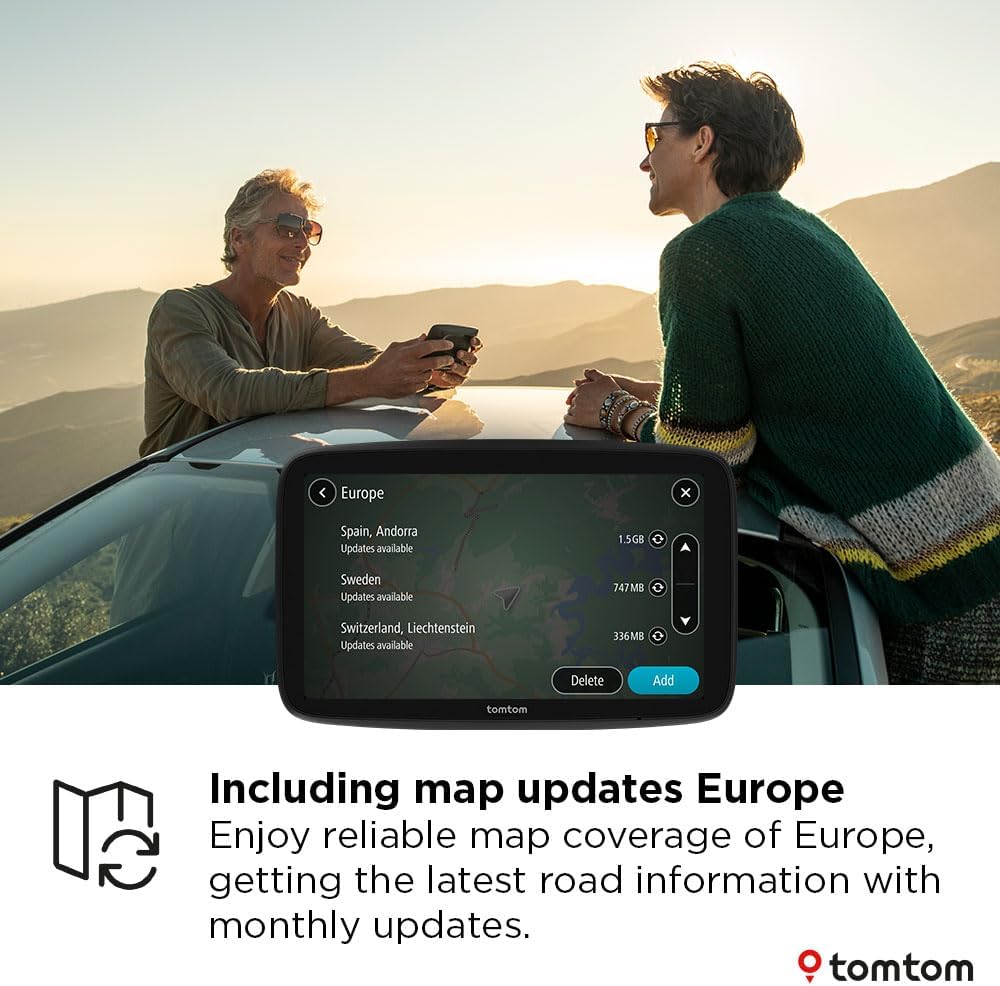
Image: TomTom GO Classic Lite displaying available map updates for various European countries.
- Map updates are delivered via Wi-Fi directly to your device.
- No computer is needed for these updates.
3.5. Speed Camera Alerts
Receive live notifications for speed cameras to help you stay informed and adhere to speed limits.
- Speed camera alerts are free for the first three months.
- A subscription is required to continue receiving alerts after the trial period.
4. Vedligeholdelse
4.1. Rengøring af enheden
- Use a soft, lint-free cloth to clean the screen and exterior of the device.
- Brug ikke slibende rengøringsmidler eller opløsningsmidler.
4.2. Software- og kortopdateringer
Regularly check for and install software and map updates to ensure optimal performance and the most accurate navigation data.
- Tilslut din enhed til et stabilt Wi-Fi-netværk.
- Navigate to the 'Settings' menu on your device and look for 'Updates' or 'Maps & Software'.
- Følg instruktionerne på skærmen for at downloade og installere alle tilgængelige opdateringer.
5. Fejlfinding
5.1. Enheden tændes ikke
- Sørg for, at enheden er fuldt opladet. Tilslut den til en strømkilde med det medfølgende USB-C-kabel.
- Press and hold the On/Off button for at least 10-15 seconds to perform a soft reset.
5.2. Problemer med GPS-signalet
- Sørg for, at enheden har en klar view of the sky. Obstructions like tall buildings or tunnels can interfere with the GPS signal.
- Move the device to a different location in your vehicle, such as closer to the windscreen.
5.3. Problemer med Wi-Fi-forbindelse
- Bekræft, at din Wi-Fi-adgangskode er korrekt.
- Sørg for, at enheden er inden for rækkevidde af din Wi-Fi-router.
- Restart your Wi-Fi router and then try connecting the device again.
5.4. Map Update Failures
- Ensure you have a stable and strong Wi-Fi connection.
- Check if there is sufficient storage space on your device for the update.
- Try performing the update at a different time, as server load can sometimes affect download speeds.
6. Specifikationer
| Feature | Detalje |
|---|---|
| Mærke | TomTom |
| Modelnavn | Lite 5 inch |
| Skærmstørrelse | 5 tommer |
| Skærmtype | Kapacitiv berøringsskærm |
| Korttype | Europe (monthly updates included) |
| Forbindelsesteknologi | USB-C, Wi-Fi, Bluetooth |
| Monteringstype | Integrated Reversible Mount (Dashboard Mount requires separate accessory) |
| Operativsystem | Windows CE |
| Batterier | 1 Lithium Polymer batteri (medfølger) |
| Pakkedimensioner | 18.5 x 12.7 x 4.8 cm |
| Varens vægt | 380 g |
| Oprindelsesland | Kina |
7. Garanti og support
For warranty information and technical support, please refer to the official TomTom website or contact TomTom customer service directly. Details can typically be found on the TomTom support pages or within the device's digital documentation.
Besøg TomTom-butikken på Amazon for mere produktinformation og tilbehør.


