Indledning
Welcome to the Tikkers Kids Series 13 Smartwatch user manual. This guide provides essential information for setting up, operating, maintaining, and troubleshooting your new smartwatch. The Tikkers Series 13 is designed to offer a range of features for active children and teenagers, including fitness tracking, communication alerts, and personalization options.
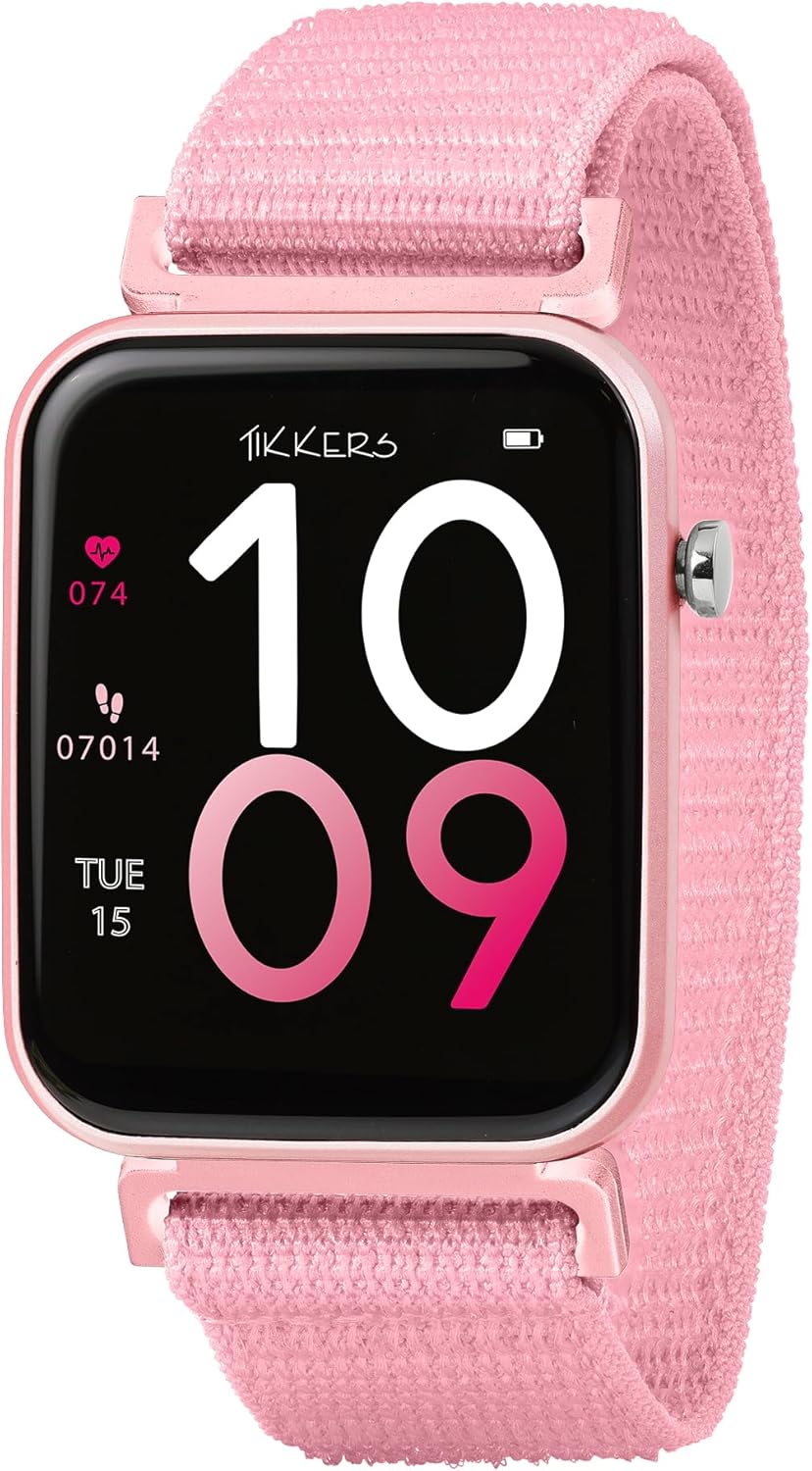
Image: The Tikkers Kids Series 13 Smartwatch in pink, showing the main watch face with digital time, heart rate (074 bpm), and step count (07014 steps), along with the date (TUE 15).
Opsætning
1. Udpakning og første opladning
Upon unboxing, ensure all components are present: the Tikkers Series 13 Smartwatch, charging cable, and this instruction manual. Before first use, fully charge the smartwatch. Connect the charging cable to the watch and a compatible USB power source. The watch display will indicate charging status.
2. App Installation
The Tikkers Series 13 Smartwatch requires the free Tikkers Time app for full functionality. Download the app from your smartphone's app store:
- For Android-enheder: Søg efter "Tikkers Time" on Google Play Store.
- For iOS-enheder: Søg efter "Tikkers Time" on the Apple App Store.

Image: A smartphone screen displaying the 'Tikkers Time' app logo, with icons for downloading the app from Google Play and the App Store.
3. Pairing the Smartwatch
- Sørg for, at dit smartwatch er opladet og tændt.
- Aktiver Bluetooth på din smartphone.
- Open the Tikkers Time app and follow the on-screen instructions to create an account or log in.
- The app will guide you through the pairing process to connect your Tikkers Series 13 Smartwatch. Confirm any pairing requests on both your phone and the watch.
Betjening af smartwatchet
1. Grundlæggende navigation
The Tikkers Series 13 features a 1.69-inch touchscreen display. Swipe left, right, up, or down to navigate through menus and access different functions. Tap to select an option or open an application.
2. Urskiver og tilpasning
Personalize your smartwatch by choosing from a variety of pre-installed watch faces or by uploading your own photos through the Tikkers Time app. To change the watch face, long-press on the current watch face and swipe to browse available options, or use the customization features within the app.

Image: The Tikkers Kids Series 13 Smartwatch displaying a custom photo watch face, alongside a smartphone showing various digital watch face designs available for customization.
3. Meddelelser
Receive alerts for calls, messages, and social media notifications directly on your wrist. Manage which notifications are displayed through the Tikkers Time app settings.
4. Musik kontrol
Control music playback on your connected smartphone directly from your smartwatch. This includes playing, pausing, skipping tracks, and adjusting volume.
5. Kamerakontrol
Use your smartwatch as a remote shutter for your smartphone's camera, ideal for taking selfies or group photos.
Fitness- og sundhedssporing
The Tikkers Series 13 Smartwatch offers comprehensive tracking features to monitor daily activity and well-being.
- Trintæller: Tracks your daily steps and calculates distance covered.
- Pulsmåler: Provides on-demand heart rate readings.
- Sportssporing: Records data for various sports and activities.
- GPS-forbindelse: Utilizes your smartphone's GPS for accurate route tracking during outdoor activities.
- Søvnanalyse: Overvåger søvnmønstre for at hjælpe med at forstå søvnkvaliteten.
- Hydreringspåmindelser: Provides alerts to encourage regular water intake.
- Åndedrætsøvelser: Guides users through short breathing sessions for relaxation.
- Alarmer: Set multiple alarms for reminders or waking up.

Image: The Tikkers Kids Series 13 Smartwatch displaying a custom photo watch face, surrounded by icons and text highlighting key features such as Step Counter, Multiple Dials, Sleep Analysis, Music Control, Hydration Reminders, Message Notifications, Activity Monitor, IP68 Water Resistant, and Heart Rate.
Opretholdelse
1. Rensning
Rengør regelmæssigt dit smartwatch og din rem med en blød klud.amp klud. Undgå at bruge skrappe kemikalier eller slibende materialer, da disse kan beskadige enheden.
2. Vandtæthed (IP68)
The Tikkers Series 13 Smartwatch is IP68 water-resistant. This means it is protected against dust ingress and can withstand immersion in water up to 1.5 meters for up to 30 minutes. It is suitable for everyday use, including hand washing and light rain. Avoid prolonged immersion, hot water, or exposure to high-pressure water jets.
3. Batteripleje
To prolong battery life, avoid fully discharging the battery frequently. Charge the watch regularly, ideally before the battery level drops below 20%. Use only the provided charging cable.
Fejlfinding
- Uret tænder ikke: Sørg for, at uret er fuldt opladet. Tilslut det til opladeren, og vent et par minutter, før du forsøger at tænde det igen.
- Kan ikke parres med smartphone:
- Sørg for, at Bluetooth er aktiveret på din smartphone.
- Sørg for, at uret er inden for rækkevidde af din smartphone.
- Genstart både smartwatch og din smartphone.
- Check the Tikkers Time app for any specific pairing instructions or error messages.
- Unøjagtige fitnessdata: Ensure the watch is worn snugly on your wrist. For GPS-related tracking, ensure your smartphone's GPS is active and the watch is connected to the app.
- Notifikationer vises ikke: Check the notification settings within the Tikkers Time app and your smartphone's system settings to ensure permissions are granted for the app to display notifications.
Specifikationer
| Mærke | Tikkers |
| Modelnummer | TKS13-0023 |
| Farve | Lyserød |
| Skærmstørrelse | 1.69 tommer |
| Forbindelse | Bluetooth |
| Vandmodstand | IP68 |
| Batterisammensætning | Lithium-polymer |
| Genopladeligt batteri | Ja |
| Kompatible enheder | Smartphone |
| Operativsystem (app) | Android (for companion app) |
| Hukommelseslagringskapacitet | 1 MB |
| Fabrikant | Shenzhen |
| Oprindelsesland | Kina |
Garanti og support
Garantioplysninger
The Tikkers Series 13 Smartwatch is presented in a gift box and includes a charger and instructions. For specific warranty details, please refer to the documentation provided with your purchase or contact Tikkers customer support.
Kundesupport
For any assistance with your Tikkers Smartwatch or the Tikkers Time app, please contact the UK support team. They are available to help you get the best experience from your device.
Refer to the Tikkers Time app for direct support contact information or visit the official Tikkers webwebsted.


