1. Introduktion
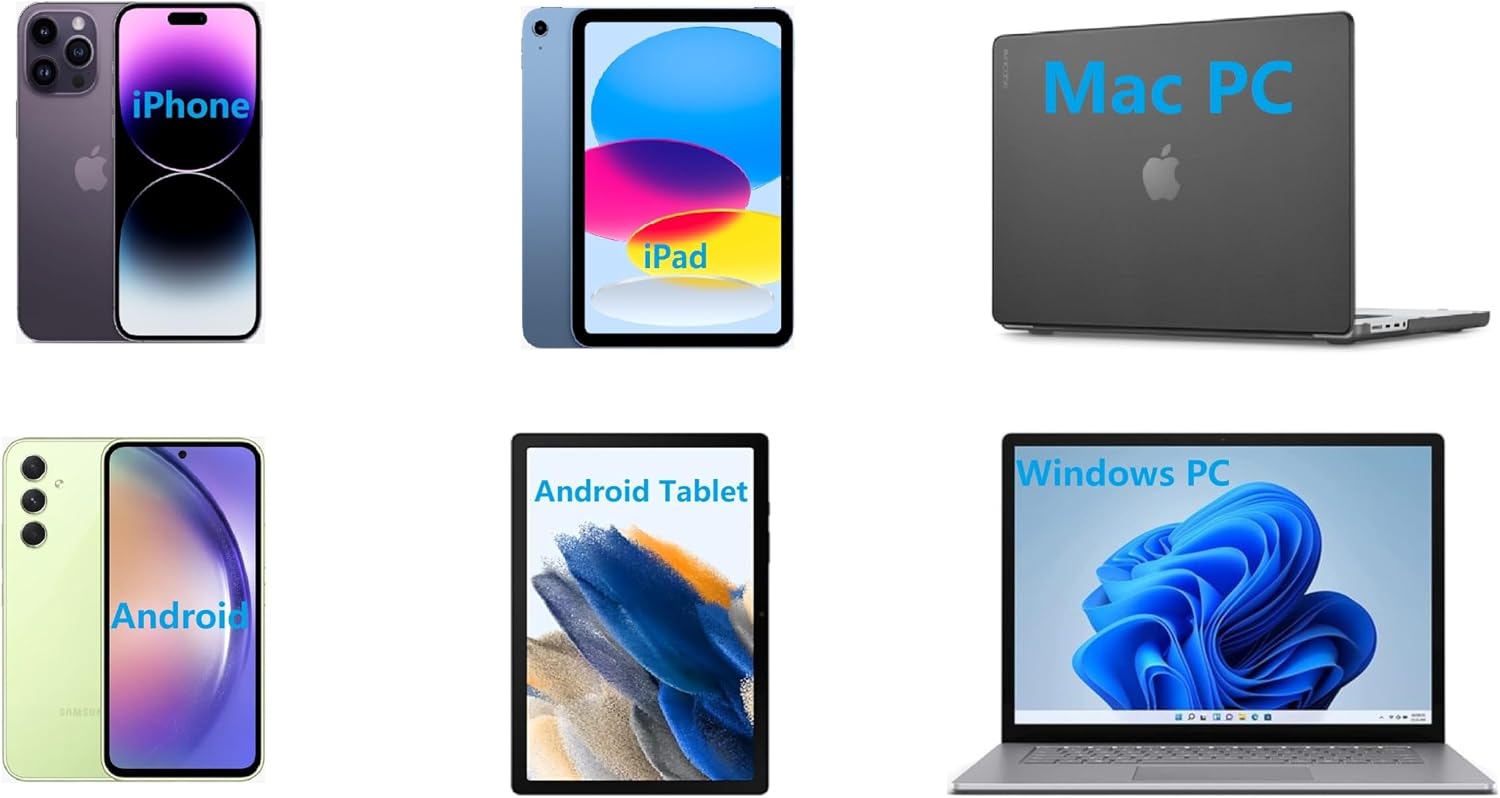
Thank you for choosing the IOOIOO A80 Portable Printer. This compact, inkless thermal printer is designed for convenience and efficiency, allowing you to print documents, photos, and more from various devices, including smartphones, tablets, and computers. Its portable design makes it ideal for home, office, or travel use.


2. Hvad er der i æsken
Kontroller venligst pakkens indhold for at sikre, at alle varer er til stede:
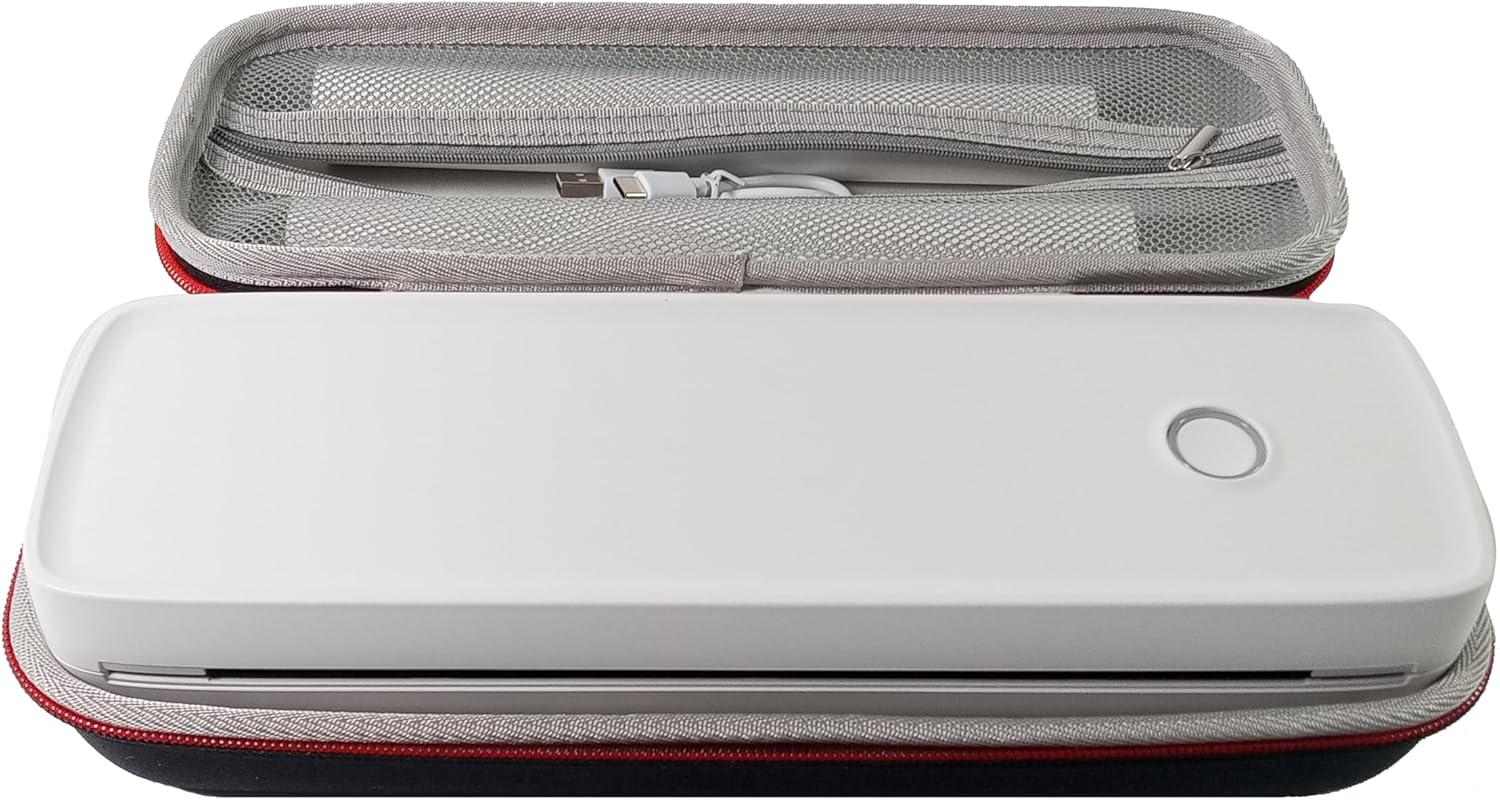
- IOOIOO A80 bærbar printer
- Bæretaske
- 3 Rolls of A4 or Letter Thermal Paper
- 3 Pages of Continuous Folded Thermal Paper
- USB kabel
- QR Code for Manual Download (Digital Manual)

3. Opsætning
3.1 Indledende opladning
Before first use, fully charge the printer using the provided USB cable. The LED indicator will show charging status.
3.2 Software/Driver Installation
To use the printer with your devices, appropriate software or drivers are required:
- For Mobile Phones (iPhone/Android): Download the "SharpFox" application from your device's app store.
- For Desktop PCs (Windows/Mac/Linux/Raspberry Pi): Download the necessary drivers from the official IOOIOO website. A QR code is provided in the box for quick access to the manual and driver download links.
3.3 Ilægning af termopapir
The IOOIOO A80 uses inkless thermal paper. To load paper:
- Åbn dækslet til papirrummet.
- Insert the thermal paper roll or folded stack, ensuring the printable side is facing the print head.
- Luk låget sikkert.

4. Betjeningsvejledning
4.1 Tænd/sluk
- For at tænde: Tryk på tænd/sluk-knappen, og hold den nede, indtil LED-indikatoren lyser.
- For at slukke: Tryk og hold tænd/sluk-knappen nede, indtil LED-indikatoren slukker.
4.2 Forbindelse
The IOOIOO A80 offers both Bluetooth wireless and USB wired connectivity options.
4.2.1 Bluetooth Connection (for Phones and Windows PC)
- Ensure the printer is powered on and the LED is green.
- On your phone, open the "SharpFox" app. On your Windows PC, ensure Bluetooth is enabled.
- Within the app or PC Bluetooth settings, search for and select the "IOOIOO A80" printer to pair.
- Følg eventuelle anvisninger på skærmen for at fuldføre parringsprocessen.
4.2.2 USB Connection (for Windows PC, Mac PC, Linux, Raspberry Pi)
- Ensure the printer is powered on and the LED is green. If the LED is not green, the printer will not print via USB.
- Slut printeren til din computer ved hjælp af det medfølgende USB-kabel.
- Install the appropriate drivers as described in Section 3.2.
- Once drivers are installed, the printer should be recognized by your computer.
4.3 Udskrivning
After connecting your printer, you can initiate printing from your chosen application (e.g., SharpFox app, word processor, PDF vieweh).
- Select the print option within your application.
- Choose "IOOIOO A80" from the list of available printers.
- Adjust print settings (e.g., paper size: US letter/legal/A4/A5, 2", 3", 4" sticky/non-sticky, flat folded/rolled thermal paper, tattoo stencil transfer paper) as needed.
- Click "Print" to begin printing.
Note on Tattoo Stencil Printing: This printer is suitable for normal tattoo lines only. It is not recommended for sharp lines, large blocks, gradients, or color patterns.
5. Vedligeholdelse
Proper maintenance ensures the longevity and optimal performance of your IOOIOO A80 printer.
5.1 Rengøring af printhovedet
Regularly clean the print head to maintain print quality.
- Turn off the printer and disconnect it from power.
- Åbn papirrummet.
- Gently wipe the print head with a lint-free cloth lightly dampafsluttet med isopropylalkohol.
- Lad printhovedet tørre helt, før du lukker dækslet og tænder printeren.
5.2 Papiropbevaring
Store thermal paper in a cool, dry place away from direct sunlight and heat to preserve its quality and ensure prints last for the expected duration (2 to 15 years depending on paper type).
6. Fejlfinding
If you encounter issues with your IOOIOO A80 printer, please refer to the official Troubleshooting Guide for detailed solutions.
Download fejlfindingsvejledning (PDF)
Common issues and quick checks:
- Printeren tænder ikke: Sørg for, at batteriet er opladet.
- Ingen udskrift: Check paper loading, ensure the LED is green (for USB connection), and verify connectivity (Bluetooth/USB).
- Dårlig udskriftskvalitet: Clean the print head, ensure you are using compatible thermal paper.
- Forbindelsesproblemer: Restart both the printer and the device you are trying to connect from. Re-pair Bluetooth or re-plug the USB cable.
7. Specifikationer
| Feature | Detalje |
|---|---|
| Mærke | IOOIOO |
| Modelnavn | A80 |
| Produktdimensioner | 3.6" D x 11.4" B x 2.4" H |
| Varens vægt | 1.8 pund |
| Udskrivningsteknologi | Termisk |
| Maksimal sort/hvid printopløsning | 200 dpi |
| Maksimal udskrivningshastighed (monokrom) | 4 ppm (approx. 10mm/s) |
| Maksimal mediestørrelse | A4 (supports US Letter/Legal/A4/A5) |
| Forbindelsesteknologi | Bluetooth for Phone, USB for PC |
| Blækfarve | Black (Monochrome) |
| Printhovedets levetid | Approx. 170,000 letter pages |
| Batteri | 1 lithium-ion batteri (medfølger) |
8. Garanti og support
For any questions, technical assistance, or warranty inquiries, please contact IOOIOO customer service.
- Telefonsupport i USA: Available for direct assistance.
- WhatsApp Support: Available for convenient messaging support.
Please refer to your product packaging or the official IOOIOO webhjemmeside for de seneste kontaktoplysninger.


