1. Introduktion
This manual provides essential information for the safe and efficient operation of your Smart Tech 40FW01V Full HD Smart TV. Please read this manual thoroughly before using the product and retain it for future reference.

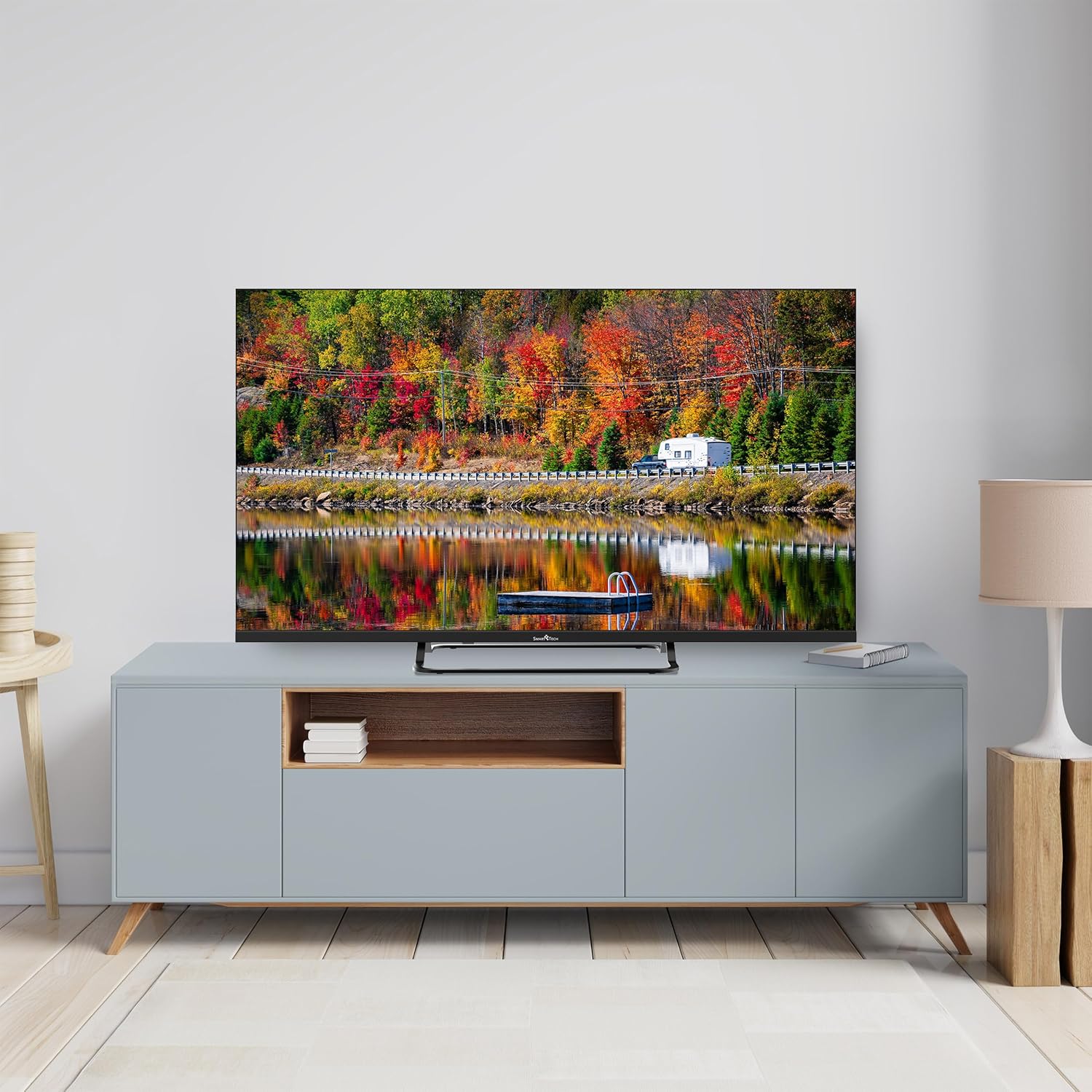
Billede 1.1: The Smart Tech 40FW01V Full HD Smart TV, showcasing its display capabilities and integrated smart features.
2. Sikkerhedsoplysninger
Følg altid grundlæggende sikkerhedsforanstaltninger, når du bruger dette fjernsyn, for at mindske risikoen for brand, elektrisk stød og personskade.
- Udsæt ikke TV'et for regn eller fugt.
- Bloker ikke ventilationsåbninger.
- Sørg for korrekt jordforbindelse af strømstikket.
- Tag stikket ud af tv'et under tordenvejr eller når det ikke bruges i længere perioder.
- Overlad al service til kvalificeret servicepersonale.
3. Pakkens indhold og komponenter
Bekræft at alle varer er til stede i pakken:
- Smart Tech 40FW01V Full HD Smart TV
- Remote Control (requires 2 AA batteries, not always included)
- Strømkabel
- Brugervejledning (dette dokument)
- TV-bord (hvis relevant)
- Skruer til TV-stativ (hvis relevant)
Billede 3.1: The remote control for the Smart Tech TV, featuring dedicated buttons for popular streaming services.
4. Opsætning
4.1. Montering af stativet
- Placer forsigtigt tv'et med forsiden nedad på en blød, ren overflade for at forhindre, at skærmen beskadiges.
- Juster stativet med monteringshullerne i bunden af tv'et.
- Fastgør stativet med de medfølgende skruer.
Alternatively, the TV can be wall-mounted using a compatible VESA mount (sold separately). Refer to the wall mount instructions for installation.
4.2. Tilslutning af eksterne enheder
The TV offers various connection ports for external devices.

Billede 4.1: Overview of the TV's connector panel, detailing HDMI, USB, Ethernet, Optical, and AV input ports.
- HDMI (x3): Tilslut Blu-ray-afspillere, spillekonsoller eller set-top-bokse.
- USB (x2): Tilslut USB-lagerenheder til medieafspilning.
- Ethernet (RJ45): Til kablet internetforbindelse.
- Optisk: For digital audio output to soundbars or home theater systems.
- AV-indgang: For ældre enheder, der bruger kompositvideo og stereolyd.
- CI slot: For at betingede adgangsmoduler (CAM) kan dekryptere betalings-tv-kanaler.
- Antenna (DVB-T2/S2): Connect terrestrial or satellite antenna.
4.3. Første opstart og netværksopsætning
- Tilslut strømkablet til tv'et og en stikkontakt.
- Tryk på tænd/sluk-knappen på fjernbetjeningen eller tv'et.
- Follow the on-screen instructions for initial setup, including language selection, time zone, and network connection (Wi-Fi or Ethernet).
- For Wi-Fi, select your network and enter the password.
5. Betjeningsvejledning
5.1. Fjernbetjeningsfunktioner
The remote control provides access to all TV functions. Key buttons include:
- Magt: Tænder/slukker tv'et.
- Nummerknapper (0-9): Direkte kanalvalg.
- Lydstyrke op/ned: Justerer lydstyrken.
- Kanal op/ned: Skifter kanaler.
- Kilde: Vælger inputkilde (HDMI, AV, TV).
- Navigation (Up/Down/Left/Right/OK): Navigerer i menuer og bekræfter valg.
- Tilbage/Afslut: Returns to the previous screen or exits menus.
- Smart Home/WebOS Hub: Giver adgang til Smart TV-grænsefladen.
- Dedikerede app-knapper: Quick access to Netflix, Prime Video, etc.
5.2. Smart TV-funktioner (WebOS)
Your Smart Tech TV runs on WebOS, providing an intuitive smart TV experience.
- App-starter: Press the Home button to access a customizable bar of installed applications like Netflix, YouTube, Prime Video, Molotov, Canal+, and Disney+.
- Content Store: Download og installer yderligere applikationer.
- Skærmdeling: Utilize features like Apple AirPlay or Chromecast for screen mirroring from compatible devices.
- LG ThinQ Integration: Connect and control other LG ThinQ compatible smart home devices.

Billede 5.1: Key features of the Smart Tech TV, including smart connectivity and display enhancements.
5.3. Billed- og lydindstillinger
Access the settings menu to adjust picture and sound preferences.
- Billedtilstande: Standard, Vivid, Cinema, Sport, Game, HDR Effect.
- Lysstyrke, kontrast, farve, skarphed: Finjuster displayets egenskaber.
- Lydtilstande: Standard, Cinema, Clear Voice, Sports, Music.
- Dolby Audio: Enhanced audio processing for immersive sound.
6. Vedligeholdelse
6.1. Rengøring af tv'et
- Tag altid stikket ud af tv'et inden rengøring.
- Brug en blød, tør klud til at tørre skærmen og kabinettet af.
- For genstridige mærker, gnid letampRengør kluden med vand eller et mildt, ikke-slibende skærmrensemiddel.
- Brug ikke alkohol, benzen, fortyndingsmidler eller andre flygtige stoffer.
6.2. Softwareopdateringer
The TV may receive software updates to improve performance and add new features. Ensure your TV is connected to the internet to receive these updates. You can usually check for updates in the TV's settings menu.
7. Fejlfinding
| Problem | Mulig årsag | Løsning |
|---|---|---|
| Ingen strøm | Strømkabel frakoblet; ingen strøm fra stikkontakten. | Kontroller strømkablets forbindelse; test stikkontakten med en anden enhed. |
| Intet billede, men der er lyd | Incorrect input source selected; faulty HDMI cable. | Press the "Source" button on the remote to select the correct input; try a different HDMI cable. |
| Ingen lyd, men der er billede | Lydstyrken er slået fra eller for lav; forkert indstilling for lydudgang. | Unmute volume or increase level; check audio output settings in the TV menu. |
| Fjernbetjening virker ikke | Batteries depleted or incorrectly inserted; obstruction between remote and TV. | Replace batteries; ensure clear line of sight to the TV's IR receiver. |
| Kan ikke oprette forbindelse til Wi-Fi | Forkert adgangskode; routerproblemer; TV'et er for langt fra routeren. | Verify Wi-Fi password; restart router; move TV closer or use Ethernet. |
8. Specifikationer
| Feature | Detalje |
|---|---|
| Modelnummer | 40FW01V |
| Skærmstørrelse | 40 tommer (100 cm) |
| Displayteknologi | LED |
| Opløsning | Fuld HD (1920x1080p) |
| Opdateringshastighed | 60 Hz |
| Operativsystem | WebOS |
| Forbindelse | Wi-Fi, Ethernet, Bluetooth, 3x HDMI, 2x USB, Optical, AV Input |
| Lydudgang | 2x 8 Watts, Dolby Audio |
| Særlige funktioner | Chromecast, HDR, Triple Tuner |
| Dimensioner (B x H x D) | 89l x 54H x 23P cm (with stand) |
| Energieffektivitetsklasse | E |
| Strømforbrug | 36 kWh/1000h |

Billede 8.1: Energy label for the 40FW01V model, indicating its energy efficiency class and consumption. For more details, visit EPREL-database.

Billede 8.2: Dimensional drawing of the 40-inch Smart Tech TV, providing measurements for installation planning.
9. Garantioplysninger
Smart Tech products are covered by a manufacturer's warranty. Please refer to the warranty card included with your product or visit the official Smart Tech webwebstedet for detaljerede vilkår og betingelser. Gem din købsbevis til garantikrav.
Availability of spare parts is guaranteed for 11 years from the date of purchase.
10. Kundesupport
For technical assistance, troubleshooting, or service inquiries, please contact Smart Tech customer support. Contact details can typically be found on the official Smart Tech webwebstedet eller på dit produkts emballage.
Online resources, including FAQs and additional support documents, may also be available on the Smart Tech support portal.


