1. Kom godt i gang
1.1 Pakkens indhold
Sørg for at alle varer er til stede i pakken:
- DOOGEE S Punk Rugged Smartphone
- USB-C kabel
- Strømadapter
- Brugervejledning (dette dokument)
 Image: The DOOGEE S Punk Rugged Smartphone with its included accessories.
1.2 Installation af SIM-kort og lagerkort
The DOOGEE S Punk supports two Nano SIM cards or one Nano SIM card and one TF (microSD) card for expanded storage up to 1TB.
- Find SIM-kortbakken på siden af enheden.
- Indsæt SIM-kortudløserværktøjet i det lille hul ved siden af bakken for at åbne det.
- Place your Nano SIM card(s) and/or TF card into the tray according to the diagram on the tray.
- Skub forsigtigt bakken tilbage i åbningen, indtil den flugter med telefonens kabinet.
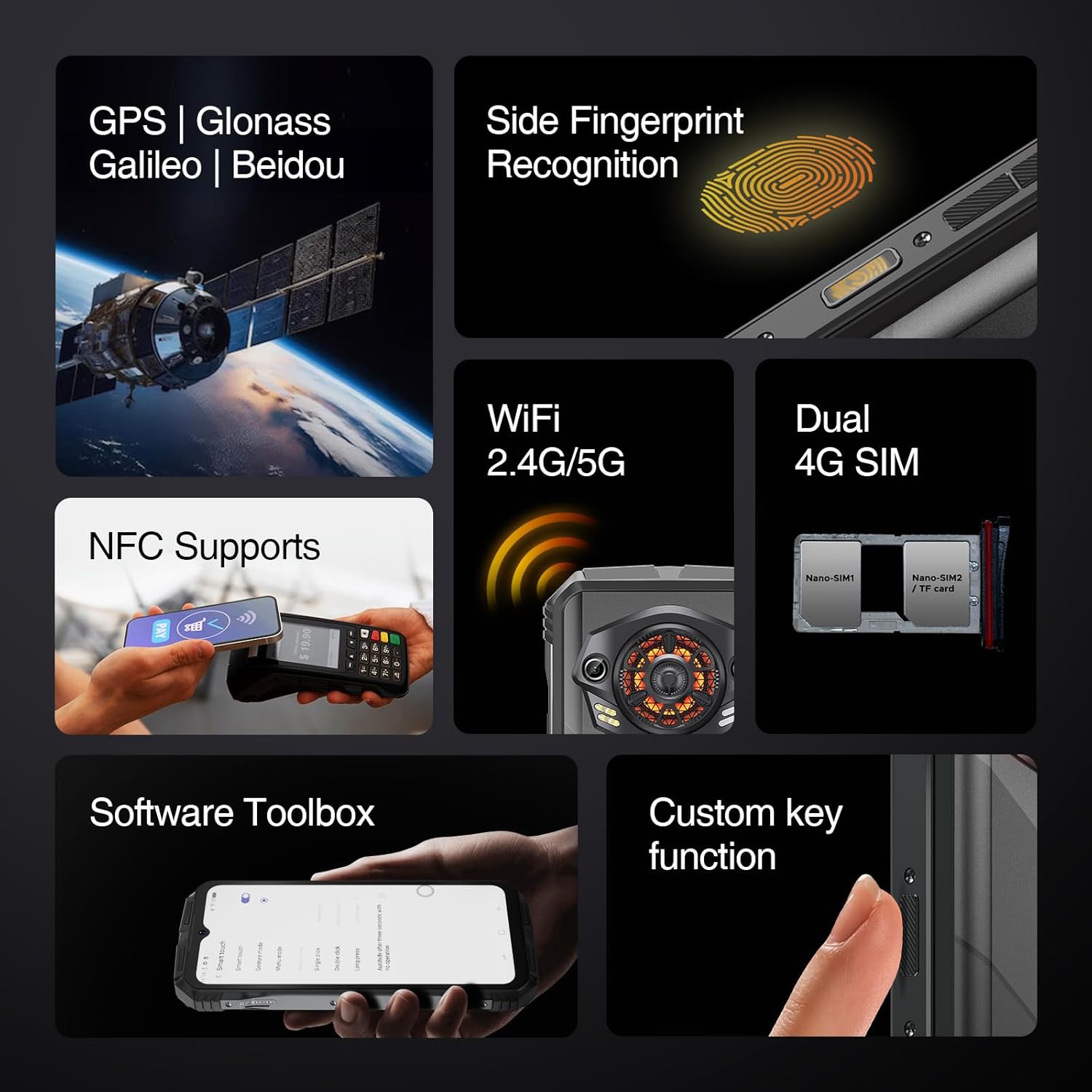 Image: The side of the DOOGEE S Punk, illustrating the SIM card tray and other external features.
1.3 Første opladning og tænding
Before first use, fully charge your device. The phone features a 10800mAh battery and supports 33W fast charging.
- Connect the USB-C cable to the phone's charging port and the power adapter.
- Sæt strømadapteren i en stikkontakt.
- Once sufficiently charged, press and hold the Power button (located on the side) until the DOOGEE logo appears.
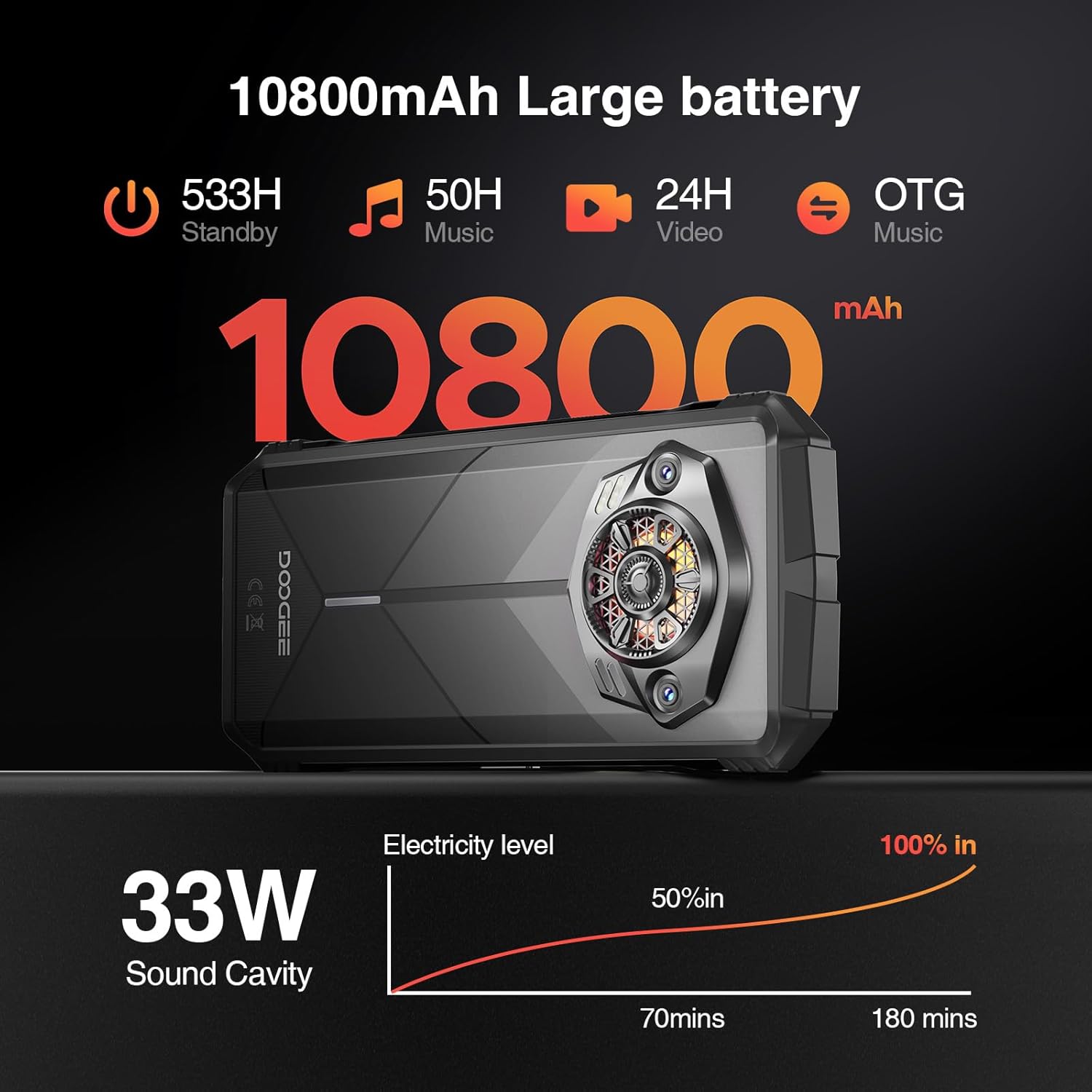 Image: Visual representation of the DOOGEE S Punk's 10800mAh battery capacity and 33W fast charging capability.
2. Betjening af din smartphone
2.1 Skærm og brugergrænseflade
The DOOGEE S Punk features a 6.58-inch FHD+ IPS display with a resolution of 1080 x 2408 pixels and 400 nits brightness. It operates on Android 14, providing a user-friendly interface.
 Image: Details of the DOOGEE S Punk's 6.58-inch FHD+ display, highlighting resolution and brightness.
2.2 Ydeevne og lagring
Equipped with an Octa-core processor, 16GB RAM (6GB physical + 10GB virtual), and 256GB internal storage, expandable up to 1TB with a TF card, the device ensures smooth multitasking and ampplads til applikationer og medier.
 Image: Illustration of the DOOGEE S Punk's 16GB RAM and 256GB ROM, with expansion capabilities.
2.3 Kamerafunktioner
Capture moments with the 50MP AI main camera and 16MP front camera. Various shooting modes are available, including panorama, portrait, macro, and beauty mode.
 Billede: Overview of the DOOGEE S Punk's 50MP main camera and 16MP front camera capabilities.
2.4 Audio and Intelligent Lights
The device features a 4.0W super speaker with 126 dB volume and 34mm large-amplitude speakers, providing clear audio. Intelligent Interaction Lights on the rear can be customized for notifications, music, and charging status.
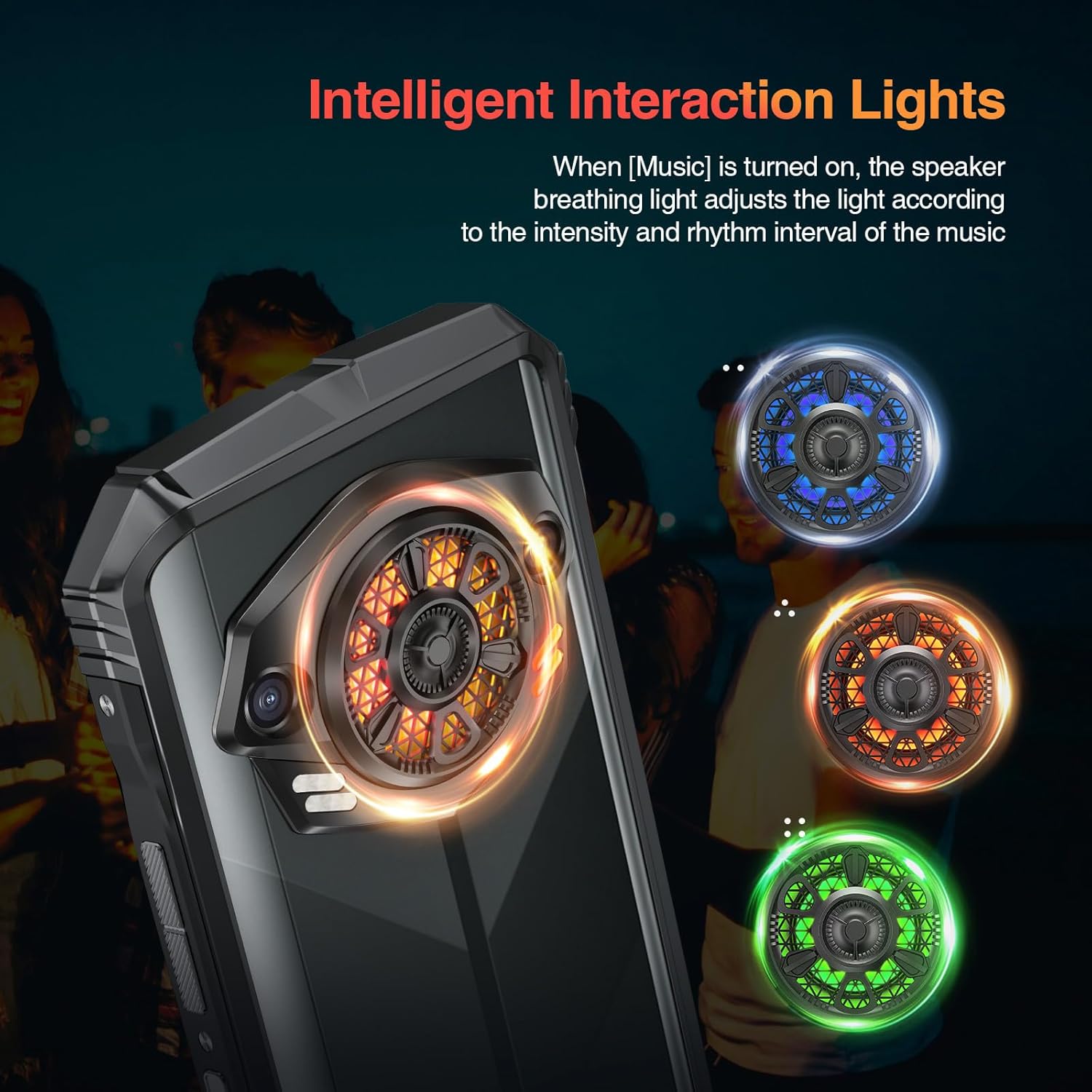 Image: The Intelligent Interaction Lights on the back of the DOOGEE S Punk, showing various color options.
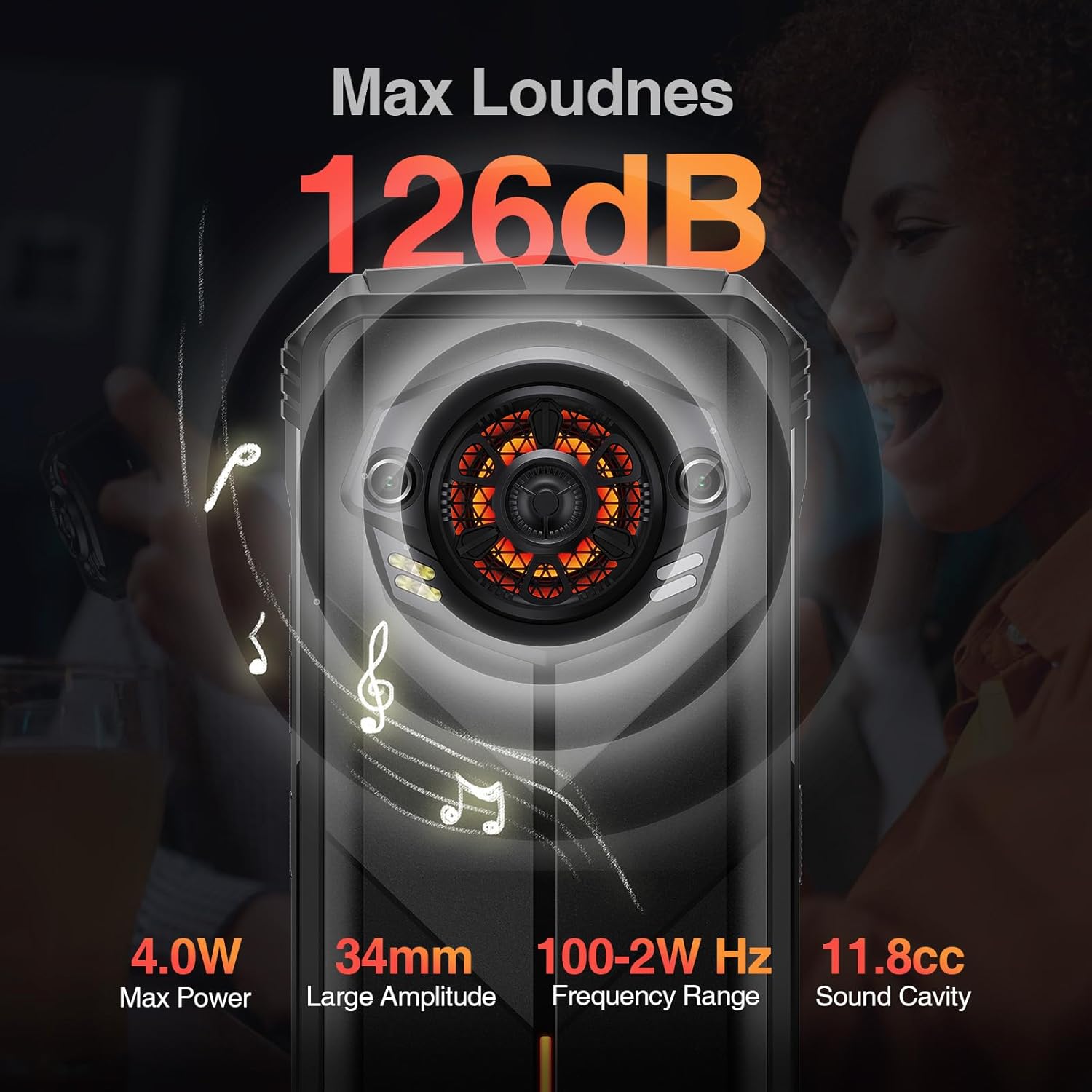 Image: Diagram illustrating the powerful 126dB super speaker of the DOOGEE S Punk.
2.5 Forbindelse og sikkerhed
The S Punk supports 4G Dual SIM, Wi-Fi (2.4G/5G), Bluetooth, NFC, OTG, and GPS (GPS, GLONASS, Galileo, Beidou). For security, it includes face unlock and fingerprint recognition.
Video: Demonstrating the 4G Dual SIM and multi-functional features of the DOOGEE S Punk.
3. Vedligeholdelse og holdbarhed
The DOOGEE S Punk is designed for durability and is certified IP68, IP69K, and MIL-STD-810H. This means it is waterproof up to 1.5 meters for 30 minutes, fully dustproof, and can withstand drops from up to 1.5 meters. It operates reliably in temperatures from -20°C to 55°C.
Video: Highlighting the ruggedness and reliability of the DOOGEE S Punk, including its IP68, IP69K, and MIL-STD-810H certifications.
Video: Showcasing the DOOGEE S Punk as a suitable device for outdoor activities and explorers.
4. Fejlfinding
This section addresses common issues you might encounter with your DOOGEE S Punk smartphone.
4.1 Enheden tændes ikke
- Tjek batteriniveau: Ensure the phone has sufficient charge. Connect it to the charger and wait a few minutes before attempting to power on.
- Hård nulstilling: Press and hold the Power button for approximately 10-15 seconds to perform a hard reset.
4.2 Dårligt netværkssignal
- Tjek SIM-kort: Sørg for, at SIM-kortet er korrekt isat og aktiveret.
- Netværksindstillinger: Go to Settings > Network & internet > Mobile network and verify that your preferred network type is selected.
- Beliggenhed: Flyt til et område med bedre netværksdækning.
4.3 Applications Crashing or Freezing
- Genstart enhed: A simple restart can resolve many software issues.
- Ryd cache: Go to Settings > Apps > [App Name] > Storage & cache > Clear cache.
- Update Apps/System: Ensure all applications and the Android operating system are updated to their latest versions.
4.4 Speaker Issues
- Tjek lydstyrke: Sørg for, at lydstyrken er skruet op og ikke er slået fra.
- Forhindringer: Verify that the speaker grille is not blocked by debris or a case.
- Genstart: Restart the phone to reset audio drivers.
5. Specifikationer
| Feature | Detalje |
|---|---|
| Modelnavn | S Punk |
| Mærke | DOOGEE |
| Operativsystem | Android 14 |
| Installeret RAM-hukommelsesstørrelse | 16 GB |
| Hukommelseslagringskapacitet | 256 GB (kan udvides op til 1 TB) |
| Skærmstørrelse | 6.58 tommer |
| Opløsning | 1080 x 2408 |
| Opdateringshastighed | 60 Hz |
| Batterikapacitet | 10800 mAh |
| Hurtig opladning | 33W |
| Bagkamera | 50MP AI-hovedkamera |
| Forreste kamera | 16 MP |
| Forbindelsesteknologier | Bluetooth, NFC, Wi-Fi, 4G dobbelt SIM-kort |
| GPS | GPS, GLONASS, Galileo, Beidou |
| Holdbarhed | IP68/IP69K Waterproof & Dustproof, MIL-STD-810H Drop-proof |
| Driftstemperatur | -20°C til 55°C |
| Varens vægt | 9.2 ounce (262 gram) |
| Dimensioner | 7.56 x 4.13 x 2.28 tommer |
6. Garanti og support
The DOOGEE S Punk smartphone comes with a 1-year free warranty. For any issues or support needs, please contact DOOGEE customer service. You are also entitled to a 30-day no-reason refund from the purchase date.
For further assistance, visit the official DOOGEE webwebstedet eller kontakt deres supportkanaler.


