1. Introduktion
Thank you for choosing the WELOCK Smart Door Lock PBL21EBL41. This smart lock provides secure keyless entry solutions for your home or office, offering multiple unlocking methods including password, smartphone application, and emergency USB power. This manual will guide you through the installation, setup, operation, and maintenance of your new smart lock. Please read these instructions carefully before installation and use to ensure proper function and safety.
2. Sikkerhedsoplysninger
- Do not expose the lock to water or direct sunlight for extended periods.
- Brug kun de angivne AAA-batterier. Bland ikke gamle og nye batterier eller forskellige typer batterier.
- Keep your passwords confidential and change them regularly.
- Ensure the door is properly closed and locked after entry or exit.
- Forsøg ikke selv at skille låsen ad eller reparere den. Kontakt kundesupport for at få hjælp.
- Keep the QR code and lock ID in a safe place, as they are required for app setup.
3. Pakkens indhold
Bekræft at alle komponenter er til stede i pakken:
- 1 x WELOCK Smart Door Lock Cylinder
- 1 x brugermanual
- 2 x Screwdrivers (for installation)
- (Note: 3 x AAA batteries are required but not included.)
4. Produktet er slutview
The WELOCK Smart Door Lock PBL21EBL41 is designed for convenience and security. It features a digital keypad, Bluetooth connectivity for smartphone app control, and an emergency USB power port.

Figure 1: WELOCK Smart Door Lock PBL21EBL41. This image displays the complete smart door lock cylinder with its integrated digital keypad and a smartphone screen showing the WELOCK app interface.
4.1 Oplåsningsmetoder
The lock supports multiple convenient unlocking methods:
- Adgangskodelås: Enter your predefined digital code on the keypad.
- Smartphone App Unlock: Use the WELOCK app via Bluetooth.
- Emergency USB Unlock: In case of battery depletion, connect a power bank via the USB port to temporarily power the lock.

Figur 2: Flere oplåsningsmetoder. This image illustrates the three primary ways to unlock the WELOCK smart door lock: via the smartphone app, by entering a password on the keypad, and using a USB power bank for emergency access.
4.2 Temporary Password Sharing
The WELOCK app allows you to generate and share temporary passwords with visitors. These passwords can be set with specific validity periods, expiring automatically after use or a set time.
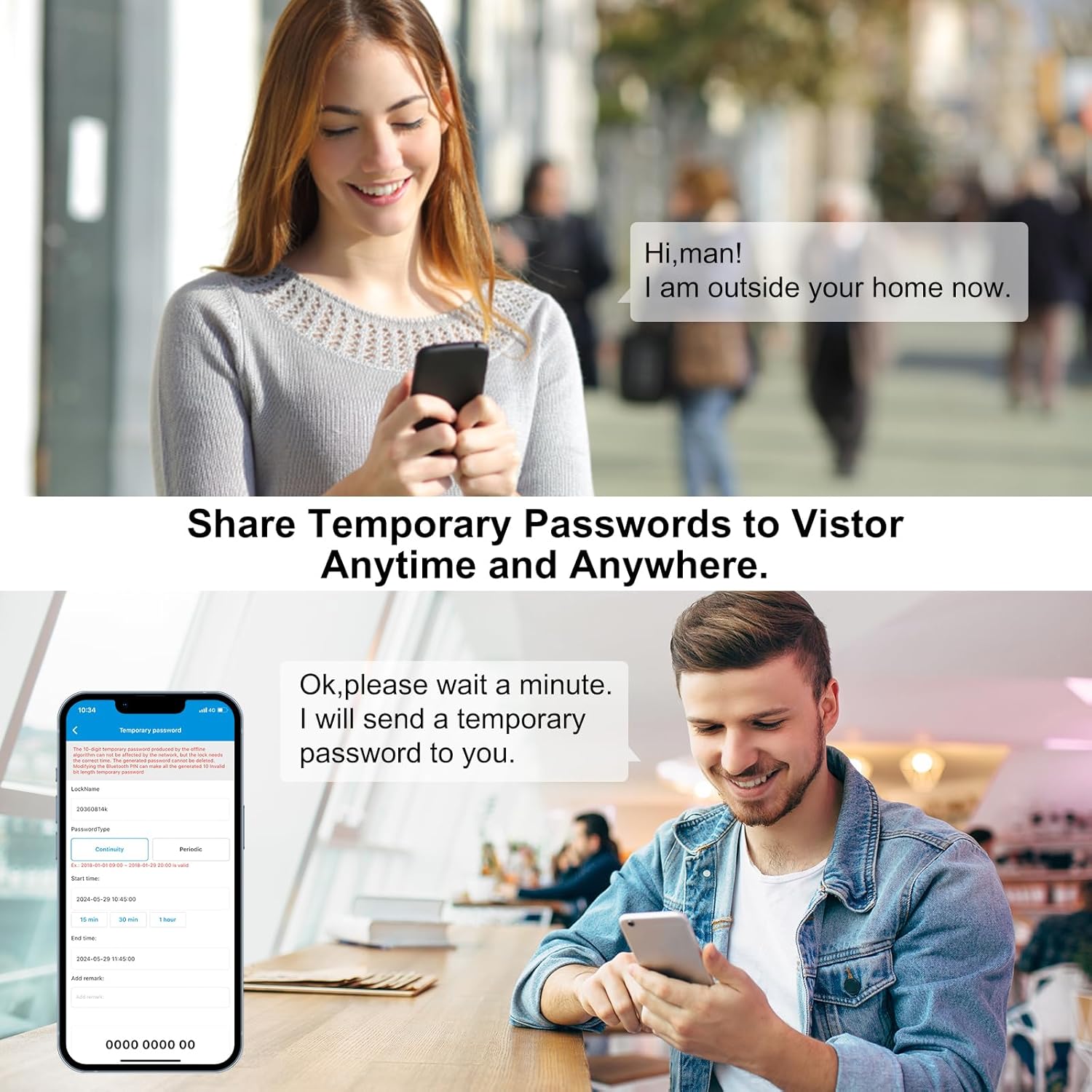
Figure 3: Temporary Password Sharing. This image depicts the process of sharing temporary passwords through the WELOCK app, enabling controlled access for guests or service providers.
4.3 Remote Control (Optional Gateway)
For remote unlocking capabilities and integration with smart home systems like Alexa, an optional WiFi gateway (not included) is required. This allows you to control your lock from anywhere.

Figure 4: Remote Control via Gateway. This image illustrates how the WELOCK smart lock can be controlled remotely using a smartphone app and an optional WiFi gateway, potentially integrating with smart home devices like Alexa.
5. Installation
The WELOCK Smart Door Lock is designed for easy installation, typically without the need for professional assistance or drilling.
5.1 Kompatibilitetskrav
- Dørtykkelse: Compatible with doors ranging from 50mm to 100mm thick.
- Keyhole to Door Frame Distance: The distance from the center of the keyhole to the door frame must be 40mm or greater.
- Cylindertype: Designed to replace existing European standard cylinders. Not compatible with Swiss round cylinders or vintage door locks.

Figure 5: Compatibility Check. This image illustrates the critical dimensions for installation, including door thickness (50-100mm) and the minimum distance from the keyhole center to the door frame (≥40mm). It also shows incompatible lock types.
5.2 Installationstrin
- Fjern eksisterende cylinder: Locate the retaining screw on the edge of your door that secures the existing cylinder. Unscrew it and carefully pull out the old cylinder.
- Adjust WELOCK Cylinder Length: The WELOCK cylinder is adjustable. Measure your door's thickness and adjust the cylinder's length accordingly by loosening the grub screws on the internal and external handles, sliding them to the correct position, and then tightening the screws. Refer to Figure 6 for dimensions.
- Indsæt batterier: Before inserting the new cylinder, open the battery compartment (usually by removing a cover or part of the handle) and insert 3 AAA batteries. Ensure correct polarity.
- Insert New Cylinder: Slide the WELOCK smart lock cylinder into the door's mortise lock. Ensure it is flush with the door edge.
- Sikker cylinder: Reinsert and tighten the retaining screw on the door edge to secure the WELOCK cylinder in place.
- Test funktionalitet: After installation, test the lock's rotation and keypad functionality before closing the door.

Figure 6: Product Dimensions and Adjustment. This image provides detailed measurements of the WELOCK smart lock components, including the adjustable cylinder length (50-100mm) and the dimensions of the keypad and internal knob.
6. Opsætning
6.1 App download og installation
Download the official WELOCK application to your smartphone. You can scan the QR code on the lock or visit the official download page: WELOCK App Download.
6.2 Pairing the Lock with the App
- Aktiver Bluetooth på din smartphone.
- Open the WELOCK app and create an account or log in.
- Follow the in-app instructions to add a new device. You will likely need to scan the QR code located on the lock cylinder or manually enter the lock ID. Ensure you note down the lock ID before fully installing the cylinder if it becomes hidden.
- Once paired, the app will display the lock's status and allow you to configure settings.
6.3 Setting Up Passwords
- Administratoradgangskode: The first password set is typically the administrator password. This password has full control over the lock.
- User Passwords: You can set up to 10 user passwords through the app.
- Midlertidige adgangskoder: Generate temporary passwords with specific timeframes for guests or service personnel via the app.
Refer to the in-app guide for detailed steps on password management.
7. Betjeningsvejledning
7.1 Oplåsning med adgangskode
- Væk tastaturet ved at berøre det.
- Enter your 6-digit password.
- Press the '#' key to confirm. The lock will unlock, and you can turn the handle to open the door.
7.2 Unlocking with Smartphone App
- Sørg for, at Bluetooth er aktiveret på din smartphone, og at du er inden for låsens rækkevidde.
- Open the WELOCK app.
- Select your lock from the device list.
- Tap the "Unlock" button in the app. The lock will unlock.
7.3 Emergency USB Power Unlock
If the batteries are completely depleted, you can still unlock the door using a power bank:
- Locate the micro-USB port on the external handle (usually at the bottom or side).
- Connect a power bank to the USB port using a micro-USB cable.
- Once powered, the lock will activate, allowing you to unlock it using the app or a valid password.
7.4 Låsning af døren
The WELOCK Smart Door Lock automatically locks after a short delay once the door is closed. You can also manually lock it by turning the internal knob or using the app.
8. Vedligeholdelse
8.1 Udskiftning af batteri
The lock operates on 3 AAA batteries. When the battery level drops below 20%, you will receive a low battery warning via the app and potentially on the lock's display.
- Access the battery compartment (refer to installation steps for location).
- Fjern de gamle batterier.
- Isæt 3 nye AAA-batterier, og sørg for at polerne vender korrekt.
- Luk batterirummet forsvarligt.
8.2 Rengøring
Tør låsens overflade af med en blød, tør klud. Undgå at bruge slibende rengøringsmidler eller opløsningsmidler, der kan beskadige overfladen eller de elektroniske komponenter.
9. Fejlfinding
- Låsen svarer ikke: Check battery level. If low, replace batteries or use emergency USB power.
- Appen opretter ikke forbindelse: Ensure Bluetooth is enabled on your phone and you are within range. Restart the app or your phone. Re-pair the lock if necessary.
- Adgangskoden virker ikke: Double-check the entered password. Ensure the keypad is active.
- Lock is loose after installation: Ensure the retaining screw on the door edge is tightened and the grub screws on the handles are secure.
For further assistance, please contact WELOCK customer support.
10. Specifikationer
| Mærke | WELOCK |
| Modelnummer | PBL21EBL41 |
| Modelnavn | PBL41 |
| Dimensioner (L x B x H) | 18 x 4 x 4 cm (7.09 x 1.57 x 1.57 tommer) |
| Vægt | 480 gram (1.06 pund) |
| Farve | Sølv |
| Strømkilde | 3 x AAA batterier (medfølger ikke) |
| Dørtykkelseskompatibilitet | 50 mm - 100 mm |
| Keyhole to Frame Distance | ≥ 40 mm |
| Oplåsningsmetoder | Password, Bluetooth App, Emergency USB Power |
11. Garanti og support
WELOCK provides customer support and warranty services for its products.
- Garanti: Please refer to your purchase documentation or the official WELOCK website for specific warranty duration and terms.
- Teknisk support: For any questions regarding installation, setup, or troubleshooting, please contact WELOCK customer service. Contact information can typically be found on the official webwebstedet eller din produktemballage.


