1. Introduktion
This manual provides detailed instructions for the operation and maintenance of your Luoran Kids MP3 Player, Model M4S. Please read this manual thoroughly before using the device to ensure proper functionality and to understand its features, including parental controls, media playback, and connectivity options.
2. Pakkens indhold
Bekræft at alle varer er til stede i pakken:
- Luoran Kids MP3 Player M4S
- USB-C-kabel
- Kablede høretelefoner
- Silikone etui
- Instruktionsmanual (dette dokument)
3. Enhed overview
The Luoran M4S features a 4.0-inch IPS display with full touchscreen functionality, housed within a metal frame and tempered glass back. It is designed for ease of use and durability.

Billede: Forside og side view of the Luoran M4S MP3 Player, displaying its user interface and physical buttons.
3.1 Fysiske egenskaber
- Power knap: Placeret på siden til at tænde/slukke enheden og låse skærmen.
- Lydstyrkeknapper: Juster lydudgangsniveauet.
- USB-C-port: Til opladning og dataoverførsel.
- 3.5 mm hovedtelefonstik: For connecting wired earphones or headphones.
- MicroSD -kortplads: Til udvidelse af lagerkapaciteten.

Billede: Detaljeret view of the device's construction, highlighting the metal frame, tempered glass back, and port locations.
4. Opsætning
4.1 Indledende tænding
- Tryk og hold tænd/sluk-knappen nede, indtil skærmen lyser.
- Følg vejledningen på skærmen for at vælge dit sprog og din region.
4.2 Setting Up Parental Controls
Upon first use, you will be prompted to set a password for Parental Management. This password is crucial for controlling app access and installation. Please remember this password.

Image: Parental Management password entry screen.
4.3 Tilslutning til Wi-Fi
- Naviger til Indstillinger > Netværk og internet > Wi-Fi.
- Slå Wi-Fi til/fra On.
- Vælg dit ønskede Wi-Fi-netværk fra listen.
- Indtast netværksadgangskoden, hvis du bliver bedt om det, og tryk på Forbinde.
4.4 Overførsel Files
You can transfer music, videos, and other files to the device using the included USB-C cable. Connect the device to a computer, and it will appear as a removable storage device. Alternatively, files can be transferred via Wi-Fi using compatible applications.
4.5 Installation og administration af applikationer
The device comes with pre-installed applications such as Spotify Kids, Spotify, Amazon Music, Audible, and HiBy Music. New application installations require approval through the Parental Controls system.

Image: Application Management interface, allowing parents to enable or disable specific applications.
5. Betjeningsvejledning
5.1 Musikafspilning
The device supports various music formats, including MP3, WAV, FLAC, APE, OGG, M4A, AAC, WMA, and MP2. Music can be organized and played by title, folder, artist, or album.
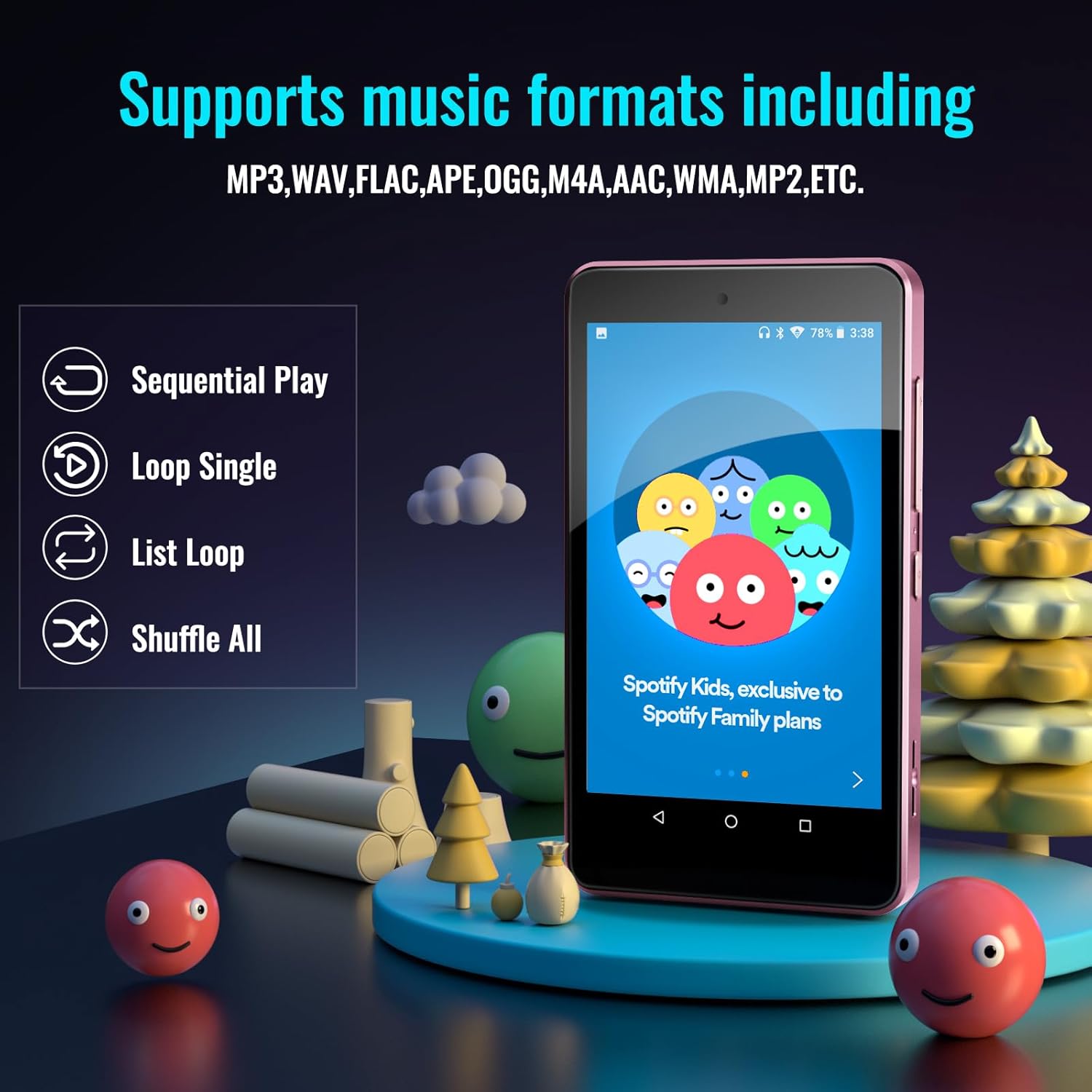
Image: Music playback options and supported formats displayed on the device screen.
5.2 Videoafspilning
The 4.0-inch IPS screen allows for video playback. Supported video formats can be played through the pre-installed video player application.
5.3 Bluetooth-forbindelse
The player features Bluetooth for connecting to external audio devices such as earphones, headphones, speakers, and car stereos. It provides fast pairing and stable connections.

Image: The device demonstrating Bluetooth connectivity with wireless earbuds.
5.4 Udvidelig lagerplads
The device includes 16GB of internal memory and supports external storage expansion up to 256GB via a microSD card slot. It is compatible with SDXC and SDHC cards.

Image: Illustrates the expandable memory feature with a microSD card being inserted.
5.5 Batteristyring
The built-in 1500mAh battery provides approximately 50 hours of music playback on a 2-hour full charge. The device includes a standby power-saving feature to optimize battery life. Charge the device using the provided USB-C cable.
6. Parental Controls Features
The Parental Controls system allows for comprehensive management of the device's usage:
- Applikationsstyring: Block or unblock any installed application.
- Application Installation Control: New app installations require parental approval via the set password.
- Auto ON/OFF Time: Set specific times for the device to automatically turn on or off, controlling screen time.

Image: Parental Controls screen, detailing options for managing applications and device usage.

Image: Parental Management settings, showing options for automatic power control and app installation permissions.
7. Specifikationer
| Feature | Detalje |
|---|---|
| Modelnavn | M4S |
| Produktdimensioner | 0.39 x 2.4 x 4.25 tommer |
| Varens vægt | 4.9 ounce |
| Skærmstørrelse | 4 tommer |
| Display Type | IPS |
| Hukommelseslagringskapacitet | 16 GB (kan udvides op til 256 GB) |
| Forbindelsesteknologi | Bluetooth, WiFi |
| Særlige funktioner | Bluetooth and WiFi, Parental Controls |
| Batteri | 1 Lithium Polymer batteri (medfølger) |
| Kompatible enheder | Earphones, Headphones |
| Medietype | SDHC, SDXC, memory card |
8. Fejlfinding
If you encounter issues with your Luoran M4S MP3 Player, consider the following:
- Enheden tænder ikke: Sørg for, at enheden er fuldt opladet. Tilslut den til en strømkilde med USB-C-kablet.
- Skærmen reagerer ikke: Try restarting the device by holding the power button. If unresponsive, a hard reset may be necessary (refer to support for instructions).
- Applications not working or missing: Verify Wi-Fi connectivity. For missing or upgrading applications, contact the Luoran Team for APK files and installation steps.
- Forgotten Parental Control password: It is critical to remember the password or PIN codes set for parental controls. If forgotten, contact Luoran support for assistance.
- Problemer med Bluetooth-forbindelse: Ensure Bluetooth is enabled on both the player and the external device. Try unpairing and re-pairing the devices.
9. Support og garanti
For technical assistance, missing components, or issues with application installation, please contact the Luoran Team. They aim to respond within 12 hours.
For specific warranty information regarding your Luoran M4S MP3 Player, please refer to the product packaging or contact Luoran customer support directly. Keep your purchase receipt as proof of purchase.
Important Reminder: Please write down and remember any passwords or PIN codes you set for the device, especially for Parental Controls, as access may be restricted if forgotten.


