1. Introduktion
This manual provides detailed instructions for the Headwolf WPad5 Android 14 Tablet. Please read this guide thoroughly before using your device to ensure proper operation and to maximize its features. Keep this manual for future reference.
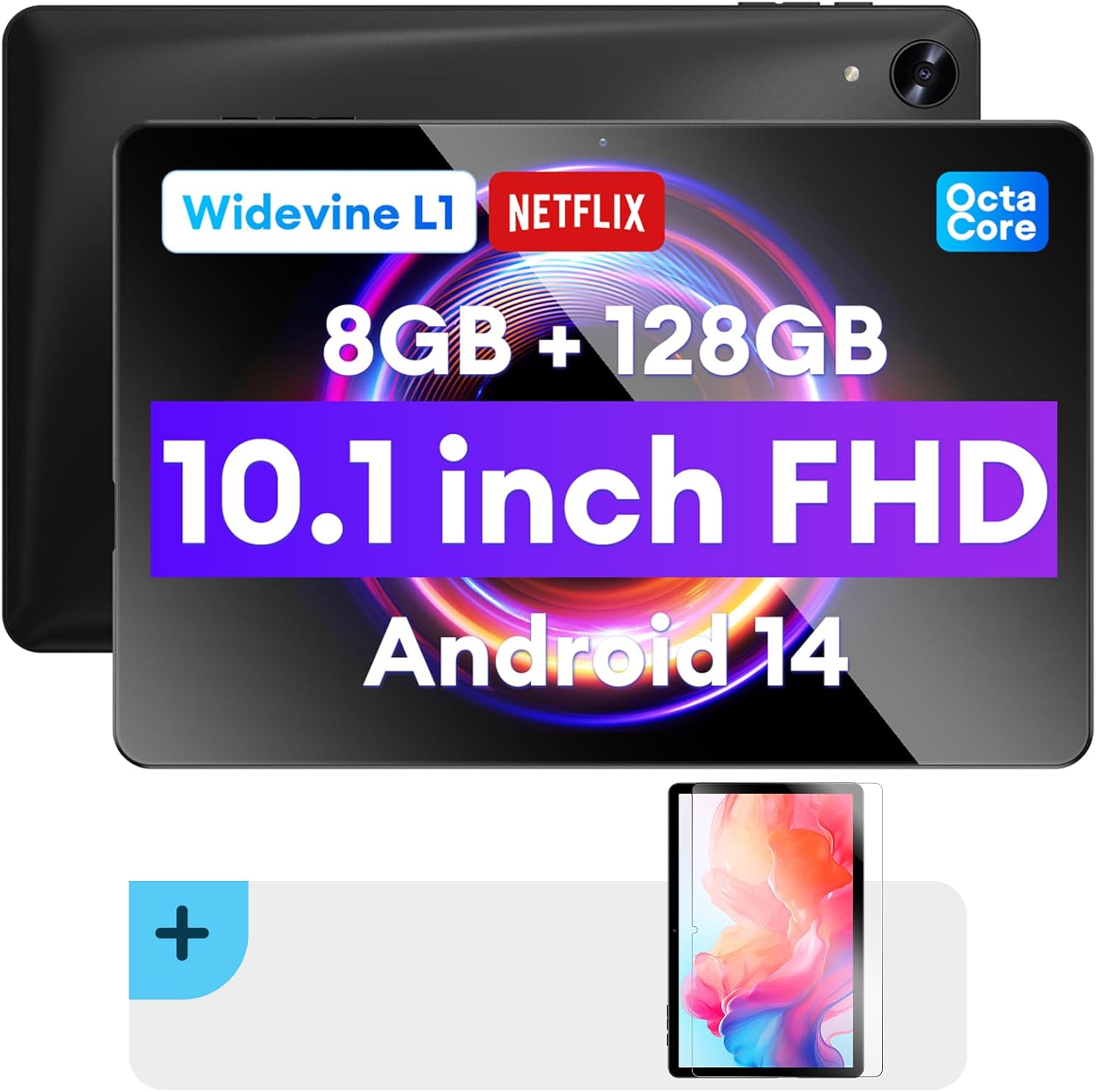
Billede: Forside og bagside view of the Headwolf WPad5 tablet, showcasing its 10.1-inch FHD display, 8GB RAM + 128GB ROM, Widevine L1 support, Octa-Core processor, and Android 14 operating system.

Billede: En overview of the Headwolf WPad5 tablet's main features, including its 10.1-inch 1920x1200 IPS FHD display, Unisoc T606 Octa-Core CPU, 8GB RAM + 128GB ROM, 5500mAh battery, 2.4G/5G WiFi, Android 14, dual stereo speakers, dual camera, and Widevine L1 support for Netflix.
2. Opsætning
2.1 Hvad er der i æsken
Upon unboxing your Headwolf WPad5 tablet, please verify that all the following items are included:
- Headwolf WPad5 Tablet
- Type-C kabel
- AC Adapter
- Brugermanual
- 2-pack Screen Protector

Image: A visual representation of the Headwolf WPad5 tablet and its accessories (manual, Type-C cable, AC adapter). It also highlights the tablet's physical features such as the 3.5mm headphone jack, rear camera, power button, volume buttons, TF card slot, and Type-C port.
2.2 Opladning af tabletten
Before initial use, fully charge your tablet. Connect the Type-C cable to the tablet's Type-C port and the other end to the AC adapter. Plug the AC adapter into a power outlet. The battery indicator on the screen will show charging status.
2.3 Tænd/sluk
- For at tænde: Press and hold the Power button located on the side of the tablet until the Headwolf logo appears on the screen.
- For at slukke: Tryk på tænd/sluk-knappen og hold den nede, indtil der vises en tænd/sluk-menu. Vælg "Sluk" fra valgmulighederne.
- For at genstarte: Vælg "Genstart" i tænd/sluk-menuen.
2.4 Screen Protector Installation
Your tablet comes with two screen protectors. Follow these steps for installation:
- Clean the tablet screen thoroughly with a microfiber cloth to remove dust and smudges.
- Peel off the protective film from the adhesive side of the screen protector.
- Carefully align the screen protector with the tablet's screen, ensuring the cutouts for the camera and sensors match.
- Gently lay the protector onto the screen, starting from one edge and slowly lowering it.
- Use a soft card (e.g., a credit card wrapped in cloth) to smooth out any air bubbles, pushing them towards the edges.
- Remove the top protective film (if present).

Image: The Headwolf WPad5 tablet with an "Ultra Clear" advanced HD clarity tempered glass screen protector being shown, indicating its protective function and clear display.
3. Betjening af din tablet
3.1 Android 14-operativsystem
The Headwolf WPad5 runs on the latest Android 14 operating system, offering enhanced performance, improved privacy features, and a customizable user interface.
- GMS Free App Download: Access millions of applications through the Google Play Store.
- Opdelt skærmfunktion: Enhance productivity by using two apps simultaneously.
- Tilpasning af brugergrænsefladen: Personalize your interface with various themes, widgets, and settings.
- Beskyttelse af personlige oplysninger: Advanced features to ensure your personal data remains secure and confidential.
- Personalized Screen Settings: Empower all users with enhanced usability options.

Image: A graphic illustrating the key features of the Android 14 system on the Headwolf WPad5, such as GMS free app download, UI customization, personalized screen settings, and privacy protection, enhancing user experience.
3.2 Display and Widevine L1 Certification
The tablet features a 10.1-inch FHD 1920x1200 IPS display, providing clear and vibrant visuals. With Widevine L1 certification, you can stream high-definition content from popular platforms like Netflix, Amazon Prime Video, Disney+, and YouTube without interruptions or quality degradation.

Image: A visual demonstrating the Widevine L1 certification on the Headwolf WPad5 tablet, showing high-quality streaming from services like YouTube, Netflix, Amazon Prime Video, Disney+, and Hulu, ensuring a premium viewoplevelse.
3.3 Ydeevne og lagring
Powered by an octa-core Unisoc T606 CPU, the WPad5 ensures smooth multitasking and gaming. It comes with 8GB RAM (achieved via 4GB physical RAM + 4GB expansion) and 128GB of internal storage. The storage can be expanded up to 2TB using a microSD card (not included).

Image: A diagram detailing the Unisoc T606 Octa-Core CPU with 2.0 GHz peak frequency and Mali-G57 GPU, highlighting its high performance, efficient processing, and low heat generation for gaming and high-quality display.

Image: A graphic illustrating the generous storage capacity of the Headwolf WPad5, featuring 8GB RAM (4+4GB) and 128GB ROM, expandable up to 2TB via TF card, suitable for storing software, photos, music, videos, and e-books.
3.4 Forbindelse
The WPad5 offers versatile connectivity options:
- Wi-Fi: Dual-band (2.4GHz/5GHz) 802.11ac for fast and stable internet connection.
- Bluetooth: Version 5.0 til tilslutning af trådløst tilbehør.
- 3.5 mm hovedtelefonstik: Til kablet lydudgang.
- GPS: 4-mode satellite positioning for precise location services. For offline navigation, download maps via Wi-Fi before traveling to areas without internet access.

Image: The Headwolf WPad5 tablet displaying a navigation map, illustrating its 4-mode satellite positioning capability for precise location services and route guidance.
3.5 kameraer
The tablet is equipped with dual cameras:
- Bagkamera: 8MP for capturing photos and videos.
- Forreste kamera: 5MP, ideal for video calls and online meetings.

Billede: En collageudstillingasing the capabilities of the Headwolf WPad5's 8MP rear camera for capturing landscapes and moments, and the 5MP front camera for video conferencing and meetings, demonstrating its versatility.
3.6 Batterilevetid
The WPad5 is powered by a 5500mAh battery, providing approximately 6-8 hours of playtime per charge, depending on usage.
3.7 Yderligere funktioner
- Opdelt skærm: Kør to applikationer side om side for forbedret produktivitet.
- Ansigtslås: Lås din tablet sikkert op ved hjælp af ansigtsgenkendelse.
- Skærmspejling: Cast your tablet's display to a larger screen wirelessly.
- Dual Box Stereo Speakers: Enjoy immersive audio with enhanced sound quality.
Billede: Et grafisk showasing various features of the Headwolf WPad5 tablet, including Split Screen functionality for multitasking, 2.4G/5G Dual Band WiFi for connectivity, Face Unlock for security, and Screen Mirroring for casting content to external displays.
4. Vedligeholdelse
4.1 Pleje af batterier
- Undgå at aflade batteriet helt ofte.
- Udsæt ikke tabletten for ekstreme temperaturer.
- Brug kun den medfølgende oplader eller en certificeret kompatibel oplader.
- The 5500mAh battery includes overcurrent, short circuit, over-discharge, and output protection for safety.

Image: A visual highlighting the 5500mAh battery of the Headwolf WPad5 and its built-in protection features: overcurrent protection, short circuit protection, over-discharge protection, and output protection, ensuring safe and reliable power.
4.2 Rengøring af din tablet
- Brug en blød, fnugfri klud til at rengøre skærmen og tablettens kabinet.
- Til genstridige pletter, let dampRengør kluden med vand eller en skærmrens, der er specielt designet til elektronik.
- Undgå at bruge skrappe kemikalier, slibende materialer eller aerosolspray.
4.3 Softwareopdateringer
Regularly check for and install software updates to ensure your tablet has the latest features, security patches, and performance improvements. You can usually find this option in the tablet's Settings menu under "System" or "About tablet".
5. Fejlfinding
5.1 Almindelige problemer og løsninger
| Spørgsmål | Mulig løsning |
|---|---|
| Tabletten tænder ikke | Sørg for, at batteriet er opladet. Tilslut opladeren, og vent et par minutter, før du forsøger at tænde den igen. Hvis den ikke reagerer, skal du trykke på tænd/sluk-knappen og holde den nede i 10-15 sekunder for at fremtvinge en genstart. |
| Problemer med Wi-Fi-forbindelse | Genstart din Wi-Fi-router og tabletten. Glem Wi-Fi-netværket på din tablet, og genopret forbindelsen. Sørg for, at du er inden for Wi-Fi-signalets rækkevidde. |
| Apps går ned eller fryser | Ryd appens cache og data i Indstillinger > Apps. Opdater appen til den nyeste version. Hvis problemet fortsætter, skal du afinstallere og geninstallere appen. |
| Langsom ydeevne | Close unnecessary background apps. Clear cache data regularly. Consider uninstalling unused apps. Ensure sufficient free storage space. |
| Skærmen reagerer ikke | Genstart tabletten. Hvis problemet fortsætter, skal du udføre en fabriksnulstilling (data vil gå tabt). |
5.2 Fabriksindstilling
En fabriksnulstilling sletter alle data fra din tablet og gendanner den til dens oprindelige fabriksindstillinger. Sikkerhedskopier alle vigtige data, før du fortsætter.
- Gå til Indstillinger.
- Naviger til System > Nulstil muligheder.
- Vælge Slet alle data (gendan fabriksindstillinger).
- Bekræft dit valg, og følg instruktionerne på skærmen.
6. Specifikationer
| Feature | Detalje |
|---|---|
| Modelnavn | WPad5 |
| Operativsystem | Android 14 |
| Skærmstørrelse | 10.1 tommer |
| Skærmopløsning | 1920 x 1200 (FHD) |
| Processor | Unisoc T606 Octa-Core |
| VÆDDER | 8 GB (4 GB + 4 GB udvidelse) |
| Intern opbevaring | 128 GB |
| Udvidelig opbevaring | Op til 2 TB via microSD-kort |
| Bagkamera | 8 MP |
| Forreste kamera | 5 MP |
| Batterikapacitet | 5500mAh |
| Trådløs forbindelse | 802.11ac (Dual-band 2.4GHz/5GHz) |
| Bluetooth | Bluetooth 5.0 |
| Havne | Type-C, 3.5 mm hovedtelefonstik |
| Farve | Sort |
| Særlige funktioner | Widevine L1, GPS, Face Unlock, Dual Stereo Speakers, Split Screen, Screen Mirroring |
7. Garanti og support
Headwolf provides a one-year repair and replacement warranty for your WPad5 tablet. For any technical assistance, product inquiries, or warranty claims, please contact our dedicated customer service and technical support team.
- Kundeservice: Available 24 hours. Please refer to the contact information provided with your purchase or on the official Headwolf webwebsted.
- Teknisk support: Available for assistance with setup, troubleshooting, and feature usage.
- Online ressourcer: Besøg Headwolf Store on Amazon for yderligere produktinformation og support.


