
BONAIRE CRC7000012
Bonaire Durango Mini Split Air Conditioner and Heater User Manual
Model: CRC7000012
Brand: BONAIRE
Produkt overview
The Bonaire Durango Mini Split Air Conditioner and Heater is a versatile 12000 BTU unit designed to provide efficient cooling and heating for rooms up to 750 sq. ft. Featuring energy-saving inverter technology and smart Wi-Fi app control, this ductless wall AC unit offers personalized comfort and reduced energy consumption. Its quiet operation and easy installation make it an ideal solution for maintaining optimal indoor temperatures year-round.
This system includes both an indoor and outdoor unit, a remote control, Wi-Fi dongle, and all necessary components for a straightforward setup.
Opsætning og installation
The Bonaire Durango Mini Split system is designed for user-friendly installation. While professional installation is always recommended for HVAC systems, this unit includes components that facilitate a more accessible setup process for experienced DIYers.
Included Components for Installation
- Indendørsenhed
- Udendørsenhed
- Fjernbetjening og vægholder
- Wi-Fi-dongle
- Line Set - 16 ft Pair Coil Copper Piping with Insulated Wrap (pre-charged to accommodate a line set up to 25 ft)
- Communication Cable - Indoor to Outdoor Unit
- Wiring Cable - Connection Box to Outdoor Unit
- Afløbsslangeforlænger
- Indendørsenhed vægmonteringsbeslag
- Udendørsenhed vibrationsfodpuder (4)
- Termisk tape
- Kantdæksel gennem hul
- Drain Port for Outdoor Unit
- Brugermanual

Figur 1: Overview of the Bonaire Durango Mini Split AC system and its main components.

Figur 2: Detaljeret view of DIY inclusions and their respective parts for installation.
Betjeningsvejledning
The Bonaire Durango Mini Split offers multiple ways to control your comfort, including a remote control and smart Wi-Fi app connectivity.
Betjening af fjernbetjening
Use the included remote control to adjust settings such as temperature, fan speed, operating mode (Cool, Heat, Fan, Dry, Auto), and timer functions. Refer to the remote control section in the physical manual for specific button functions.
Smart Wi-Fi App Control
The unit is Wi-Fi enabled, allowing you to control it remotely via a smartphone app. This feature enables you to pre-chill or pre-heat your room before arrival, adjust settings from anywhere, and monitor energy usage. Download the Bonaire Durango app from your device's app store and follow the in-app instructions for pairing.

Figure 3: Control your Bonaire Durango AC remotely using the dedicated smartphone application.
Key Operating Features
- Energy Saving Inverter Technology: Provides efficient cooling and heating by adjusting compressor speed, leading to lower energy consumption compared to traditional units.
- Stille drift: Designed for low noise levels (as low as 42 dB), ensuring a peaceful environment, especially during sleep.
- Opvarmnings- og kølefunktionalitet: Offers year-round comfort, capable of both cooling in warm weather and heating in cold conditions.
- Hurtig afkøling: Quickly brings your room to the desired temperature.
- Luftrensningsfilter: Helps maintain fresh and clean air circulation.
- 24-timers timer: Schedule the unit to turn on or off automatically.
- Automatisk genstart: Genoptager automatisk driften med tidligere indstillinger efter strømafbrydelsetage.

Figure 4: Key features of the Optima NM-Series, including various operational modes.

Figure 5: The unit's quiet operation ensures a serene environment for rest.

Figure 6: Inverter technology contributes to whisper-quiet operation for uninterrupted comfort.
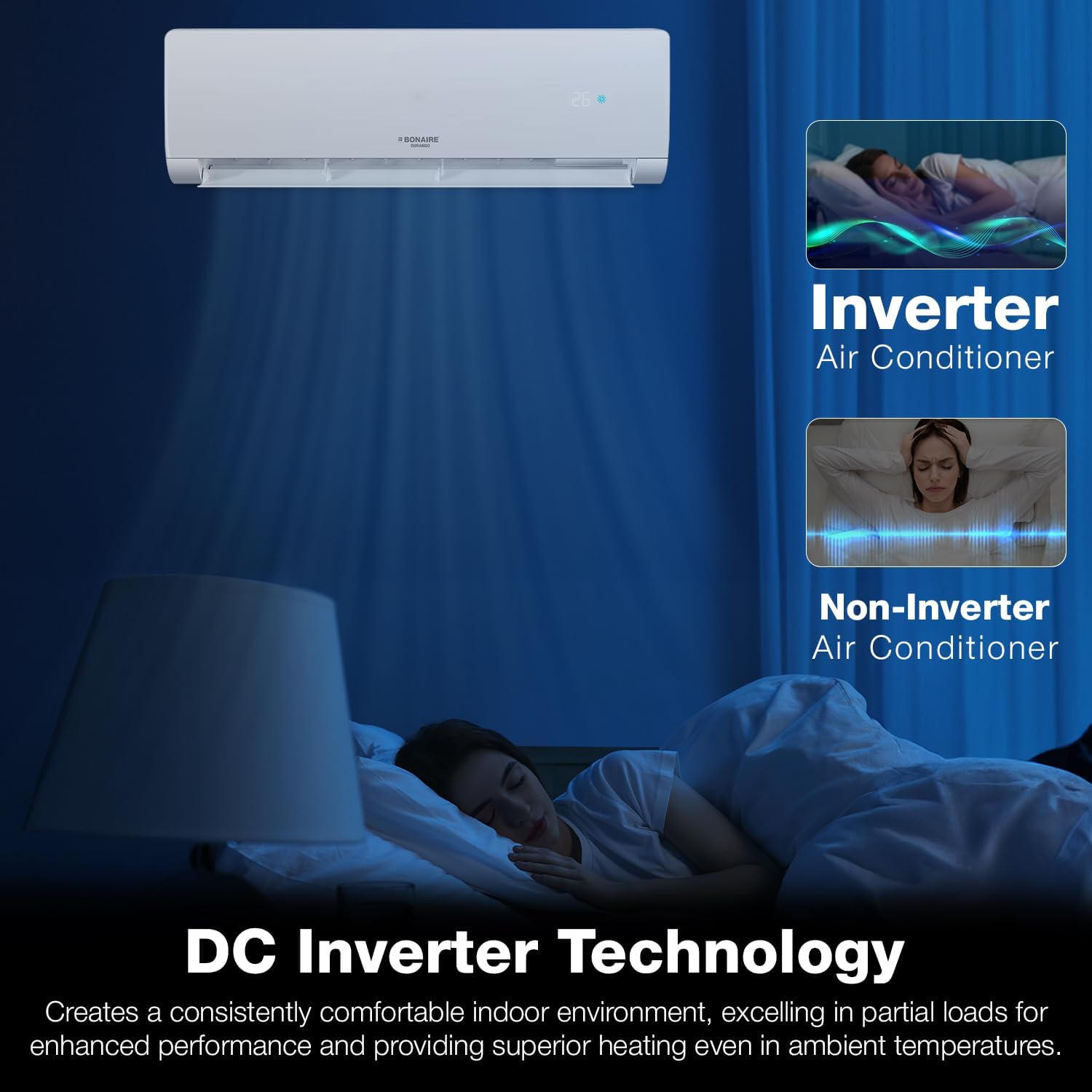
Figure 7: DC Inverter Technology provides consistent comfort and superior performance.

Figure 8: The unit provides efficient performance for both cooling and heating across various ambient temperatures.
Opretholdelse
Regular maintenance ensures optimal performance and longevity of your Bonaire Durango Mini Split AC unit. The most critical routine maintenance involves cleaning the air filters.
Rengøring af luftfiltre
The air filters should be cleaned regularly, typically every two weeks or more frequently depending on usage and air quality. Dirty filters can reduce airflow, decrease efficiency, and impact air quality.
- Turn off the unit and disconnect power before performing any maintenance.
- Åbn frontpanelet på indendørsenheden.
- Fjern forsigtigt luftfiltrene.
- Rengør filtrene med en støvsuger, eller vask dem med lunkent vand og et mildt rengøringsmiddel.
- Rinse thoroughly and allow them to dry completely in a shaded area before re-installing. Do not expose to direct sunlight.
- Re-install the dry filters and close the front panel.

Figure 9: Easy-to-clean filters ensure fresh and clean air circulation.
Other Maintenance Tips
- Udendørs enhed: Hold området omkring udendørsenheden fri for snavs, blade og andre forhindringer for at sikre korrekt luftgennemstrømning.
- Spoler: Periodically check the indoor and outdoor coils for dirt buildup. If heavily soiled, professional cleaning may be required.
- Dræning: Ensure the condensate drain line is not clogged to prevent water leakage.
Fejlfinding
Before contacting customer support, please refer to the following common troubleshooting steps for minor issues.
| Problem | Mulig årsag | Løsning |
|---|---|---|
| Enheden tænder ikke | No power supply; Remote control batteries are dead; Unit is in standby mode. | Check power connection and circuit breaker; Replace remote control batteries; Press the power button on the unit or remote. |
| Utilstrækkelig køling/opvarmning | Dirty air filters; Obstruction near air intake/outlet; Incorrect mode selected; Room size exceeds capacity. | Clean air filters; Remove obstructions; Select appropriate mode (Cool/Heat); Ensure unit capacity matches room size. |
| Usædvanlig støj | Loose parts; Unit not level; Debris in fan. | Check for loose components; Ensure unit is installed on a level surface; Inspect for and remove any debris. |
| Vandlækage fra indendørsenhed | Tilstoppet afløbsrør; Forkert installation. | Check and clear the drain pipe; Consult installation manual or professional for proper installation. |
| Problemer med Wi-Fi-forbindelse | Poor Wi-Fi signal; Incorrect network settings; App issues. | Ensure strong Wi-Fi signal; Reconfigure network settings in the app; Restart the app and unit. |
If the problem persists after attempting these solutions, please contact Bonaire customer support for further assistance.
Specifikationer
| Specifikation | Detalje |
|---|---|
| Mærkenavn | BONAIRE |
| Model info | CRC7000012 |
| Varens vægt | 25.5 pund |
| Produktmål (indendørsenhed) | 8.46" D x 35.43" B x 12.2" H |
| Produktdimensioner (samlet) | 37.01 x 26.97 x 20.08 tommer |
| Kapacitet | 1 tons (12000 BTU) |
| Kølekraft | 12000 britiske termiske enheder |
| Årligt energiforbrug | 1000 watt |
| Støjniveau | 42 dB |
| Installationstype | Opdelt system |
| Særlige funktioner | Inverter Compressor, WiFi Enabled, Heating And Cooling Function, Fast Cooling, Air Purification Filter |
| Farve | Hvid |
| Voltage | 208 volt |
| Wattage | 2254 watt |
| Dækning af gulvareal | Op til 750 kvadratmeter |
| Kølemiddel | R-410A |

Figur 10: Dimensioner af indendørs- og udendørsenhederne.

Figure 11: BTU and coverage area guide for optimal performance.
Garanti og support
For detailed warranty information, please refer to the warranty card included with your product or visit the official BONAIRE webGarantibetingelserne dækker typisk fabrikationsfejl i en bestemt periode fra købsdatoen.
For technical support, service requests, or inquiries regarding your Bonaire Durango Mini Split Air Conditioner and Heater, please contact BONAIRE customer service. Contact details can usually be found on the manufacturer's webwebsted eller i produktemballagen.
It is recommended to keep your purchase receipt and product serial number readily available when contacting support.
Ask a question about this manual
Ask about setup, troubleshooting, compatibility, parts, safety, or missing instructions. Manuals+ will review the question and use this page’s manual context to help answer it.