Produkt overview
The KOORUI Wireless Keyboard and Mouse Combo (Model BKM01) provides a versatile input solution for various computing environments. This combo supports both 2.4G wireless and Bluetooth connectivity, offering flexibility and ease of use. The keyboard features a full-size layout with multimedia shortcut keys, while the mouse offers adjustable DPI settings and an ergonomic design.

Image: The KOORUI Wireless Keyboard and Mouse Combo, featuring a black full-size keyboard, a black optical mouse, and a small USB receiver.
Pakkens indhold
- One Wireless Keyboard
- One Wireless Mouse
- One 2.4G USB Receiver (located in the back of the mouse)
- Et Type-C opladningskabel
- En brugermanual
Opsætningsinstruktioner
1. Locate the USB Receiver
The 2-in-1 USB receiver for both the keyboard and mouse is stored in a compartment on the underside of the mouse. Gently pull it out.
2. Connect to Your Device (2.4G Wireless Mode)
- Insert the 2.4G USB receiver into an available USB port on your computer (PC, laptop, etc.).
- Turn on the keyboard and mouse using their respective ON/OFF switches.
- The devices should automatically connect to your computer. No additional software or drivers are required for 2.4G mode.
3. Connect to Your Device (Bluetooth Mode)
The keyboard and mouse support Bluetooth connectivity for two separate devices (BT1 and BT2). To pair:
- Tænd tastaturet/musen.
- Press the BT1 or BT2 button on the keyboard/mouse to select the desired Bluetooth channel. The corresponding indicator light will blink.
- Aktiver Bluetooth på din computer eller enhed, og søg efter nye enheder.
- Select "KOORUI Keyboard" or "KOORUI Mouse" from the list of available devices to pair.
- Once paired, the indicator light will stop blinking and remain solid.

Billede: Nærbillede view of the keyboard and mouse, highlighting the ON/OFF switch, NUM, CAPS, and POWER indicators on the keyboard, the 2-in-1 USB receiver slot under the mouse, and the mouse's 300mAh battery compartment, along with forward and backward buttons.
Betjeningsvejledning
Tænd/sluk
- Locate the ON/OFF switch on the top right of the keyboard and on the underside of the mouse.
- Slide the switch to 'ON' to power on the device, and to 'OFF' to power it down.
Multimedia Keys and Shortcut Functions
The keyboard features F1-F12 shortcut keys for enhanced productivity. To activate these functions, press the Fn tasten samtidigt med den ønskede F-tast.
- Fn+F1: Stum
- Fn+F2: Lydstyrke ned
- Fn+F3: Lydstyrke op
- Fn+F4: Forrige spor
- Fn+F5: Afspil/pause
- Fn+F6: Næste spor
- Fn+F7: Lysstyrke fald
- Fn+F8: Forøgelse af lysstyrken
- Fn+F9: Vælg alle
- Fn+F10: Kopi
- Fn+F11: Skære
- Fn+F12: Screenshot (Only supports Windows system)
The keyboard also includes dedicated buttons for 2.4G connection, BT1, BT2, Home Page, and a power switch.

Image: The KOORUI keyboard and mouse, illustrating the 12 shortcut functions (Fn+F1 to Fn+F12) and their corresponding actions, along with dedicated buttons for 2.4G, BT1, BT2, Home, and Power.
Justering af musens DPI
The mouse offers 5 adjustable DPI settings to suit your preference for cursor speed and precision. The available DPI options are 800, 1200, 1600, 2000, and 2400 DPI. Press the DPI adjustment button (located near the scroll wheel) to cycle through these settings.
Automatisk energibesparelse
To conserve battery power, both the keyboard and mouse will enter sleep mode after 10 minutes of inactivity. To wake them up, simply press any key on the keyboard or move/click the mouse. The sleep mode duration cannot be adjusted.
Genopladeligt batteri
The keyboard and mouse feature built-in rechargeable lithium batteries. A full charge takes approximately 3-4 hours and provides up to one month of battery life under typical usage conditions.
Opretholdelse
Vandtæt og støvtæt design
The keyboard is designed to be spill-proof, offering protection against accidental liquid spills. Its flat keys also facilitate easy cleaning of the spaces between keys.
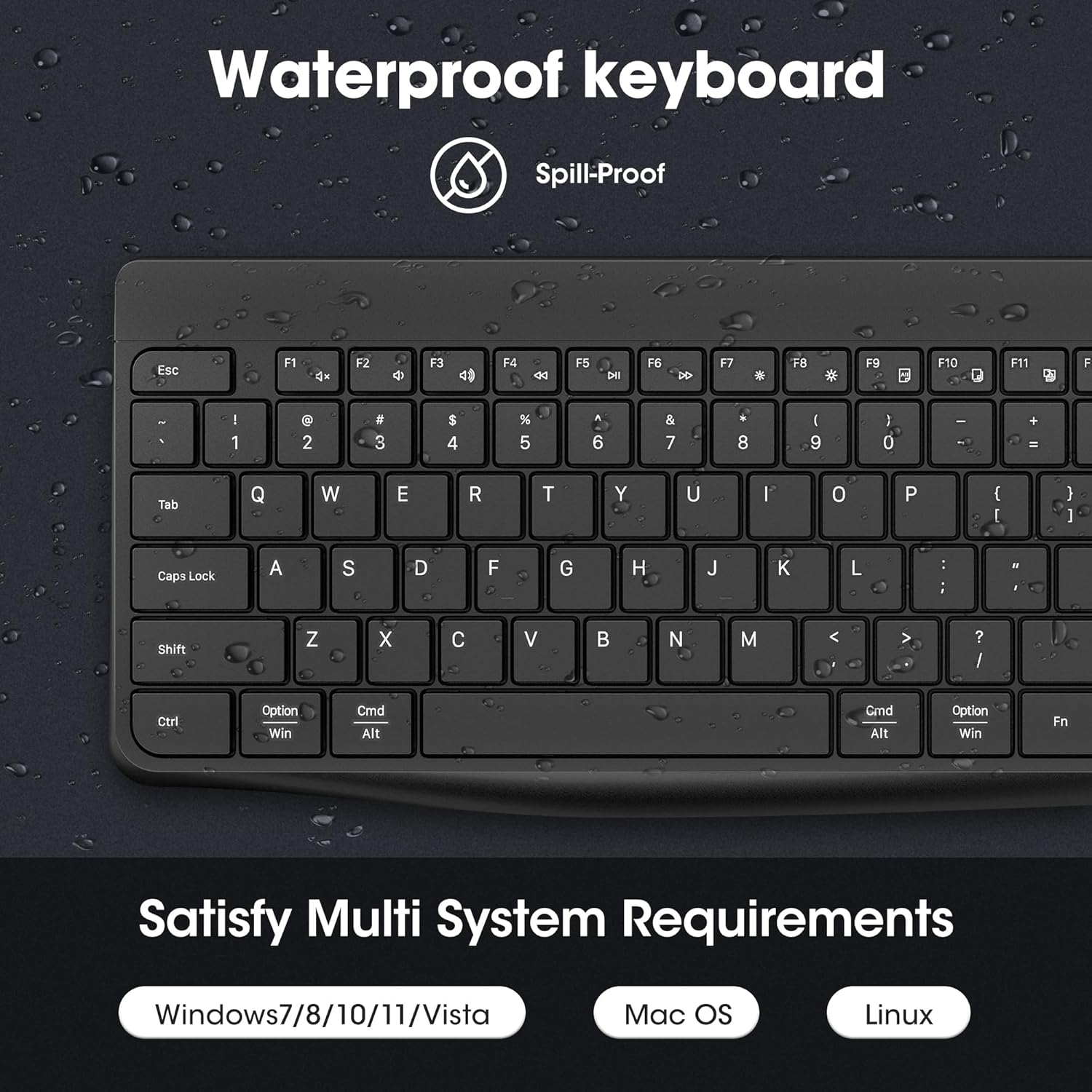
Image: A close-up of the KOORUI keyboard with water droplets on its surface, illustrating its waterproof and dustproof design. The image also indicates multi-system compatibility with Windows, Mac OS, and Linux.
Rensning
Brug en blød klud til at rengøre tastaturet og musen.amp cloth. Avoid using harsh chemicals or abrasive materials that could damage the surfaces. Ensure the devices are powered off before cleaning.
Fejlfinding
- Cannot find the wireless receiver: The 2-in-1 USB receiver is located under the back of the mouse. Gently pull it out.
- Kort batterilevetid: Ensure the devices are fully charged (3-4 hours). Battery life is approximately one month per charge.
- Mouse responsiveness issues: Check the DPI setting. The mouse has 5 adjustable DPI options (800/1200/1600/2000/2400DPI). Adjust as needed.
- Multimedietaster virker ikke på Mac: Fn+F1-F11 multifunctional keys support both Mac and Windows systems. However, Fn+F12 (screenshot) only supports the Windows system.
- Devices enter sleep mode too quickly: The keyboard and mouse enter sleep mode after 10 minutes of inactivity. This time cannot be changed. Press any key on the keyboard or move/click the mouse to wake them up.
- Andre problemer: If you encounter other problems, please contact the KOORUI support team for assistance.
Specifikationer
| Modelnummer | BKM01 |
| Pakkedimensioner | 17.17 x 8.74 x 1.85 tommer |
| Varens vægt | 1.65 pund |
| Batterier | 2 Lithium Ion batterier påkrævet (medfølger) |
| Forbindelsesteknologi | 2.4 GHz, Bluetooth, Radio Frequency |
| Særlige funktioner | Ergonomic, Lightweight, Long Battery Life, Portable, Rechargeable |
| Kompatible enheder | Bærbar, personlig computer |
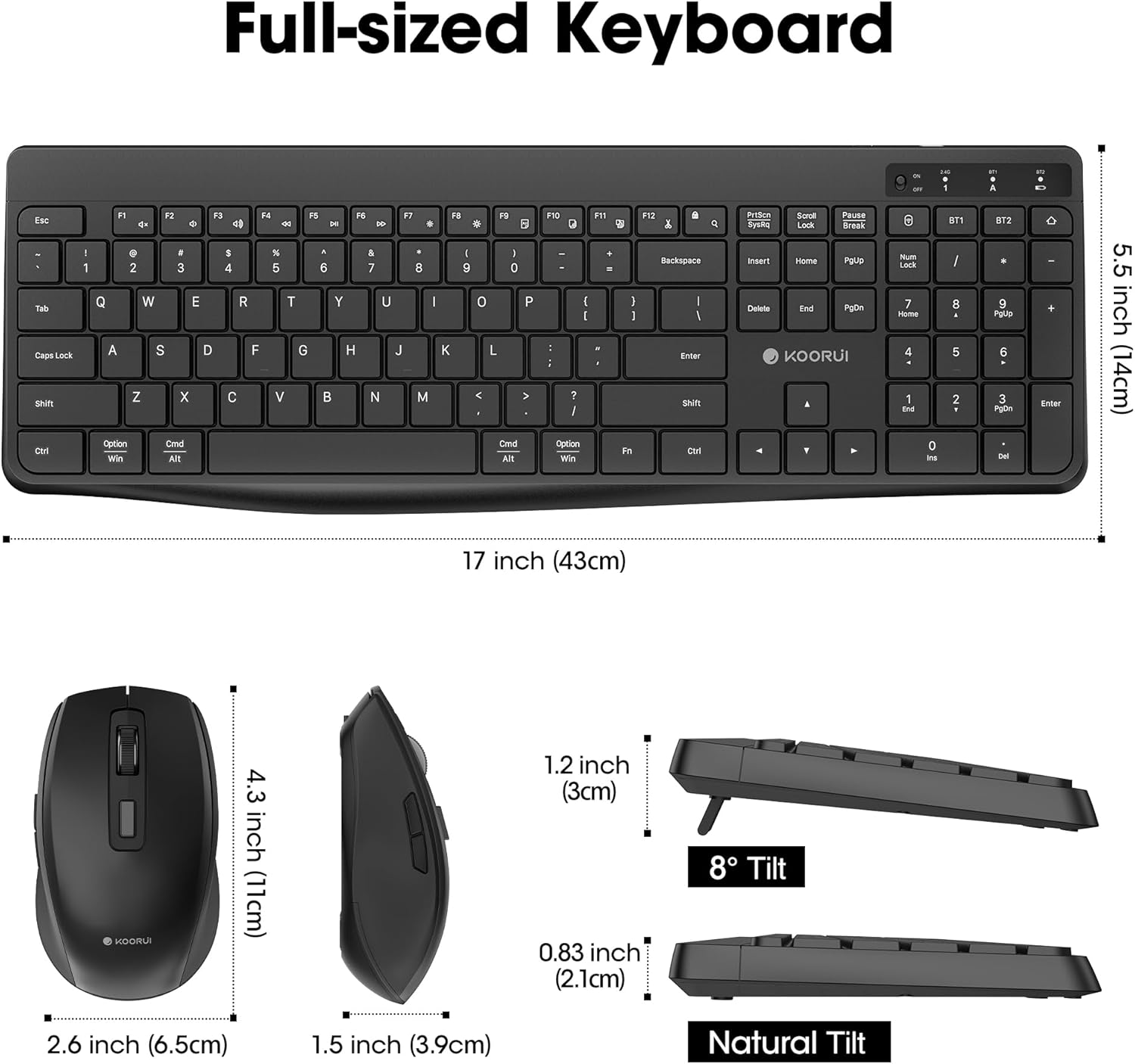
Image: Detailed dimensions of the KOORUI full-sized keyboard (17 inches wide, 5.5 inches deep) and mouse (2.6 inches wide, 4.3 inches long, 1.5 inches high), also showing the 8-degree tilt and natural tilt options for the keyboard.
Produkt video
Video: An official product video from Komonitor showcasing the KOORUI wireless keyboard and mouse combo (Model BKM01), highlighting its features such as 2.4G Hz and Bluetooth wireless connectivity, ergonomic design, rechargeable battery, smooth and quiet keystrokes, adjustable DPI, and waterproof design.
Garanti og support
KOORUI provides a one-year warranty for this product. For any questions or issues, please contact the KOORUI support team for professional assistance.


