Indledning
The Boult Audio W20 Wireless Earbuds are designed to provide a superior audio experience with advanced features for daily use. These earbuds offer an impressive 40-hour total battery life, premium 13mm BoomX drivers for powerful sound, and advanced wireless technology with 45ms low latency for seamless audio streaming.
Equipped with Zen ENC microphone technology, the W20 ensures clear voice calls by effectively reducing background noise. For convenience, they feature intuitive touch controls and IPX5 water resistance, making them durable for various activities. The comfortable in-ear design ensures a secure fit for extended listening sessions.

Image: The Boult Audio W20 Wireless Earbuds in their charging case, showcasing their sleek green design.
Hvad er der i æsken
Upon unboxing your Boult Audio W20 Wireless Earbuds, you will find the following components:
- Boult Audio W20 Wireless Earbuds (Left and Right)
- Opladningsetui
- USB Type-C opladerkabel
- Brugervejledning (dette dokument)
Opsætning
Opladning af øretelefoner og etui
Before first use, it is recommended to fully charge both the earbuds and the charging case. The charging case provides additional battery life for your earbuds, extending playtime significantly.
- Placer ørepropperne i deres respektive holdere i opladningsetuiet. Sørg for, at de sidder korrekt.
- Tilslut USB Type-C-opladerkablet til opladningsporten på etuiet, og den anden ende til en kompatibel USB-strømkilde (f.eks. en vægadapter, computerens USB-port).
- The LED indicators on the charging case will illuminate to show the charging status. Once fully charged, the indicators may change or turn off.
A full charge for the case takes approximately 1.5 hours. The earbuds offer an impressive 40-hour total battery life with the charging case, and a quick 10-minute charge can provide up to 120 minutes of playtime.
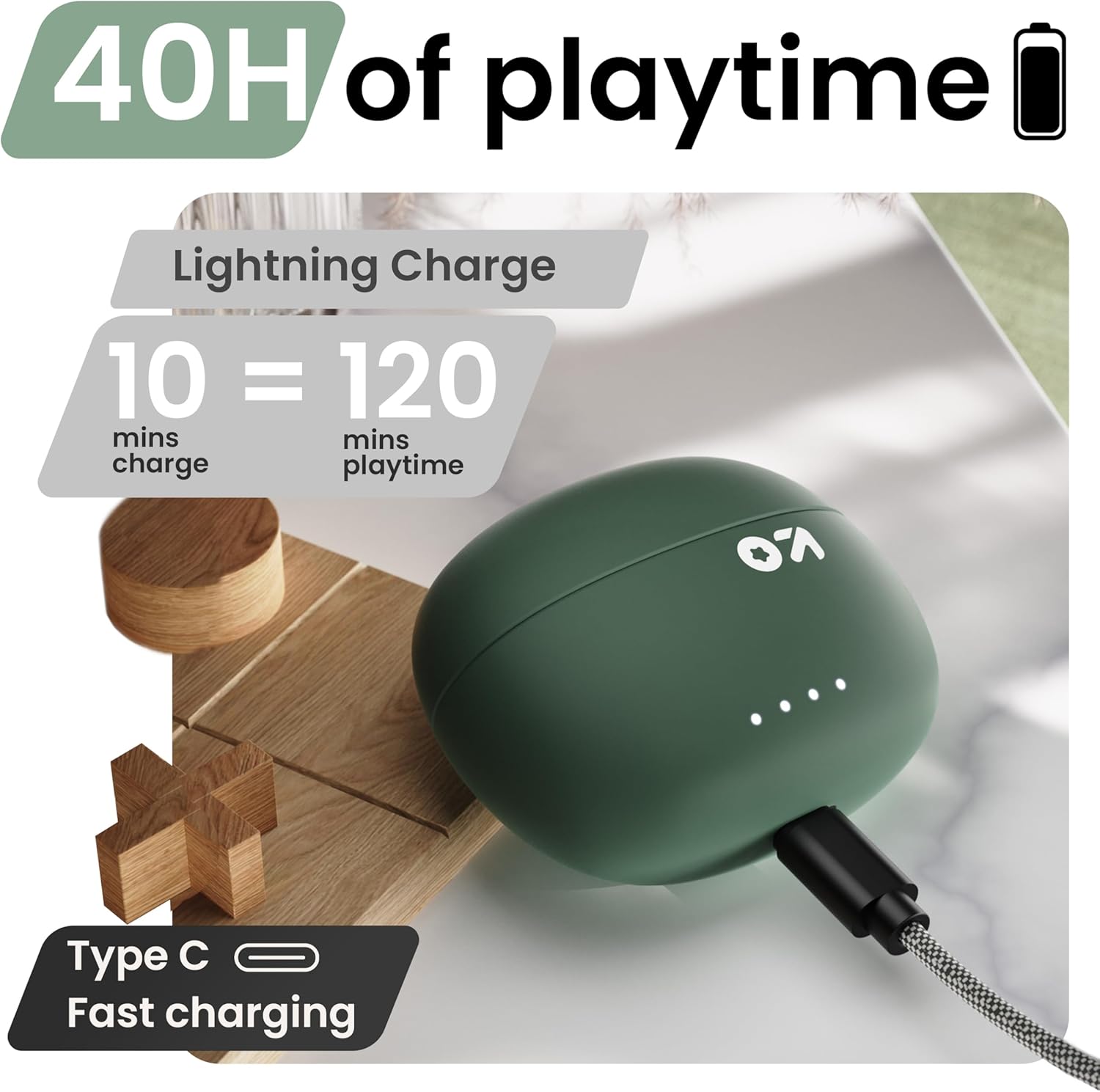
Image: The charging case connected via a Type-C cable, illustrating the fast charging capability and extended playtime.
Parring med din enhed
The Boult Audio W20 Earbuds utilize Blink & Pair™ technology for swift and stable connectivity with Bluetooth 5.3.
- Åbn opladningsetuiet. Ørepropperne går automatisk i parringstilstand.
- On your smartphone, tablet, or laptop, navigate to the Bluetooth settings.
- Slå Bluetooth til, og søg efter tilgængelige enheder.
- Select "Boult Audio W20" from the list of found devices.
- Once connected, you will hear an audio prompt, and the earbuds' indicator lights may change.
Ørepropperne genopretter automatisk forbindelse til den sidst parrede enhed, når de tages ud af etuiet, forudsat at Bluetooth er aktiveret på enheden.

Image: The earbuds next to a smartphone, highlighting stable Bluetooth 5.3 connectivity and the Blink & Pair feature for fast pairing.
Betjeningsvejledning
Tryk på kontrolelementer
The Boult Audio W20 Earbuds feature intuitive touch controls on each earbud for easy management of music, calls, and voice assistants.
| Handling | Fungere |
|---|---|
| Enkelt tryk (enten øretelefon) | Afspil/pause musik, besvar/afslut opkald |
| Dobbelttryk (højre øretelefon) | Næste spor |
| Dobbelttryk (venstre øretelefon) | Forrige spor |
| Tredobbelt tryk (højre øretelefon) | Lydstyrke op |
| Tredobbelt tryk (venstre øretelefon) | Lydstyrke ned |
| Long Press (2 seconds, Either Earbud) | Aktivér stemmeassistent (Siri/Google Assistant) |
| Four Taps (Either Earbud) | Skift spil-/musiktilstand |
| Long Press (2 seconds during call) | Afvis opkald |

Image: A visual guide to the touch controls on the earbuds, demonstrating gestures for music, calls, and voice assistant activation.
Zen Mode ENC for Clear Calls
The W20 earbuds incorporate Zen ENC (Environmental Noise Cancellation) microphone technology. This feature actively reduces ambient noise during calls, ensuring your voice is transmitted clearly to the other party, even in noisy environments.

Image: A close-up of the earbud highlighting the Zen ENC microphone technology for HD call clarity.
Spiltilstand med lav forsinkelse
For an optimized gaming experience, the W20 earbuds feature an ultra-low latency mode of 45ms. This minimizes audio delay, ensuring that sound effects and dialogue are perfectly synchronized with on-screen action. Activate this mode with four taps on either earbud as per the touch controls.
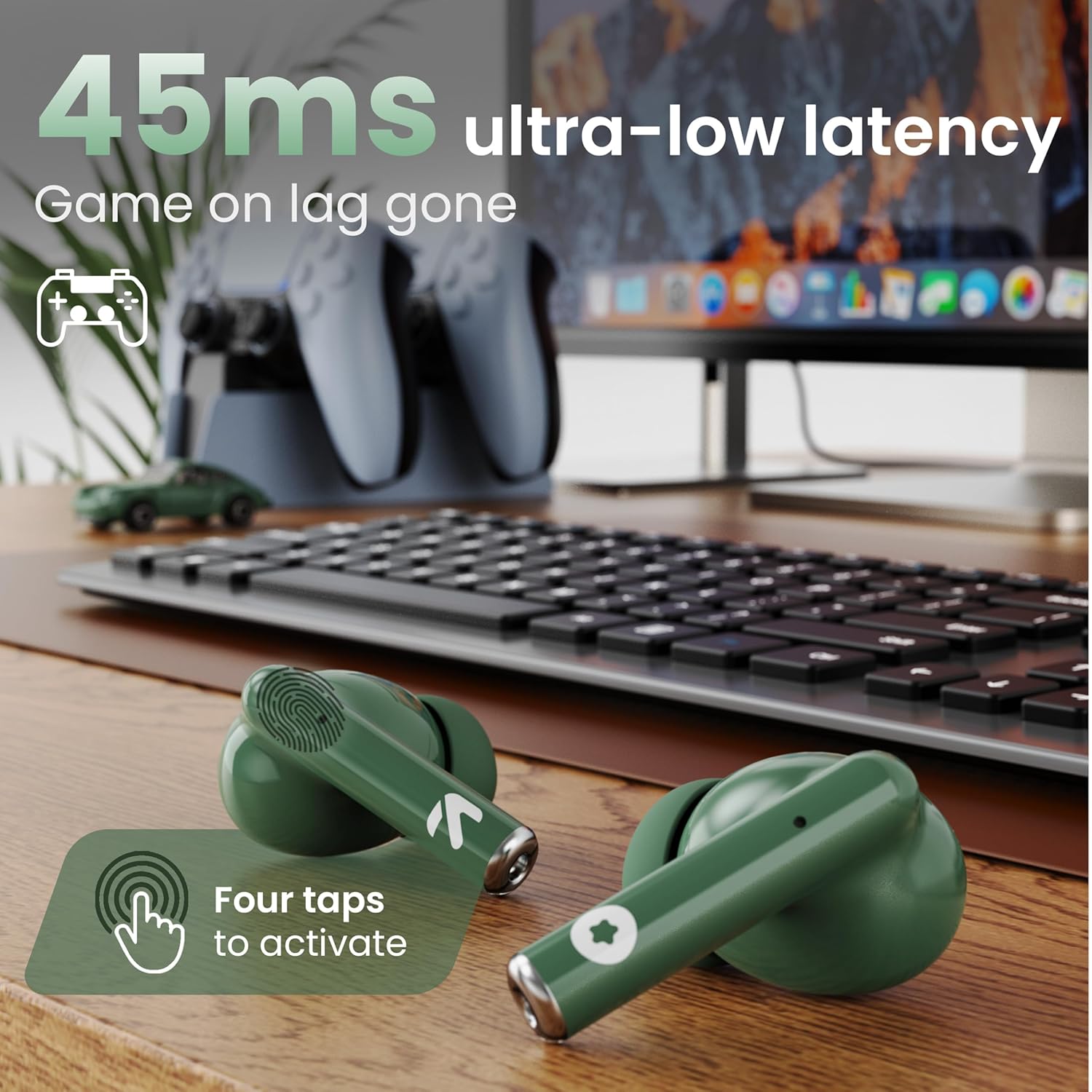
Image: The earbuds positioned in a gaming setup, illustrating the 45ms ultra-low latency feature for an immersive gaming experience.
Opretholdelse
Proper maintenance ensures the longevity and optimal performance of your Boult Audio W20 Wireless Earbuds.
Rensning
- Rengør regelmæssigt ørepropperne og opladningsetuiet med en blød, tør og fnugfri klud.
- Til genstridigt snavs, let dampen the cloth with water or a mild, non-abrasive cleaner. Avoid getting moisture into any openings.
- Use a cotton swab or a small, soft brush to gently clean the ear tips and speaker grilles to remove earwax or debris.
- Ensure the charging contacts on both the earbuds and the case are clean and free of dust to maintain proper charging.
Vandmodstand
The Boult Audio W20 Earbuds are rated IPX5 water resistant. This means they are protected against low-pressure water jets from any direction, making them sweatproof, rainproof, and splashproof. However, they are not designed for submersion in water or for use during swimming. Avoid exposing them to high-pressure water or prolonged contact with water.

Image: The earbuds and charging case on a wet surface, illustrating their IPX5 water resistance for protection against sweat, rain, and splashes.
Opbevaring
Når ørepropperne ikke er i brug, skal de altid opbevares i deres opladningsetuier for at beskytte dem mod støv og skader og for at holde dem opladet.
Fejlfinding
If you encounter any issues with your Boult Audio W20 Wireless Earbuds, refer to the following common troubleshooting steps:
Ingen lyd eller intermitterende lyd
- Tjek forbindelsen: Ensure the earbuds are properly paired and connected to your device. Try disconnecting and re-pairing.
- Lydstyrkeniveauer: Verify that the volume on both your device and the earbuds is turned up.
- Batteriniveau: Sørg for, at både øretelefoner og opladningsetuiet er tilstrækkeligt opladet.
- Afstand: Make sure the earbuds are within the Bluetooth range (up to 10 meters) of your device.
- Interferens: Move away from strong Wi-Fi signals, other Bluetooth devices, or large metal objects that might cause interference.
Øretelefoner oplader ikke
- Tjek kabel og adapter: Ensure the USB Type-C cable is securely connected to both the case and the power source, and that the power adapter is functional.
- Rengør kontakter: Clean the charging contacts on both the earbuds and inside the charging case with a dry cotton swab to remove any dust or debris.
- Etui batteri: Ensure the charging case itself has enough power.
Én øretelefon virker ikke
- Reparation: Place both earbuds back into the charging case, close the lid for a few seconds, then open it and try re-pairing.
- Nulstil: Refer to the product's specific reset procedure (if available, not detailed in provided data, so general advice). A common reset involves holding touch controls for an extended period while in the case.
- Batteri: Sørg for, at begge øretelefoner er opladet.
Voice Assistant Not Responding
- Correct Gesture: Ensure you are performing the correct long-press gesture (2 seconds) on either earbud.
- Enhedsindstillinger: Check your phone's settings to ensure the voice assistant (Siri/Google Assistant) is enabled and configured correctly.
- Internetforbindelse: A stable internet connection is often required for voice assistant functionality.
Specifikationer
| Feature | Detalje |
|---|---|
| Modelnavn | W20 (Airbass Earbuds) |
| Mærke | Boult |
| Forbindelsesteknologi | Trådløs (Bluetooth 5.3) |
| Bluetooth rækkevidde | 10 meter |
| Audio driver type | Dynamisk Driver |
| Audio driver størrelse | 13 millimeter |
| Frekvensrespons | 20 Hz - 20,000 Hz |
| Impedans | 32 Ohm |
| Følsomhed | 103 dB |
| Støjkontrol | Active Noise Cancellation (Zen ENC for calls) |
| Lydforsinkelse | 45 millisekunder (spiltilstand) |
| Samlet spilletid | Op til 40 timer (med opladningsetui) |
| Opladningstid for øretelefoner | 1 time |
| Bæretaske Opladningstid | 1.5 timer |
| Vandmodstandsniveau | IPX5 (Sweatproof, Rainproof, Splashproof) |
| Kontroltype | Tryk på kontrol |
| Materiale | Plast, silikone |
| Varens vægt | 52.6 Grams (total) / 1.86 ounces (product) |
| Produktdimensioner | 1.93 x 3.5 x 3.78 tommer |
| Inkluderede komponenter | Opladningsetui |
Garanti og support
For warranty information, technical support, or any inquiries regarding your Boult Audio W20 Wireless Earbuds, please refer to the official Boult webhjemmeside eller kontakt deres kundeservice direkte.
You can visit the official Boult Store on Amazon for more information and support:
Gem venligst dit købsbevis for garantikrav.


