Produkt overview
The DAYTECH Wireless Call Button Alarm System is designed to provide a reliable and convenient way for individuals to call for assistance. It consists of a portable call button (transmitter) and a plug-in receiver, offering flexibility and ease of use in various settings.

Image: The main components of the DAYTECH Wireless Call Button Alarm System, including the receiver and the call button.
This system enhances safety and independence for users, while providing peace of mind for caregivers. Its simple operation and versatile installation options make it suitable for homes, offices, and care facilities.
Nøglefunktioner
- Mutual Sense of Security: Allows users to call for help with a simple press, ensuring caregivers are promptly notified without needing constant proximity.
- Easy for Anyone to Operate: The call button is designed to be soft, large, and requires minimal grip strength, making it accessible for individuals with limited dexterity.
- Nem installation: Compact design allows for portability (neck strap included) or fixed installation using the provided bracket and adhesive. The plug-in receiver simplifies setup.
- Justerbare funktioner: Receiver volume is adjustable from 0-110dB with 5 levels, offering 55 selectable melodies and an LED indicator light.
- IP55 Vandtæt Design: The transmitter is IP55 waterproof, suitable for installation in kitchens, toilets, bathrooms, and entrances.
- Plug and Play: The upgraded plug-in receiver eliminates the need for battery replacement, ensuring continuous operation.
Opsætningsvejledning
1. Udpakning og første kontrol
Carefully remove all components from the packaging. Ensure you have the receiver, call button (transmitter), neck strap, mounting bracket, and double-sided adhesive.
2. Strømtilslutning af modtageren
The receiver is a plug-in unit. Simply plug it into a standard electrical outlet in a central location where the alert can be easily heard and seen.

Image: The plug-in receiver can be easily installed in any standard electrical outlet, eliminating the need for batteries.
3. Preparing the Call Button (Transmitter)
The call button comes with a pre-installed battery. If replacement is needed, refer to the Maintenance section.
4. Placement Options for the Call Button
- Bærbar brug: Attach the included neck strap to the call button for easy carrying.
- Fixed Installation: Use the mounting bracket and double-sided adhesive to fix the call button by the bedside, in the bathroom, or near a toilet.
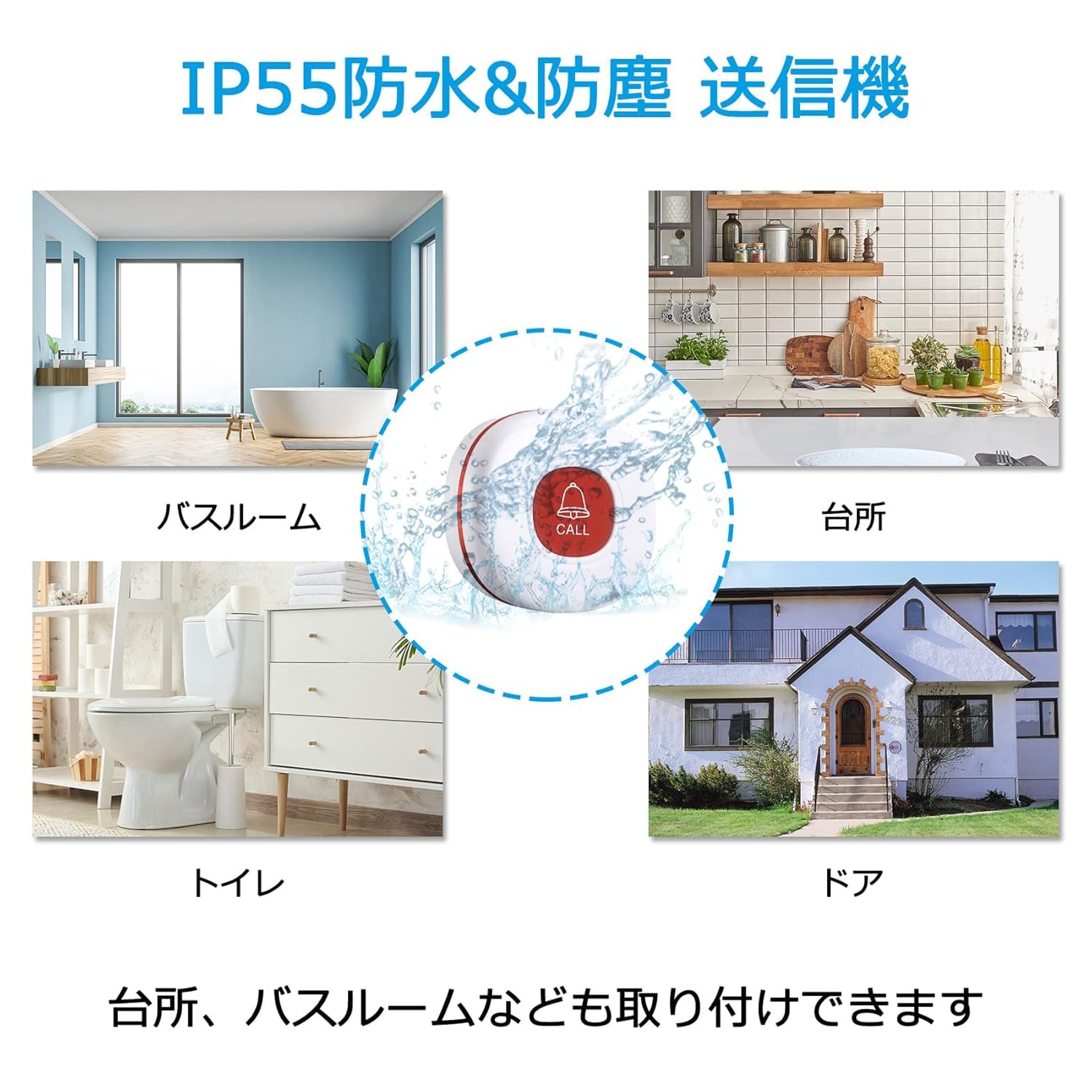
Image: The IP55 waterproof design allows the call button to be installed in various locations, including kitchens, bathrooms, and near doors.
5. Pairing (If necessary)
The units are typically pre-paired from the factory. If re-pairing or adding new transmitters/receivers is required, follow these steps:
- STEP 1: Select Melody on Receiver. Use the forward or backward buttons on the receiver to choose your desired alert sound.
- STEP 2: Enter Pairing Mode. Long press the volume adjustment button on the receiver until you hear a 'ping-pong' sound, indicating it has entered pairing mode.
- STEP 3: Activate Transmitter. Press the call button (transmitter). You will hear a 'ping' sound from the receiver, confirming successful pairing.

Image: Detailed steps for changing the melody and pairing the transmitter with the receiver.
The system supports up to 30 additional transmitters or receivers, allowing for expansion as needed.

Image: The system's expandability, allowing for up to 30 additional transmitters or receivers.
Betjeningsvejledning
1. Indledning af et opkald
To send an alert, simply press the large 'CALL' button on the transmitter. The transmitter will send a wireless signal to the receiver.

Image: Demonstrates the simple operation: press the call button for assistance, and the receiver will alert with sound and light.
2. Modtagelse af en alarm
Upon receiving a signal, the plug-in receiver will emit a chosen melody and flash its LED indicator lights. This dual alert system ensures that calls are noticed even in noisy environments or by individuals with hearing impairments.

Image: The system notifies simultaneously with sound and light, ensuring alerts are not missed in various household situations.
3. Adjusting Volume and Melody
- Lydstyrkejustering: Use the volume buttons on the side of the receiver to cycle through 5 volume levels (0dB to 110dB).
- Melodivalg: Use the melody selection buttons on the receiver to choose from 55 different alert sounds.

Image: The receiver offers 5 adjustable volume levels, from silent (0dB) to very loud (110dB), suitable for different environments.

Image: A selection of 20 melodies is available for customization, allowing users to choose their preferred alert sound.
4. Range and Application
The system boasts a communication range of up to 150 meters (492 feet) in open areas, making it effective across multiple rooms or floors in a typical home or office environment.

Image: The system provides a wide communication range of up to 150 meters, covering multiple rooms and floors within a residence.
Opretholdelse
1. Rensning
Wipe the surfaces of the receiver and transmitter with a soft, dry cloth. Do not use abrasive cleaners or solvents.
2. Udskiftning af senderens batteri
The call button (transmitter) is battery-operated. When the battery is low, the unit may indicate this (e.g., reduced range or inconsistent alerts). To replace the battery:
- STEP 1: Open the Transmitter. Use a small screwdriver to open the three screws on the back of the transmitter.
- STEP 2: Replace Battery. Remove the old battery and insert a new alkaline battery, ensuring correct polarity.

Image: Step-by-step guide for replacing the battery in the call button transmitter.
Bortskaf gamle batterier i henhold til lokale regler.
Fejlfinding
| Problem | Mulig årsag | Løsning |
|---|---|---|
| Modtageren lyder/blinker ikke. |
|
|
| Alerts are too quiet/loud. | Lydstyrkeindstillingen er forkert. | Adjust receiver volume using the volume buttons. |
| Unwanted alerts. | Transmitter button accidentally pressed. | Ensure transmitter is placed where it won't be accidentally activated. |
| Kort rækkevidde. |
|
|
Specifikationer
| Attribut | Detalje |
|---|---|
| Mærke | DAYTECH |
| Modelnummer | CC02-E01 1-1 |
| Varenummer | CC02 |
| Varens vægt | 170 g (hele pakken) |
| Pakkedimensioner | 9.8 x 8.9 x 7.7 cm |
| Inkluderede komponenter | Receiver, Transmitter |
| Batterier medfølger | Yes (for transmitter) |
| Batteritype | Alkaline (for transmitter) |
| Lydstyrkeniveauer | 5 (0dB - 110dB) |
| Melodier | 55 valgbare |
| Vandtæt vurdering | IP55 (transmitter) |
| Kommunikationsområde | Op til 150 meter (åbent område) |
Garanti og support
This product comes with a lifetime quality guarantee from the date of purchase. We are committed to ensuring your satisfaction.
If you encounter any issues during use, require technical assistance, or have questions about your DAYTECH Wireless Call Button Alarm System, please contact our customer support team for prompt assistance. Our goal is to provide you with a reliable and effective solution.
For support, se venligst de kontaktoplysninger, der fulgte med dit køb, eller besøg den officielle DAYTECH webwebsted.


